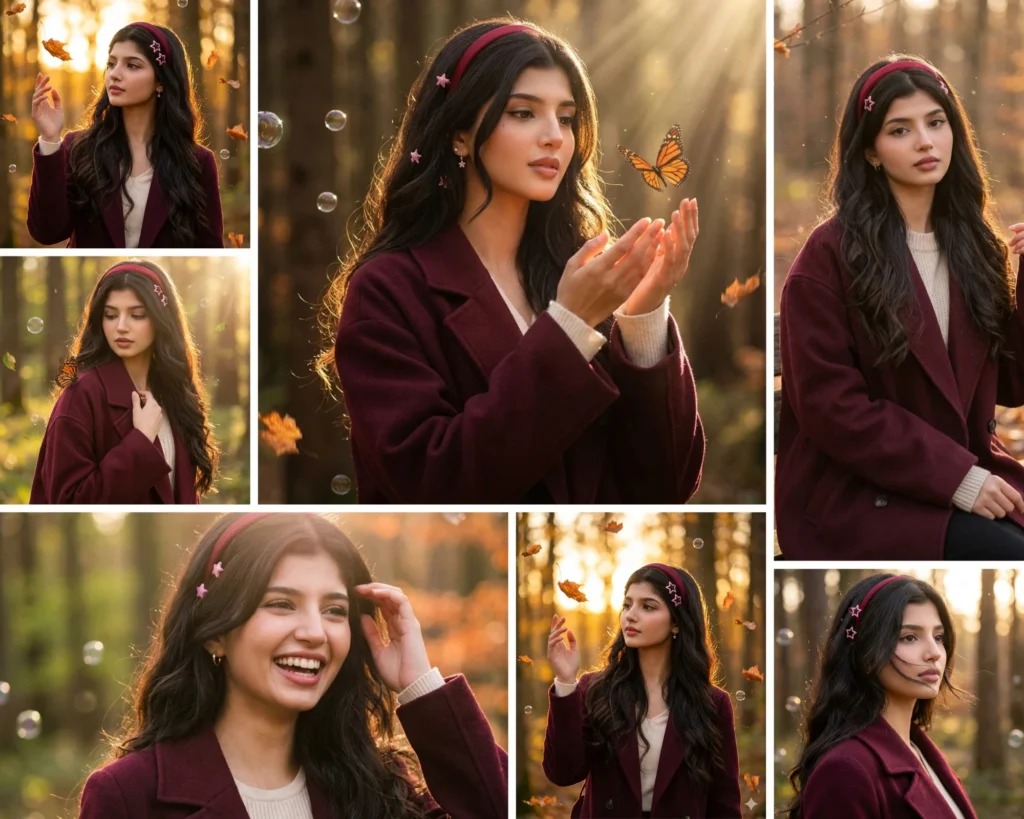
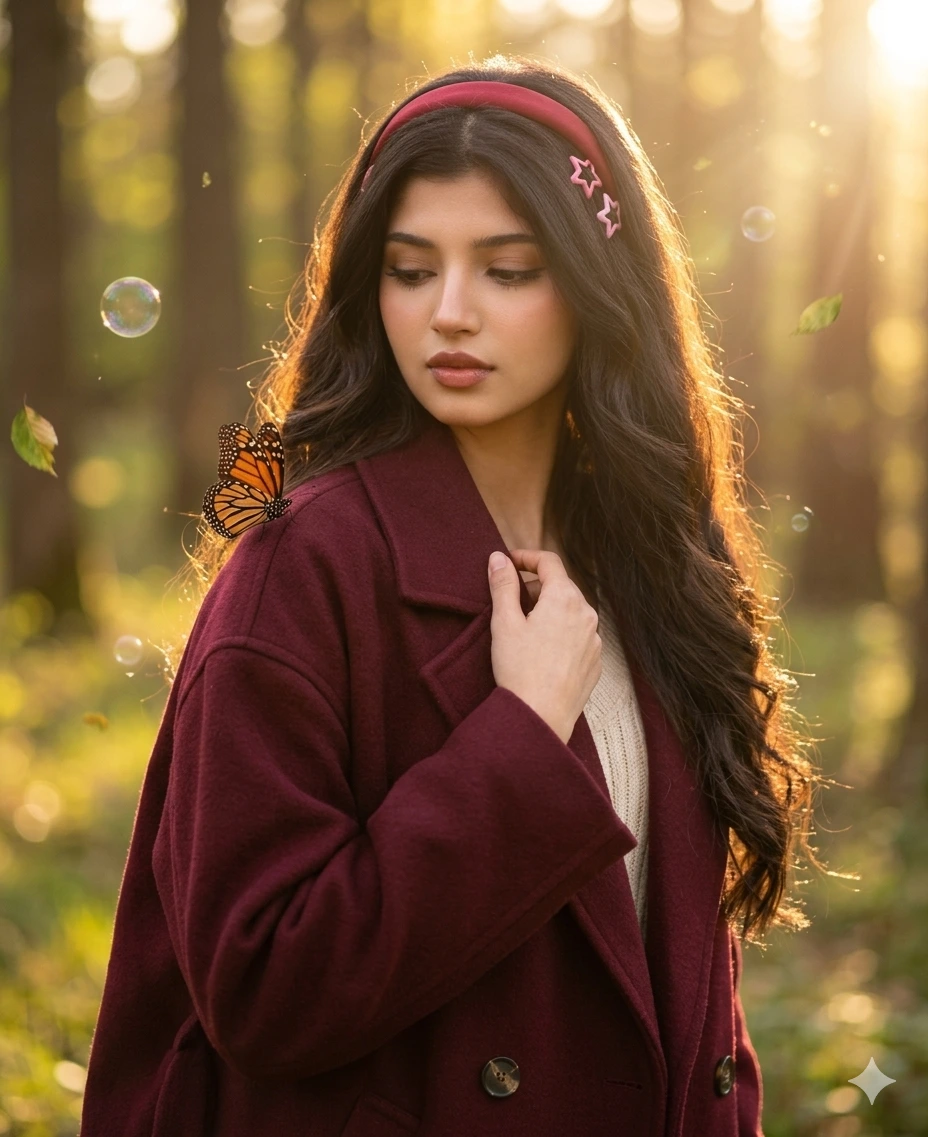
If you have ever looked at a golden hour forest portrait and wished you could step into that scene, this Gemini AI forest girl photo prompt collection is exactly what you need. These eight carefully crafted prompts turn a simple uploaded photo into a warm, cinematic outdoor portrait complete with burgundy coats, wildflowers, floating leaves, and that soft dreamy backlight that makes every photo look like it was taken by a professional. Whether you are new to AI photo editing or have been experimenting with Gemini for a while, this prompt pack gives you a ready made shortcut to portraits that genuinely look human taken, not AI generated.
Gemini AI Prompt
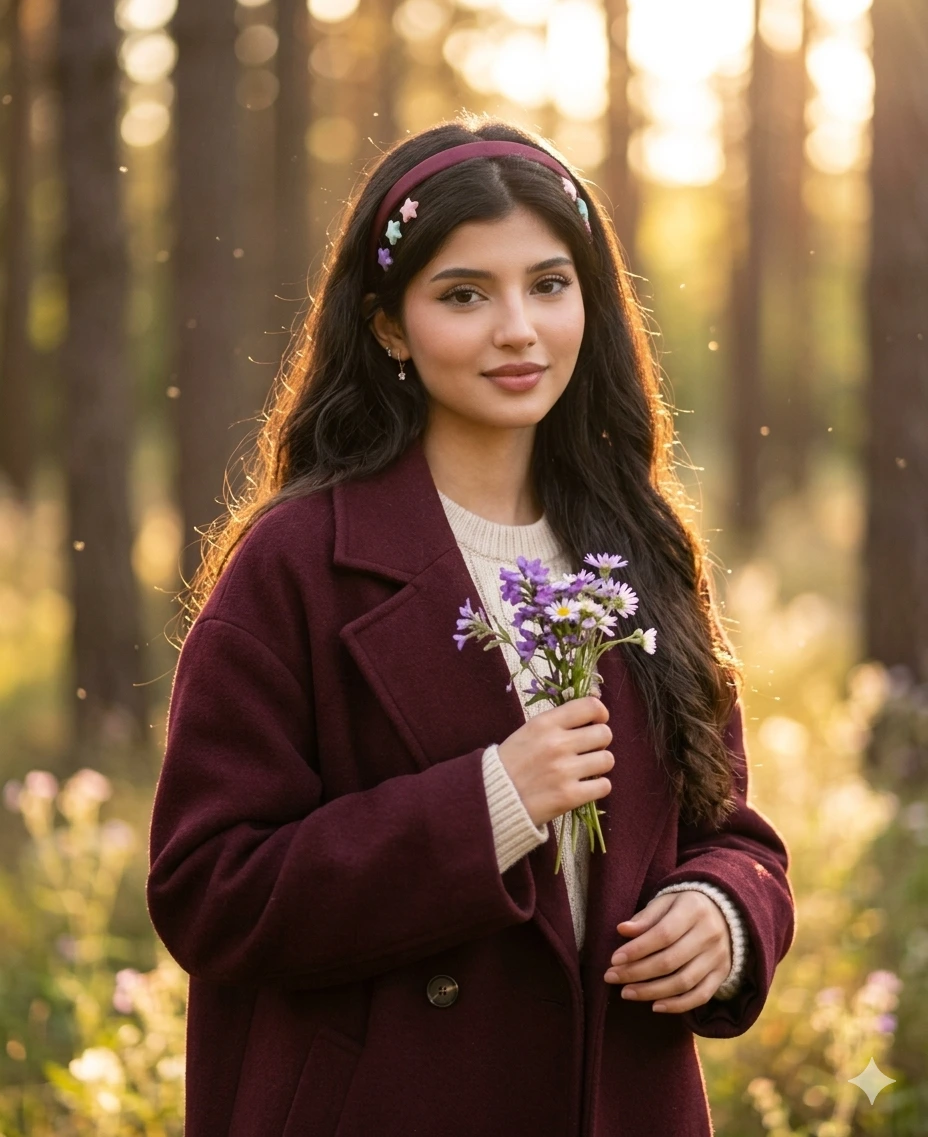
Golden Hour Wildflower Forest Portrait
Transform the uploaded girl portrait into a natural golden hour forest portrait with a soft dreamy outdoor mood, while preserving exact facial identity and realistic human details.
Dress her in:
a deep burgundy oversized coat
a soft cream knit inner top
long wavy dark hair
a thin wine-red headband
small pastel star clips
tiny delicate earrings
Instead of butterflies in hand, make the scene more unique by showing her holding a small bunch of wildflowers near her chest. Her pose should be relaxed and natural, with a soft half-smile and slightly wind-blown hair.
Pose
waist-up portrait
shoulders turned slightly sideways
face softly toward camera
one hand holding flowers
other hand relaxed near coat
Lighting
Use warm sunset backlight filtering through trees, with glowing edges around the hair and soft warm highlights on the face.
Camera Angle
Use a natural eye-level three-quarter portrait angle.
Camera & Lens
Shot as if on Canon EOS R5, 85mm lens, shallow depth of field, creamy bokeh.
Background
sunlit forest
blurred tree trunks
tiny floating dust particles
soft golden bokeh
a few out-of-focus wildflower stems
Style
Soft, feminine, whimsical, natural, realistic, Instagram-worthy, not overly styled.
Gemini AI Prompt
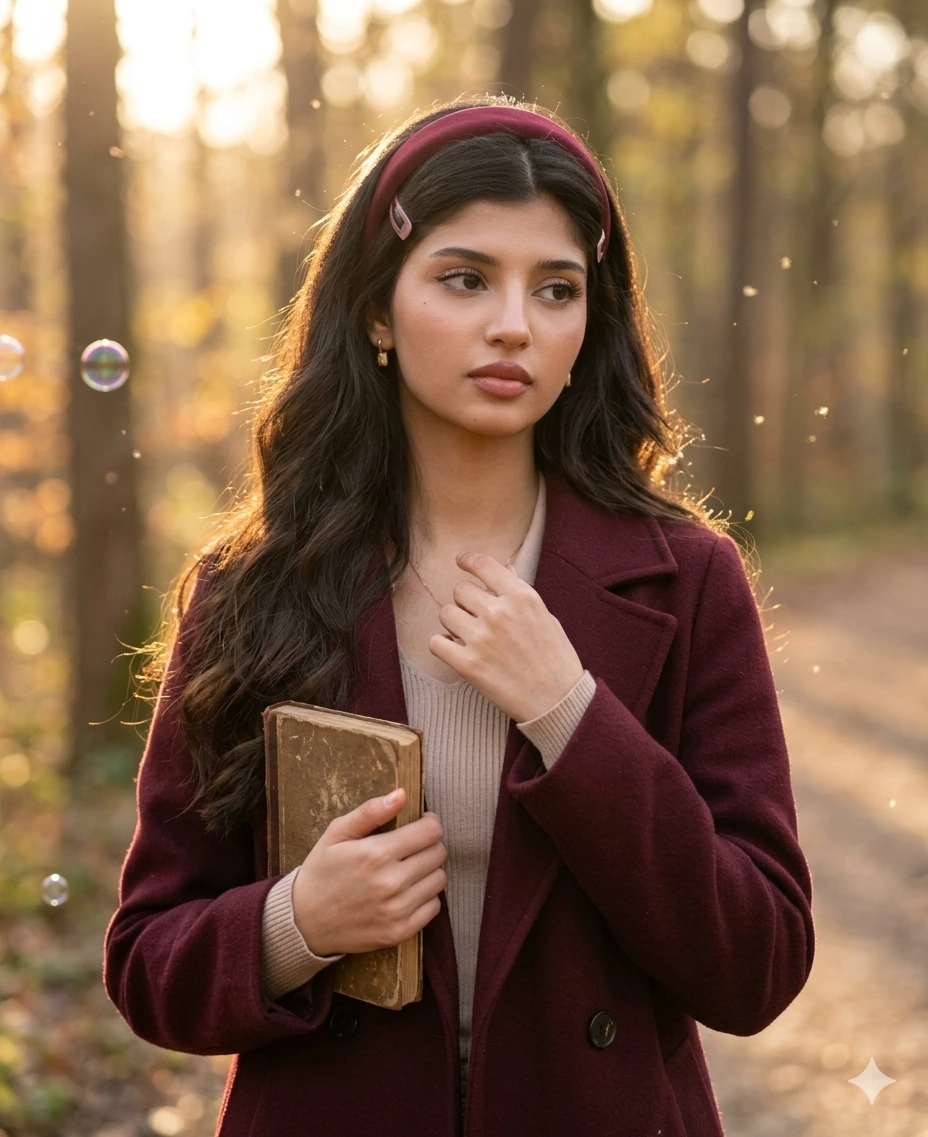
Forest Bookish Girl Portrait
Transform the uploaded girl portrait into a cozy forest golden-hour portrait with a bookish aesthetic, preserving exact face identity and realistic skin texture.
Dress her in:
a burgundy wool coat
a light beige ribbed top
long wavy dark hair
a dark red headband
subtle pink hair clips
simple earrings
Show her holding a small vintage book close to her chest, with a soft thoughtful expression. The image should feel like a candid moment in the woods.
Pose
waist-up pose
body angled slightly to the side
one hand holding the book
other hand lightly touching the cover
eyes softly looking away from camera
Lighting
Warm low sun shining through the trees with soft golden rim light and natural highlights.
Camera Angle
Mid portrait angle, slightly from the side-front.
Camera & Lens
Shot on Sony A7IV, 85mm lens.
Background
forest background
dreamy sunlight
light autumn leaves
subtle soap bubbles or floating pollen
soft blurred woodland path
Style
Natural, soft, literary, dreamy, candid, human-taken.
Gemini AI Prompt
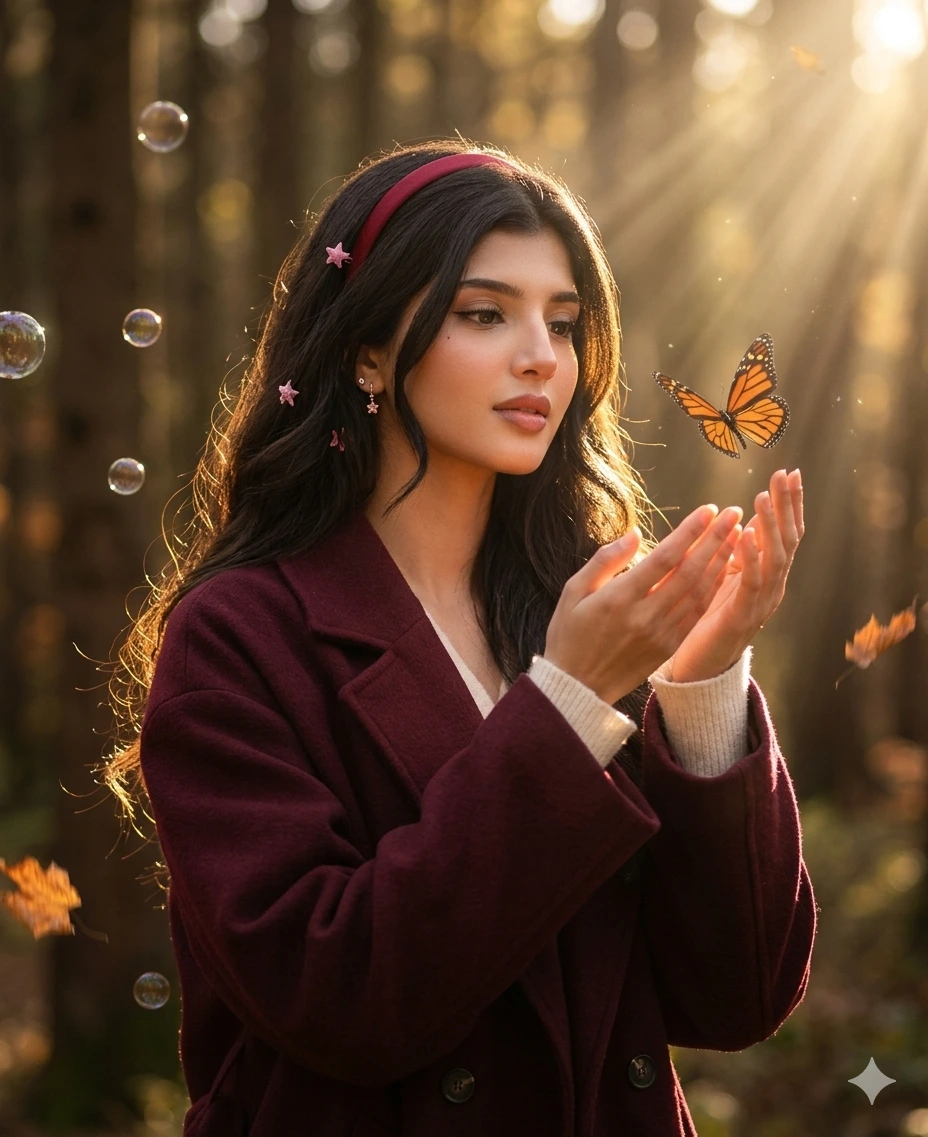
Butterfly Release Portrait
Transform the uploaded girl portrait into a magical but realistic golden-hour forest portrait, preserving exact facial identity and realistic details.
Dress her in:
a burgundy oversized coat
a soft ivory inner top
long dark wavy hair
a thin red headband
pink star clips
delicate earrings
Make this concept unique by showing her gently releasing a butterfly from her hands instead of simply holding it. Keep the expression soft, calm, and slightly mesmerized.
Pose
waist-up portrait
hands raised naturally in front
fingers softly open
face turned toward butterfly
calm focused expression
Lighting
Golden forest backlight with soft sunlight on the side of the face and glowing hair edges.
Camera Angle
Side-front angle, with enough room to show hands and butterfly in motion.
Camera & Lens
Shot as if on Canon EOS R6, 50mm lens.
Background
warm blurred forest
floating bubbles
a few drifting leaves
strong golden sun rays through trees
Style
Whimsical, cinematic, soft fantasy feel, but still believable and human-clicked.
Gemini AI Prompt
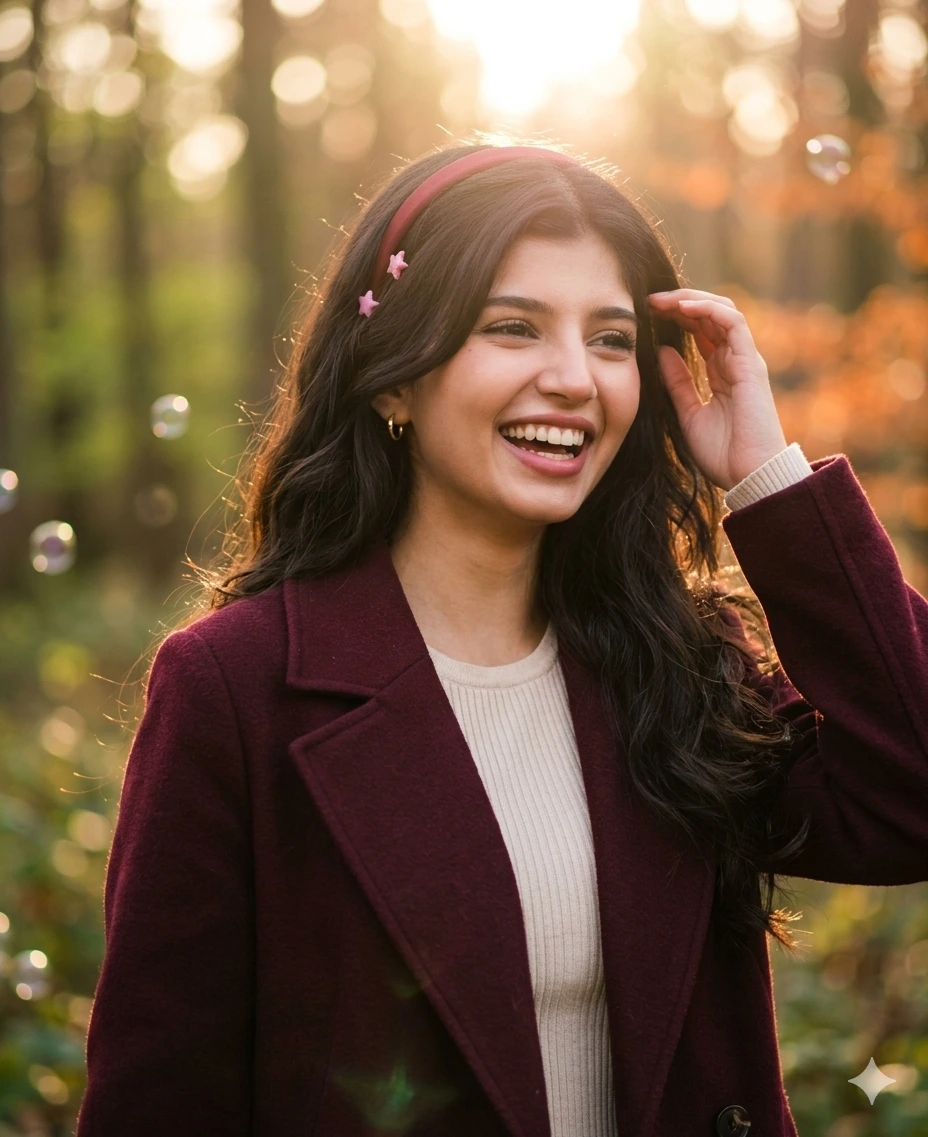
Laughing Candid Forest Portrait
Transform the uploaded girl portrait into a natural candid forest portrait at golden hour, preserving exact facial identity, skin tone, hairstyle, and realistic texture.
Dress her in:
a burgundy coat
a cream inner top
loose wavy dark hair
a slim red headband
pink star clips
small earrings
Show her in a real candid laughing moment, looking slightly away from the camera, as if someone said something funny just before the shot. This should feel more unique and personal than a posed photo.
Pose
upper-body candid portrait
shoulders relaxed
head tilted slightly
natural smile/laugh
one hand touching her hair or coat
Lighting
Warm backlit golden hour lighting, soft sun flare, gentle natural shadows.
Camera Angle
Eye-level candid portrait angle, slightly zoomed in.
Camera & Lens
Shot as if on Fujifilm GFX100S, 80mm lens.
Background
sunlit forest
dreamy bokeh circles
subtle floating bubbles
softly blurred warm foliage
Style
Genuine, warm, candid, very human, not posed, not AI-looking.
Gemini AI Prompt
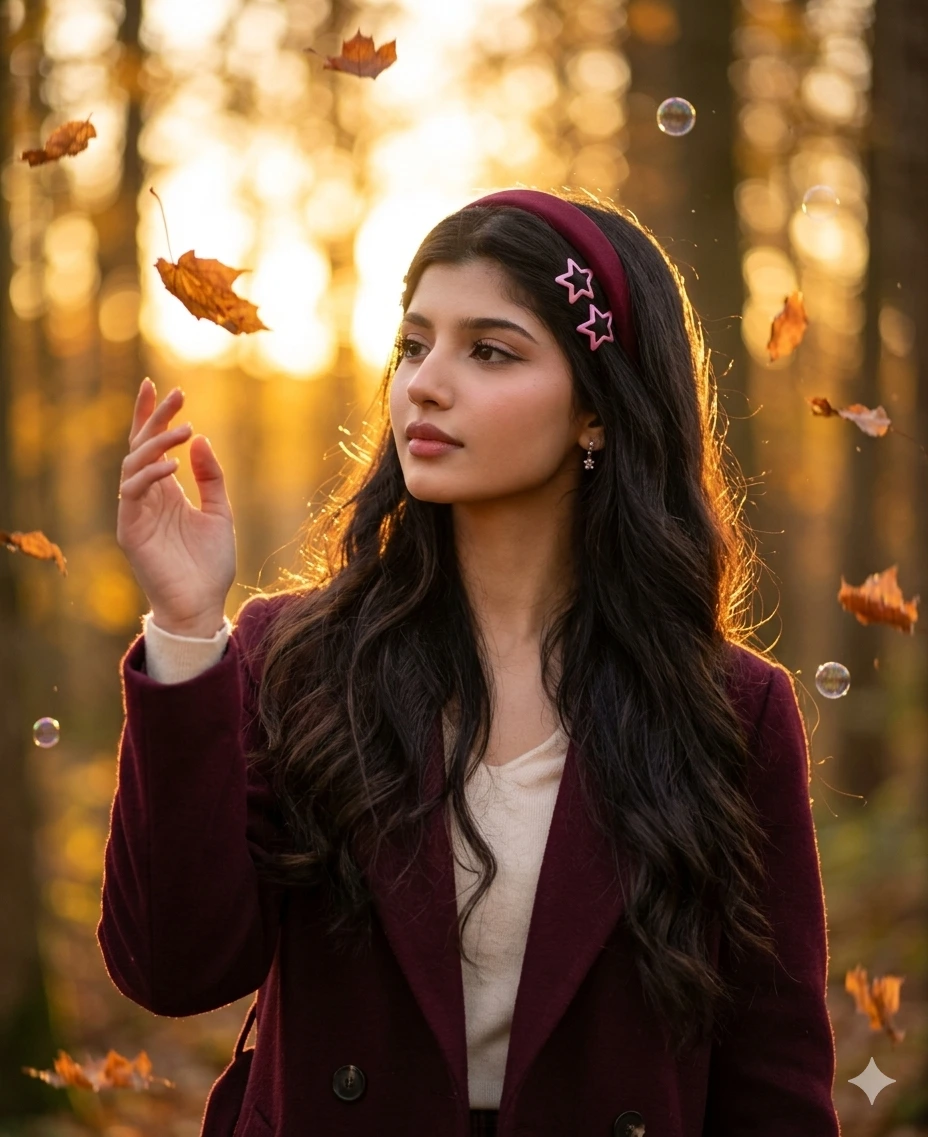
Autumn Leaves Touch Portrait
Transform the uploaded girl portrait into a soft autumn forest portrait, preserving exact facial identity and realistic skin texture.
Dress her in:
a deep burgundy coat
a soft cream top
long dark wavy hair
a dark red headband
pink star clips
Make the shot more unique by showing her reaching gently toward a falling autumn leaf, with a quiet thoughtful look on her face.
Pose
waist-up portrait
one hand slightly raised toward a leaf
face softly turned to the leaf
natural serious / calm expression
body slightly angled
Lighting
Golden sunset backlight, glowing hair, soft warm highlights, dreamy haze.
Camera Angle
Three-quarter portrait angle with enough space around the subject.
Camera & Lens
Shot on Sony A7R IV, 85mm lens.
Background
woodland forest
floating autumn leaves
soft bubbles
blurred golden tree light
warm background haze
Style
Autumn dreamy, elegant, natural, softly magical, realistic.
Gemini AI Prompt
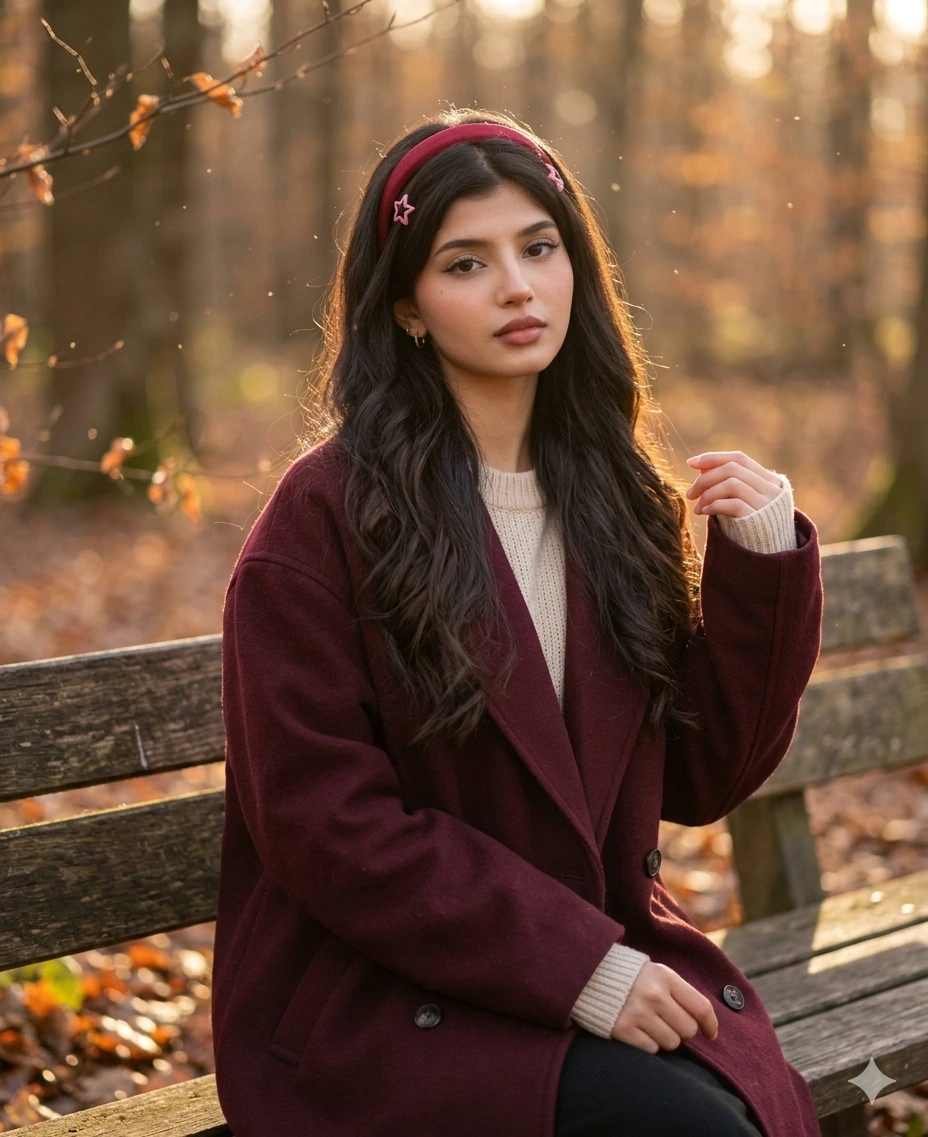
Forest Bench Portrait
Transform the uploaded girl portrait into a natural lifestyle forest portrait, preserving exact face identity and realistic details.
Dress her in:
a burgundy oversized coat
a cream knit inner layer
long wavy dark hair
red headband
pink star clips
small earrings
Show her sitting naturally on a wooden bench in the forest, with a calm expression and soft human-taken feel.
Pose
seated pose
one hand resting in lap
other hand lightly touching coat sleeve
body angled softly
face toward camera or slightly away
Lighting
Use soft golden-hour sunlight filtering through branches, creating a warm cozy atmosphere.
Camera Angle
Mid shot from eye level, slightly candid composition.
Camera & Lens
Shot as if on Canon EOS R5, 50mm lens.
Background
forest bench
warm blurred trees
soft floating particles
light bokeh
subtle leaves
Style
Natural, cozy, storybook-like, lifestyle portrait, human-taken.
Gemini AI Prompt
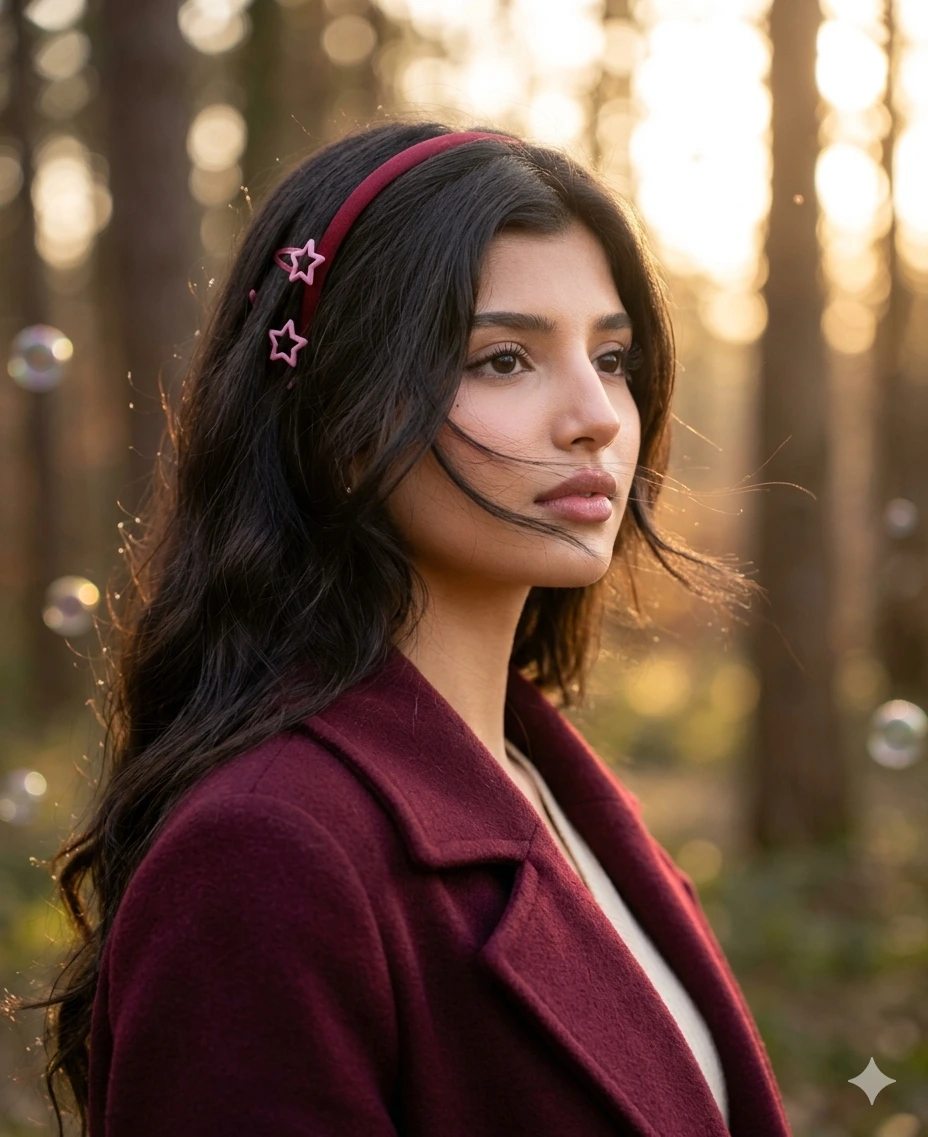
Soft Side Close-Up with Hair in Wind
Transform the uploaded girl portrait into a close natural golden-hour beauty portrait in the forest, preserving exact identity and realistic skin texture.
Dress her in:
a burgundy coat
a cream top
long wavy hair
red headband
pink star clips
Show her in a tight close-up side portrait, with hair softly crossing the face in the breeze. Expression should be calm, dreamy, and natural.
Pose
close-up side-front portrait
lips relaxed
soft gaze
slight head tilt
loose hair moving across cheek
Lighting
Warm golden backlight with soft sunlight wrapping around the face.
Camera Angle
Close beauty portrait, side three-quarter angle.
Camera & Lens
Shot on Sony A7IV, 85mm lens.
Background
blurred forest
circular bokeh
soft sunlight
a few tiny bubbles
subtle depth blur
Style
Close beauty portrait, dreamy but very natural, elegant and believable.
Gemini AI Prompt
Butterfly on Shoulder
Transform the uploaded girl portrait into a creative but natural forest portrait, preserving exact face identity, hairstyle, and realistic skin texture.
Dress her in:
a burgundy oversized coat
a cream inner top
long dark wavy hair
red headband
pink star clips
Make this concept unique by showing a monarch butterfly gently resting near her shoulder or hair, while she looks softly downward with a calm thoughtful expression.
Pose
waist-up portrait
one hand lightly near the coat collar
face slightly tilted down
natural calm expression
Lighting
Use warm golden-hour sunlight with dreamy glow on the hair and subtle highlights on the face.
Camera Angle
Waist-up front three-quarter angle.
Camera & Lens
Shot as if on Canon EOS R6, 85mm lens.
Background
forest blur
sun flare through trees
warm green-gold tones
a few floating bubbles
soft leaves
Style
Unique, soft magical, feminine, realistic, natural outdoor portrait.
Related prompts you might also like
If you enjoyed these prompts, here are some other styles you might love:
How do I use a Gemini AI forest girl photo prompt step by step?
Open Gemini in your browser or app, upload a clear photo of yourself, paste the full prompt text into the message box, and hit send. The AI reads both your photo and the prompt together to generate the transformed portrait. If the result does not match what you expected, try a clearer photo or adjust a small detail in the prompt.
Why does Gemini change my face when I use a photo prompt?
Gemini sometimes drifts from the original face when the uploaded photo is low resolution, heavily filtered, or poorly lit. The AI fills in details it cannot clearly read, which can make the face look slightly different. Using a sharp, evenly lit, unfiltered photo with your face fully visible gives the model enough information to preserve your identity accurately.
Which photo should I upload to get the best result?
A well lit frontal or three quarter angle photo works best. Natural daylight or soft indoor lighting is ideal. Avoid selfies with heavy beauty filters, dramatic shadows across the face, or backgrounds that are too busy. Portrait mode photos with soft background blur tend to produce the cleanest results.
Can a single girl use these prompts even if they are written as solo portraits?
Yes, every prompt in this pack is written specifically for a single subject. You upload one photo of yourself and the AI creates a solo forest portrait around your face. There is no need for a second person in the image.
Does Gemini AI work on mobile for these photo prompts?
Gemini is fully functional on mobile through the Gemini app for Android and iOS, as well as through the mobile browser at gemini.google.com. The image upload feature works on both platforms, so you can create your forest portrait directly from your phone without needing a desktop.
How do I get the outfit to match my preferred color using these prompts?
Every prompt in this pack uses burgundy as the coat color, but you can change it to any color you like by simply replacing “burgundy” with your preferred shade, such as forest green, camel, navy, or blush pink. Keep all other details the same and the prompt will still work correctly.
What makes these Gemini AI girl photo prompts look more realistic than other AI portraits?
These prompts include specific camera and lens details (like Canon EOS R5, 85mm lens), exact lighting direction (golden backlight, rim light, glowing hair edges), and precise outfit descriptions that leave very little room for the AI to guess. The more specific the instruction, the more controlled and realistic the final image looks.
How do I share my forest portrait result on Instagram?
Once Gemini generates your portrait, screenshot or download the image from the chat. You can then upload it directly to Instagram as a post or a reel cover. Add a natural caption about the AI edit and tag the original prompt source if you want to help others find it. Many girls also add these to their highlights as a soft aesthetic cover photo.
Conclusion
This collection of eight golden hour forest prompts gives you everything you need to create portrait photos that look thoughtfully styled, professionally lit, and completely personal. From the wildflower release to the candid laughing moment, each prompt is built to preserve your real face while transforming the scene around you into something cinematic and beautiful. Try the Custom Prompt Generator to build a version that matches your exact outfit and mood preferences. And if you create something you love, share it in the comments or tag us on Instagram. We would genuinely love to see what you make.