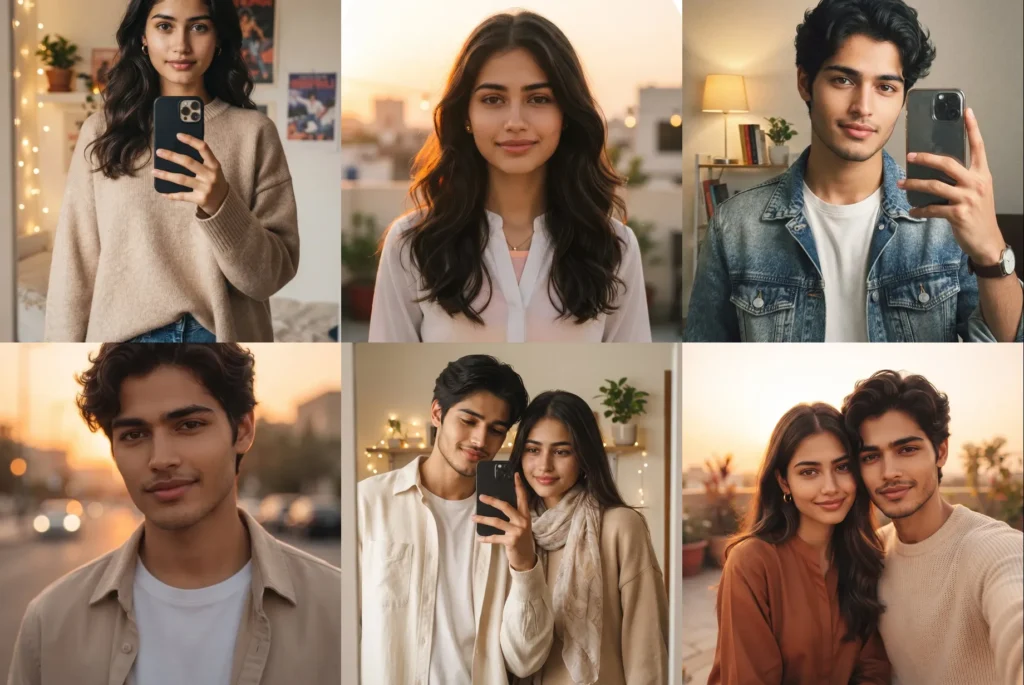
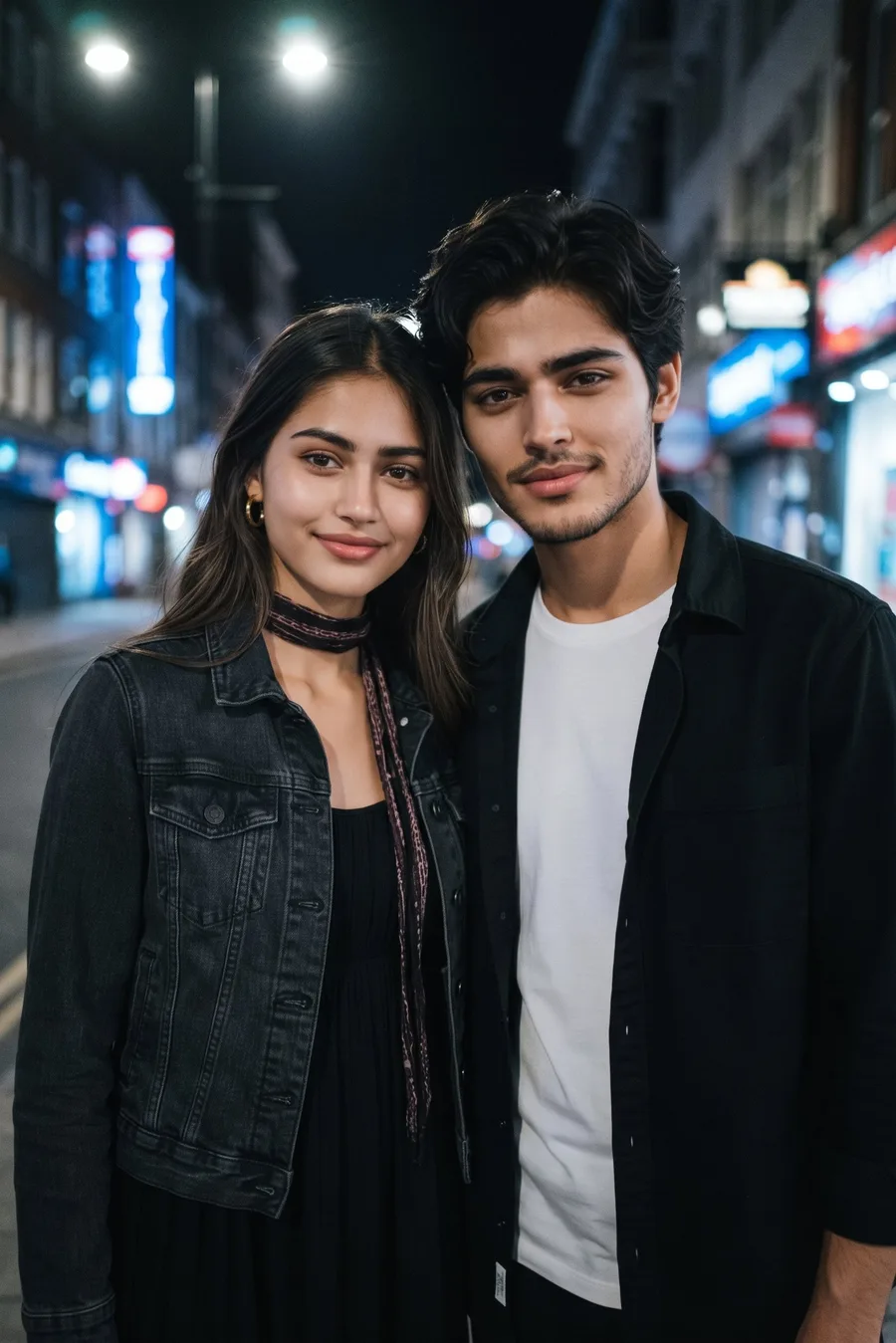
Your DP is the first thing anyone sees on WhatsApp and Instagram, and a good one changes how every chat starts. A DP photo prompt turns your one ordinary selfie into an aesthetic look that feels like a real photo — a mirror selfie, a golden hour glow, a cozy café shot or city lights at night — while your face stays 100% the same.
Below are tested looks for girls, boys and couples. Every prompt is framed for a DP on purpose: face big, in the center, with clear space around the head, so nothing important gets cut when the app crops your photo into a circle. If you need profile photos made specially for dating apps, see our AI dating profile photo prompts as well.
DP Photo Prompts for Girls
Gemini AI Prompt
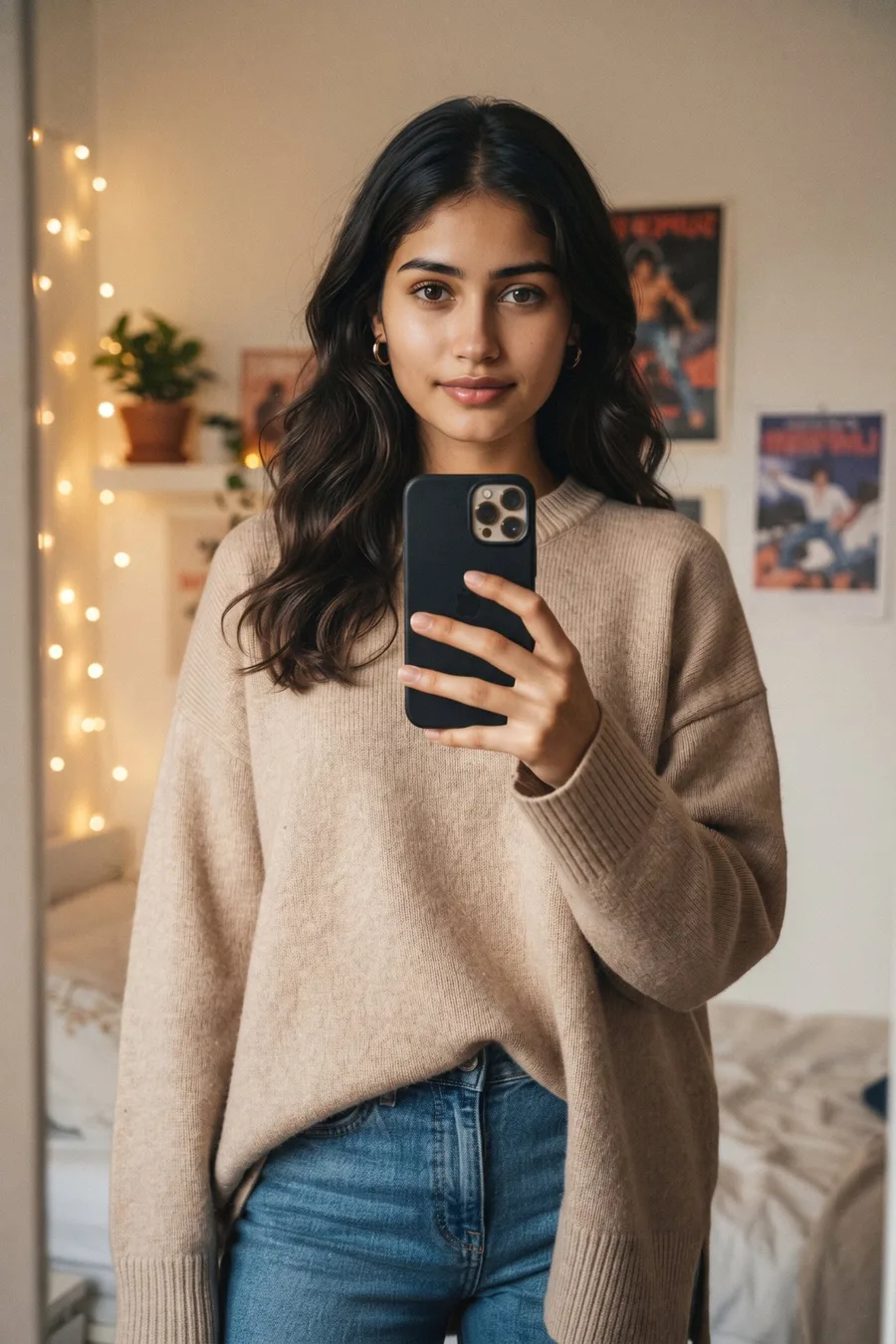
Aesthetic Mirror Selfie DP
Turn my photo into an aesthetic mirror selfie DP that looks like a real photo taken on a phone. Keep my face, facial features, skin tone and hairstyle exactly the same as the uploaded photo. Head and shoulders close-up in a big mirror, my face big and in the center of the frame with clear space around my head, safe for a round DP crop, holding my phone up in one hand at chest level. I am looking into the mirror at the camera with a soft confident smile. Outfit: a long beige oversized knit sweater with full sleeves, blue jeans and small hoop earrings, modern casual fully covered look. Background: an aesthetic bedroom corner with warm fairy lights, a small plant and posters softly blurred in the mirror behind me. Clear, fresh and healthy skin, exactly like the reference photo, with no pimples, no acne and no blemishes, no beauty filter, no airbrushing, warm soft tones, slight photo grain, real selfie feel. Only me in the photo, no other people, no extra faces. No face change, no revealing outfit, no AI look, no plastic skin, no studio look.
Gemini AI Prompt
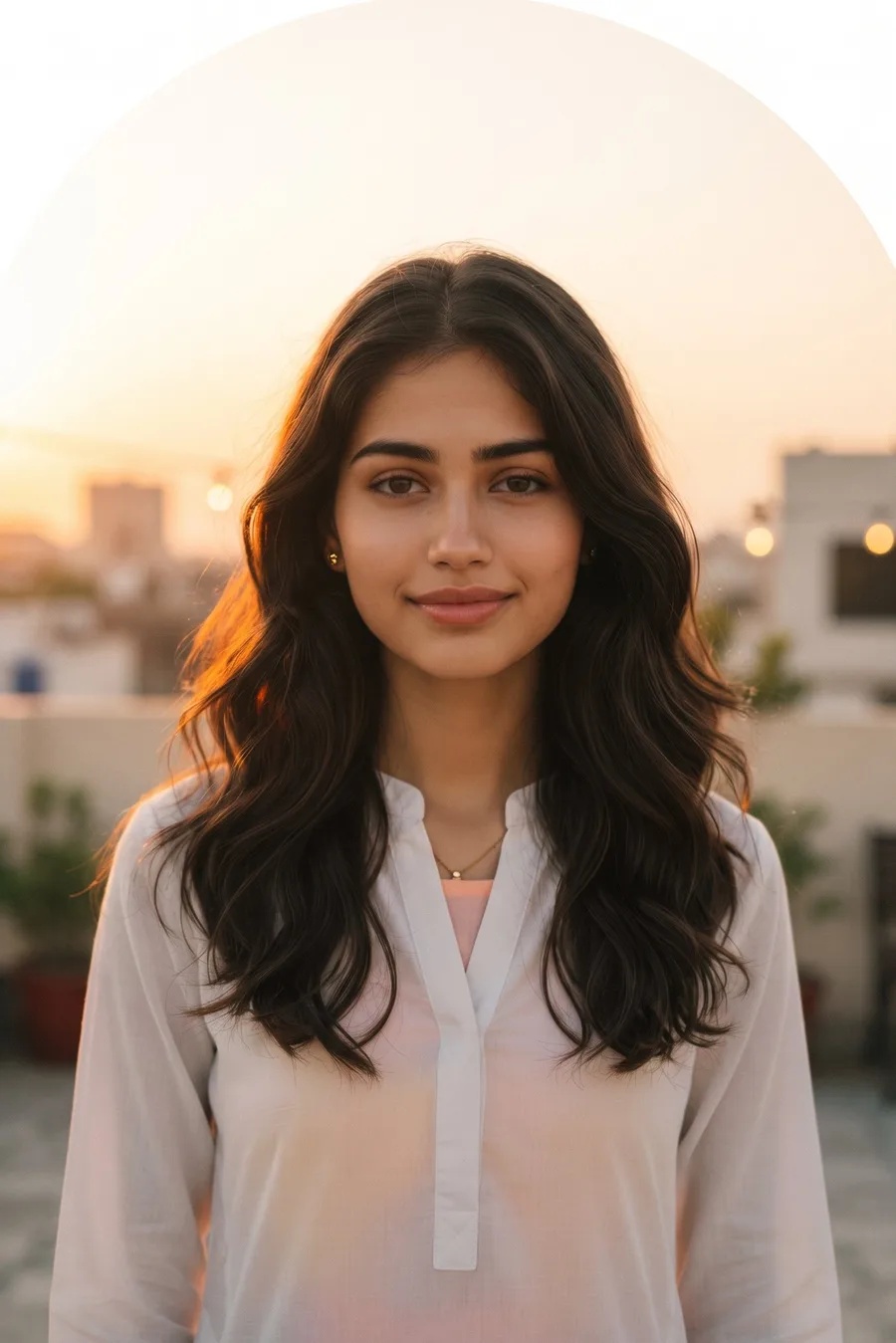
Golden Hour Glow DP
Turn my photo into an aesthetic golden hour DP that looks like a real photo taken on a phone. Keep my face, facial features, skin tone and hairstyle exactly the same as the uploaded photo. Head and shoulders close-up, my face big and in the center of the frame with clear space around my head, safe for a round DP crop. Warm sunset light is falling across one side of my face and I am looking at the camera with a soft calm smile. Outfit: a long white kurta-style shirt with full sleeves over a pastel long top, small gold studs, modern minimal fully covered look. Background: a rooftop terrace at sunset with a warm orange sky softly blurred behind me. Clear, fresh and healthy skin, exactly like the reference photo, with no pimples, no acne and no blemishes, no beauty filter, no airbrushing, real golden-hour light only, slight photo grain, dreamy real photo feel. Only me in the photo, no other people, no extra faces. No face change, no revealing outfit, no AI look, no plastic skin, no studio look.
Gemini AI Prompt
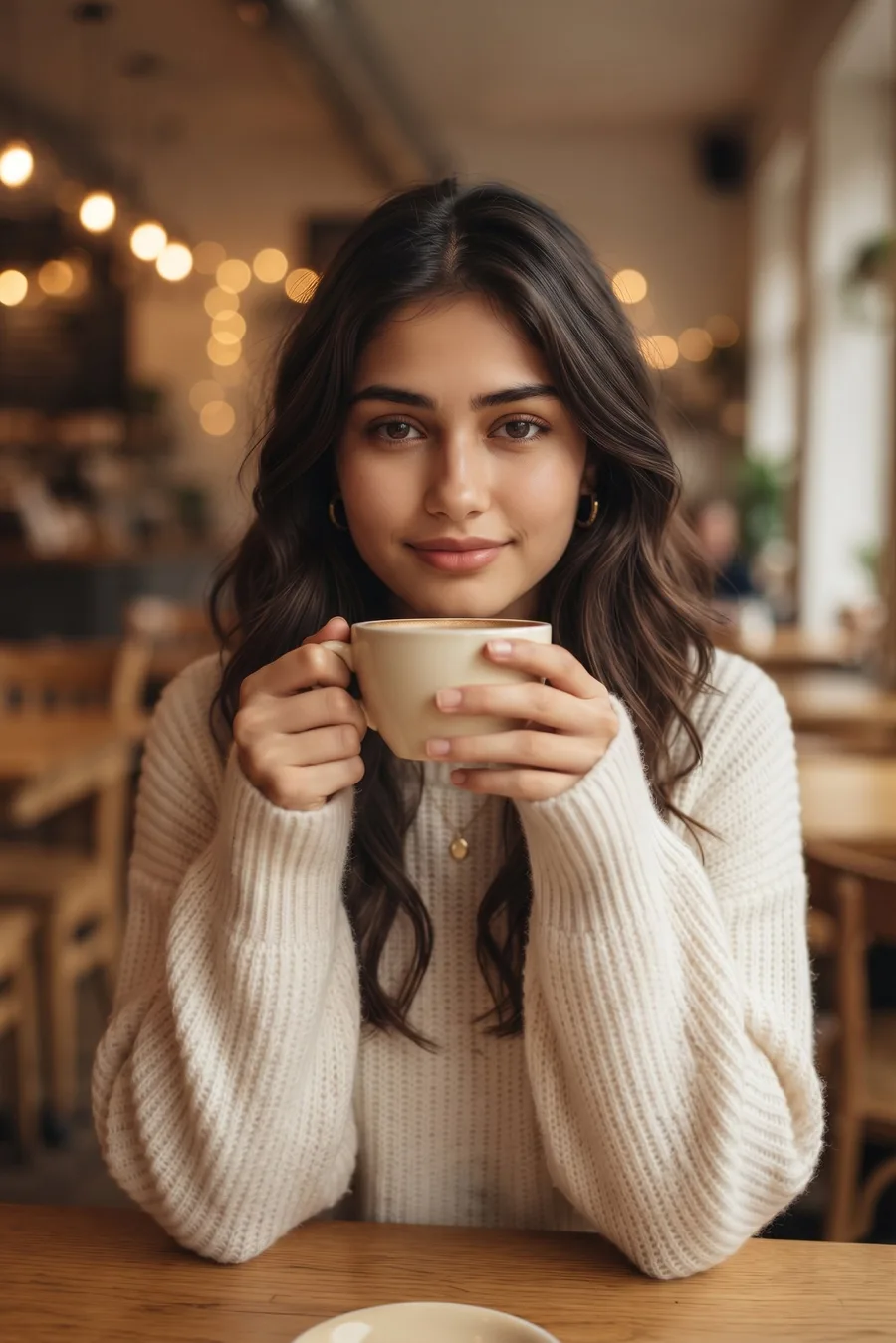
Cozy Café Aesthetic DP
Turn my photo into an aesthetic café DP that looks like a real photo taken on a phone. Keep my face, facial features, skin tone and hairstyle exactly the same as the uploaded photo. Head and shoulders close-up, my face big and in the center of the frame with clear space around my head, safe for a round DP crop. I am sitting at a café table holding a coffee cup near my chin with both hands, looking at the camera with a soft sweet smile. Outfit: a long cream chunky knit sweater with full sleeves and a small pendant necklace, cozy modern fully covered look. Background: a warm café interior with round bokeh lights and wooden tables softly blurred behind me. Clear, fresh and healthy skin, exactly like the reference photo, with no pimples, no acne and no blemishes, no beauty filter, no airbrushing, warm tones, real photo feel like a friend took it across the table. Only me in the photo, no other people, no extra faces. No face change, no revealing outfit, no AI look, no plastic skin, no studio look.
Gemini AI Prompt
City Lights Night DP
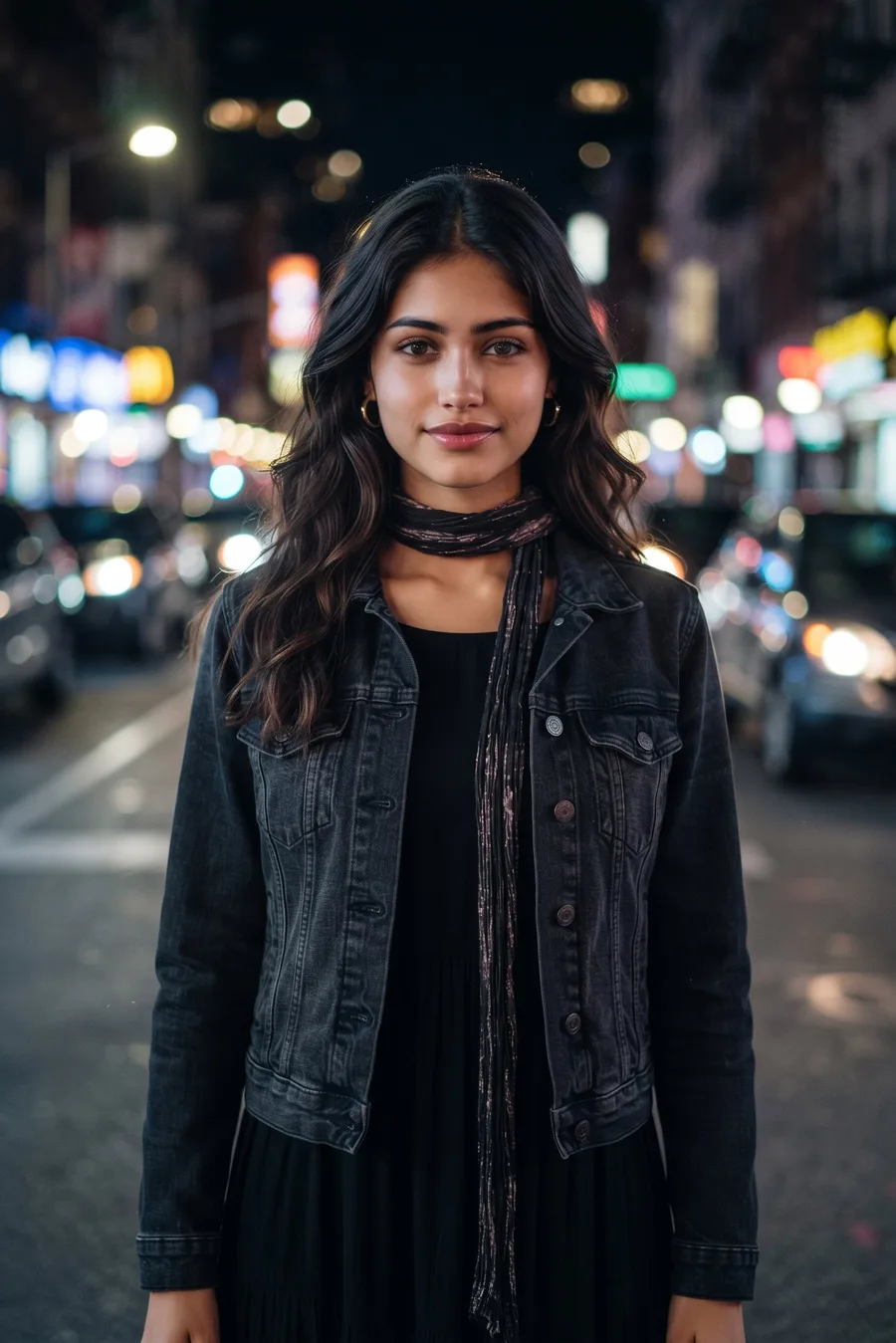
Turn my photo into an aesthetic night DP that looks like a real photo taken on a phone. Keep my face, facial features, skin tone and hairstyle exactly the same as the uploaded photo. Head and shoulders close-up, my face big and in the center of the frame with clear space around my head, safe for a round DP crop. I am standing on a city street at night looking at the camera with a soft confident smile, soft light falling on my face. Outfit: a dark denim jacket over a black full-length maxi dress with full sleeves and a thin scarf, modern night fully covered look. Background: city street lights and shop signs turned into soft colorful bokeh behind me, slightly blurred. Clear, fresh and healthy skin, exactly like the reference photo, with no pimples, no acne and no blemishes, no beauty filter, no airbrushing, phone flash feel on the face, slight photo grain, real night photo feel. Only me in the photo, no other people, no crowd, no extra faces. No face change, no revealing outfit, no AI look, no plastic skin, no studio look.
DP Photo Prompts for Boys
Gemini AI Prompt
Modern Mirror Selfie DP
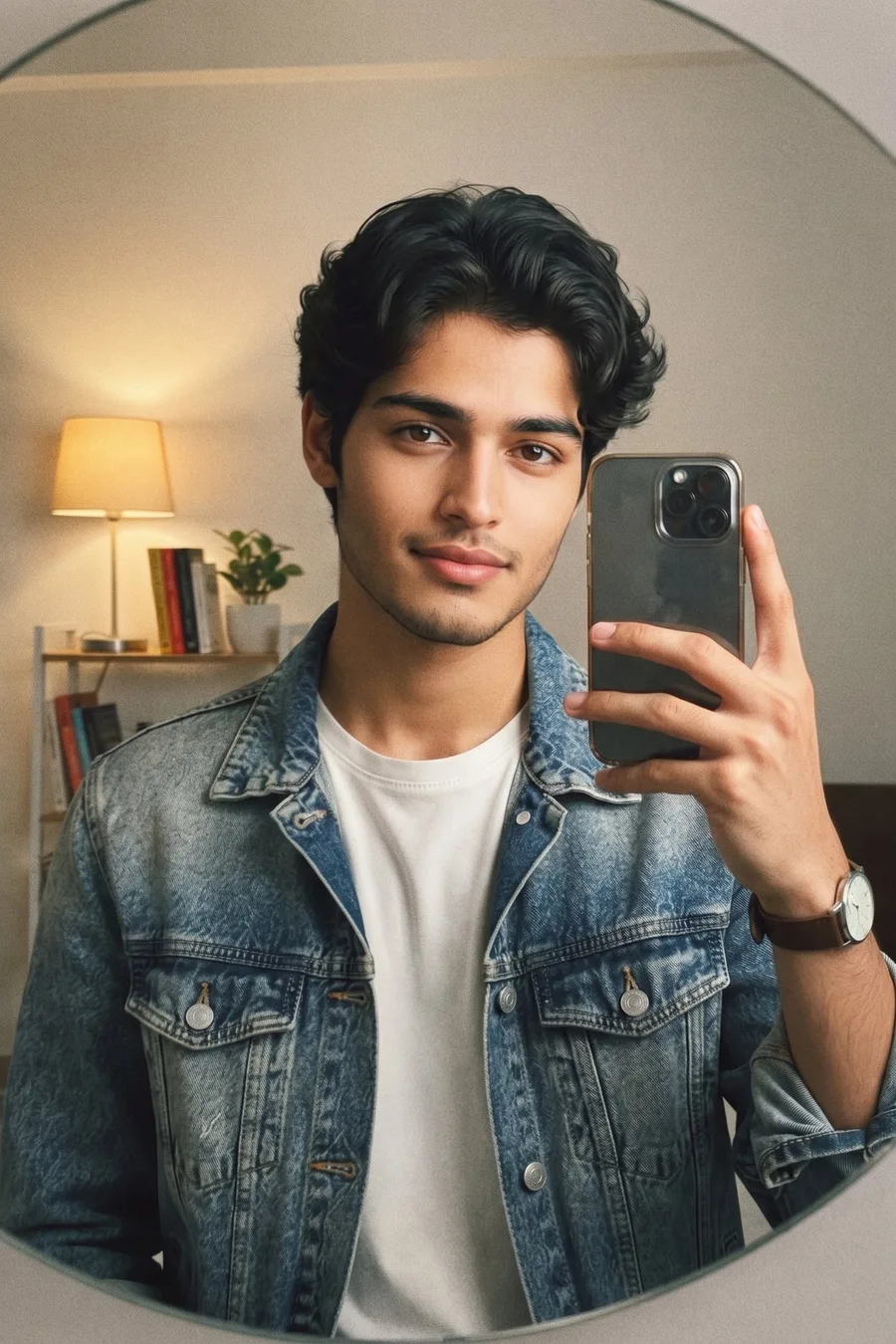
Turn my photo into a modern mirror selfie DP that looks like a real photo taken on a phone. Keep my face, facial features, skin tone and hairstyle exactly the same as the uploaded photo. Head and shoulders close-up in a big mirror, my face big and in the center of the frame with clear space around my head, safe for a round DP crop, holding my phone up in one hand at chest level. I am looking into the mirror at the camera with a relaxed soft smile. Outfit: a washed blue denim jacket over a plain white tee and a simple watch, clean modern look. Background: a tidy room with warm lamp light, a shelf and a plant softly blurred in the mirror behind me. Clear, fresh and healthy skin, exactly like the reference photo, with no pimples, no acne and no blemishes, no beauty filter, no airbrushing, slight photo grain, real selfie feel. Only me in the photo, no other people, no extra faces. No face change, no AI look, no plastic skin, no studio look.
Gemini AI Prompt
Golden Hour Street DP
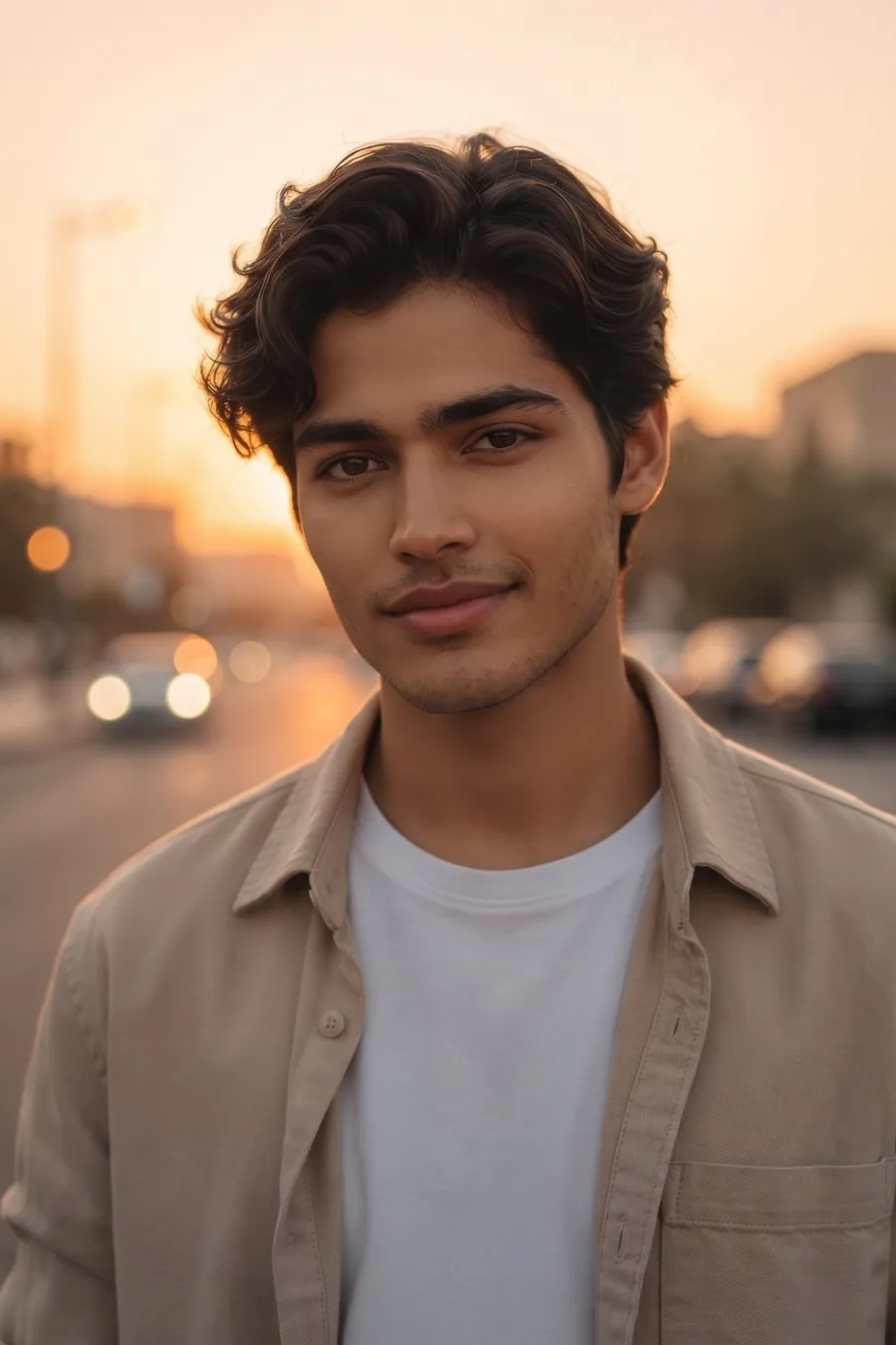
Turn my photo into an aesthetic golden hour DP that looks like a real photo taken on a phone. Keep my face, facial features, skin tone and hairstyle exactly the same as the uploaded photo. Head and shoulders close-up, my face big and in the center of the frame with clear space around my head, safe for a round DP crop. Warm sunset light is falling on one side of my face and I am looking slightly off camera with a natural soft smile. Outfit: an open beige overshirt over a white tee, modern layered look, sleeves folded once. Background: a quiet city street with warm sunset sky and soft light flares blurred behind me. Clear, fresh and healthy skin, exactly like the reference photo, with no pimples, no acne and no blemishes, no beauty filter, no airbrushing, real golden-hour light only, slight photo grain, real photo feel. Only me in the photo, no other people, no crowd, no extra faces. No face change, no AI look, no plastic skin, no studio look.
Gemini AI Prompt
Café Window DP
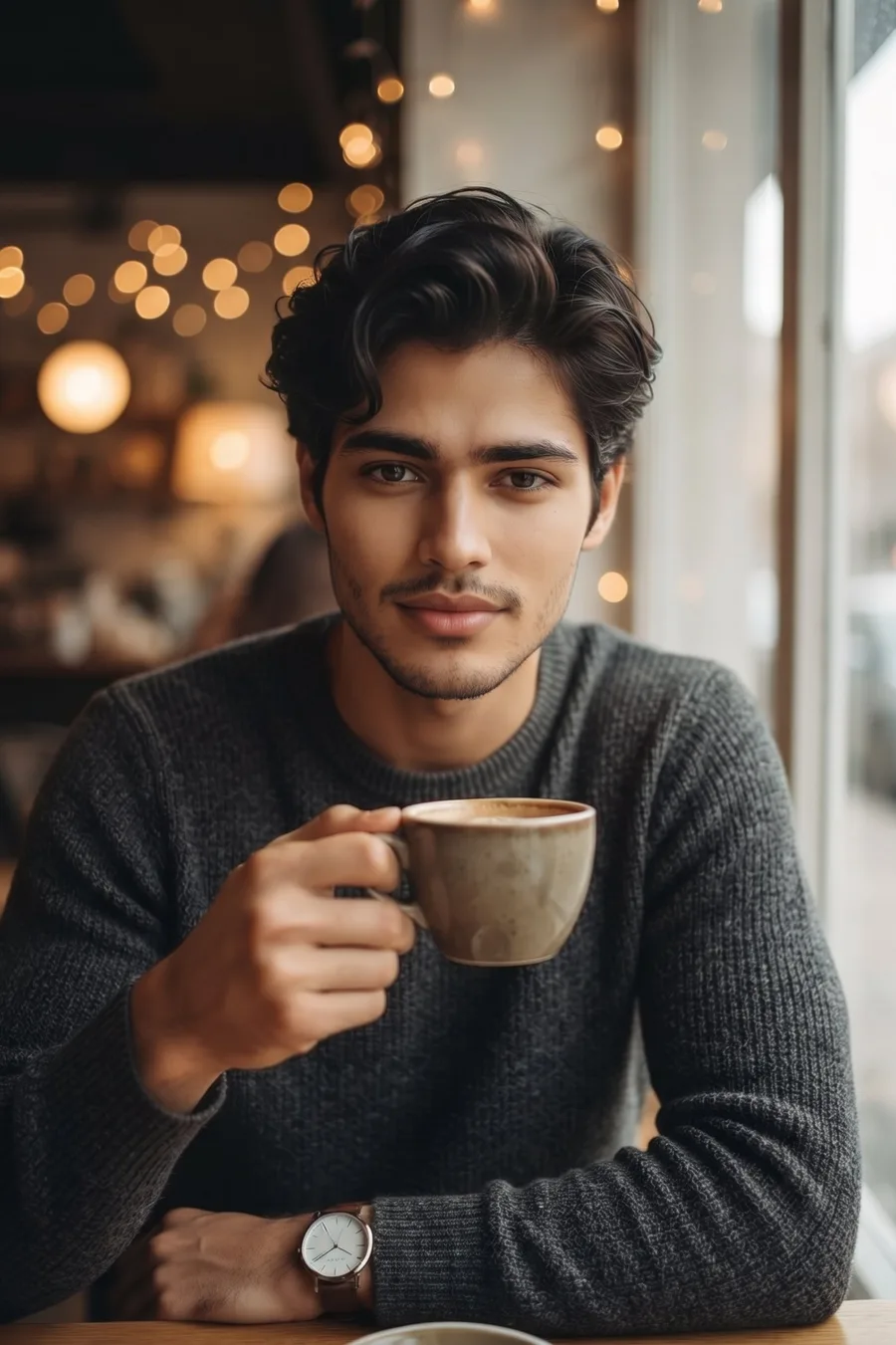
Turn my photo into an aesthetic café DP that looks like a real photo taken on a phone. Keep my face, facial features, skin tone and hairstyle exactly the same as the uploaded photo. Head and shoulders close-up, my face big and in the center of the frame with clear space around my head, safe for a round DP crop. I am sitting by a café window holding a coffee mug in one hand, looking at the camera with a calm soft smile. Outfit: a charcoal knit sweater with a clean modern fit and a simple watch. Background: a cozy café with warm bokeh lights and a window with soft daylight beside me, blurred behind me. Clear, fresh and healthy skin, exactly like the reference photo, with no pimples, no acne and no blemishes, no beauty filter, no airbrushing, warm tones, real photo feel like a friend took it. Only me in the photo, no other people, no extra faces. No face change, no AI look, no plastic skin, no studio look.
Gemini AI Prompt
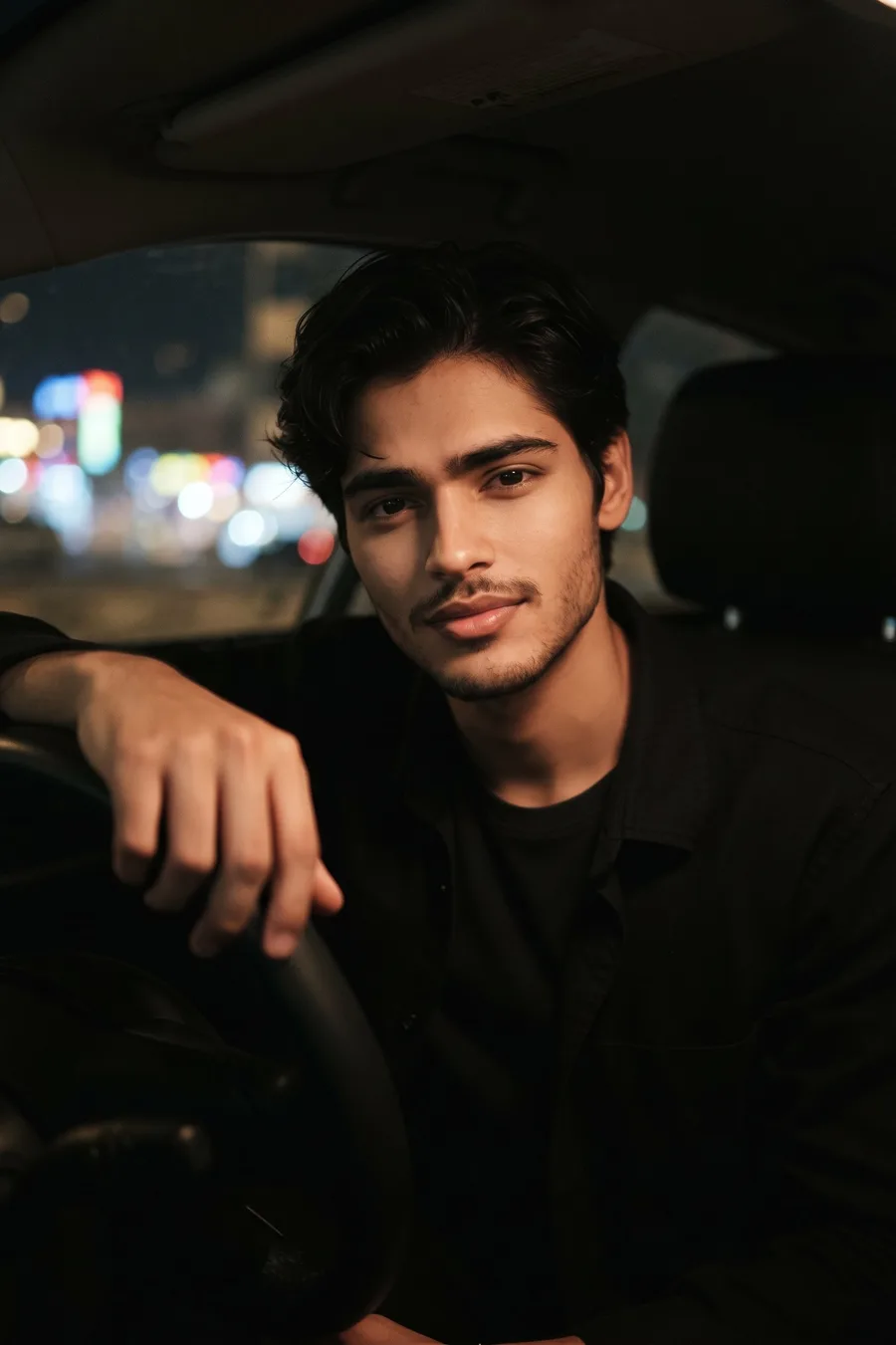
Night Car DP
Turn my photo into an aesthetic night DP that looks like a real photo taken on a phone. Keep my face, facial features, skin tone and hairstyle exactly the same as the uploaded photo. Head and shoulders close-up from the passenger side, my face big and in the center of the frame with clear space around my head, safe for a round DP crop. I am sitting in the driver seat of a parked car at night, one hand resting on the steering wheel, looking at the camera with a relaxed soft smile. Outfit: a black overshirt over a dark tee, modern night look. Background: the car interior in soft shadow with city lights turned into bokeh through the windshield behind me, gentle dashboard light on my face. Clear, fresh and healthy skin, exactly like the reference photo, with no pimples, no acne and no blemishes, no beauty filter, no airbrushing, slight photo grain, real night photo feel. Only me in the photo, no other people, no extra faces. No face change, no AI look, no plastic skin, no studio look.
DP Photo Prompts for Couples
Gemini AI Prompt
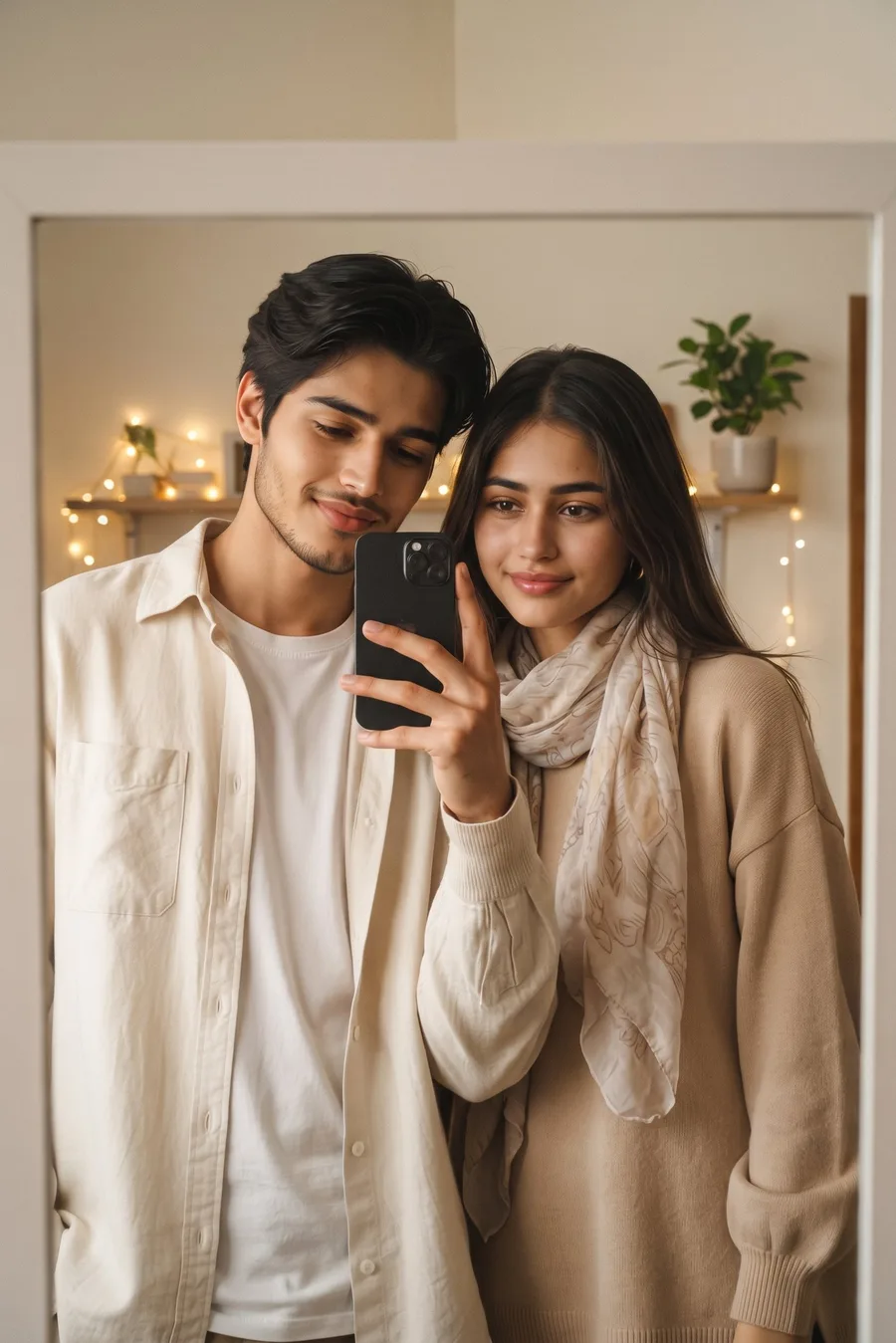
Couple Mirror Selfie DP
Turn our photo into an aesthetic couple mirror selfie DP that looks like a real photo taken on a phone. Keep both of our faces, facial features, skin tones and hairstyles exactly the same as the uploaded photo. Head and shoulders close-up of both of us in a big mirror, both faces big and in the center of the frame with clear space around our heads, safe for a round DP crop, he is holding the phone up in one hand while we both look into the mirror with soft happy smiles. Our outfits are coordinated in beige and cream tones: she wears a long beige knit sweater with full sleeves and a light scarf, I wear a cream overshirt over a white tee, modern couple look. Background: an aesthetic room with warm fairy lights and a plant softly blurred in the mirror behind us. Clear, fresh and healthy skin, exactly like the reference photo, with no pimples, no acne and no blemishes, no beauty filter, no airbrushing, slight photo grain, real selfie feel. Only the two of us in the photo, no other people, no extra faces. No face change, no revealing outfit, no AI look, no plastic skin, no studio look.
Gemini AI Prompt
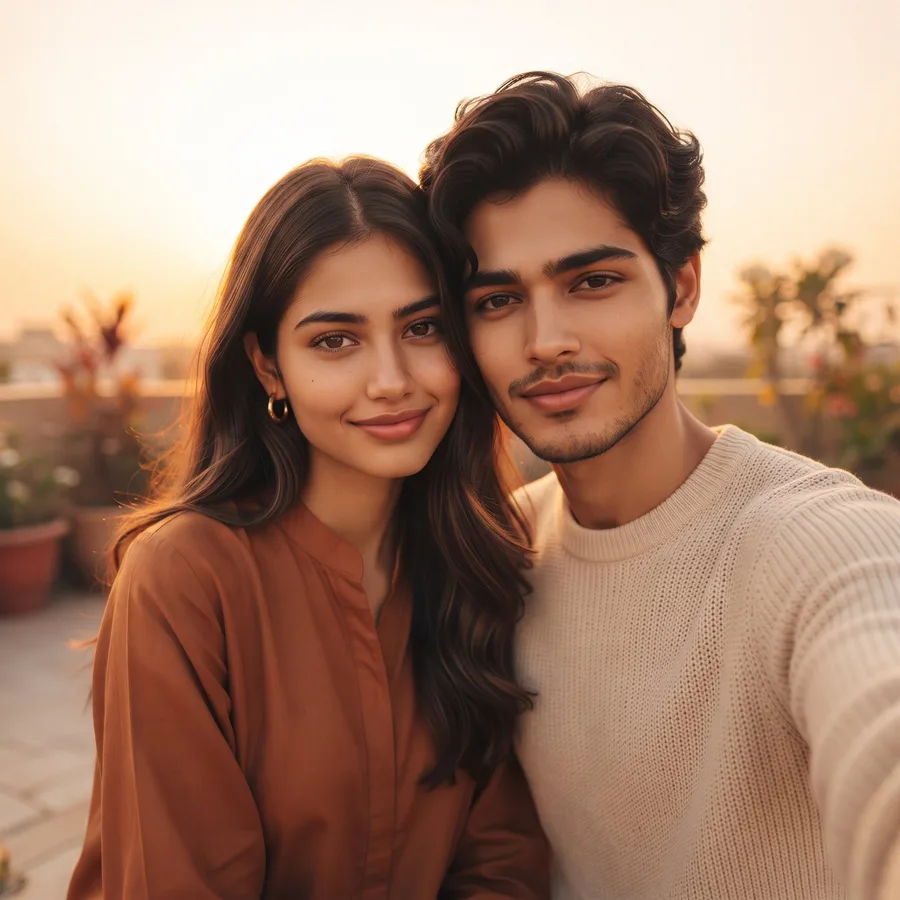
Golden Hour Couple DP
Turn our photo into an aesthetic golden hour couple DP that looks like a real photo taken on a phone. Keep both of our faces, facial features, skin tones and hairstyles exactly the same as the uploaded photo. Head and shoulders close-up of both of us standing close side by side, both faces big and in the center of the frame with clear space around our heads, safe for a round DP crop. Warm sunset light is falling across our faces and we are looking at the camera with soft warm smiles, her head leaning slightly towards my shoulder. Our outfits are coordinated in warm cream and rust tones: she wears a long rust kurta-style shirt with full sleeves, I wear a cream knit sweater, modern aesthetic look. Background: a terrace at sunset with a warm orange sky and soft plants blurred behind us. Clear, fresh and healthy skin, exactly like the reference photo, with no pimples, no acne and no blemishes, no beauty filter, no airbrushing, real golden-hour light only, dreamy real photo feel. Only the two of us in the photo, no other people, no extra faces. No face change, no revealing outfit, no AI look, no plastic skin, no studio look.
Gemini AI Prompt
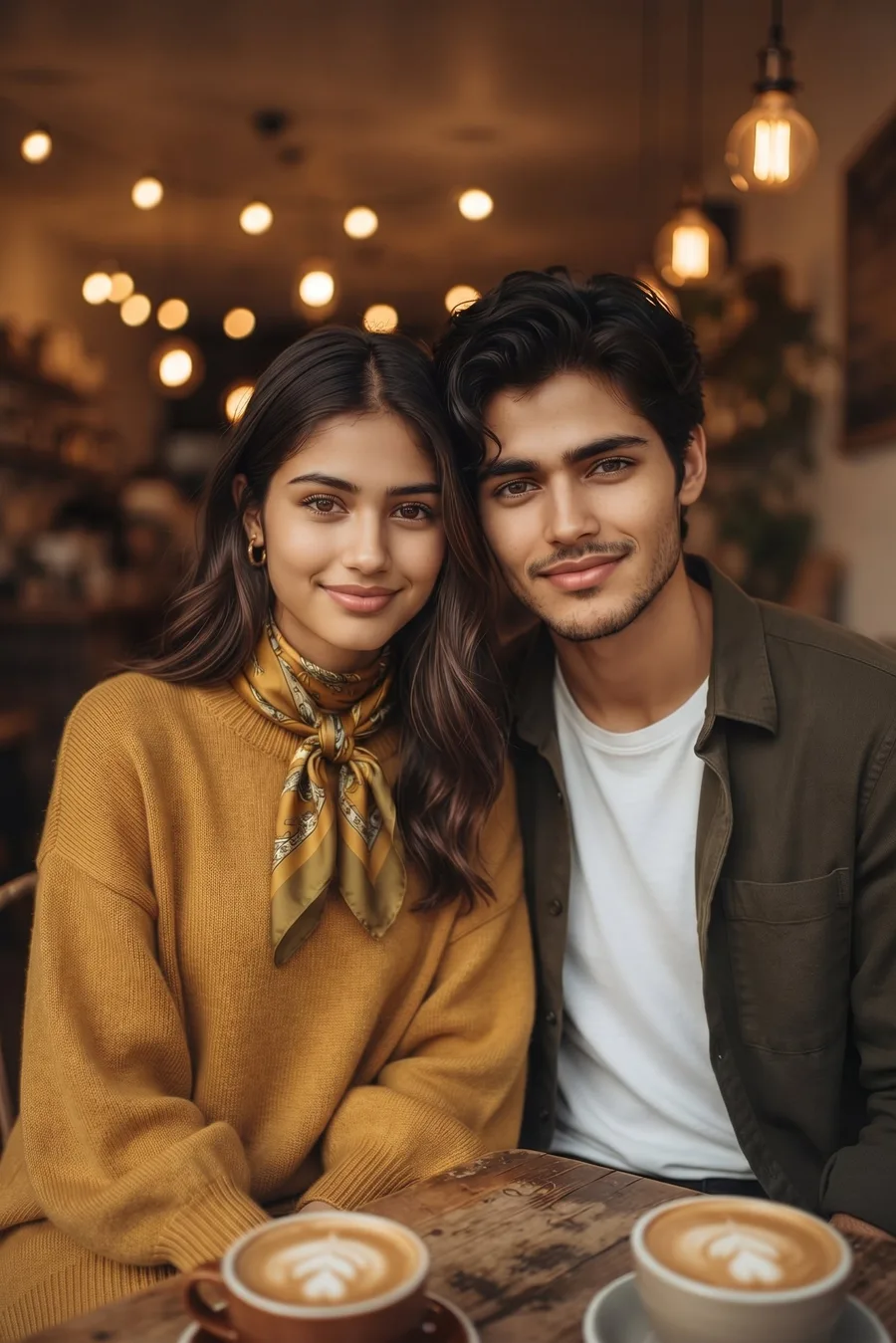
Café Date Couple DP
Turn our photo into an aesthetic café couple DP that looks like a real photo taken on a phone. Keep both of our faces, facial features, skin tones and hairstyles exactly the same as the uploaded photo. Head and shoulders close-up of both of us sitting close across a small café table, both faces big and in the center of the frame with clear space around our heads, safe for a round DP crop. We are looking at the camera with soft smiles, two coffee cups on the table at the bottom edge of the frame. Our outfits are coordinated in mustard and olive tones: she wears a long mustard knit sweater with full sleeves and a printed scarf, I wear an olive overshirt over a plain tee, modern café look. Background: a cozy café interior with warm round bokeh lights softly blurred behind us. Clear, fresh and healthy skin, exactly like the reference photo, with no pimples, no acne and no blemishes, no beauty filter, no airbrushing, warm tones, real photo feel like a friend took it. Only the two of us in the photo, no other people, no extra faces. No face change, no revealing outfit, no AI look, no plastic skin, no studio look.
Gemini AI Prompt
City Lights Couple DP
Turn our photo into an aesthetic night couple DP that looks like a real photo taken on a phone. Keep both of our faces, facial features, skin tones and hairstyles exactly the same as the uploaded photo. Head and shoulders close-up of both of us standing close on a city street at night, both faces big and in the center of the frame with clear space around our heads, safe for a round DP crop. Soft street light is falling on our faces and we are looking at the camera with soft happy smiles. Our outfits are coordinated in black and denim tones: she wears a dark denim jacket over a full-length black maxi dress with a thin scarf, I wear a black overshirt over a white tee, modern night look. Background: city lights and shop signs turned into soft colorful bokeh behind us, slightly blurred. Clear, fresh and healthy skin, exactly like the reference photo, with no pimples, no acne and no blemishes, no beauty filter, no airbrushing, phone flash feel on the faces, slight photo grain, real night photo feel. Only the two of us in the photo, no other people, no crowd, no extra faces. No face change, no revealing outfit, no AI look, no plastic skin, no studio look.
How to Use These DP Photo Prompts
Pick a look and tap the copy button on its prompt card.
Open Gemini and upload a clear, front-facing photo of yourself.
Paste the prompt and send. Your new DP is ready in a few seconds.
Download the result and set it as your WhatsApp or Instagram DP.
Tips for Best Results
Start with a clear photo in good light. A blurry or dark input photo gives a weak DP.
Keep your face in the center when you upload. These prompts are framed for the round DP crop, so the face stays safe when the app cuts the corners.
Try one look at a time. If the first result is close but not perfect, generate once more instead of editing the prompt again and again.
Upload the original photo, not a screenshot or a forwarded WhatsApp copy. Originals keep your face detail sharp.
Match the look to the app: soft café and mirror looks suit WhatsApp, while golden hour and city lights looks stand out on Instagram.
FAQs
How do I make a DP with a Gemini photo prompt?
Copy any prompt from this page, open Gemini, upload your photo and paste the prompt. Gemini returns your photo in the new look with your face unchanged. Download it and set it as your DP.
Will my face stay the same in the DP?
Yes. Every prompt here starts with a face-lock line that tells Gemini to keep your face, features, skin tone and hairstyle exactly like your uploaded photo. That line is what protects your identity in the result.
Why does Gemini change my face in some photos?
It usually happens when the prompt describes a new person instead of editing your photo, or when the uploaded photo is blurry, angled or too small. Use a clear front-facing photo and a prompt with a strong face-lock line, like the ones on this page.
Can I use these prompts for both WhatsApp and Instagram DP?
Yes. All 12 looks are framed head-and-shoulders with the face in the center and space around the head, so they survive the round crop on both WhatsApp and Instagram without cutting your face.
Conclusion
A fresh DP does not need a photoshoot, a new outfit or an editor — just one good photo of you and the right prompt. Pick the look that feels most like you, copy, paste, and your new DP is ready in seconds. For a work-ready profile photo, try our professional photo prompts for LinkedIn and resumes.