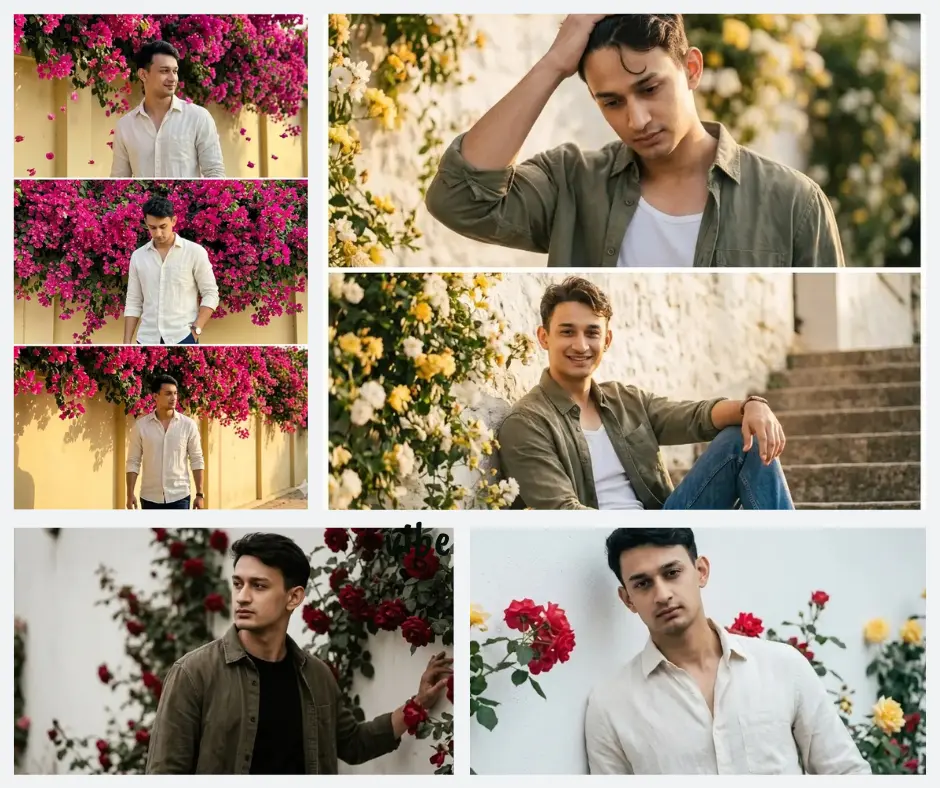
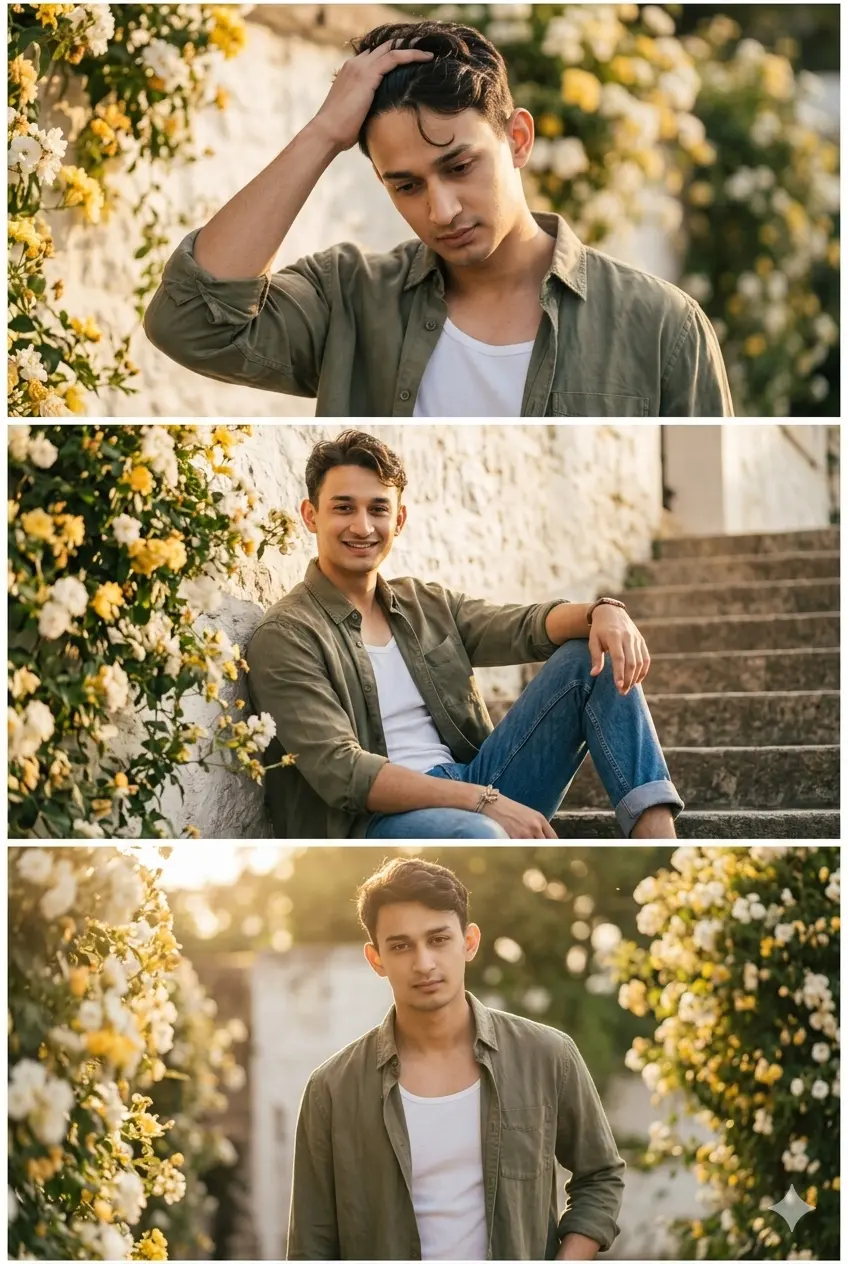
You know that feeling when you see a photo on Instagram and you genuinely wonder which photographer took it — the light, the flowers, the way the subject looks completely unbothered? That is exactly what this floral 3 frame Gemini AI boys prompt pack creates. Four different prompt styles, each one built around a specific flower backdrop, a specific mood, and a specific type of natural light. No studio. No photographer. Just your photo, Gemini AI, and the right prompt.
This collection is for anyone who wants a cinematic, editorial-quality portrait collage without needing a camera crew. Whether you are creating content for Instagram, making a profile makeover, or just experimenting with AI photography, these prompts give you results that look genuinely shot on location.
Gemini AI Prompt
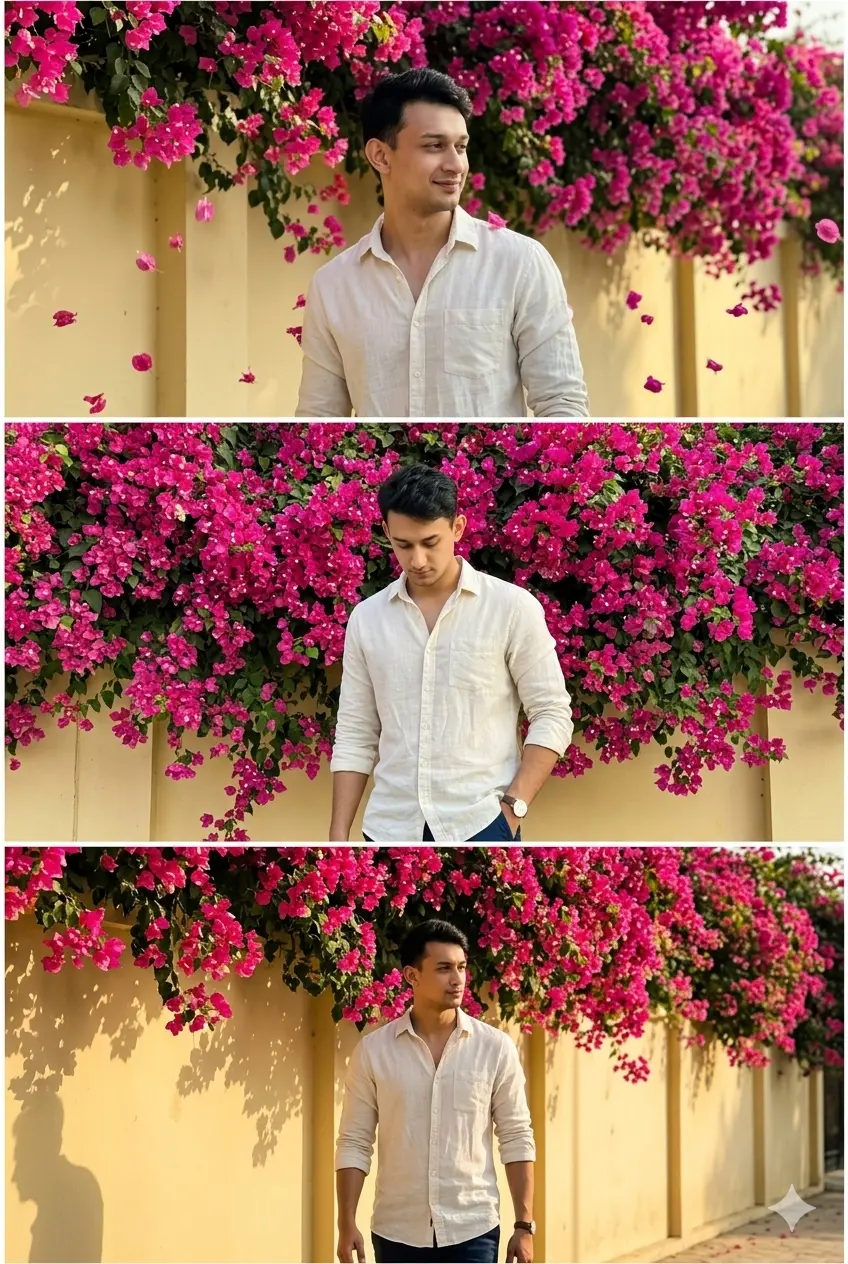
Bougainvillea Street Portrait
Using the provided reference image, maintain exact subject identity and create a hyper-realistic vertical 3-frame collage mimicking iPhone 15 Pro Max ProRAW photography under bright Pakistani afternoon sun, set against a pale yellow boundary wall completely overtaken by dense hot-pink and magenta bougainvillea cascading from above. Thin white frame dividers between panels. Subject wears an off-white linen shirt, untucked, sleeves folded twice. Frame 1: Upper body shot, subject looking sideways with a relaxed half-smile, bougainvillea petals caught mid-fall around the frame. Frame 2: Medium shot, subject one hand in pocket, head slightly bowed, wall of pink flowers filling the entire background in sharp detail. Frame 3: Subject walking along the wall, flowers draped overhead like a canopy, warm golden hour grade, long shadows, cinematic Leica rendering.
Gemini AI Prompt
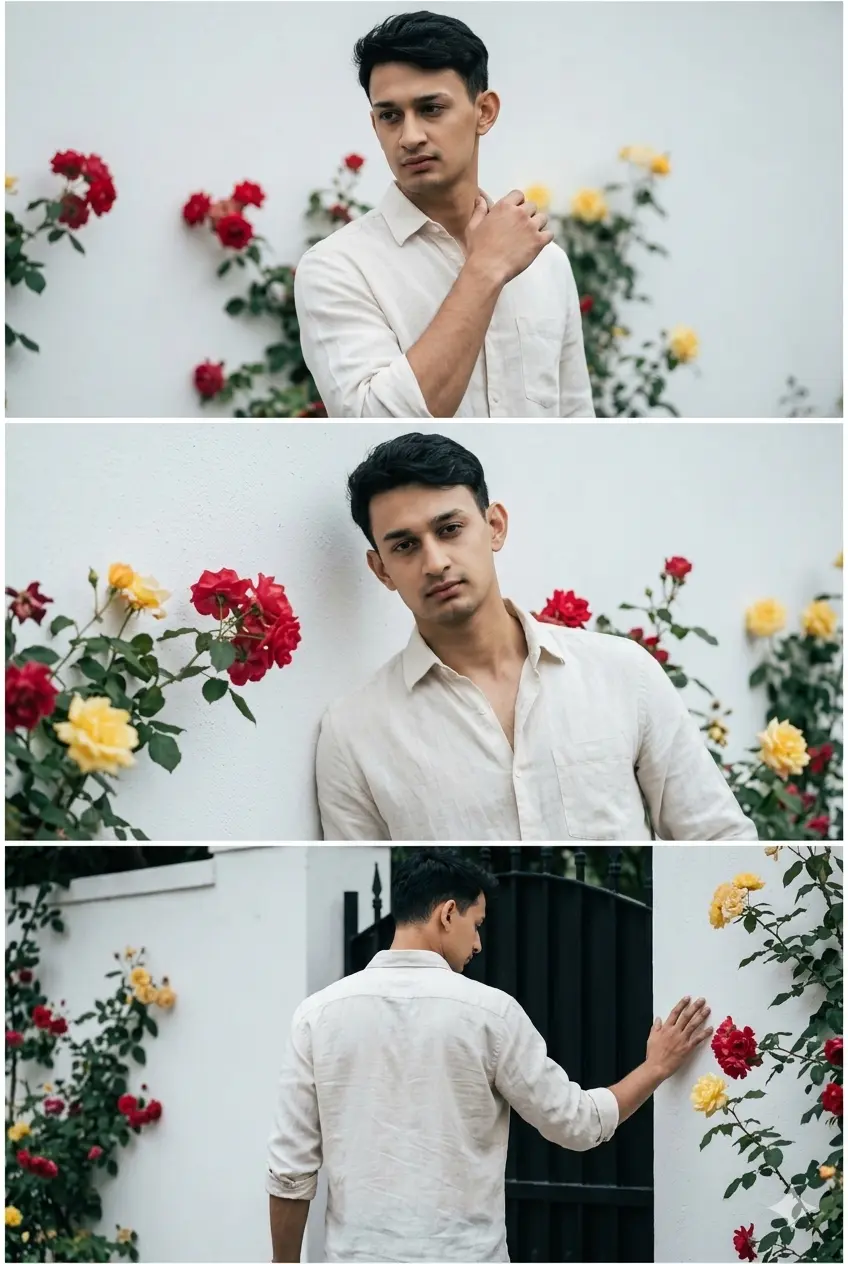
Cinematic Rose Wall Photo Collage
Using the provided reference image, maintain exact subject identity and create a hyper-realistic vertical 3-frame collage mimicking iPhone 15 Pro Max ProRAW photography under soft overcast daylight, set against a clean white plastered wall with wild climbing roses in red and yellow scattered naturally across the surface. Thin white frame dividers between panels. Subject wears an off-white linen shirt, untucked, sleeves folded twice to mid-forearm. Frame 1: Three-quarter upper body, subject mid-turn, one hand raised naturally, soft even light, roses blurred softly behind. Frame 2: Medium shot, subject leaning against the wall, roses visible at shoulder level, sharp full-frame focus showing linen texture and collarbone. Frame 3: Low angle walking away toward a matte black gate, hand skimming the flower wall, cool cinematic grade, deep shadows.
Gemini AI Prompt
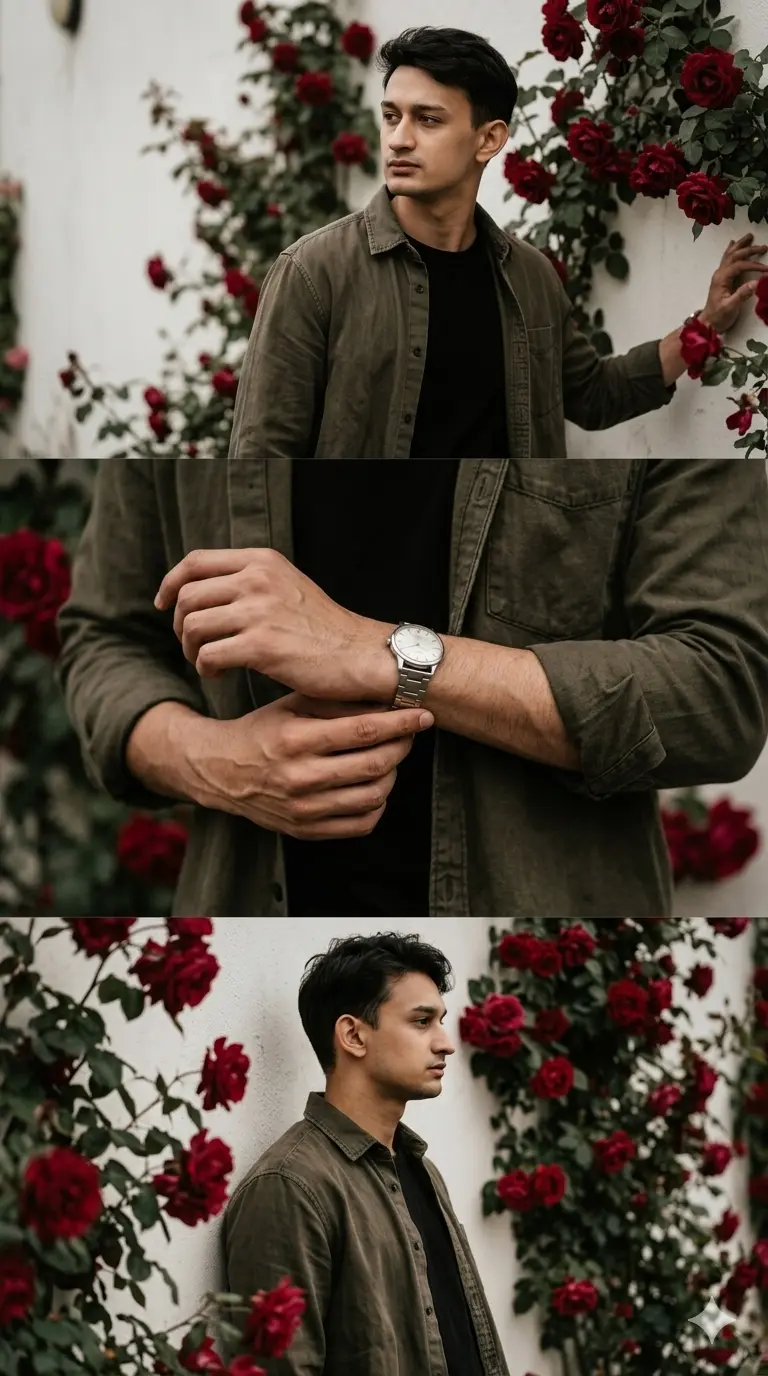
Moody Rose Wall Candid Photo Collage
Using the provided reference photo, preserve the exact same person — identical facial geometry, skin tone, hair texture, and unique identity — and generate a soft moody aesthetic vertical 3-frame photo collage in iPhone 15 Pro Max ProRAW style, set against a vintage white wall with deep red climbing roses and dark green leaves growing thickly, soft overcast light. The subject wears a dark olive washed overshirt worn open over a plain black fitted tee, dark straight chinos, a vintage-style silver watch, hair slightly pushed back with natural texture.
Frame 1 (Top): Natural candid upper-body shot — subject standing near the rose wall, head turned to the side as if something caught his attention, gaze directed calmly to the left or right off-frame — like he genuinely heard something or someone called his name, chin level, jaw defined and relaxed, body weight resting naturally with a slight shift onto one leg, one hand loosely at his side, other hand barely touching the wall beside him, dark olive overshirt draping open naturally, overcast light falling evenly and cleanly across the turned face — jaw line, cheekbone and nose bridge all softly lit with no harsh shadows, deep red roses beautifully blurred on both sides framing the face. Completely unposed — real human distracted moment.
Frame 2 (Middle): Genuine candid detail crop — tight close-up shot focused on the wrist and watch area, subject caught in a natural micro-moment of adjusting or fastening his silver watch — one hand holding the watch strap, the other hand’s fingers working the clasp naturally, both wrists and forearms in frame, sleeves of the olive overshirt pushed casually to mid-forearm, strong forearm veins visible, natural skin texture and subtle knuckle detail, silver watch face catching a soft glint of overcast light, watch glass with a faint ambient reflection, black tee cuff peeking beneath the overshirt. No face. Feels like a real behind-the-scenes moment — the kind of photo taken while he was getting ready. Deep red rose bokeh softly glowing behind the hands.
Frame 3 (Bottom): Relaxed candid side-angle — subject standing sideways with one shoulder leaning gently against the rose wall, body weight fully relaxed into the wall, arms hanging loosely at the sides, head turned slightly toward the camera showing a clean natural side profile — strong jawline clearly defined, one eye softly visible, gaze directed calmly to the side or slightly downward as if lost in thought, hair falling naturally at the side, dark olive overshirt and black tee draping naturally against the wall, deep red roses and dark green leaves surrounding the shoulder and head softly in warm bokeh. Posture feels completely human — like he is just resting against the wall between moments. Deep warm tones, burgundy and olive color grade, Kodak Portra 800 pushed film look, soft grain, f/1.4 shallow depth of field, cinematic overcast mood.
Gemini AI Prompt
Golden Hour Floral Stair Phot Collage
Use the uploaded image as a strict reference to preserve the exact same person — identical facial features, bone structure, skin tone, hair texture, and identity. Generate an ultra-realistic soft dreamy aesthetic vertical 3-frame photo collage in iPhone 15 Pro Max Cinematic style. Location: outdoors, subject seated on stone or concrete stairs with the warm white stone wall densely covered in wild yellow and white climbing flowers directly behind, soft golden afternoon light creating a warm haze. The subject wears a washed olive oversized button-down shirt completely unbuttoned over a fitted white tee, straight raw denim jeans with a natural cuff, a knotted cord bracelet on the wrist. Hair is short above the ears, slightly wavy with natural texture — not styled or gelled, just effortlessly tousled with the natural wave showing clearly, a strand or two falling loosely onto the forehead.
Frame 1 (Top): Genuine candid upper-body — subject caught in a completely natural micro-moment of fixing his hair, one hand raised with fingers running back through the short wavy hair pushing it off the forehead, the natural wave texture clearly visible as the fingers move through — eyes naturally looking slightly downward as people do when fixing themselves, not looking at the camera at all, jaw relaxed, lips softly closed, calm unbothered expression, the other arm hanging completely naturally at the side, olive overshirt draping open with white tee visible beneath, golden afternoon light falling warmly across the raised arm and the side of the face creating a soft natural shadow along the cheekbone and neck, short wavy hair mid-motion with a strand falling forward onto the forehead. Yellow flowers glowing softly in the bokeh all around. Feels 100% like someone quietly photographed him in a private unguarded moment.
Frame 2 (Middle): Warm natural candid sitting shot — subject sitting comfortably on outdoor stone stairs, back resting against the flower covered wall, one knee bent up with the forearm resting loosely on top, other leg stretched out naturally on the lower step, full body from head to just below the knees clearly in frame — face fully visible with a genuine relaxed soft smile, not a big grin but a natural easy happiness — the kind of smile that appears when you are comfortable and at ease, eyes slightly crinkled at the corners with warmth, gaze directed softly forward or slightly to the side — natural and unforced, jaw relaxed, short wavy hair sitting naturally with a strand falling loosely onto the forehead, golden afternoon light falling warmly across the face and forearms making the skin glow softly, olive overshirt draping open on both sides, white tee visible at the chest, cord bracelet on the wrist catching warm golden light, raw denim jeans creasing naturally at the bent knee. Yellow climbing flowers on the wall beautifully softly blurred behind the entire sitting figure. Feels like a genuine happy candid moment — like someone made him laugh softly just before the shutter clicked.
Frame 3 (Bottom): Direct natural eye contact shot — subject standing near the flower wall looking straight and softly into the camera lens, calm relaxed direct gaze — the kind of natural eye contact you make with a friend photographing you, slight natural ease in the eyes, jaw level, lips softly closed, short wavy hair sitting naturally above the ears with the effortless wave texture clearly visible — a single strand loosely on the forehead, body standing naturally with one hand loosely in the jeans pocket and the other arm relaxed at the side, body very slightly angled but face directed fully toward the camera, golden backlight from behind creating a warm soft halo around the short wavy hair and shoulders, yellow flowers glowing in the bokeh surrounding the figure on both sides. Feels genuine and warm — not a model pose, just a real person looking at their friend’s camera. Warm honey tone grade, Kodak Vision3 film warmth, golden haze, natural grain, oval anamorphic bokeh, f/1.4 shallow depth of field.
How to use these floral 3 frame prompts in Gemini
Using these prompts is simpler than most people expect. Here is the complete process from start to finish:
Open Gemini at gemini.google.com on your phone or desktop and sign in with your Google account.
Start a new conversation and look for the image upload button, usually a small paperclip or photo icon near the message bar.
Upload a clear, well-lit photo of yourself or the person you want to use as the subject. A portrait or half-body shot with the face fully visible works best.
Copy the full prompt text from whichever style you want, Bougainvillea Street, Rose Wall, Moody Candid, or Golden Hour Stair.
Paste the entire prompt into the message field along with your uploaded image and press send.
Review the output. If Gemini has preserved the face well and matched the style, you are done. If the face looks slightly different, try uploading a sharper or more frontal reference photo and run the prompt again.
Save your result and share it directly or bring it into any editing app for a final light touch.
If you want a prompt built around your own outfit color and pose preference, use our free Custom Prompt Generator on this page.
Tips for getting the best results
Upload the clearest photo you have. A sharp, well-lit portrait taken in natural light gives Gemini the most information to work with. Blurry selfies or heavily filtered photos make it harder for the model to preserve your exact features across all three frames.
Keep your face fully visible in the reference photo. Angled shots, sunglasses or heavy shadows across the face increase the chance that Gemini will reconstruct features from a guess rather than your actual photo. A simple straight-on or slight three-quarter angle portrait works best.
Your background does not matter for the upload. These prompts completely replace the background, so do not worry if your original photo was taken in your bedroom or a plain wall. The prompt handles the location entirely.
Customize the outfit color to match your own wardrobe. Each prompt specifies a particular outfit. You can replace the color or fabric description with your own, for example, changing “off-white linen shirt” to “pale blue cotton shirt”, and Gemini will adapt the styling to match while keeping everything else the same.
If the face changes, try a more frontal reference. Face drift is the most common issue with Gemini portrait prompts. The fix is almost always a better source photo. Try uploading a photo where your full face is clearly lit, eyes open and looking forward, with no heavy cropping at the top of the head.
Related prompts you might also like
If you enjoyed these prompts, here are some other styles you might love:
How do I use the floral 3 frame Gemini AI boys prompt on my phone?
Open the Gemini app on your phone, start a new chat and use the image icon to upload your photo. Paste the full prompt text into the message field and send it. The mobile app works the same as the desktop version and produces the same quality results.
Why does Gemini keep changing my face even when I use the exact prompt?
This usually happens when the uploaded reference photo is too small, too blurry or taken at a strong angle. Gemini tries to reconstruct missing details from its own training data when the source image does not give it enough to work with. Use a clear, well-lit frontal portrait and the face preservation improves significantly.
Which photo should I upload to get the best result?
A natural-light portrait where your face is fully visible, eyes open and focused forward, with no heavy cropping or filters works best. A photo taken outdoors in daylight or near a bright window usually gives the cleanest result compared to indoor or flash photos.
Can I use these prompts even if I am not in the photo, for example, for a friend?
Yes, completely. These prompts work with any uploaded reference photo. Upload your friend’s portrait, paste the prompt and Gemini will use that person as the subject throughout all three frames. The prompts are built around identity preservation, not around a specific person.
How do I make the flowers in the background look real and not cartoonish?
The prompts already include specific instructions for hyper-realistic rendering and shallow depth of field bokeh that keeps flowers soft and believable. If the output looks too illustrated, regenerate once with the same prompt. Gemini sometimes varies between outputs and a second or third attempt often produces a much more photographic result.
How do I share my floral 3 frame Gemini AI boys prompt result on Instagram?
Save the output image to your phone from the Gemini app. For the best presentation on Instagram, post it as a single image in portrait orientation or as the cover frame of a carousel. The vertical three-frame format is specifically designed to look great in an Instagram feed without any cropping needed.
Try it yourself and share what you create
This prompt pack gives you four completely different floral portrait styles, bougainvillea street, rose wall editorial, moody rose wall candid, and golden hour stair, each built with enough detail to produce a result that looks genuinely photographed rather than generated. The identity preservation instructions, the fabric-level outfit descriptions and the specific light directions are all there to push Gemini toward something that feels real.
Try any of the prompts above, and if you want to build one that fits your own outfit color or specific vibe, use our free Prompt Generator Tool to create something that is entirely yours.
Drop your result in the comments below or tag us on Instagram. We love seeing what people create with these.