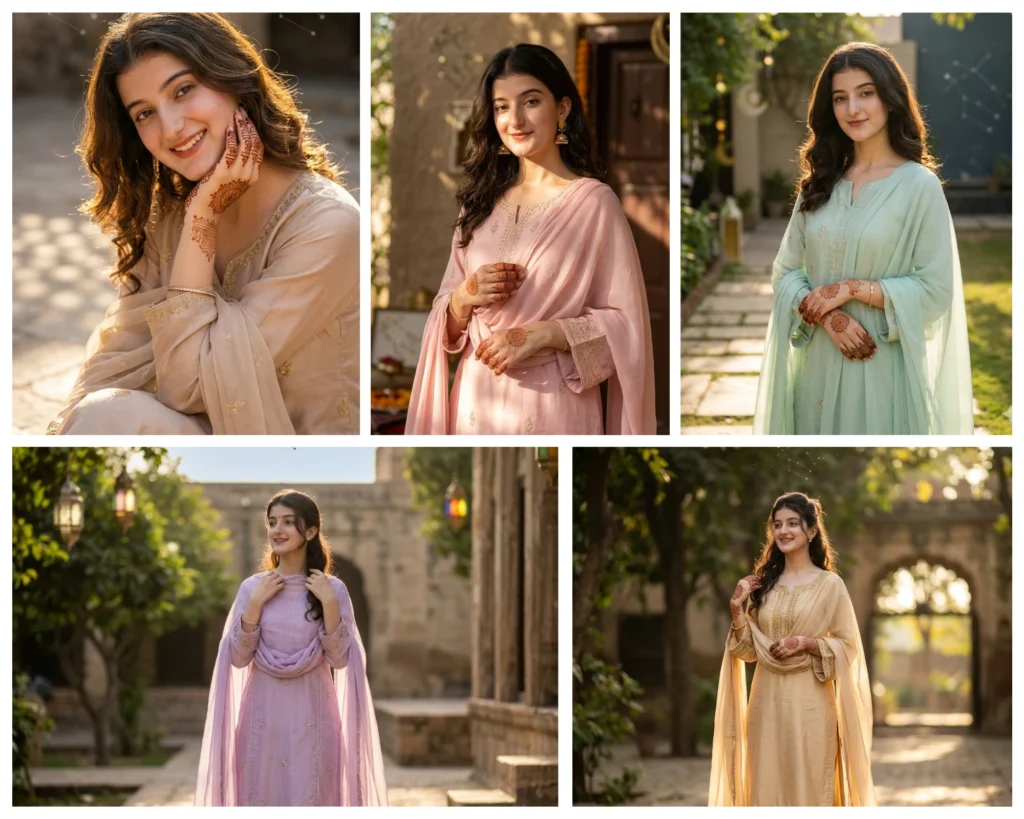
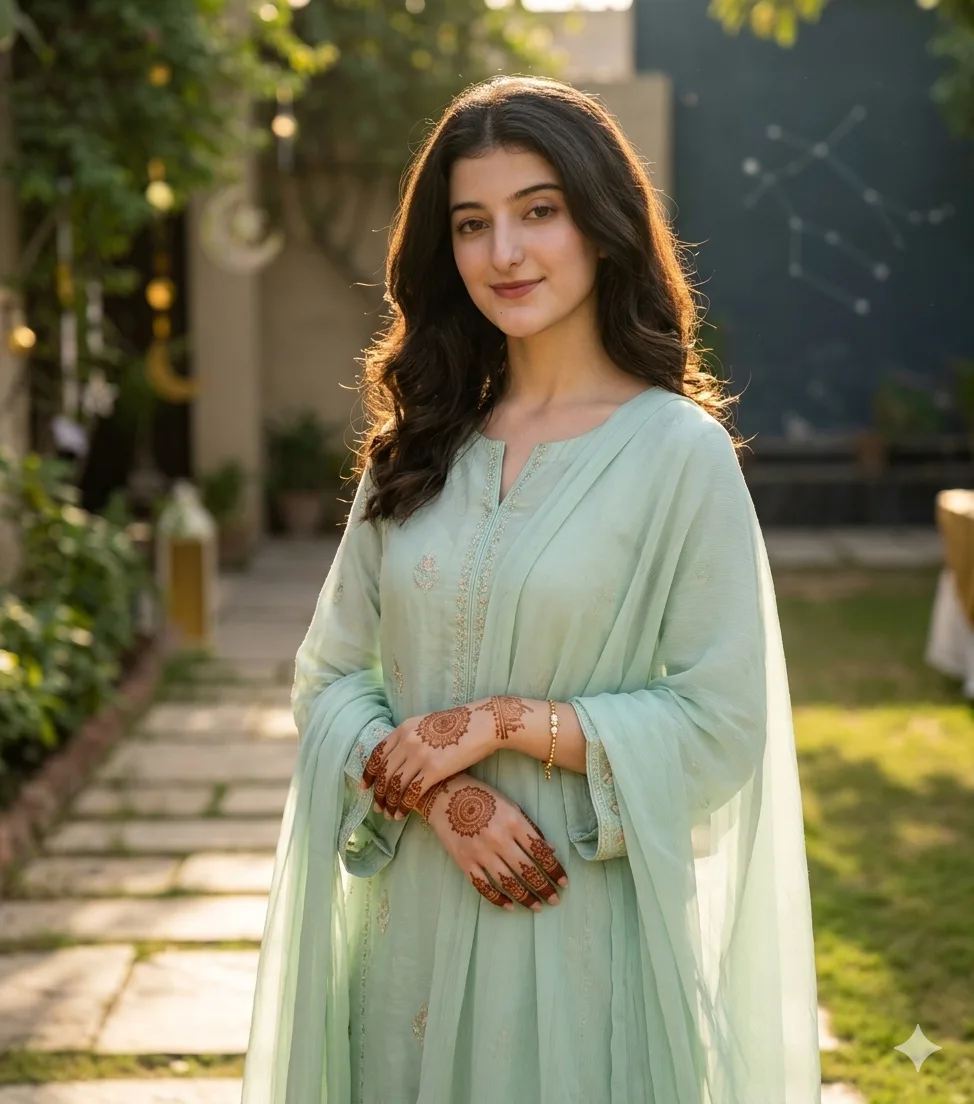
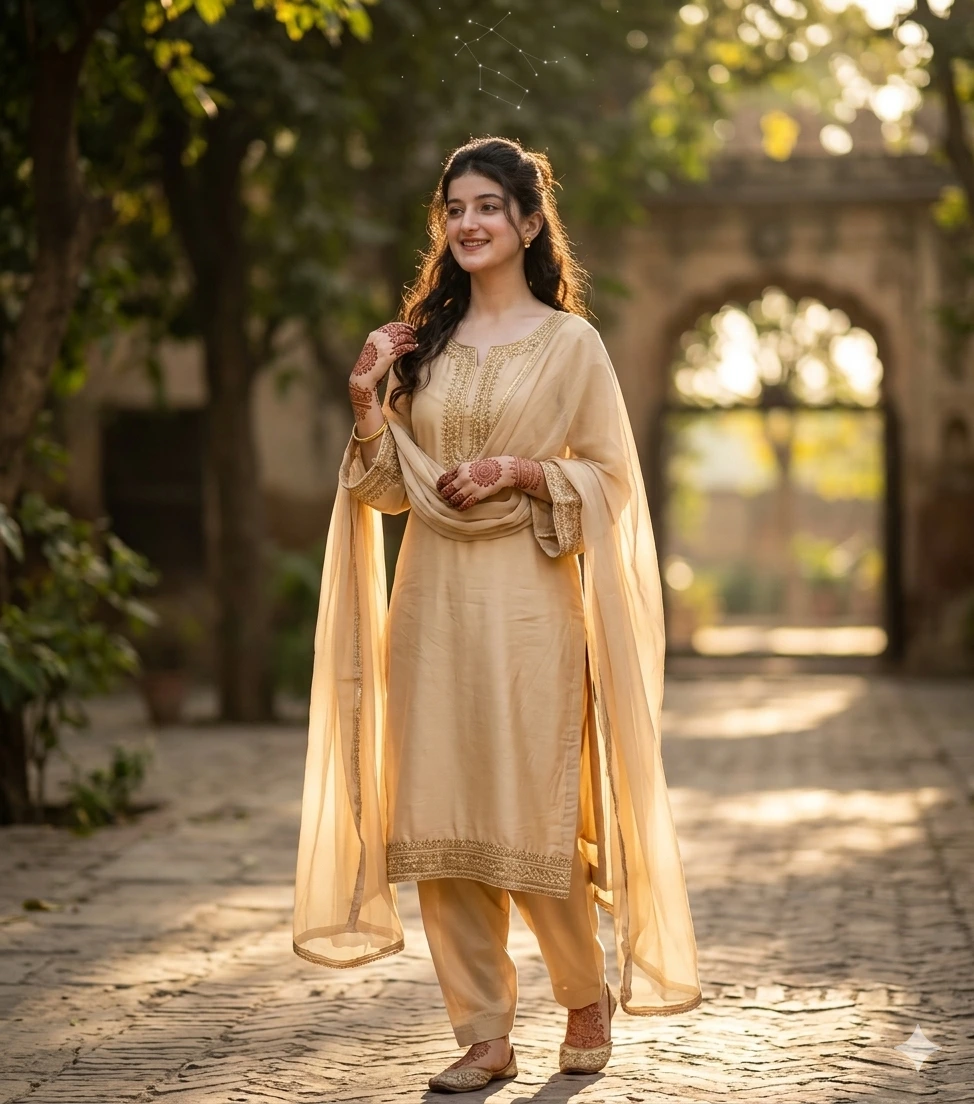
Eid ul Adha comes once a year, and every girl deserves a portrait that looks like it was shot by a professional photographer in soft golden light, dupatta flowing, mehndi visible, outfit perfectly styled. But not everyone has access to a professional shoot, and that is exactly where the Gemini AI Eid ul Adha girl photo prompt changes everything. With the right prompt and your own uploaded photo, Gemini AI can transform a simple selfie into a cinematic, Instagram-ready Eid portrait that preserves your real face, your skin tone, and your natural expression.
This prompt pack contains five carefully crafted prompts, each designed for a different pose and mood. From adjusting a dupatta in soft pink to a full-body lavender look in an outdoor courtyard, every prompt is ready to use. Whether you are creating a portrait for yourself, for a younger sister, or for a friend who wants something beautiful to post this Eid, these prompts will give you results that look human-photographed, not AI-generated. All five are copy-paste ready and work directly inside Gemini AI.
Gemini AI Prompt
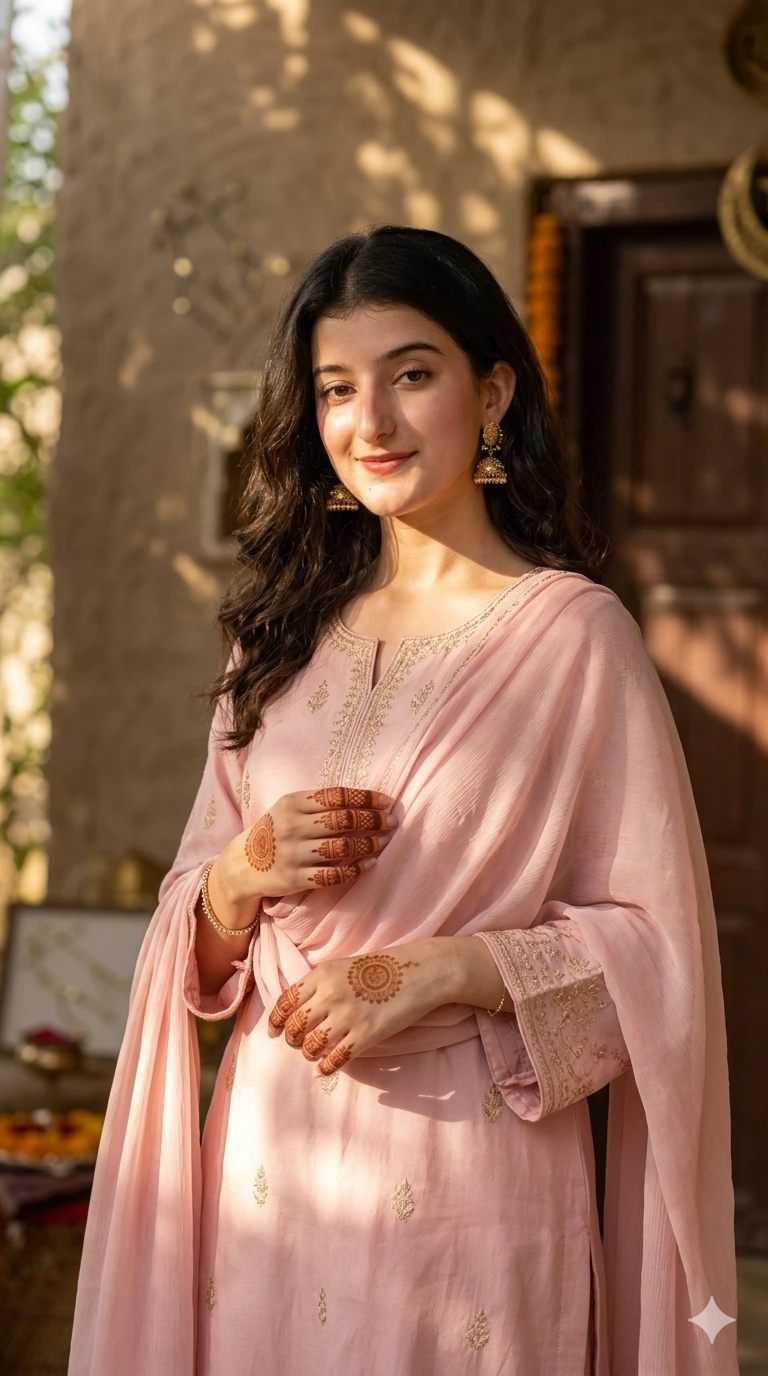
Adjusting Dupatta
Identity Preservation
Transform the uploaded portrait (girl) into a vertical Eid‑ul‑Adha Instagram portrait preserving exact facial identity, skin tone, hair, and natural expression. Must look human-photographed, candid, professional, not AI-generated.
Outfit Styling
Pastel pink shalwar kameez with subtle gold embroidery, long flowing sleeves, chiffon dupatta draped naturally.
Minimal jewelry: earrings, delicate bracelet.
Hands visible with mehndi design, adjusting dupatta.
Pose & Interaction
Girl slightly angled to camera, hand lifting or adjusting dupatta, soft smile, relaxed expression.
Camera Angle
Mid-portrait vertical shot, eye-level or slight low-angle.
Shallow depth of field, focus on face and hands, background blurred.
Lighting
Natural golden hour sunlight streaming from side, warm highlights, soft shadows.
Subtle rim light on hair and shoulders for depth.
Camera & Lens
Canon EOS R5, 85mm lens, 8K ultra-detailed, realistic skin, fabric, and hair texture.
Background & Environment
Natural indoor/outdoor textured background, warm sunlight shadows, subtle Eid décor, soft rich textures.
Gemini constellation motif subtly reflected in light if desired.
Style & Aesthetic
Cinematic, human-photographed, warm festive Instagram vibe, natural candid motion, flowing fabric.
Negative Controls
No flat backgrounds, AI-style faces, logos, low necklines, half sleeves, or unnatural poses.
Gemini AI Prompt
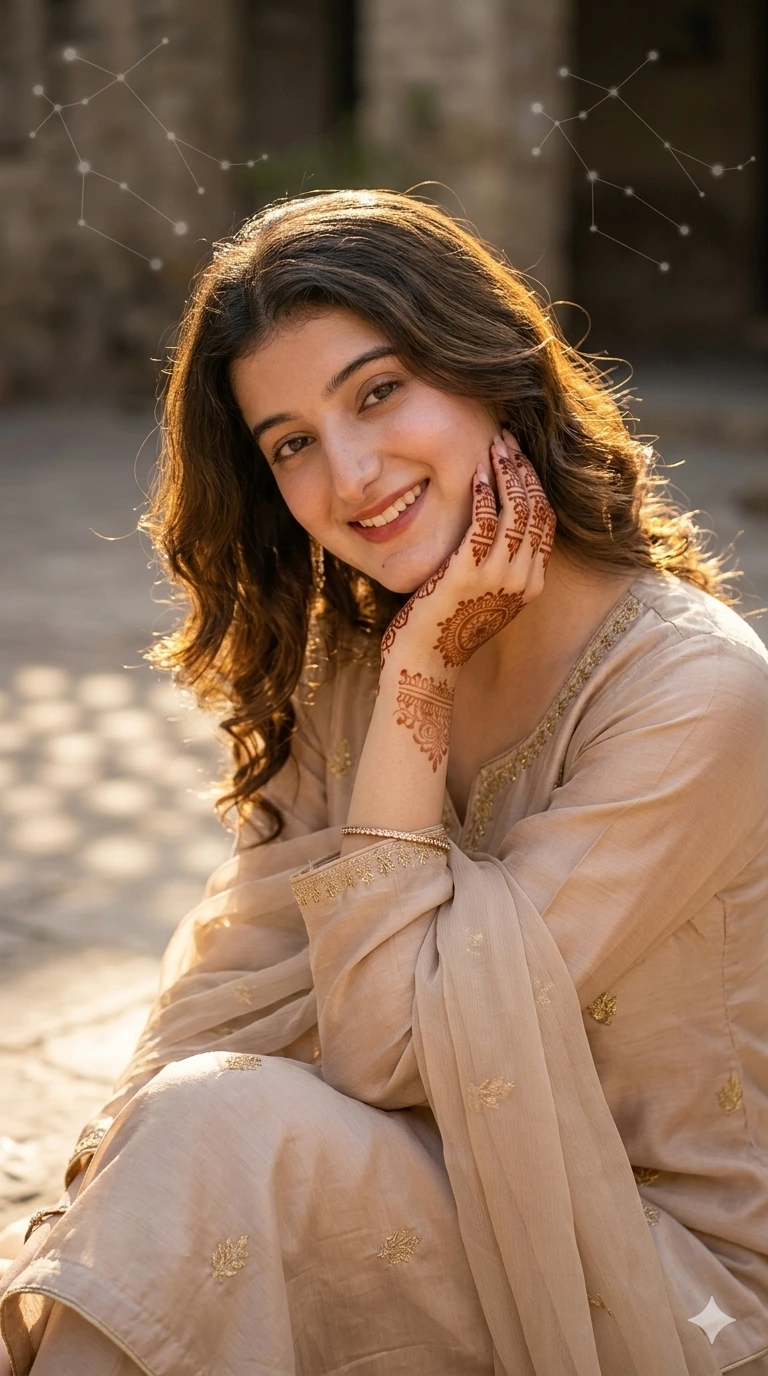
Gentle Smile with Hands on Face
Identity Preservation
Transform uploaded portrait into vertical Eid Instagram portrait, preserving facial identity, skin tone, hair, and natural expression. Human-photographed, not AI-generated.
Outfit Styling
Soft beige shalwar kameez with subtle embroidery, flowing sleeves, chiffon dupatta draped.
Minimal jewelry: earrings, small bracelet.
Mehndi visible on hands gently touching face.
Pose & Interaction
Girl tilting head slightly, hand gently resting near cheek, natural soft smile.
Relaxed and candid expression, as if caught by a photographer.
Camera Angle
Close-up vertical, eye-level, shallow depth of field, focus on face and hands.
Lighting
Warm golden hour sunlight, soft side lighting, rim light on hair, subtle shadows on face.
Camera & Lens
Sony A7R IV, 85mm lens, 8K, ultra-realistic textures.
Background & Environment
Natural textured wall or courtyard background, sunlight patterns, soft festive ambience.
Optional subtle Gemini constellation motif in background light.
Style & Aesthetic
Cinematic, human-photographed, authentic festive Instagram look, natural motion in hair and fabric.
Negative Controls
No plain flat background, AI-like faces, logos, low necklines, half sleeves, or unnatural poses.
Gemini AI Prompt
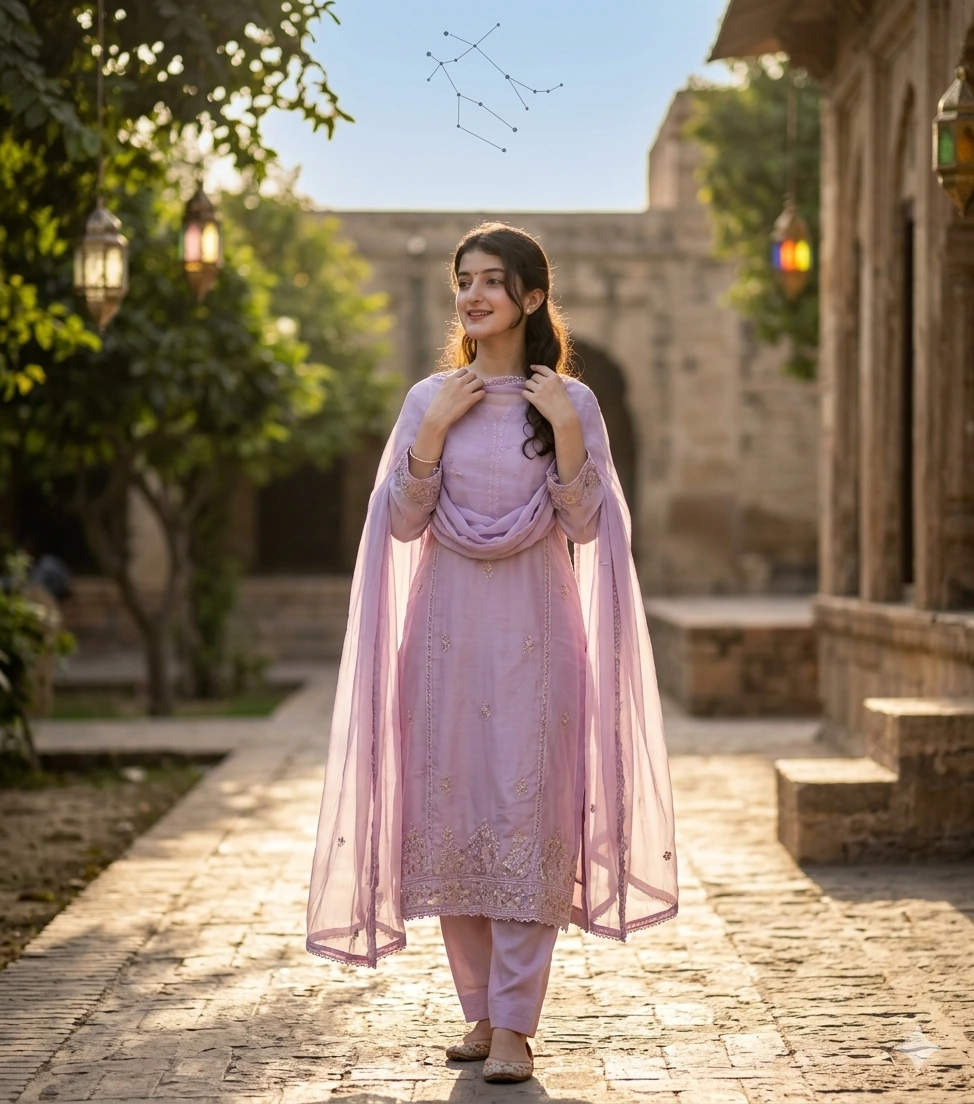
Looking Away, Flowing Dupatta
Identity Preservation
Transform uploaded portrait into vertical Eid Instagram portrait, preserving facial identity, skin tone, hair, and natural expression. Must be human-photographed, candid, not AI-generated.
Outfit Styling
Pastel lavender shalwar kameez, subtle embroidery, long flowing sleeves, chiffon dupatta flowing naturally.
Traditional footwear, minimal jewelry.
Pose & Interaction
Girl looking slightly away from camera, hands adjusting dupatta or holding hem, soft smile, natural relaxed posture.
Camera Angle
Full-body or three-quarter vertical shot, slight low-angle, shallow depth of field, background softly blurred.
Lighting
Golden hour sunlight, warm highlights on face and outfit, soft shadows, subtle rim light.
Camera & Lens
Canon EOS R5, 85mm lens, 8K ultra-realistic textures in skin, fabric, and hair.
Background & Environment
Outdoor courtyard or stone pathway with natural light and texture, sunlight patterns, rich natural environment.
Gemini constellation faintly visible in sky.
Style & Aesthetic
Human-photographed, cinematic, warm festive Eid Instagram vibe, flowing fabric, natural motion.
Negative Controls
No casual t-shirts, logos, flat background, low necklines, half sleeves, distorted features, AI-style poses.
Gemini AI Prompt
Hands Gently Crossed, Looking Camera
Identity Preservation
Transform uploaded portrait into vertical Eid Instagram portrait, preserving facial identity, skin tone, hair, and natural expression. Must look human-photographed and candid.
Outfit Styling
Pastel mint green shalwar kameez, flowing sleeves, subtle embroidery, soft chiffon dupatta.
Minimal jewelry: earrings, delicate bracelet, mehndi visible on hands.
Pose & Interaction
Girl standing, hands gently crossed in front, slight smile, relaxed posture.
Head slightly tilted for natural candid look.
Camera Angle
Mid-body vertical shot, eye-level or slight low-angle, shallow depth of field.
Lighting
Warm side light or golden hour sunlight, soft shadows, subtle rim light on hair.
Camera & Lens
Sony A7R IV, 85mm lens, 8K, realistic textures for skin, fabric, and hair.
Background & Environment
Rich outdoor courtyard or garden, stone pathway, sunlight patterns, subtle Eid décor, natural textures.
Optional faint Gemini constellation in sky.
Style & Aesthetic
Human-photographed, cinematic, warm festive Instagram vibe, natural flowing fabric and relaxed motion.
Negative Controls
No flat/blank backgrounds, logos, low necklines, half sleeves, artificial props, or AI-like faces.
Gemini AI Prompt
Flowing Dupatta, Looking Sideways
Identity Preservation
Transform uploaded portrait into vertical Eid Instagram portrait, preserving facial identity, skin tone, hair, and natural expression. Must appear human-photographed, candid, not AI-generated.
Outfit Styling
Golden beige or pastel shalwar kameez with subtle embroidery, flowing sleeves, soft chiffon dupatta.
Traditional flats or mojari, minimal jewelry, mehndi visible.
Pose & Interaction
Girl slightly angled sideways, hands gently adjusting dupatta, soft smile, relaxed natural posture.
Camera Angle
Full-body or three-quarter vertical, slight low-angle, shallow depth of field, bokeh background.
Lighting
Golden hour sunlight, warm highlights on face, hair, and fabric, subtle rim light.
Camera & Lens
Canon EOS R5, 85mm lens, 8K, ultra-realistic skin, fabric, and hair textures.
Background & Environment
Outdoor natural courtyard with trees, stone pathway, sunlight patterns, reflective textures, rich natural environment.
Gemini constellation subtly in sky.
Style & Aesthetic
Cinematic, human-photographed, warm festive Eid Instagram look, flowing fabric, natural motion in dupatta.
Related prompts you might also like
If you enjoyed these prompts, here are some other styles you might love:
How do I use a Gemini AI Eid ul Adha girl photo prompt step by step?
Open Gemini at gemini.google.com, upload a clear portrait photo of the girl, paste the full prompt text from this page into the chat alongside the image, and submit. Gemini will generate a styled Eid portrait based on your uploaded photo and the instructions in the prompt. If the result is not quite right, adjust the prompt slightly and regenerate.
Why does my face look different in the Gemini output?
This is called facial drift and it happens when the AI prioritises the prompt’s style instructions over the identity of the uploaded photo. To fix it, add “Take face from uploaded image, keep face 100% same. Do not change skin tone, facial structure, or expression.” at the very start of your prompt before any other text, then resubmit.
Which photo should I upload to get the best result?
Upload a well-lit, front-facing portrait where your full face is clearly visible. Both eyes, your nose, and your full jawline should all be in frame. Avoid heavily filtered photos, very dark selfies, or images where your face is partially covered by hair or an object.
Can a single girl use this prompt, or is it only for couples?
All five prompts in this pack are designed for a single girl portrait. There are no couple-specific instructions here, so just upload your own photo and the prompt will generate an individual festive portrait styled beautifully for Eid ul Adha.
Do these Gemini AI Eid ul Adha girl photo prompts work on mobile?
Yes, Gemini works in a mobile browser and through the Google app on both Android and iOS. Open gemini.google.com on your phone, tap the image icon to upload your photo, paste the prompt, and submit. The results are the same quality as on desktop.
How do I change the outfit colour to match my actual Eid outfit?
In the Outfit Styling section of any prompt, simply replace the colour name. For example, change “pastel pink” to “royal blue” or “dusty rose” and keep everything else in the section the same. You can also use the free Custom Prompt Generator to build a fully tailored version around your specific outfit description.
What does the negative controls section in the prompt actually do?
The negative controls section tells Gemini what not to include in the image, such as flat white backgrounds, half sleeves, logos, low necklines, or AI-looking facial expressions. These instructions are just as important as the positive ones because they block the most common errors that make AI portraits look unnatural or culturally off.
How do I share my Gemini Eid portrait on Instagram?
Once Gemini generates the image, tap and hold on it to save it to your phone’s gallery, then upload it directly to Instagram as a post or story. For best quality, save the image at full resolution before uploading. Adding a simple caption with your outfit colour and Eid wishes makes the post more engaging, and tagging it as an AI portrait often starts great conversations in the comments.
You now have five complete, copy-paste-ready Gemini AI Eid ul Adha girl photo prompts for 2026, each one designed to preserve your real face, style you in a traditional festive outfit, and produce a portrait that looks genuinely photographed rather than AI-generated. From the soft pink dupatta adjustment to the full-body golden beige sideways look, every prompt gives Gemini clear, precise instructions to work with.
Try one of the prompts now, or visit the free Custom Prompt Generator to build a version tailored to your exact outfit colour, pose, and background preference. When your portrait is ready, share it in the comments below or tag us on Instagram. Eid Mubarak in advance!