
Introduction
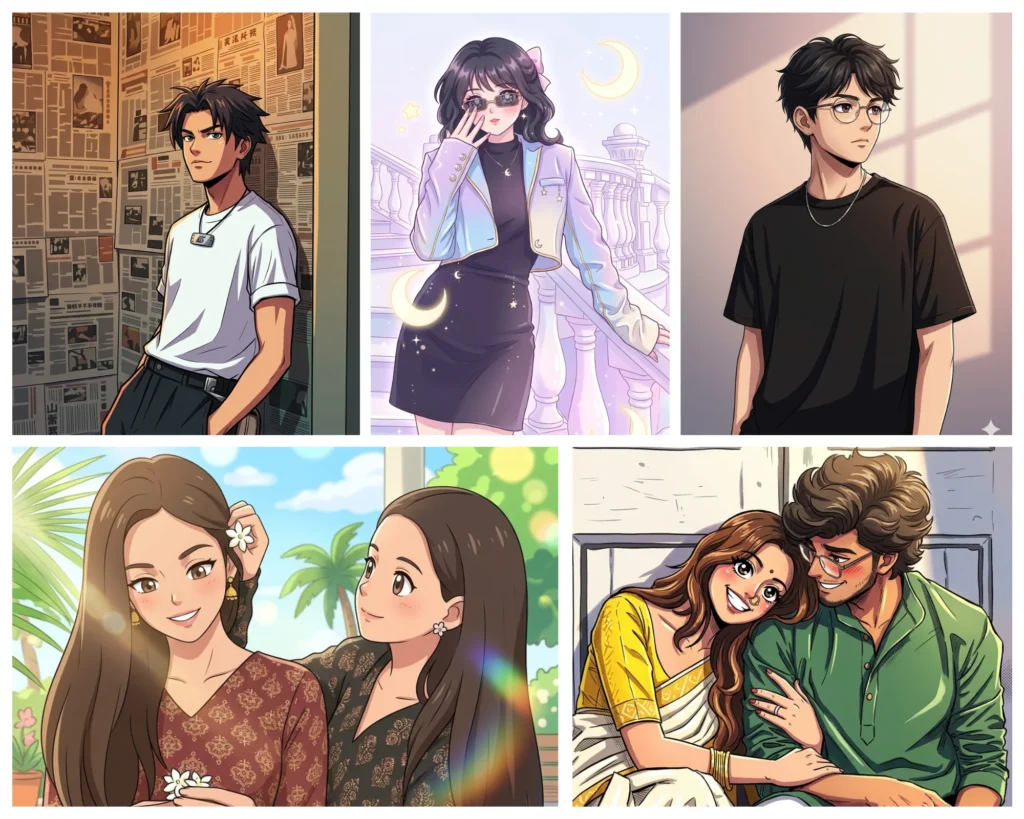
Ever wondered what you would look like as an anime character? With Gemini AI anime photo prompts, you can turn any real portrait into a stunning anime-style character inspired by iconic anime universes like Pokémon, Naruto, One Piece, Demon Slayer, and Sailor Moon. Google Gemini reads your detailed prompt instructions and applies them directly to your uploaded photo, preserving your face, outfit, and pose while converting everything into expressive anime art with clean linework and vibrant colors.
This guide gives you five ready-to-use Gemini AI anime photo prompts, each built for a specific anime style. Whether you are a boy, a girl, or trying this with a group of friends, these prompts are beginner-friendly and require no design experience. Just copy, paste, and generate.
How to Use These Anime Photo Editing Prompts in Gemini
Using a Gemini AI anime prompt is a straightforward process that takes less than two minutes. Here is exactly how to do it:
Step 1: Open Google Gemini at gemini.google.com on your phone or computer and sign in with your Google account.
Step 2: Click the image upload icon in the chat bar and select a clear, well-lit photo of yourself. A portrait where your face and outfit are both visible works best.
Step 3: Find the anime style you want from this page and copy the prompt text.
Step 4: Paste the prompt into the Gemini text box alongside your uploaded photo and click generate.
Step 5: Wait a few seconds for your anime photo transformation to appear. Download the result or tap regenerate to get a slightly different version.
For the best output from any Gemini AI anime photo prompt, use a photo with natural daylight or soft indoor lighting. Avoid heavily filtered selfies, blurry images, or photos with cluttered backgrounds, as these can reduce the accuracy of the anime transformation.
5 Gemini AI Anime Photo Prompts by Style
Pokémon Style Anime Prompt
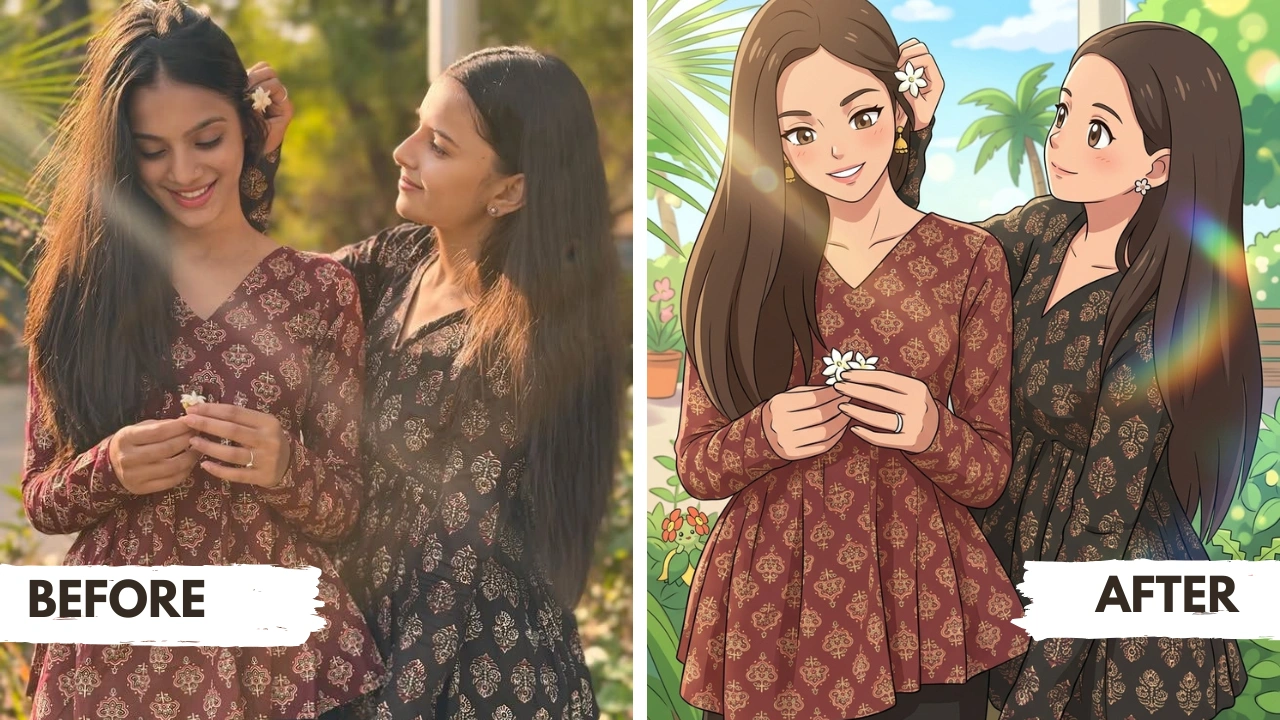
Demon Slayer Style Anime Prompt
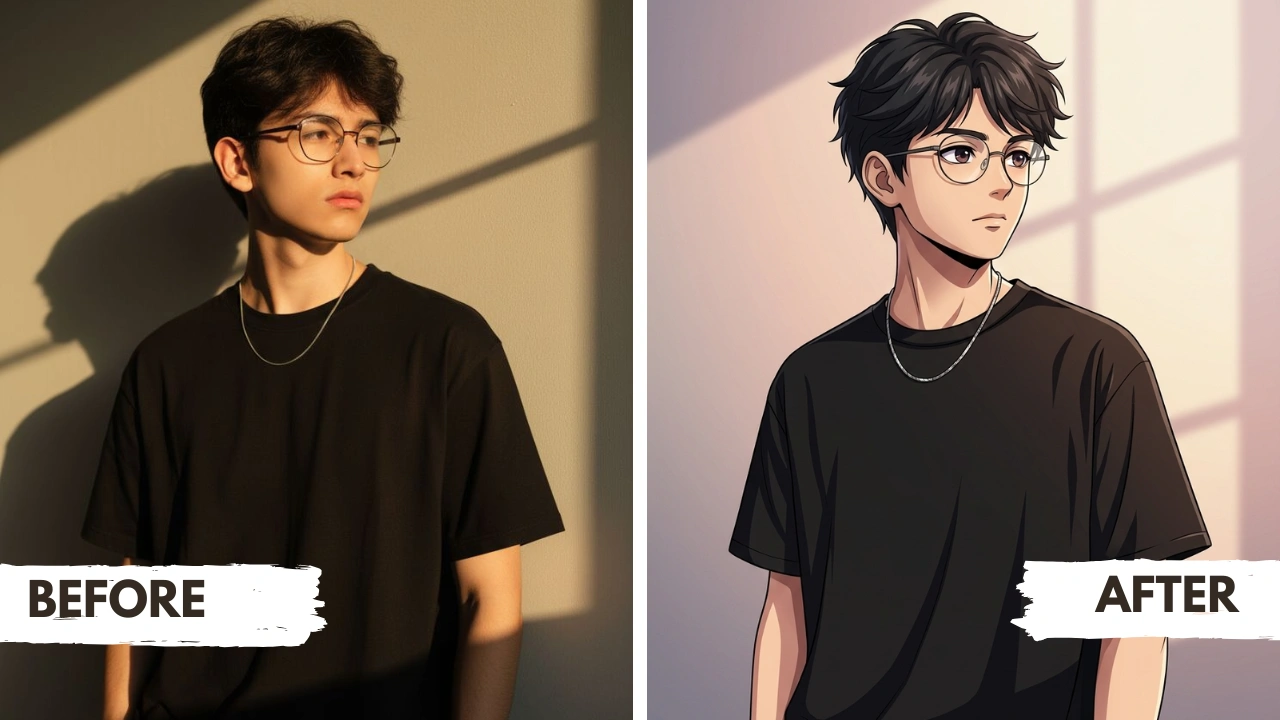
One Piece Style Anime Prompt
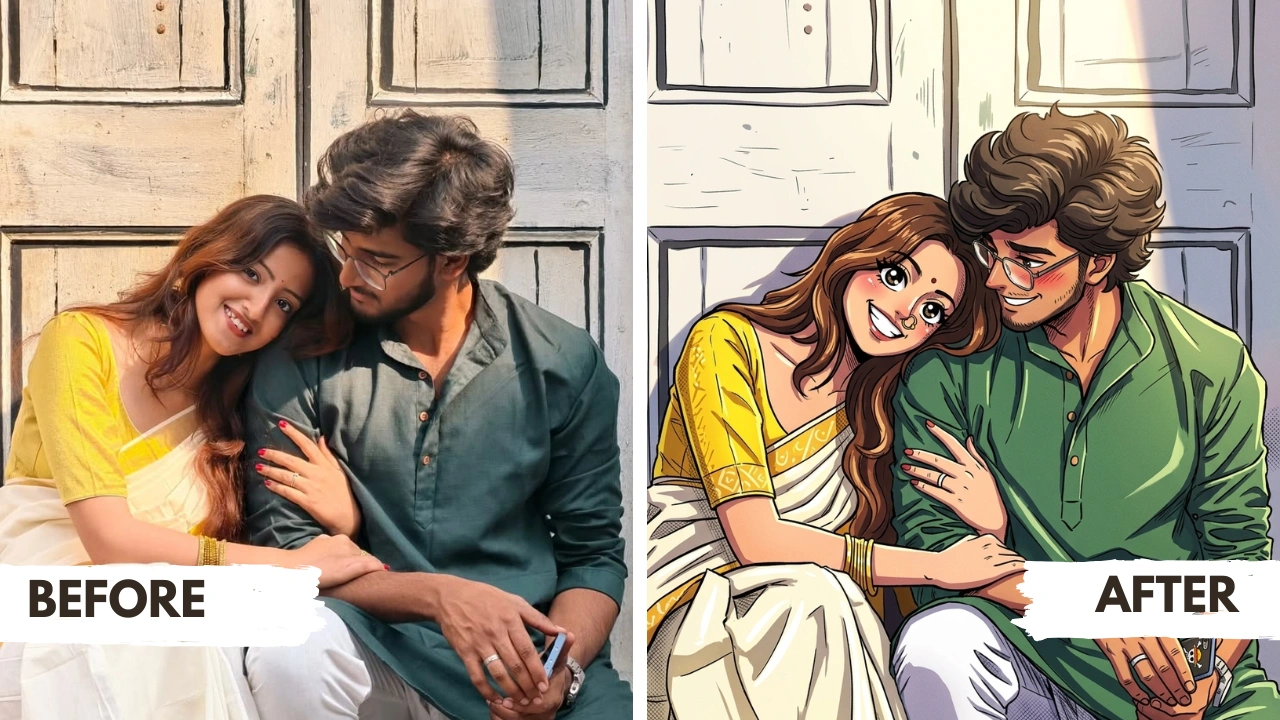
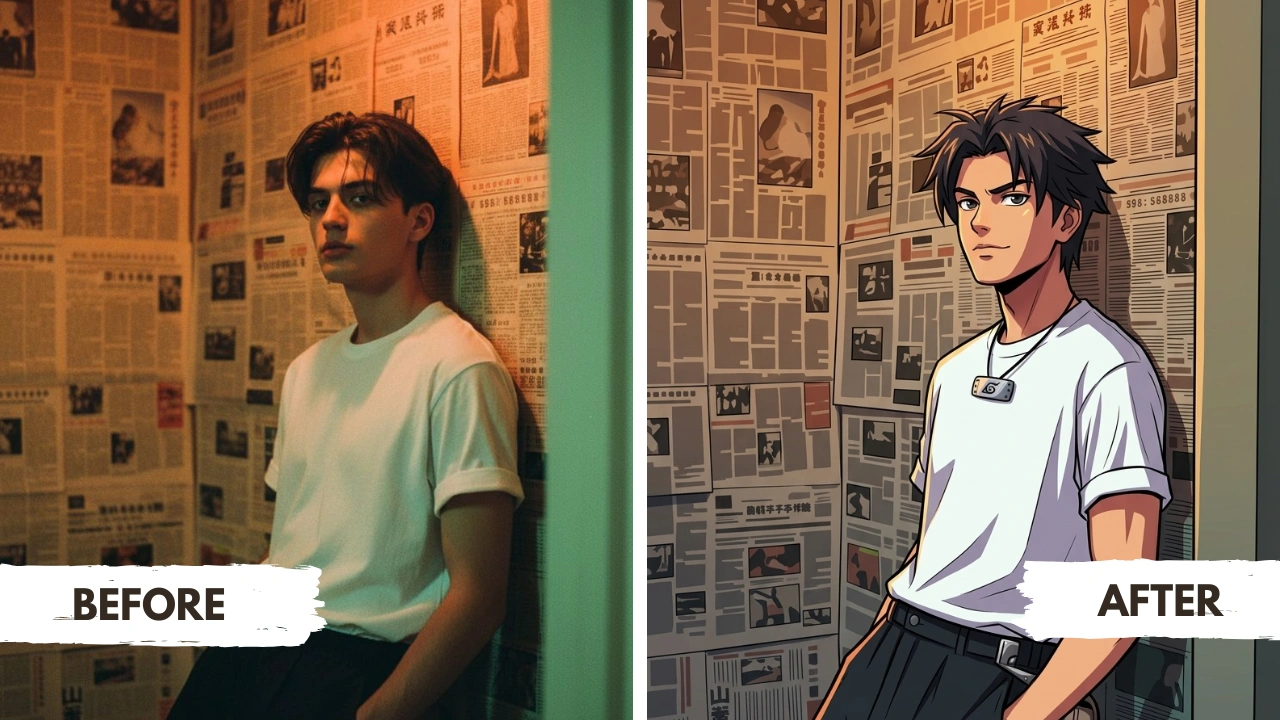
Naruto Style Anime Prompt
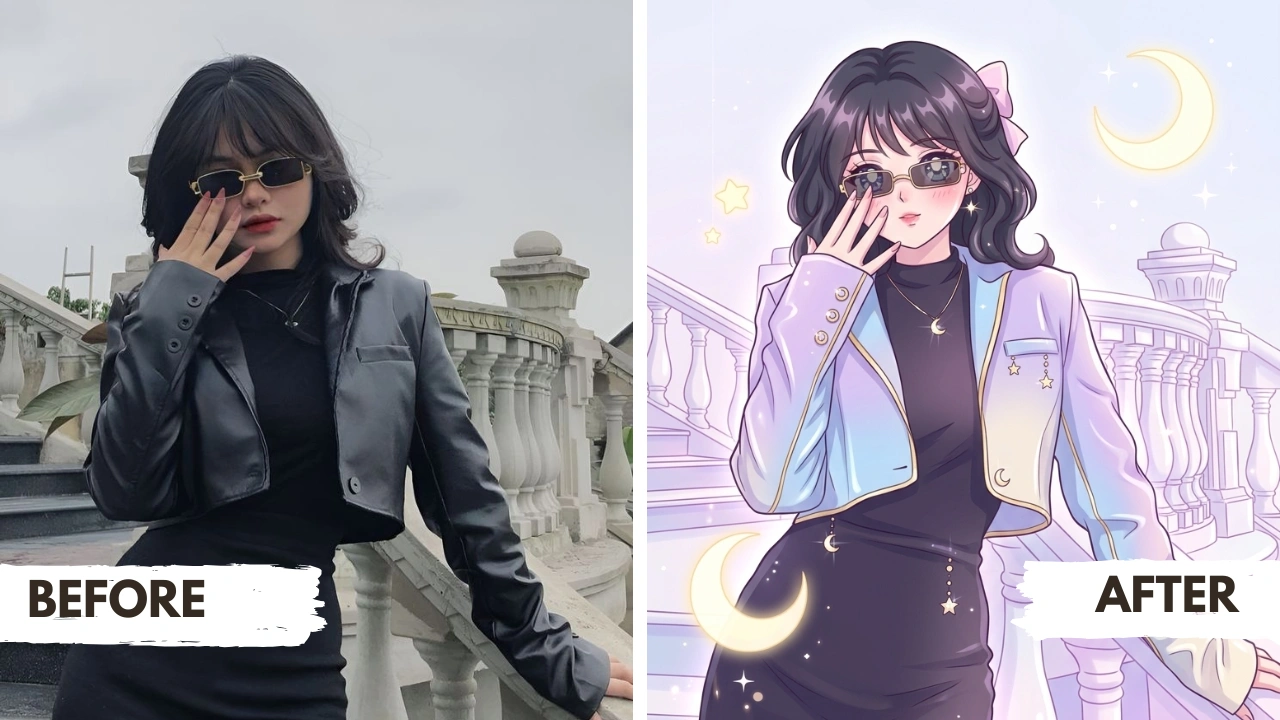
Sailor Moon Style Anime Prompt
Tips for Best Results Across All Anime Styles
Use a high quality photo:
A clear, well-lit portrait with your face fully visible gives Gemini the most information to work with. Natural daylight photos consistently produce the cleanest anime transformations.
Match the anime style to your goal:
For fun and shareable content, Pokémon or One Piece works best. For a dramatic profile picture, go with Demon Slayer or Naruto. For a soft and magical look, Sailor Moon is the top choice.
Regenerate for variety:
Gemini AI gives slightly different anime results each time you generate. If the first output is not exactly what you wanted, regenerate two or three times and choose your favorite version.
Try the same photo in multiple styles:
One of the most engaging ways to use these Gemini AI anime prompts is to run the same photo through all five styles and compare the results. Many creators share this as a before-and-after or style comparison post on Instagram and Pinterest.
Frequently Asked Questions
Can boys use the Sailor Moon anime prompt?
Yes, any of these Gemini AI anime photo prompts can be used regardless of gender. The Sailor Moon prompt will apply the magical-girl aesthetic to whoever is in the photo. That said, boys looking for a more masculine anime style will generally get stronger results with the Naruto or Demon Slayer prompts.
Do these Gemini AI anime prompts work on group photos?
Yes, they do. For groups of two to three people, Gemini handles the anime transformation very well and converts each person in the frame. For larger groups, results may vary depending on how clearly each face is visible. The Pokémon and One Piece prompts tend to give the most consistent group anime photo results because of their bold, clear art style. See the full group photo section above for more tips.
Can I use these anime photo editing prompts on ChatGPT?
Yes. These prompts are compatible with ChatGPT image generation, Adobe Firefly, Leonardo AI, and most other AI image tools. Results will look different on each platform, but the prompt structure works across tools. Gemini tends to give the most accurate anime transformation when you upload a real photo because of how it reads image context.
Will my original face be recognizable in the anime version?
Yes. These prompts are written specifically to preserve your identity during the anime transformation. Your hairstyle, clothing, and pose are all carried over into the anime version. Your features are stylized, not replaced.
Is Gemini AI free to use for anime photo editing?
Yes. Google Gemini is free to use at gemini.google.com without any subscription. Image generation and photo editing features are available on the free plan. Some advanced features may require a Google One AI Premium plan.
Which anime style gives the most detailed and realistic result?
Demon Slayer style consistently produces the most polished and realistic-looking anime portrait because the prompt emphasizes premium cel-shading, detailed hair rendering, and refined facial features. If you want an anime transformation that still looks close to a real illustration rather than a simplified cartoon, Demon Slayer is the best choice.
Can I use these anime portraits for social media?
Absolutely. Gemini AI anime photo transformations are perfect for Instagram posts, WhatsApp profile pictures, Pinterest boards, YouTube thumbnails, and TikTok content. Many creators use these anime photo editing prompts to create before-and-after transformation content that performs very well on reels and shorts.
Which anime prompt works best for a couple photo?
For couple anime photo editing, One Piece and Pokémon styles work best because both people in the frame get clearly defined and visually distinct anime characters. Alternatively, pairing Sailor Moon for one person and Naruto or Demon Slayer for the other creates a beautiful contrasting couple anime portrait.
More Gemini AI Photo Prompt Styles You Will Love
If you enjoyed using these Gemini AI anime photo prompts, there are more creative photo editing styles on ImagePromptLab worth exploring. Each of these uses the same copy-paste method in Gemini and gives you a completely different artistic transformation from your real photo.
If anime felt a little bold and you want something softer and more illustrative, the Gemini AI Soft Cozy Pastel Sticker Portrait Prompt is a perfect next step. It transforms your photo into a dreamy sticker-style character with muted pastel tones, rounded shapes, and a cozy illustrated feel. Six different styles are available, ranging from cottagecore to minimal line art. This style is especially popular for WhatsApp DPs and Instagram story highlights.
For something playful and fun that works great for kids and family photos, the Gemini AI Photo Prompt Ideas for Kids Art Styles guide gives you five trending styles that turn any photo into colorful, child-friendly illustrated art. These prompts are a great complement to the Pokémon anime style and work particularly well for transforming group photos of children.
And if you want something completely unique that no filter can replicate, the Viral Gemini AI Doodle Photo Prompt turns your photo into a hand-drawn doodle art style with playful linework, sketch textures, and an organic illustrated look. This style has been trending heavily on Pinterest and Instagram Reels for its instantly shareable and creative output.
Conclusion
These five Gemini AI anime photo prompts cover the most popular and recognizable anime styles available for photo transformation today. Whether you want the cheerful energy of Pokémon, the bold heroism of Naruto, the adventurous spirit of One Piece, the cinematic elegance of Demon Slayer, or the magical grace of Sailor Moon, there is a prompt here that matches your style. Each one is written to preserve your identity while delivering a high-quality anime portrait you can actually use and share.
For more AI photo prompt ideas across different styles and themes, explore the full prompt library on ImagePromptLab.