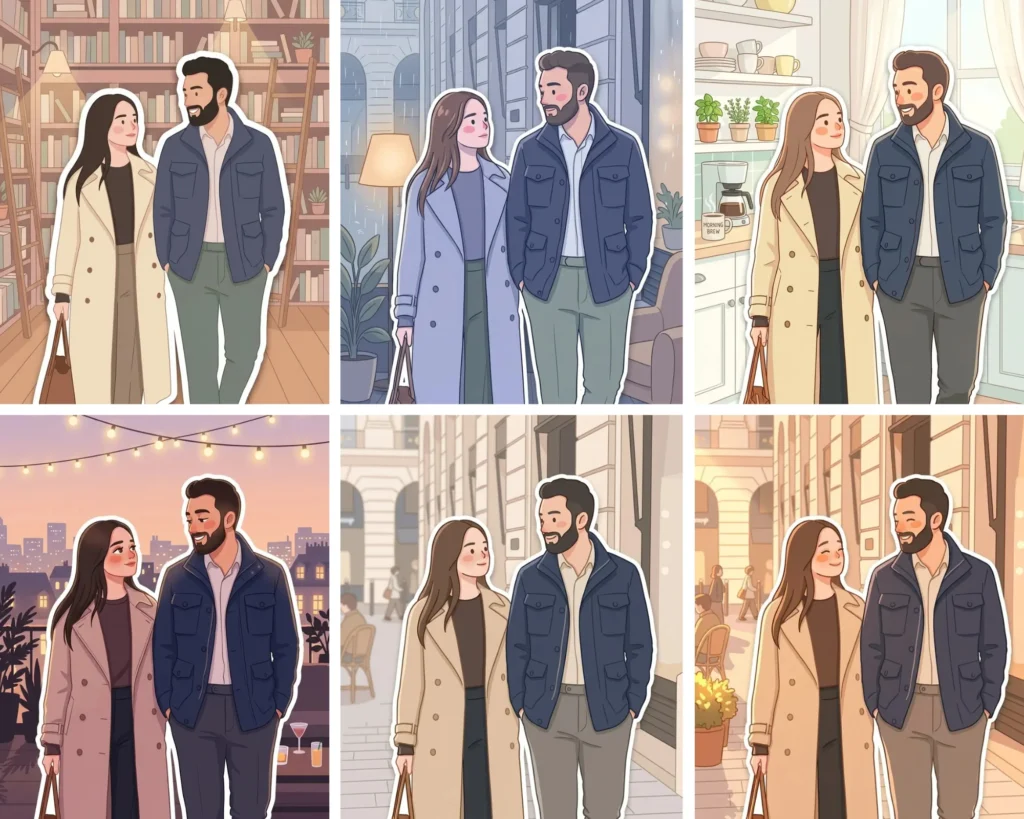
If you have ever wished your everyday photos could look like they came straight out of a Korean lifestyle illustration, these Gemini AI Soft Cozy Pastel Sticker Portrait prompts are exactly what you need. Each prompt transforms your uploaded photo into a soft, illustrated sticker character placed inside a beautifully drawn background — café scenes, rainy windows, golden kitchens, cozy bookshops, and more. You do not need any design skills, any apps, or any budget. Just Gemini, your photo, and the right prompt. This collection of six sticker portrait styles is designed for anyone who loves that clean, pastel, lifestyle aesthetic you see everywhere on Pinterest and Instagram right now.
Gemini AI Prompt
Soft Cozy Pastel Sticker Portrait
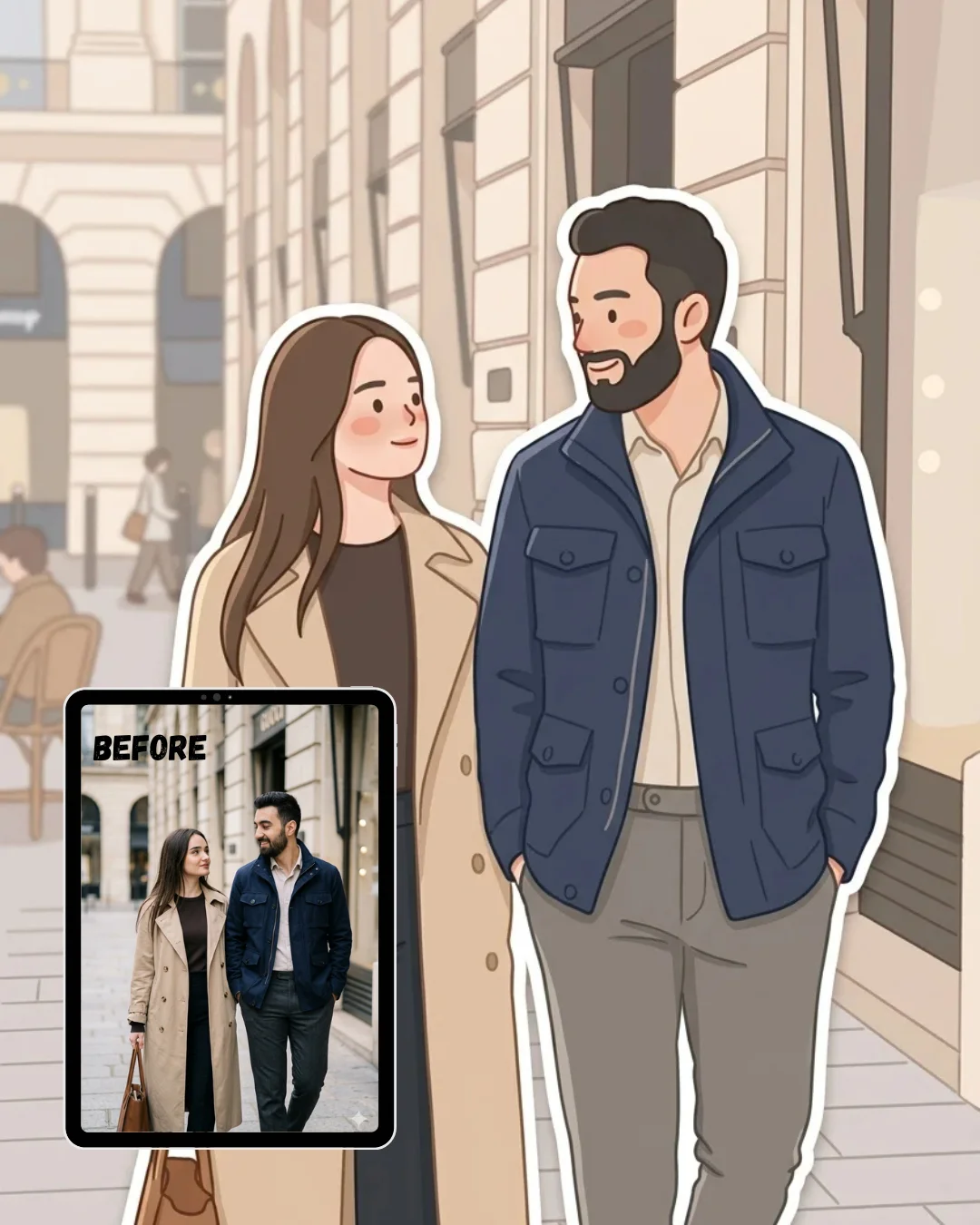
Transform the uploaded photo into a soft, cozy minimalist digital illustration while preserving the original composition, perspective, pose, environment, and all recognizable objects from the image.
Style: Recreate the entire scene in a clean pastel illustrated style with smooth rounded edges, muted colors, and minimal facial details. The person should maintain their original pose and overall appearance but be reimagined as a cute stylized character with rosy blush cheeks, soft gentle expressions, simplified anatomy, and clean flat clothing shapes.
Effect: Add a bold clean white outline around the main subject only to create a sticker-like cutout effect — making the character appear as if they are a physical illustrated sticker placed directly on top of the illustrated background scene behind them.
Environment: Illustrate the background in the same pastel flat style but slightly simpler and less detailed than the character — café furniture, plants, windows, walls, and people in the background should all be visible but softly simplified into flat illustrated shapes with muted tones.
Mood & Lighting: Use soft warm indoor lighting, gentle shadows, and a calming pastel color palette throughout. The overall color temperature should feel warm, clean, and airy — like a bright cozy café on a quiet morning.
Final feel: The result should feel warm, adorable, polished, and lifestyle-oriented — exactly like a Korean or Japanese pastel sticker character placed inside a beautifully illustrated café scene, matching the composition of the original photo precisely.
Gemini AI Prompt
Golden Hour Window Seat Sticker Portrait
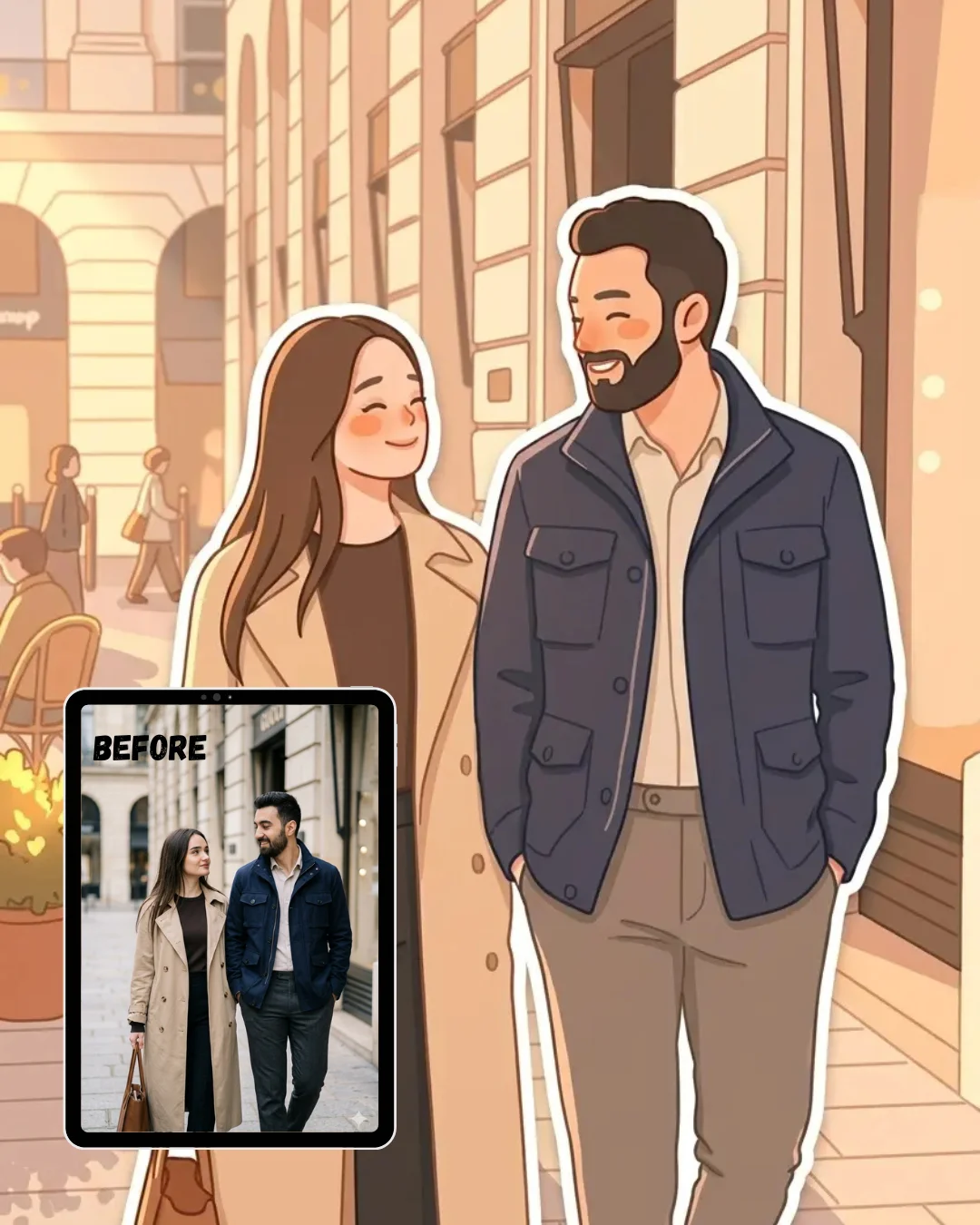
Transform the uploaded photo into a warm golden hour sticker portrait illustration while preserving the original composition, perspective, pose, environment, and all recognizable objects from the image.
Style: Recreate the entire scene in a warm pastel illustrated style with smooth rounded edges, sun-drenched muted tones, and minimal facial details. The person should maintain their original pose and overall appearance but be reimagined as a cute stylized character with warm peachy blush cheeks, soft squinting happy expressions, simplified anatomy, and clean flat clothing shapes bathed in golden light.
Effect: Add a bold clean white outline around the main subject only to create a sticker-like cutout effect — making the character appear as if they are a physical illustrated sticker placed directly on top of the warm golden illustrated background scene behind them.
Environment: Illustrate the background in the same warm pastel flat style but slightly simpler than the character — golden window light streaming in, long soft shadows across furniture, warm wooden surfaces, potted plants glowing in sunlight, and soft blurred people in the background all rendered in flat illustrated warm tones.
Mood & Lighting: Use strong warm side lighting coming from a large window, casting long golden shadows across the scene. The overall color palette should sit in warm peach, honey amber, cream, and soft terracotta — like the most beautiful late afternoon light pouring through a café window.
Final feel: The result should feel warm, glowing, dreamy, and golden — exactly like a lifestyle sticker portrait captured in the most beautiful light of the day, matching the composition of the original photo precisely.
Gemini AI Prompt
Rainy Day Indoor Sticker Portrait
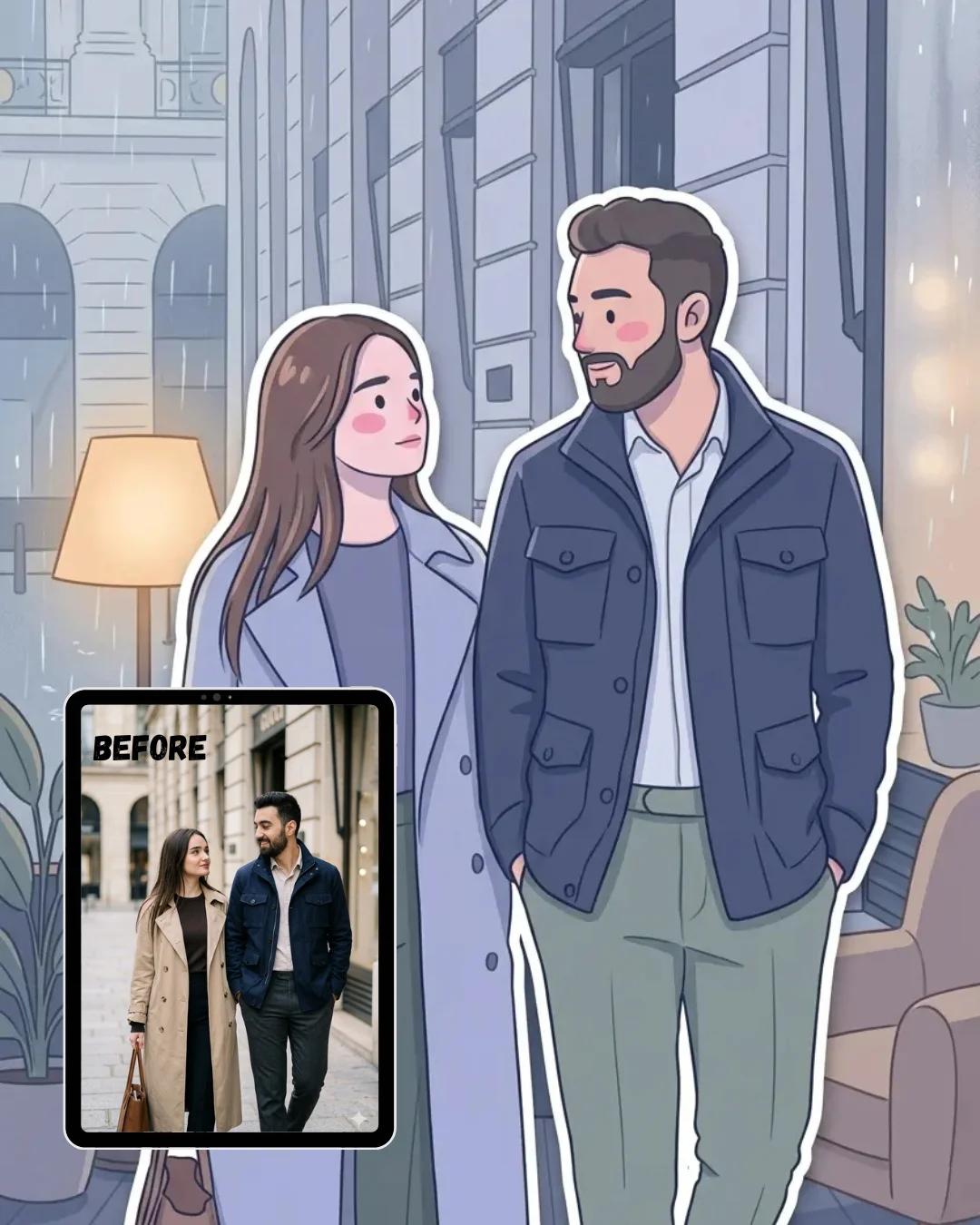
Transform the uploaded photo into a cozy rainy day indoor sticker portrait illustration while preserving the original composition, perspective, pose, environment, and all recognizable objects from the image.
Style: Recreate the entire scene in a cool-muted pastel illustrated style with smooth rounded edges, misty soft tones, and minimal facial details. The person should maintain their original pose and overall appearance but be reimagined as a cute stylized character with soft pink blush, a calm contemplative expression, simplified anatomy, and cozy layered clothing shapes rendered in muted cool tones.
Effect: Add a bold clean white outline around the main subject only to create a sticker-like cutout effect — making the character appear as if they are a physical illustrated sticker placed directly on top of the illustrated rainy background scene behind them.
Environment: Illustrate the background in the same cool pastel flat style but slightly simpler than the character — rain streaks visible on large windows, soft condensation blur on the glass, warm lamp glow contrasting against the cool grey outside light, indoor plants, and cozy furniture all rendered in flat muted illustrated shapes.
Mood & Lighting: Use cool grey outdoor light filtered through rain-streaked windows contrasted with warm soft indoor lamp glow. The overall palette should sit in periwinkle blue, misty grey, soft cream, muted sage, and warm amber lamplight — like the coziest rainy afternoon spent indoors.
Final feel: The result should feel cozy, introspective, quietly beautiful, and emotionally warm despite the cool tones — exactly like a rainy day lifestyle sticker portrait, matching the composition of the original photo precisely.
Gemini AI Prompt
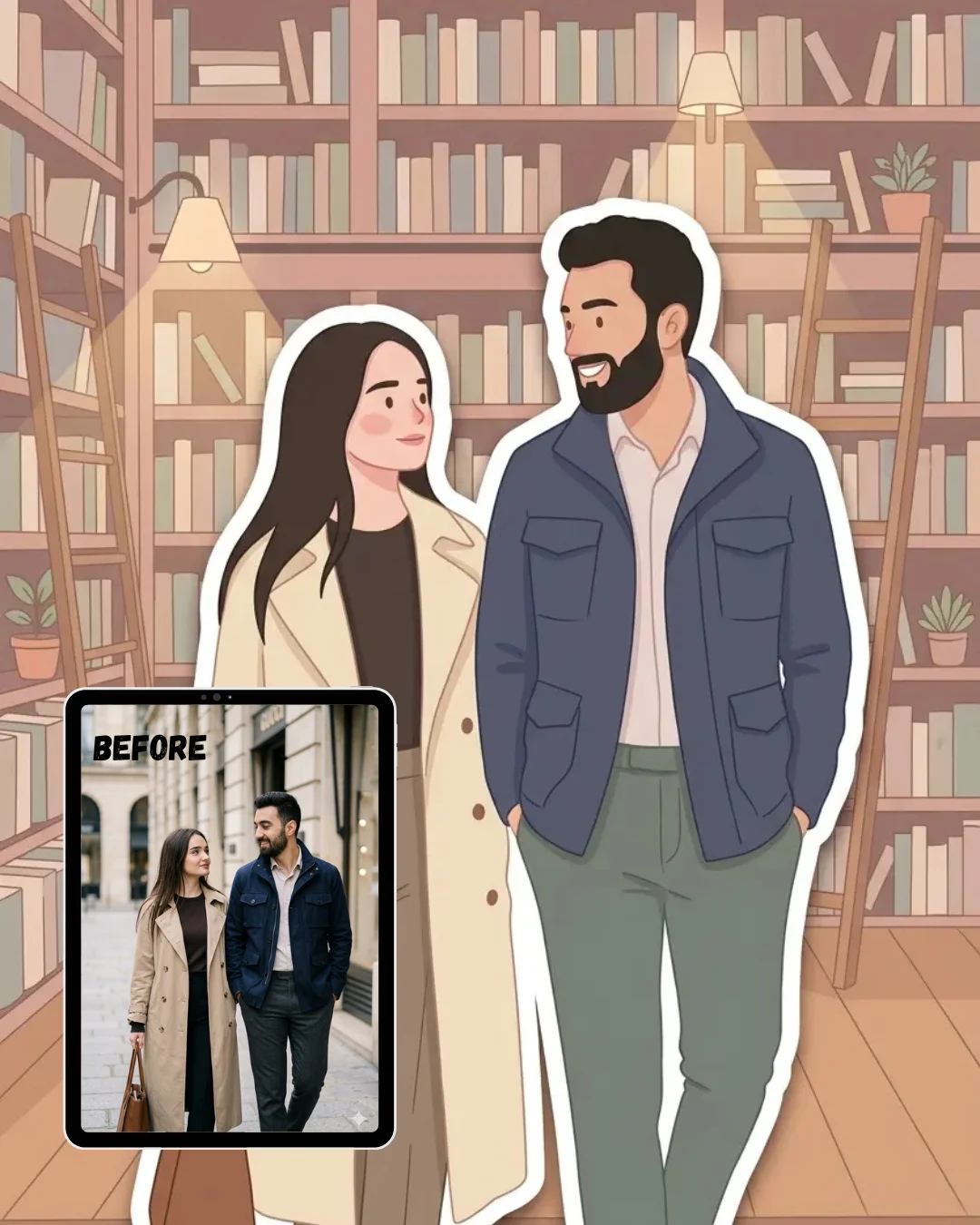
Pastel Bookshop Sticker Portrait
Transform the uploaded photo into a dreamy pastel bookshop sticker portrait illustration while preserving the original composition, perspective, pose, environment, and all recognizable objects from the image.
Style: Recreate the entire scene in a soft dusty pastel illustrated style with smooth rounded edges, literary warm tones, and minimal facial details. The person should maintain their original pose and overall appearance but be reimagined as a cute stylized character with soft rosy cheeks, a gentle absorbed expression, simplified anatomy, and clean flat clothing rendered in warm neutral tones.
Effect: Add a bold clean white outline around the main subject only to create a sticker-like cutout effect — making the character appear as if they are a physical illustrated sticker placed directly on top of the beautifully illustrated bookshop background scene behind them.
Environment: Illustrate the background in the same dusty pastel flat style but slightly simpler than the character — floor to ceiling bookshelves filled with flat illustrated books in varying pastel spines, soft reading lamps casting warm pools of light, wooden ladders, small potted plants on shelves, and warm wooden floors all rendered in simplified flat illustrated shapes.
Mood & Lighting: Use warm soft indoor reading light casting gentle shadows between bookshelves. The overall palette should sit in dusty rose, warm ivory, aged paper cream, soft sage green, and warm walnut brown — like the most beautiful independent bookshop on a quiet afternoon.
Final feel: The result should feel literary, warm, whimsical, and quietly magical — exactly like a bookshop lover lifestyle sticker portrait placed inside a dreamy illustrated reading world, matching the composition of the original photo precisely.
Gemini AI Prompt
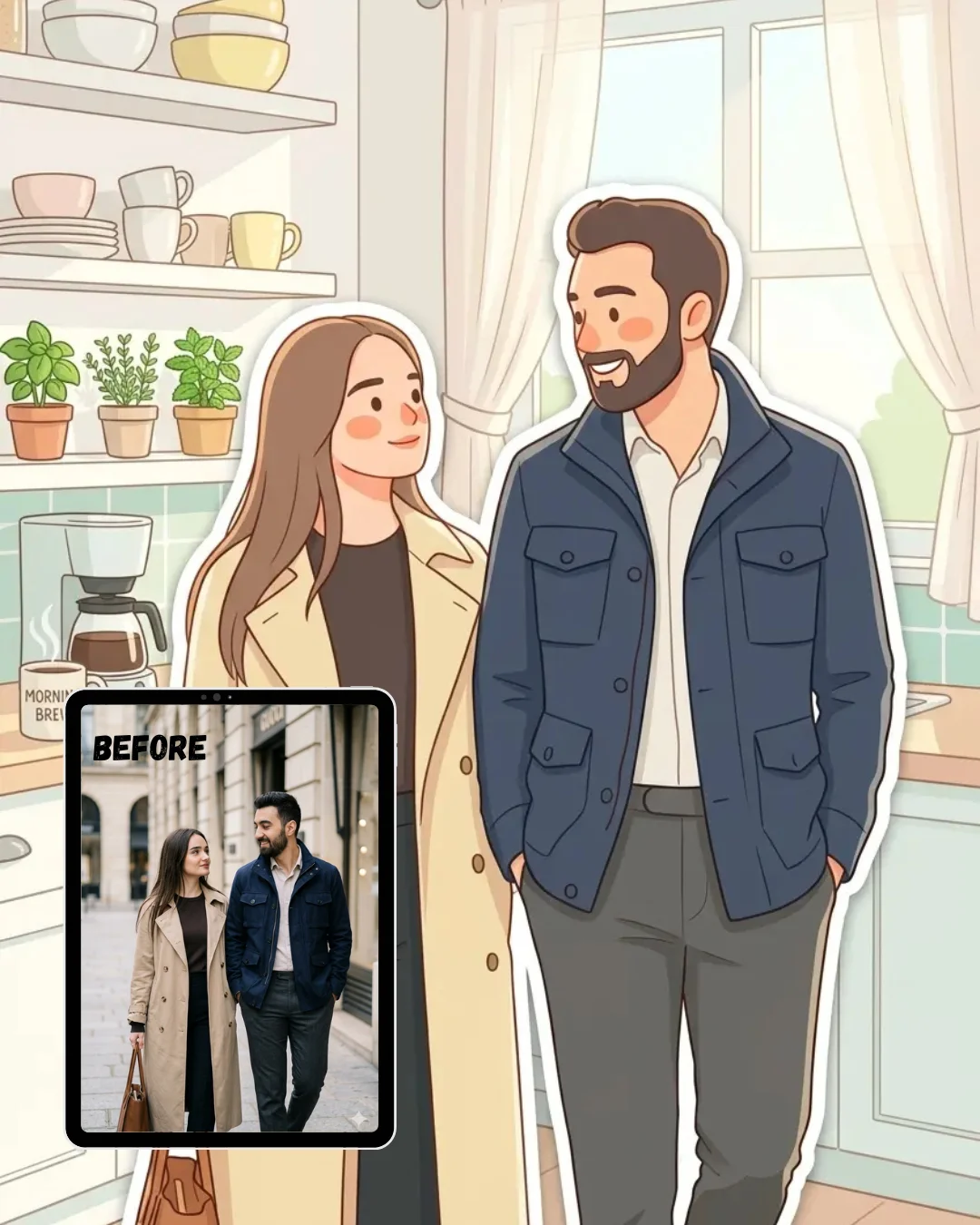
Fresh Morning Kitchen Sticker Portrait
Transform the uploaded photo into a bright fresh morning kitchen sticker portrait illustration while preserving the original composition, perspective, pose, environment, and all recognizable objects from the image.
Style: Recreate the entire scene in a clean bright pastel illustrated style with smooth rounded edges, fresh airy tones, and minimal facial details. The person should maintain their original pose and overall appearance but be reimagined as a cute stylized character with light peachy blush cheeks, a soft cheerful morning expression, simplified anatomy, and clean flat casual clothing shapes in fresh light tones.
Effect: Add a bold clean white outline around the main subject only to create a sticker-like cutout effect — making the character appear as if they are a physical illustrated sticker placed directly on top of the bright illustrated kitchen background scene behind them.
Environment: Illustrate the background in the same fresh pastel flat style but slightly simpler than the character — clean white kitchen counters, morning sunlight flooding through sheer curtains, a steaming kettle or coffee maker, small herb plants on the windowsill, ceramic bowls and cups, and soft morning shadows all rendered in clean flat illustrated shapes.
Mood & Lighting: Use bright soft morning sunlight flooding in from a window, creating a fresh clean atmosphere with very gentle shadows. The overall palette should sit in clean white, soft mint, warm cream, pale lemon yellow, and blush pink — like the freshest most peaceful morning routine.
Final feel: The result should feel fresh, bright, peaceful, and gently energizing — exactly like a morning lifestyle sticker portrait placed inside a beautifully illustrated home kitchen scene, matching the composition of the original photo precisely.
Gemini AI Prompt
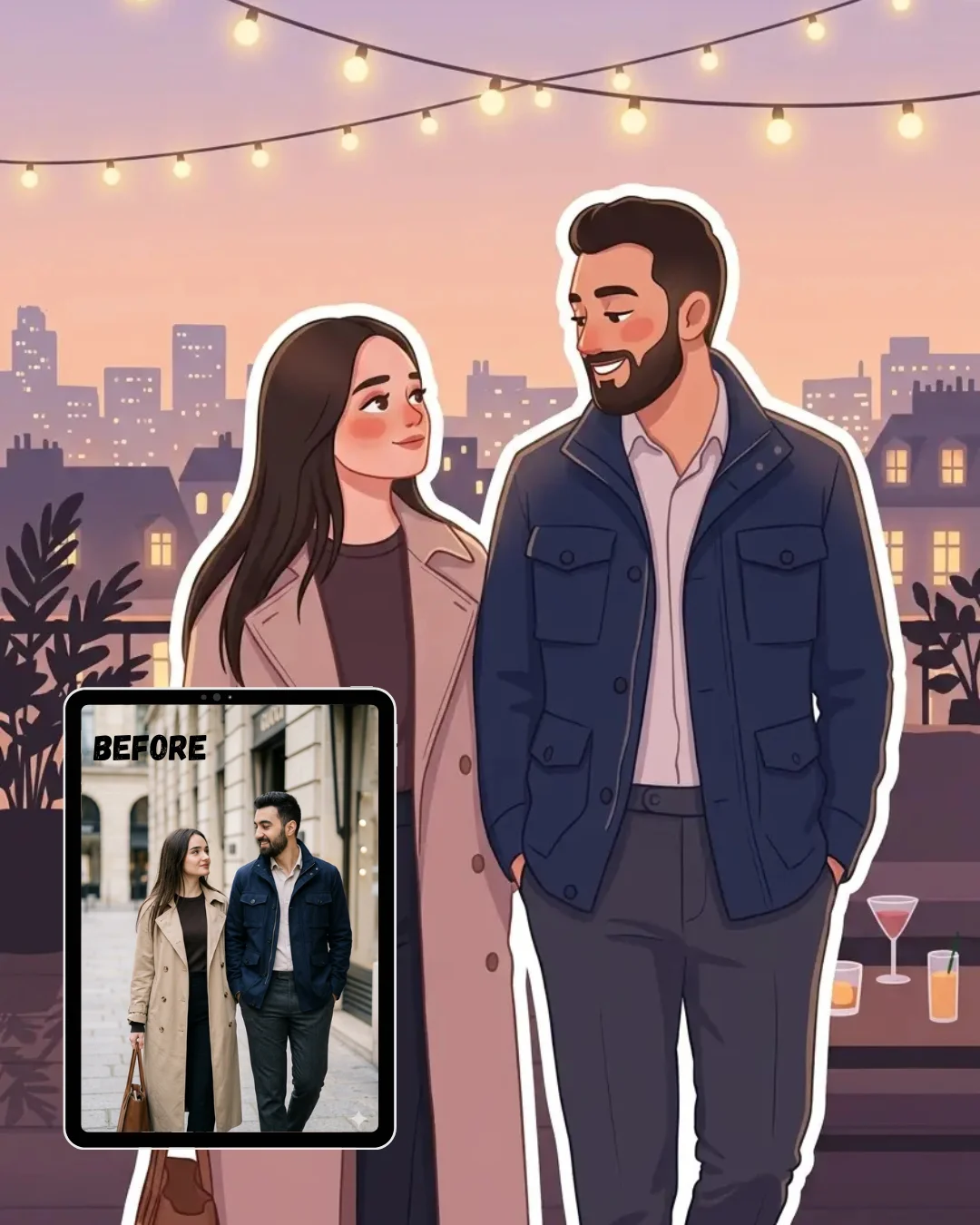
Rooftop Evening Sticker Portrait
Transform the uploaded photo into a magical rooftop evening sticker portrait illustration while preserving the original composition, perspective, pose, environment, and all recognizable objects from the image.
Style: Recreate the entire scene in a dusky pastel illustrated style with smooth rounded edges, soft twilight tones, and minimal facial details. The person should maintain their original pose and overall appearance but be reimagined as a cute stylized character with soft warm blush cheeks, a peaceful dreamy evening expression, simplified anatomy, and clean flat clothing shapes rendered in soft dusky tones.
Effect: Add a bold clean white outline around the main subject only to create a sticker-like cutout effect — making the character appear as if they are a physical illustrated sticker placed directly on top of the beautifully illustrated rooftop evening background scene behind them.
Environment: Illustrate the background in the same dusky pastel flat style but slightly simpler than the character — a softly illustrated city skyline at twilight, string fairy lights strung overhead glowing warmly, potted rooftop plants silhouetted against the evening sky, a low table with drinks, and a gradient-free pastel dusk sky in soft peach and lavender all rendered in clean flat illustrated shapes.
Mood & Lighting: Use soft warm fairy light glow mixed with the last traces of dusky sky light, creating a magical golden hour to twilight atmosphere. The overall palette should sit in soft peach, warm lavender, dusty rose, muted gold, and deep evening blue — like the most beautiful rooftop evening in the city.
Final feel: The result should feel magical, romantic, dreamy, and quietly celebratory — exactly like a rooftop evening lifestyle sticker portrait placed inside a beautifully illustrated city twilight scene, matching the composition of the original photo precisely.
How to use these prompts in Gemini
Using these Soft Cozy Pastel Sticker Portrait prompts in Gemini is simpler than you might think. Follow these steps and you will have a beautiful illustrated result in under two minutes.
Open Gemini at gemini.google.com or through the Gemini app on your phone.
Start a new chat and click the image upload icon (the small photo symbol near the text input area).
Upload a clear photo of yourself. Make sure your face is visible, your pose is clearly readable, and the background environment shows what you want illustrated behind you.
Copy the full prompt text from any of the six styles on this page.
Paste the prompt into the text input box alongside your uploaded photo.
Hit enter and let Gemini process. It usually takes 10 to 20 seconds.
Review the result. If the illustrated character looks great, save it directly to your phone.
If the face or pose looks slightly off, try uploading a higher quality photo with better lighting and rerun the same prompt. You can also add a short instruction like “keep the original face structure closely” before the main prompt text.
If you want a prompt built around your own outfit color and pose preference, use our free Custom Prompt Generator on this page.
Tips for best results
1. Upload the clearest, most well-lit photo you have. Gemini reads the lighting, pose, and environment directly from your uploaded image, so a bright, sharp photo gives it much more to work with. Photos taken near a window or in natural daylight tend to produce the most accurate and beautiful illustrated results.
2. Keep your face clearly visible and facing forward or at a slight angle. The sticker portrait style works best when the character’s face is readable. If your photo has your face turned away, partially covered, or in deep shadow, Gemini may simplify the face differently than you expect. A three-quarter or front-facing photo at eye level is the sweet spot.
3. Match your original photo environment to the prompt scene for better consistency. If you are using the Rainy Day Indoor prompt, shooting your photo near a window with soft indoor lighting will make the illustrated result feel more cohesive. If you are using the Golden Hour Window Seat prompt, a warm afternoon photo near a sunlit window will make the golden tones feel natural and not forced.
elated prompts you might also like
If you enjoyed these Soft Cozy Pastel Sticker Portrait prompts, here are some other styles you might love:
How do I use a Gemini AI Soft Cozy Pastel Sticker Portrait prompt on my photo? Open Gemini, upload your photo using the image attachment button, then paste the full prompt text from any style on this page into the chat and submit. Gemini will transform your photo into an illustrated sticker-style portrait in about 10 to 20 seconds. No extra apps or accounts are needed.
Why does Gemini keep changing my face when I use a sticker portrait prompt? Gemini is a generative model, which means it sometimes interprets facial features rather than copying them exactly. To reduce this, upload the highest quality photo you have, make sure your face is well-lit and clearly visible, and add the phrase “preserve the original face structure and likeness” at the beginning of the prompt before rerunning.
What kind of photo should I upload to get the best pastel sticker portrait result? A clear, well-lit photo where you can see your full pose, your outfit, and the background environment around you works best. Avoid dark photos, blurry shots, or heavily filtered images. Photos taken near a window or outdoors in soft natural light consistently give the cleanest illustrated output.
How can I change the outfit colors in the sticker portrait prompt? You can add a short line at the start of the prompt describing your outfit. For example, write “The character is wearing a soft lavender oversized knit sweater and white wide-leg trousers” before pasting the main prompt. Gemini will incorporate that description into the illustrated clothing. You can also use the free Custom Prompt Generator on this page to build a version tailored to your exact outfit.
Can I share my Gemini pastel sticker portrait directly on Instagram? Yes. Once Gemini generates your illustrated result, tap and hold the image to save it to your camera roll (on mobile) or right-click to download (on desktop). The output is a standard image file that works perfectly for Instagram posts, stories, and reels. These sticker portrait styles look especially good as stories with a clean white or pastel background behind them.
Conclusion
You now have six ready-to-use Gemini AI Soft Cozy Pastel Sticker Portrait prompts covering every mood, from golden morning kitchens to magical rooftop evenings. Each one is designed to take your real photo and transform it into a clean, illustrated sticker character that feels warm, lifestyle-ready, and genuinely beautiful. Just upload, paste, and let Gemini do the work. If you want a version tailored to your own outfit colors and setting, the free Gemini AI Prompt Generator on this page will get you there in seconds. Try one of these prompts today, and if your result turns out as gorgeous as we think it will, share it in the comments or tag us on Instagram — we would love to see your illustrated self.