
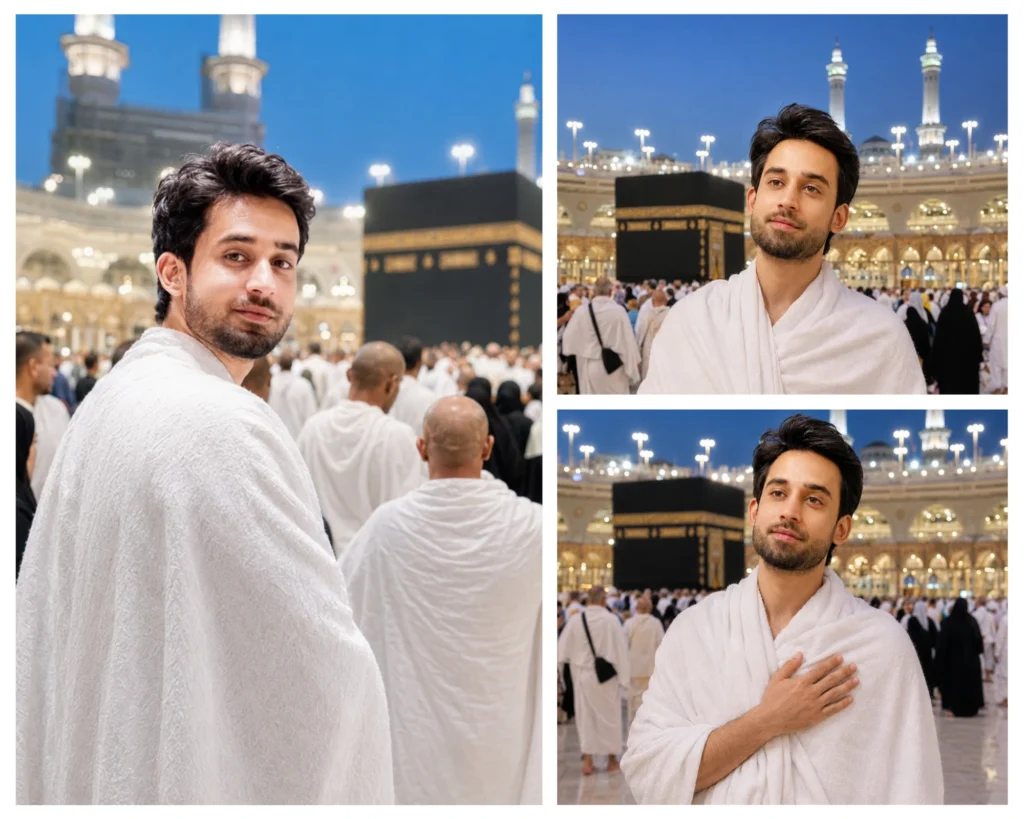
A holy moment, captured forever – without a photographer
Every person who goes for Hajj or dreams of going carries one wish: a photograph that truly captures the feeling of standing in front of the Kaaba in white Ihram, with the grandeur of Masjid al-Haram glowing around them. With these ChatGPT Hajj photo prompts, you can now create that image – even before you travel, or as a tribute to someone who already has. These three carefully written prompts generate ultra-realistic documentary-style portraits using your own uploaded face, preserving your exact identity while placing you inside the most sacred atmosphere on earth. Whether you’re creating a personal keepsake, a social post for Hajj, or simply exploring AI portrait photography, this prompt pack is built for you.
Relaxed Ihram Pose at Kaaba
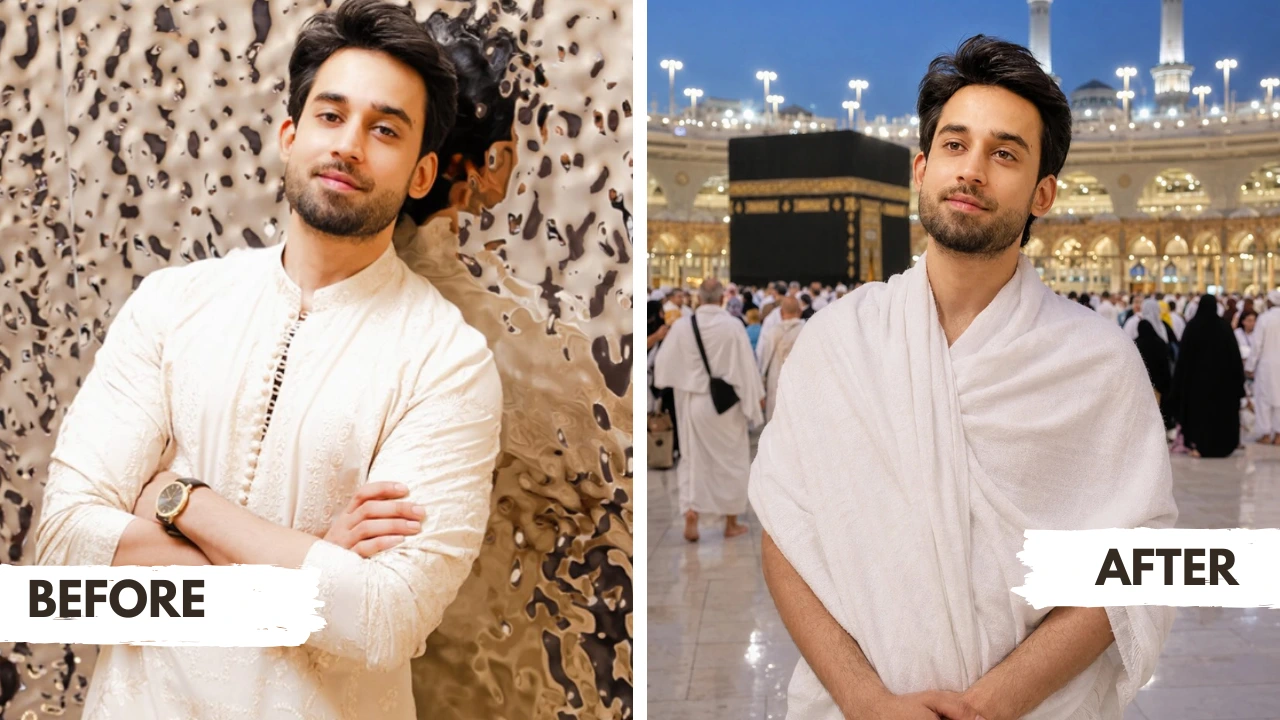
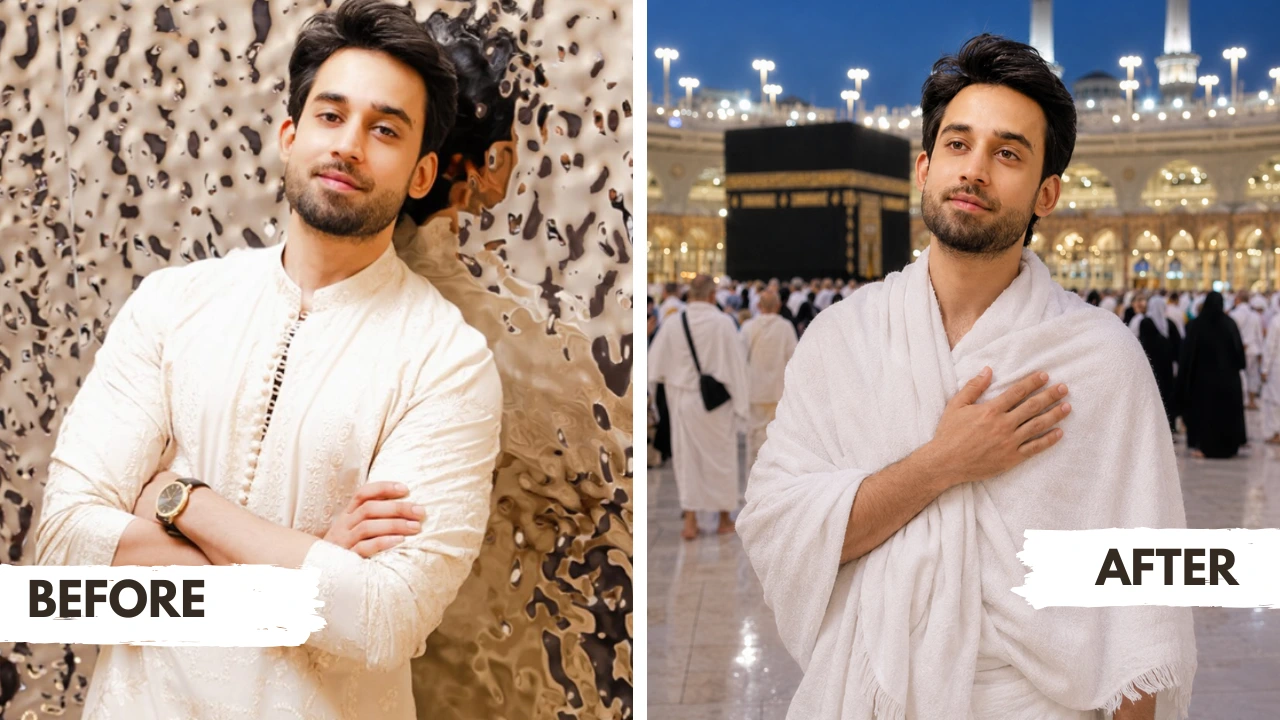
Hand on Heart Kaaba Portrait Prompt
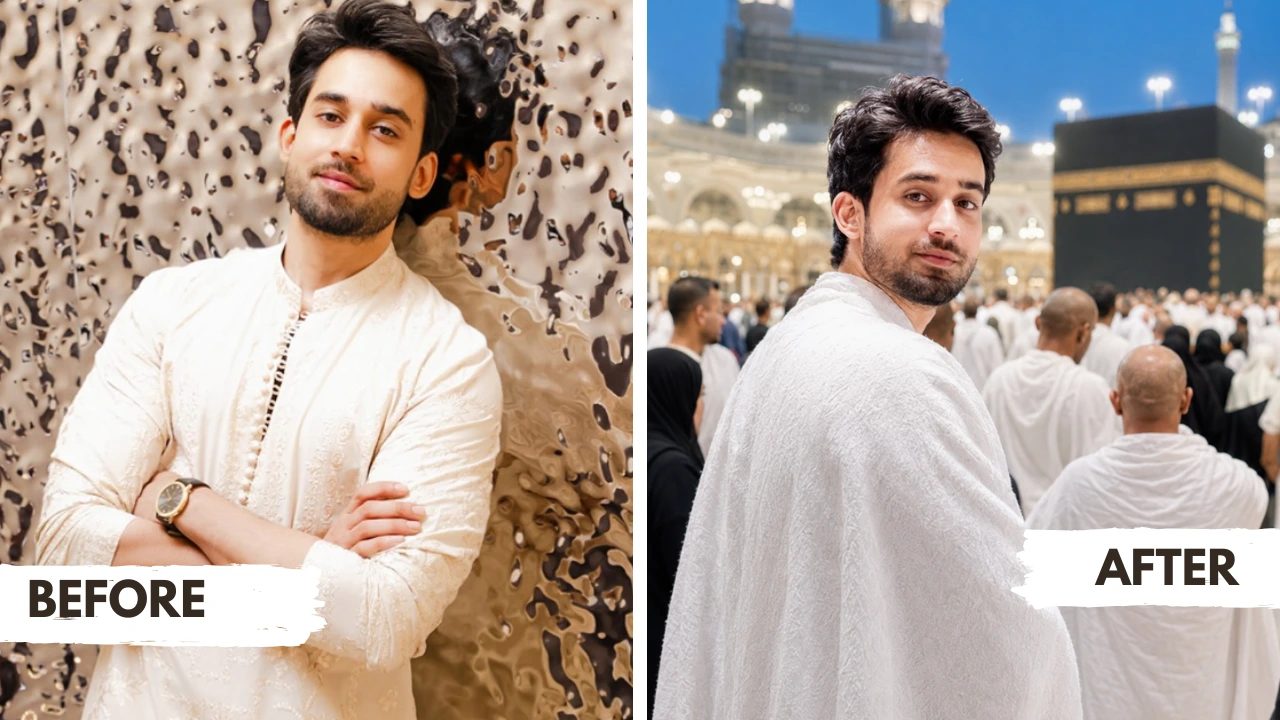
Looking Back Ihram Portrait Prompt
How to use these Hajj prompts in ChatGPT
If you’ve never used ChatGPT for image generation before, don’t worry. These steps will walk you through the full process in just a few minutes.
- Open ChatGPT – Go to chatgpt.com and make sure you are using a plan that supports image generation (ChatGPT Plus or above with DALL·E or GPT-4o image capabilities).
- Upload your reference photo – Click the image/attachment icon in the chat box and upload a clear, front-facing photo of yourself or the person you want to appear in the portrait. The photo should be well-lit, in focus, and show the full face without heavy shadows or sunglasses.
- Copy the prompt – Choose one of the three prompts from this page using copy button given below on each prompt. Every detail in the prompt is there for a reason, do not shorten it.
- Paste and submit – Paste the prompt into the ChatGPT chat box alongside the uploaded image and press send. Wait for the model to generate the image, which usually takes 15–30 seconds.
- Review the result – Check whether the face matches your uploaded photo. Check the Ihram outfit, the Kaaba background, the lighting, and the overall realism.
- Refine if needed – If the face doesn’t match well, try uploading a cleaner or higher-resolution reference photo. You can also add a follow-up message like: “Keep the exact same face from the uploaded image and regenerate.”
If you want a prompt built around your own outfit color and pose preference, use our AI Photo Prompt Generator on this page.
Related prompts you might also like
If you enjoyed these Hajj prompts, here are some other styles you might love:
Looking for a cinematic Eid ul Adha portrait for a young boy alongside a sacrificial animal? The Gemini AI Eid ul Adha boy photo prompt pack has five stunning options ready to copy and paste. If you’re creating a festive portrait for an Eid couple, don’t miss the Gemini AI Eid ul Adha couple photo prompt collection – beautifully detailed for traditional and modern styles alike. For a girl’s Eid portrait with rich cinematic lighting, the Gemini AI Eid ul Adha girl photo prompt pack offers five elegant options. And if you want a dramatic Eid girl portrait alongside an animal, check out the Gemini AI girl Eid ul Adha prompt with animal for cinematic flash portrait options.
Frequently asked questions
How do I use a ChatGPT Hajj photo prompt with my own photo?
Open ChatGPT and attach your reference photo in the chat window, then paste the full prompt text alongside it and submit. ChatGPT will use your uploaded image as a face reference and generate the portrait based on all the instructions in the prompt. The more detailed and clear your reference photo, the better the result.
Why does ChatGPT change my face instead of keeping it the same?
This usually happens when the reference photo is low resolution, blurry, or partially obstructed. ChatGPT’s image generation model tries to preserve identity, but it needs a clean, sharp, front-facing photo to do this accurately. Try uploading a better-quality photo and including the line “exact identity preservation is mandatory” in your prompt.
Which photo should I upload to get the best Hajj portrait result?
Use a recent, well-lit photo where your face is fully visible, forward-facing, and unfiltered. Natural light works best. Avoid sunglasses, hats, heavy makeup, or beauty filters in the reference image, as these can cause the model to interpret your appearance incorrectly.
Can I use these ChatGPT Hajj photo prompts for a single person, not just men?
Yes, absolutely. All three prompts in this pack are written for a single person wearing Ihram, and they work regardless of gender. Ihram for women is different in style, if you are generating a portrait for a woman, you may want to add a line specifying modest Ihram clothing for women so the model understands the outfit context.
Do these prompts work on a mobile phone?
Yes. ChatGPT is fully available on mobile through the app for both iOS and Android. You can upload your reference photo directly from your camera roll, paste the prompt, and generate the image right from your phone. The quality of the result is the same as on desktop.
How do I get the Ihram and background to look as realistic as possible?
Use the full prompt as written – do not shorten it. The details about documentary photography, 85mm lens, shallow depth of field, and blue-hour lighting all push ChatGPT toward a more realistic output. Avoid adding conflicting instructions like “make it look artistic” or “use a painterly style,” as these will override the realism settings.
Can I use this ChatGPT Hajj photo prompt to create an image for someone who has already performed Hajj as a gift?
Yes, and it’s a beautiful idea. Upload a clear photo of the person, paste the prompt, and generate a portrait of them in Ihram at the Kaaba. Many people use these kinds of AI portraits to create framed gifts, WhatsApp tributes, or Instagram posts to honor a family member’s Hajj journey.
How do I share my generated Hajj portrait on Instagram?
Once ChatGPT generates the image, download it directly from the chat by pressing and holding the image (on mobile) or right-clicking to save (on desktop). For Instagram, use the image as a regular post or reel cover. Adding a heartfelt caption about Hajj and tagging with relevant hashtags like #Hajj2026 or #HajjPortrait will help it reach a wider audience.
Conclusion
These three ChatGPT Hajj photo prompts give you everything you need to create a cinematic, identity-accurate portrait at the Kaaba, with the Ihram, the atmosphere, the lighting, and the emotion all baked right in. Each prompt is designed to produce a photograph that feels genuinely human, not AI-generated, with the spiritual weight and visual beauty that this sacred moment deserves.
Ready to create your portrait? Use our free Custom Prompt Generator to build a version tailored to your exact preferences, your outfit details, pose, lighting mood, and more. And when you’re done, we’d love to see what you created, share your Hajj portrait in the comments below or tag us on Instagram.