
Introduction
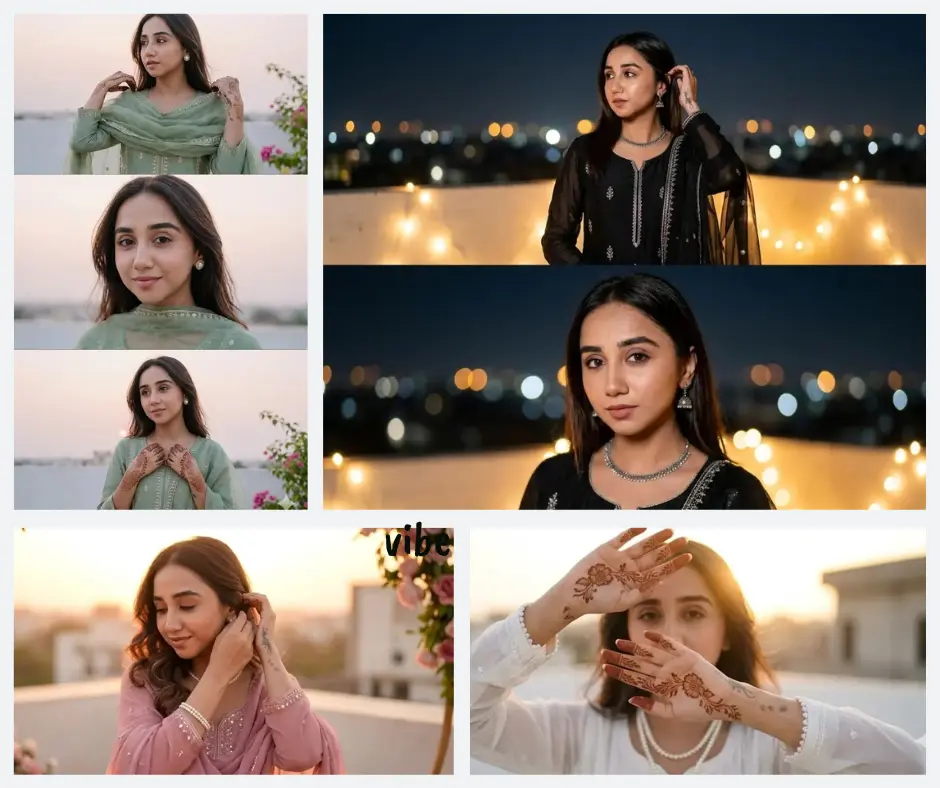
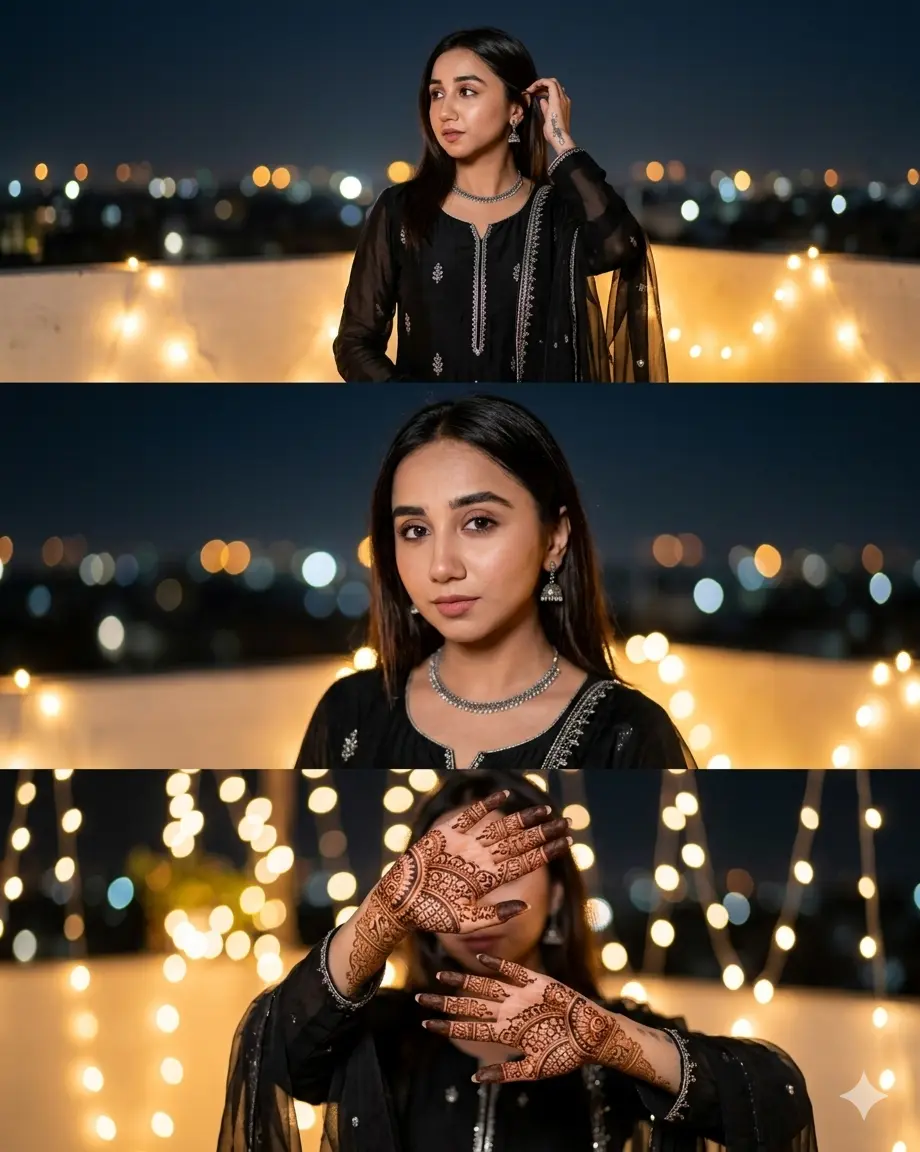
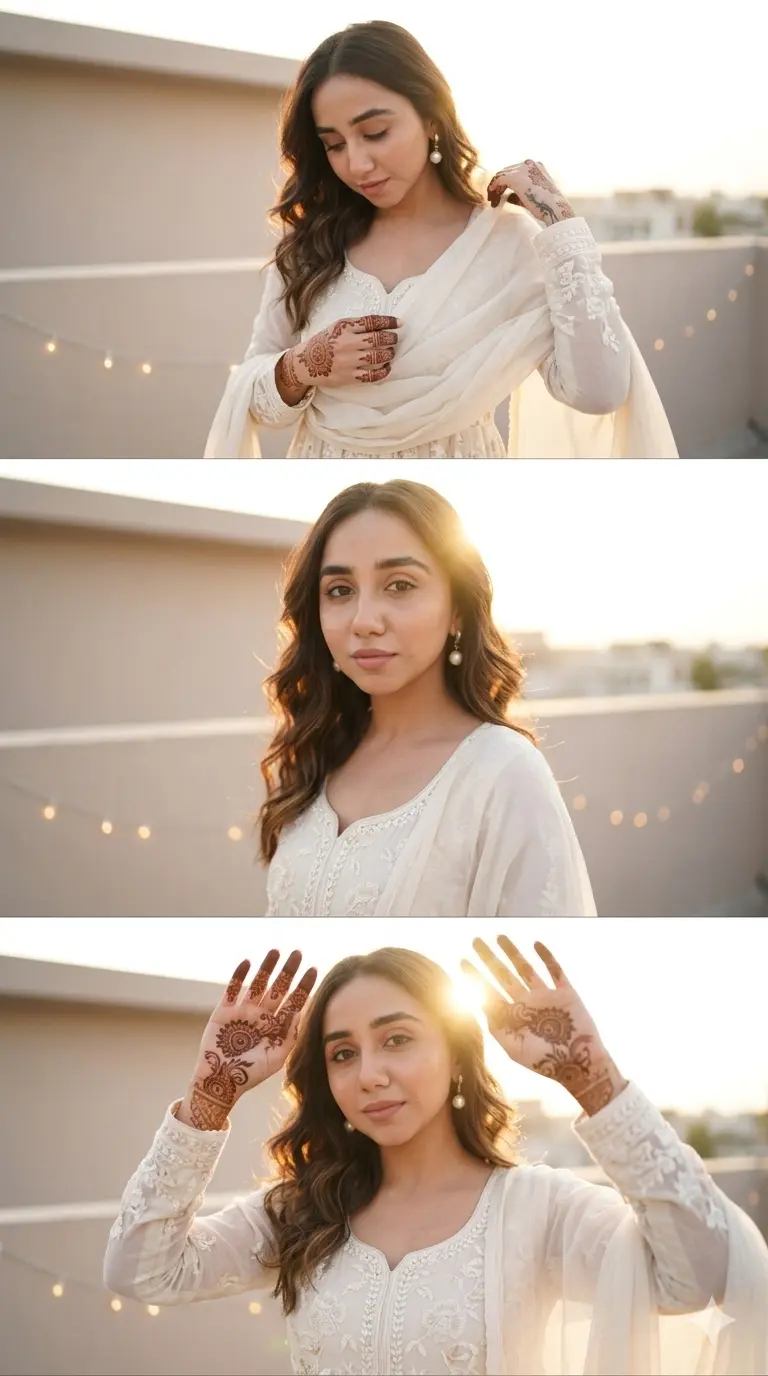
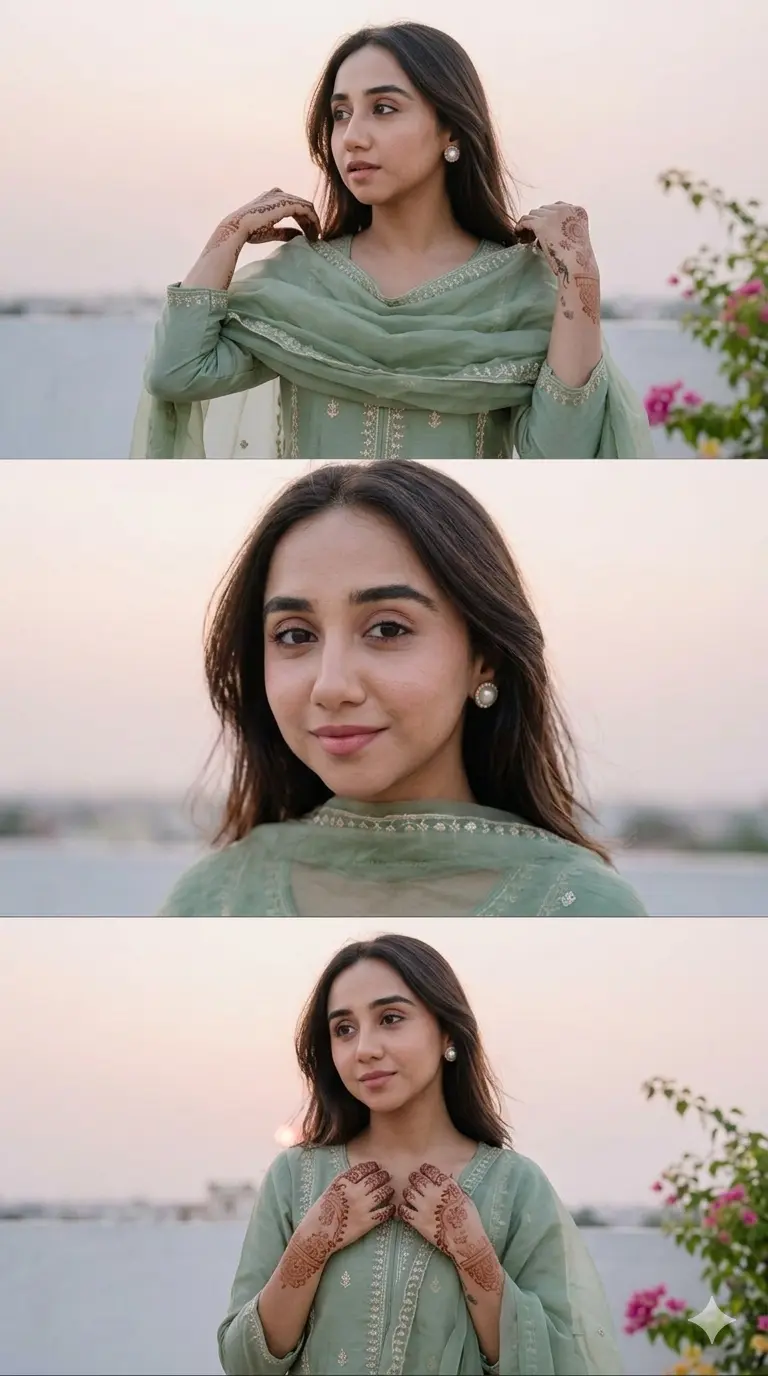
If you have ever wished your Eid or mehndi portraits looked like they were shot by a professional photographer on a rooftop at golden hour, these Gemini AI 3 frame collage prompts for girls were made exactly for you. Each prompt in this collection creates a three-frame vertical collage with different poses, same face, and same outfit, giving you that editorial Instagram look without a single camera click. Whether you are trying out Gemini AI for the first time or you have already been experimenting with AI portraits, these five prompts cover everything from soft ivory anarkalis to bold black evening looks, all styled with mehndi, glam makeup, and cinematic lighting. Just upload your photo, paste the prompt, and let Gemini do the rest.
Black Modern Chic Look
Ivory Floral Anarkali Minimal Luxe
Sage Green Soft Traditional Look
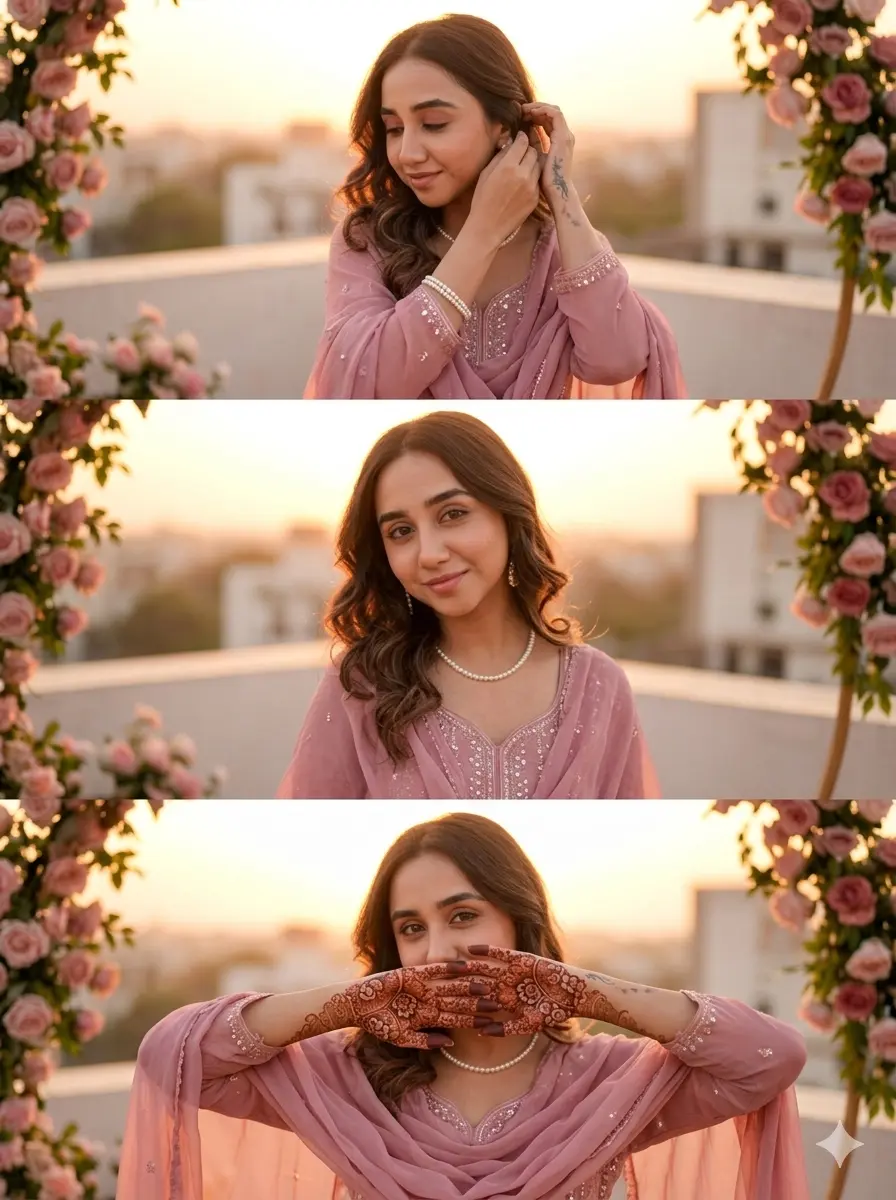
Dusty Rose Feminine Soft Glam
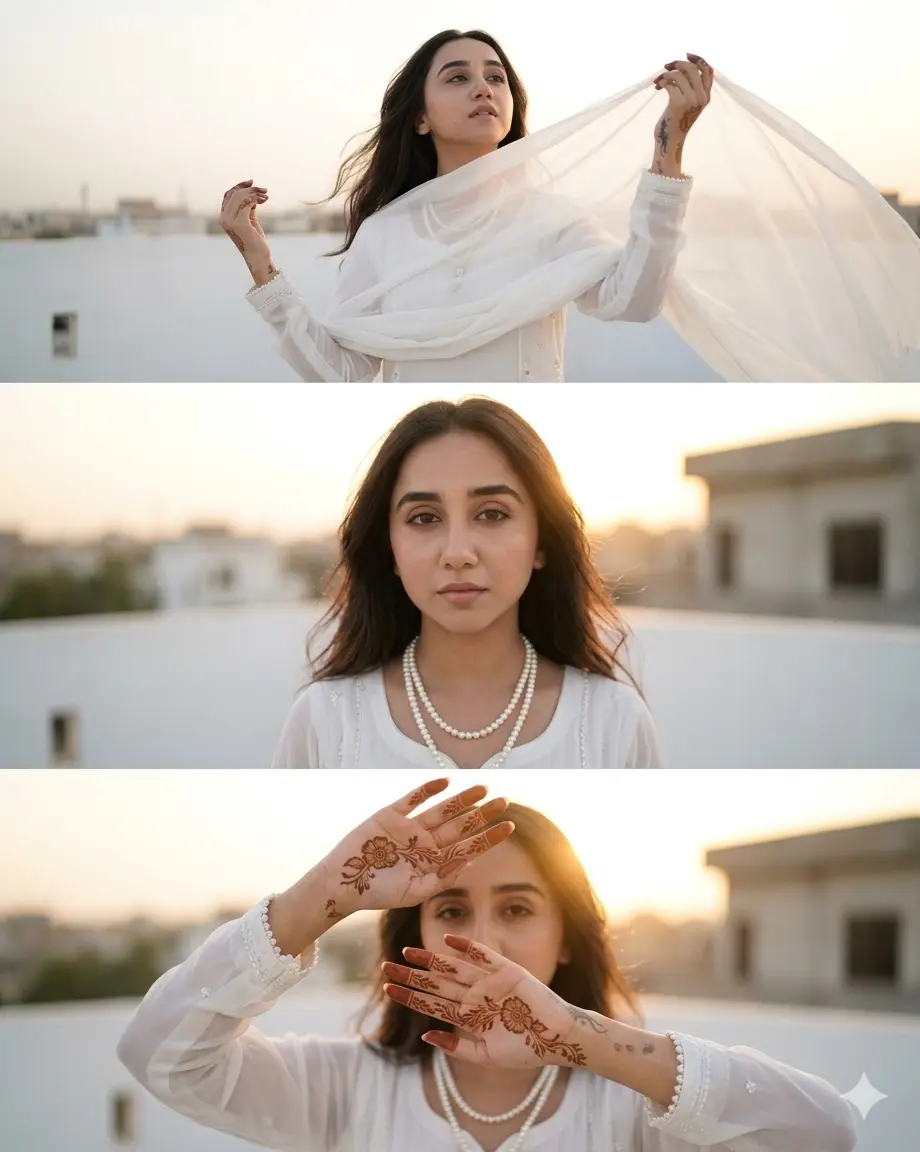
Pure White Luxury Editorial
How to use these prompts in Gemini
Using these prompts is simpler than it looks. Here is a step-by-step guide that works even if you have never used Gemini AI before:
- Open Gemini. Go to gemini.google.com on your phone or computer and sign in with your Google account.
- Start a new chat. Tap the new conversation button to make sure you are starting fresh.
- Upload your photo. Tap the image icon and upload a clear, well-lit photo of the person whose face you want to use. The photo should show the face clearly, without sunglasses or heavy filters.
- Copy the prompt. Choose one of the five prompts from this page and copy the full text.
- Paste and send. Paste the prompt into the Gemini chat box and hit send. Gemini will generate a three-frame vertical collage.
- Review the result. Check whether the face in the collage matches your reference photo. If it looks right, save the image. If the face has changed, move on to the next step.
- Refine if needed. Type a follow-up message like “Please regenerate using the same uploaded photo as the only face reference and keep the facial identity consistent across all three frames.” This usually fixes it.
If you want a prompt built around your own outfit color and pose preference, use our AI Photo Prompt Generator on this page.
Tips for best results
1. Upload a high-quality, front-facing photo.
The clearer your reference photo, the better Gemini can match the face across all three frames. Use a photo taken in good natural light where both eyes are visible, the face is fully in frame, and there are no heavy shadows or blur.
2. Keep the face unobstructed in your reference image.
Avoid uploading photos where your face is partially covered by hair, hands, or sunglasses. Gemini uses this image as the only identity source, so a clear and open face gives the best consistency across the top, middle, and bottom frames.
3. If the face changes, re-upload and re-send.
Gemini sometimes shifts facial features slightly when the prompt is very detailed. If this happens, start a new chat, re-upload the same photo, and paste the prompt again. You can also add a line at the start saying “Do not alter the face from the uploaded photo under any circumstances.” This small addition makes a noticeable difference.
Related prompts you might also like
If you enjoyed these prompts, here are some other styles you might love:
Looking for a saree editorial with an Instagram Story layout? The Best Gemini AI Girls Saree Photo Prompt for Stunning Instagram Story Collage covers exactly that with beautiful drape styles and backdrop ideas.
If you want more variety in your saree collages, the 4 Gemini AI Girls Saree Photo Prompts for Aesthetic Instagram Story Collages gives you four different looks to try, from bold and rich to soft and minimal.
For a more regal, scrapbook-style aesthetic, the Gemini Girl Photo Prompt for Royal Saree Scrapbook Collage is a great next step with decorative framing and a vintage editorial vibe.
Frequently asked questions
How do I use a Gemini AI 3 frame collage prompt for girls step by step?
Open Gemini, upload a clear photo of yourself or the subject, paste the full prompt text into the chat, and send it. Gemini will generate a three-frame vertical collage based on the outfit, scene, and pose details in the prompt. If the result does not look right, simply ask Gemini to regenerate using the uploaded image as the only face reference.
Why does the face change when I use a Gemini collage prompt?
Gemini does not always lock onto your uploaded photo perfectly, especially when the prompt is long and detailed. This happens because the model sometimes prioritizes artistic generation over strict face matching. To fix it, re-upload your photo in a fresh chat and add a line at the beginning of the prompt that says “Use the uploaded reference image as the ONLY facial identity source.”
Which photo should I upload to get the best result with these prompts?
Use a recent, well-lit, front-facing photo where your face is clearly visible. Avoid group photos, heavily filtered selfies, or images with dark lighting. A plain background also helps Gemini focus on the face rather than the surroundings.
How can I change the outfit color in a Gemini prompt for girls?
Each prompt already specifies an outfit color and style. To customize it, simply replace the outfit description with your preferred color and silhouette. For example, swap “dusty rose pink flowy sharara” with “deep maroon velvet sharara” and adjust the dupatta and jewelry details to match. You can also use our Prompt Generator tool to build a fully personalized version.
Can I share my Gemini 3 frame collage for girls directly on Instagram?
Yes. Once Gemini generates your collage, save it to your phone’s gallery and upload it to Instagram as a regular post or Reel cover image. The vertical three-frame layout fits the Instagram Story format perfectly. For best results, make sure the image is saved at full resolution before uploading so the detail in the outfit and mehndi stays sharp.
Conclusion
You now have five complete, ready-to-use Gemini AI prompts for creating beautiful three-frame photo collages, each styled with a distinct outfit, rooftop scene, mehndi, and editorial pose. Whether you choose the bold Black Modern Chic Look or the soft Ivory Floral Anarkali, these prompts are designed to give you cinematic, professional-looking results from a single selfie. To go even further and build a collage prompt around your exact preferences, try the free Custom Prompt Generator and create something that is truly yours. And when you generate something you love, share it in the comments below or tag us on Instagram. We would absolutely love to see how yours turns out.