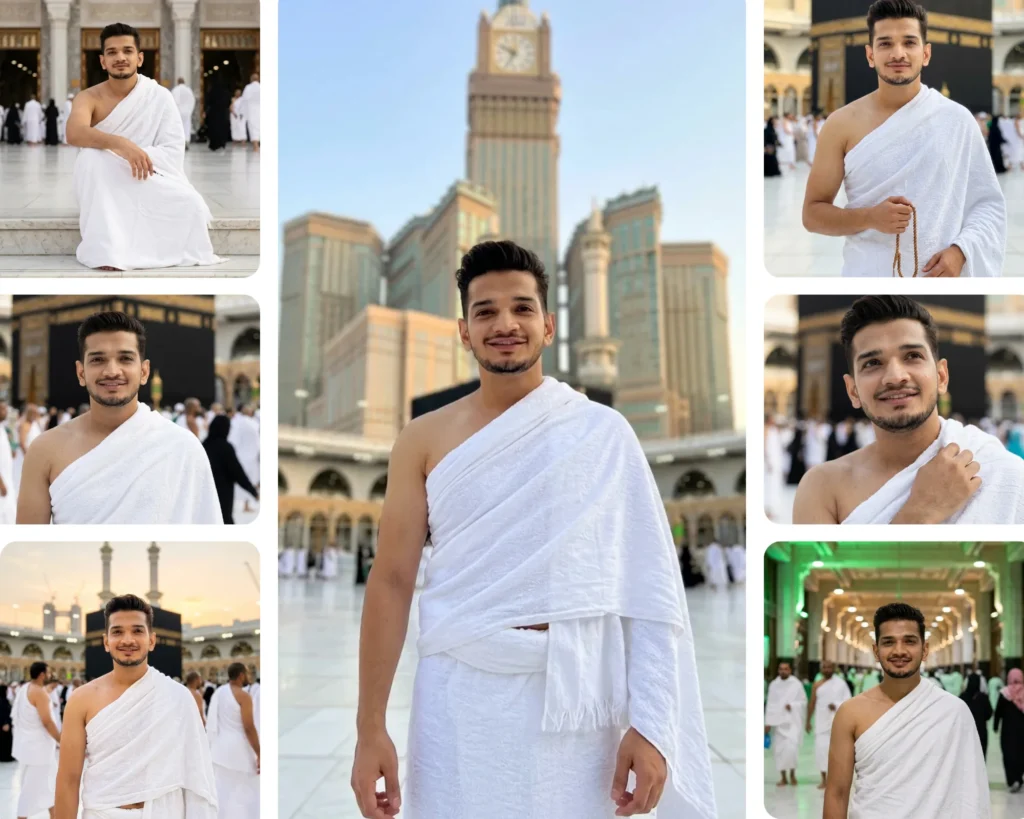
You did not get the perfect photo at the Kaaba. Maybe the crowd was too thick, the lighting was off, or nobody was around to take the shot. That is exactly what these Gemini AI boys Hajj photo prompts are made for. Each prompt in this pack is written to generate a natural, personal, photorealistic image of you in Ihram, at the exact sacred locations you visited or are dreaming of. From standing directly before the Kaaba to walking between Safa and Marwa, these ten prompts recreate real Hajj and Umrah moments in a way that looks like a friend quietly captured it on a phone. If you are a man planning Hajj, have already returned, or just want a heartfelt AI portrait from the holy land, this guide is for you.
Gemini AI Prompt
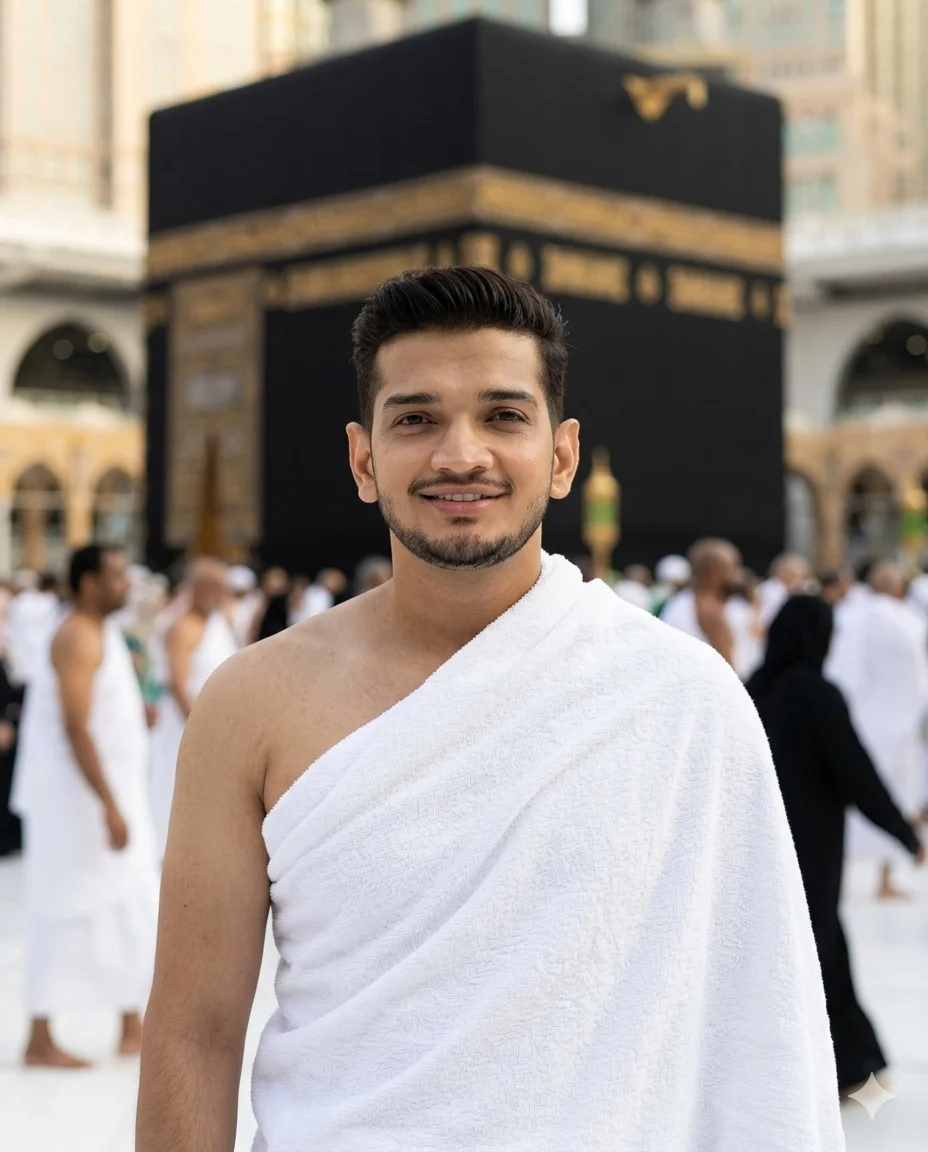
Standing Before the Kaaba
CRITICAL IDENTITY REQUIREMENT: Use the uploaded image as the ONLY and ABSOLUTE facial reference. Same nose, same eyes, same lips, same face structure, same skin tone, same beard/facial hair exactly as in reference. Do NOT beautify, slim, or alter the face in any way. Reproduce this exact real human face.
Natural casual photograph of this exact same person wearing authentic white Ihram — two unstitched white terrycloth sheets, one wrapped around the lower body secured at the waist, one draped over the left shoulder leaving the right shoulder bare — standing directly in front of the Kaaba in Masjid al-Haram courtyard. He is facing the camera completely, looking directly into the lens with a warm natural smile. Body relaxed, hands loosely at sides. Ihram fabric texture clearly visible with natural folds and draping. Kaaba large, centered, and sharp directly behind him. Surrounding pilgrims in Ihram naturally blurred. Soft natural light on face — no shadows. Face completely clear and sharp.
50mm lens, natural light, real skin texture, visible pores, 4:5 portrait.
Negative: no model pose, no dramatic lighting, no AI face, no beauty filter, no skin smoothing, no shadow on face, no cinematic grade, no stitched clothing, no thobe.
Gemini AI Prompt
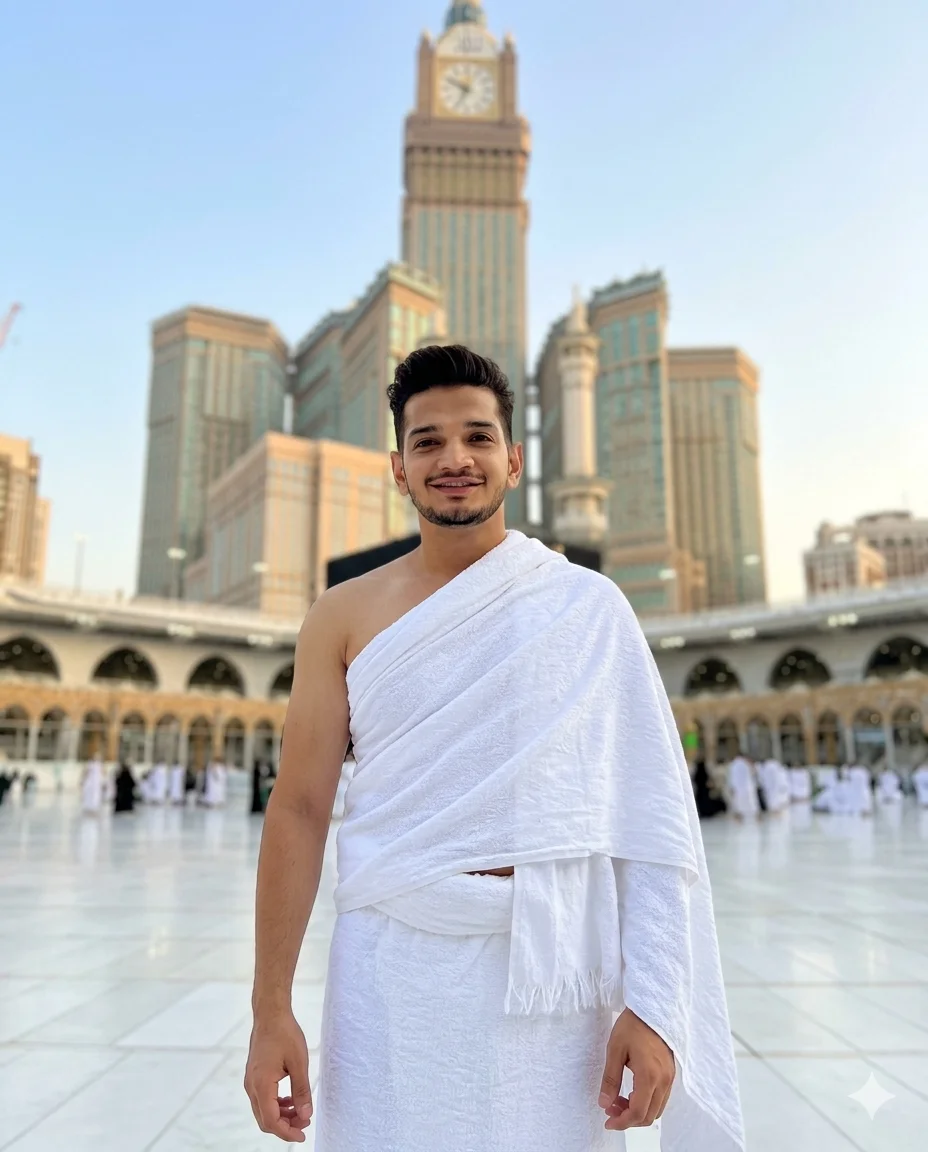
Beneath the Zamzam Tower
CRITICAL IDENTITY REQUIREMENT: Use the uploaded image as the ONLY and ABSOLUTE facial reference. Same nose, same eyes, same lips, same face structure, same skin tone, same beard/facial hair exactly as in reference. Do NOT beautify or alter the face. Reproduce this exact real human face.
Natural tourist-style photograph of this exact same person wearing authentic white Ihram — lower sheet wrapped around waist, upper sheet draped over left shoulder, right shoulder bare — standing in the courtyard of Masjid al-Haram with the massive Abraj Al-Bait Clock Tower visible behind him. He is looking directly into the camera with a happy relaxed smile — like a family member took this photo. Body posture natural and relaxed, hands loosely at sides. Ihram fabric draping naturally with real texture. Clock tower and Haram architecture clearly visible but slightly soft in background. Warm daylight lighting. Face completely sharp and clear.
50mm lens, natural available light, real skin texture, 4:5 portrait.
Negative: no model pose, no AI face, no beauty filter, no dramatic lighting, no shadow on face, no cinematic grade, no thobe, no stitched clothing.
Gemini AI Prompt
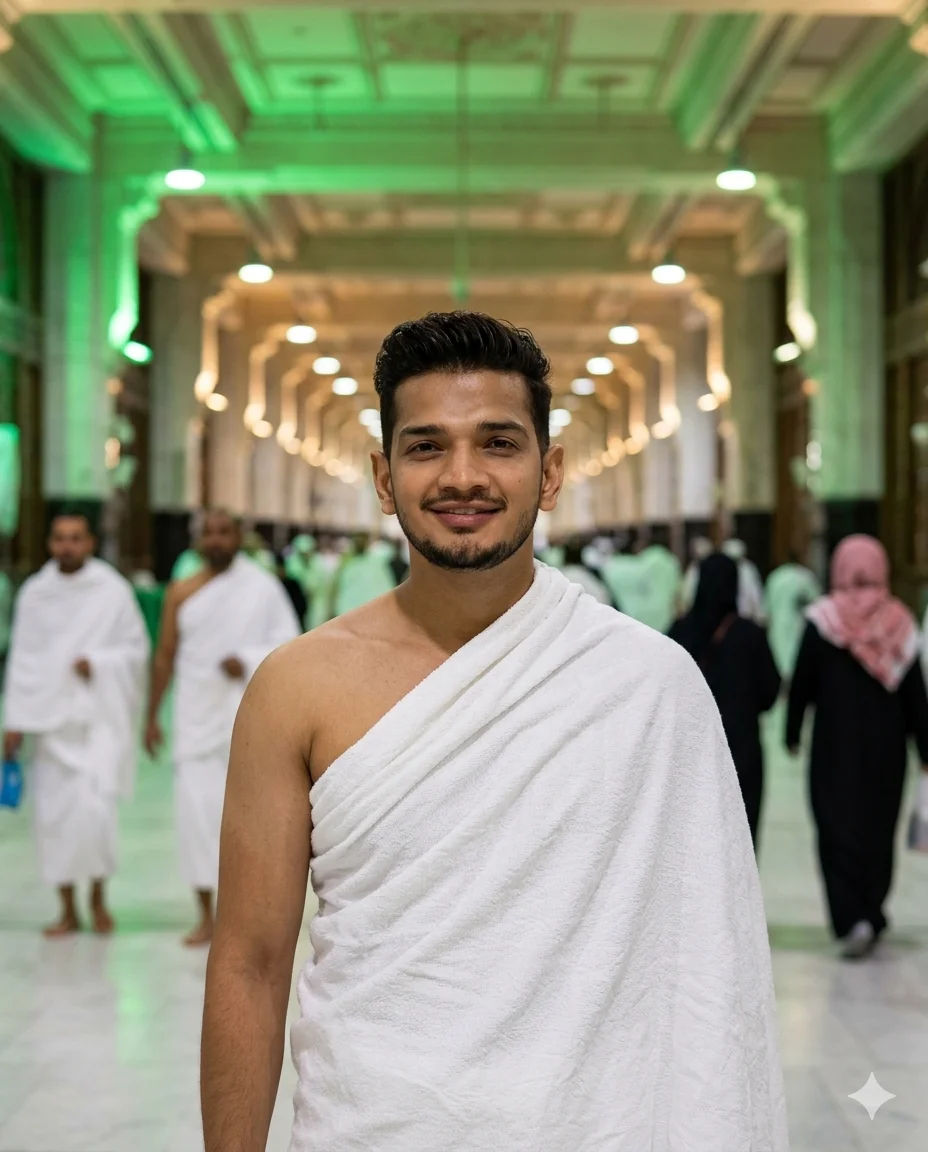
Between Safa and Marwa
CRITICAL IDENTITY REQUIREMENT: Use the uploaded image as the ONLY and ABSOLUTE facial reference. Same nose, same eyes, same lips, same face structure, same skin tone, same beard/facial hair exactly as in reference. Do NOT beautify or alter the face. Reproduce this exact real human face.
Natural photograph of this exact same person wearing authentic white Ihram — lower sheet around waist, upper sheet over left shoulder, right shoulder bare — standing inside the Masa corridor between Safa and Marwa in Masjid al-Haram. He is standing naturally, looking directly into the camera with a warm genuine smile. Long green-lit Masa corridor stretching behind him with pilgrims walking in both directions, naturally blurred. Green overhead lighting mixing with warm mosque light. Ihram fabric hanging naturally with visible texture. Face completely sharp, clearly lit.
50mm lens, natural available light, real skin texture, 4:5 portrait.
Negative: no AI face, no beauty filter, no dramatic lighting, no shadow on face, no cinematic filter, no posed stance, no thobe.
Gemini AI Prompt
On the Haram Staircase
CRITICAL IDENTITY REQUIREMENT: Use the uploaded image as the ONLY and ABSOLUTE facial reference. Same nose, same eyes, same lips, same face structure, same skin tone, same beard/facial hair exactly as in reference. Do NOT beautify or alter the face. Reproduce this exact real human face.
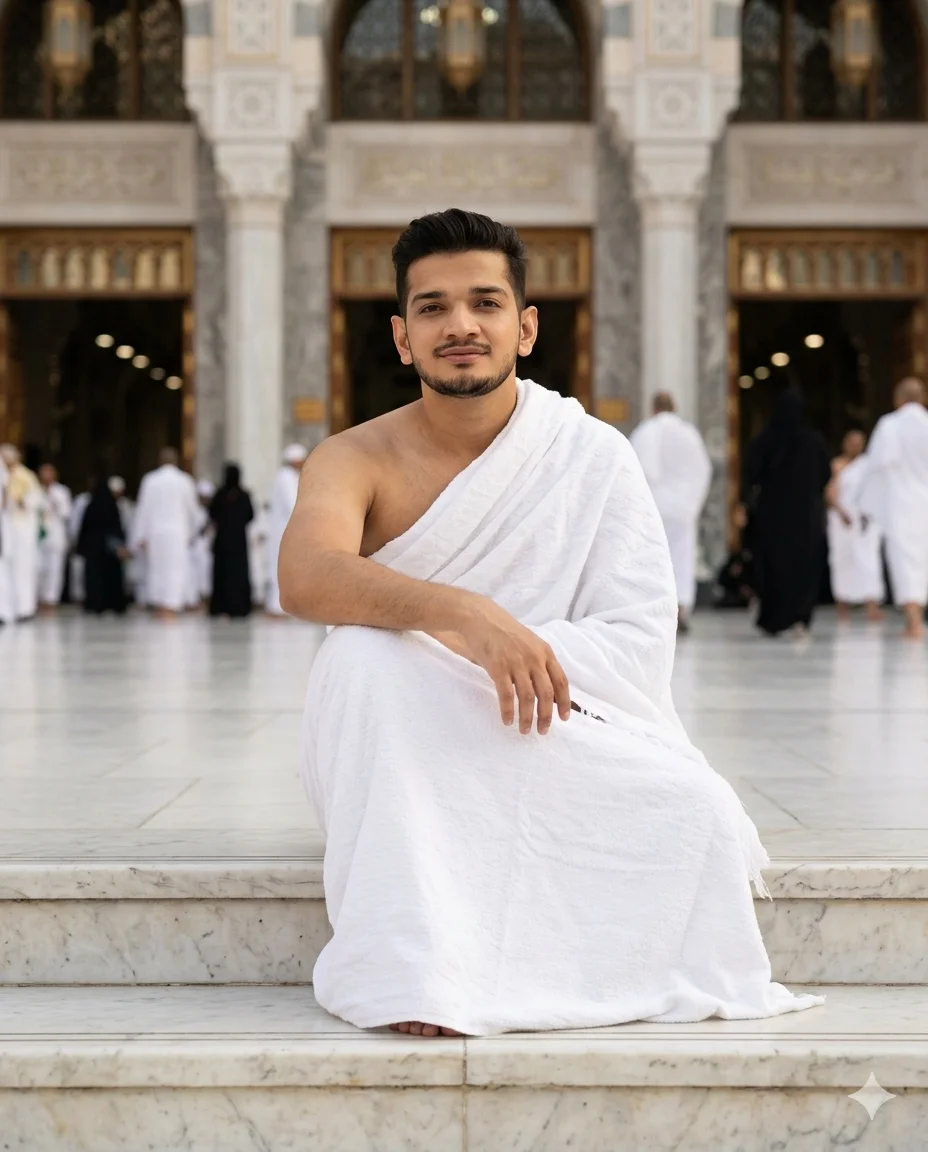
Natural casual photograph of this exact same person wearing authentic white Ihram, sitting on the wide marble steps of Masjid al-Haram entrance. He is seated comfortably on one of the steps, arms resting on knees, looking directly into the camera with a calm natural smile. Ihram lower sheet spread naturally around him on the steps, upper sheet over left shoulder. Masjid al-Haram grand entrance architecture visible behind him. Other pilgrims in Ihram visible in background, naturally blurred. Soft warm available lighting. Face completely sharp, well lit, no shadows.
50mm lens, natural light, real skin texture, visible pores, 4:5 portrait.
Negative: no fashion pose, no AI face, no beauty filter, no dramatic lighting, no shadow on face, no cinematic grade, no stiff posture, no thobe.
Gemini AI Prompt
In the Light of Fajr
–ar 4:5
CRITICAL IDENTITY REQUIREMENT: Use the uploaded image as the ONLY and ABSOLUTE facial reference. Same nose, same eyes, same lips, same face structure, same skin tone, same beard/facial hair exactly as in reference. Do NOT beautify or alter the face. Reproduce this exact real human face.
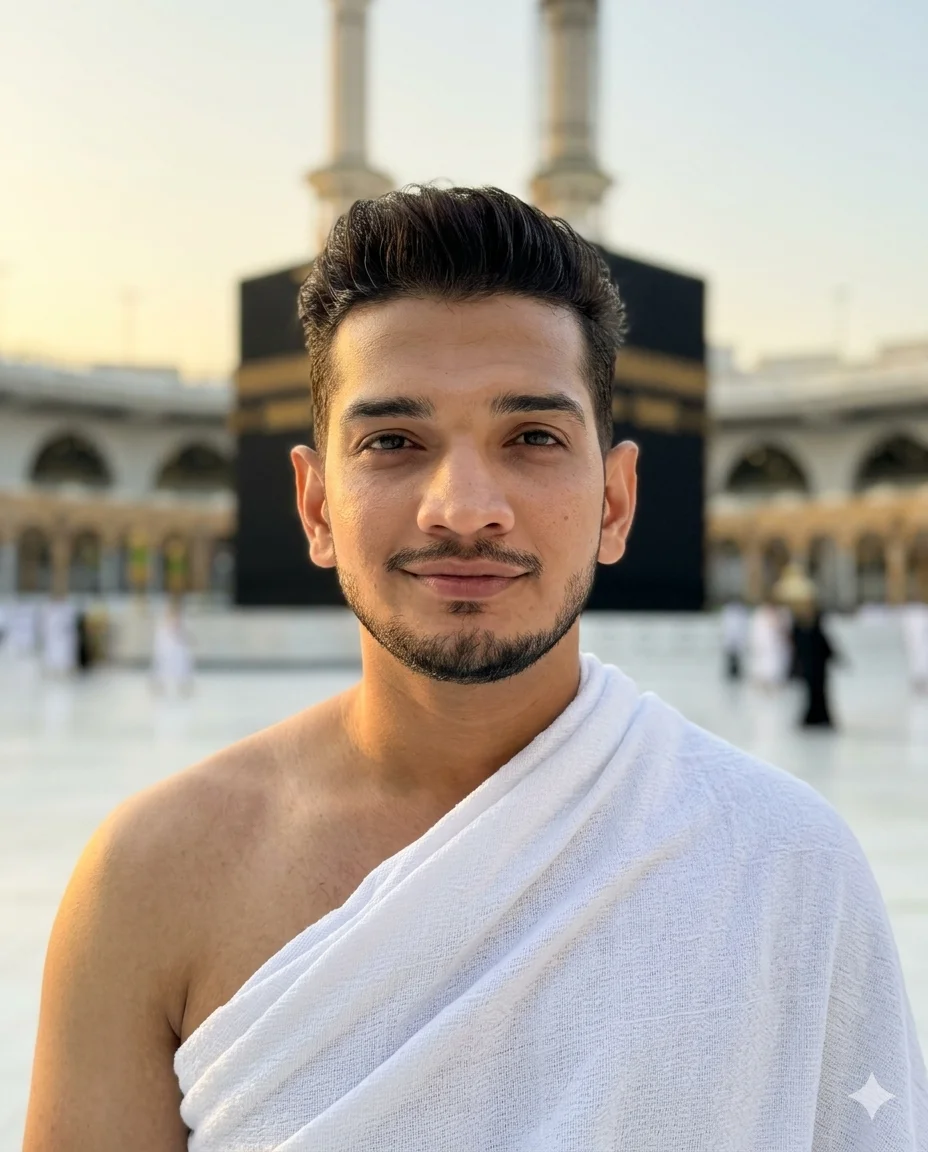
Natural early morning photograph of this exact same person wearing authentic white Ihram, standing in the courtyard of Masjid al-Haram just after Fajr prayer. He is looking directly into the camera with a soft peaceful smile. Fajr golden light — very soft, warm, and gentle — falling naturally on his face and bare right shoulder. Ihram fabric picking up soft golden tones. Sky behind pale golden-blue. Kaaba visible in background. Very few pilgrims around, peaceful atmosphere. Face sharp and completely clear.
50mm lens, Fajr natural light, real skin texture, visible pores, 4:5 portrait.
Negative: no AI face, no beauty filter, no harsh lighting, no shadow on face, no cinematic grade, no HDR, no thobe, no stitched clothing.
Gemini AI Prompt
Glowing in the Night
–ar 4:5
CRITICAL IDENTITY REQUIREMENT: Use the uploaded image as the ONLY and ABSOLUTE facial reference. Same nose, same eyes, same lips, same face structure, same skin tone, same beard/facial hair exactly as in reference. Do NOT beautify or alter the face. Reproduce this exact real human face.
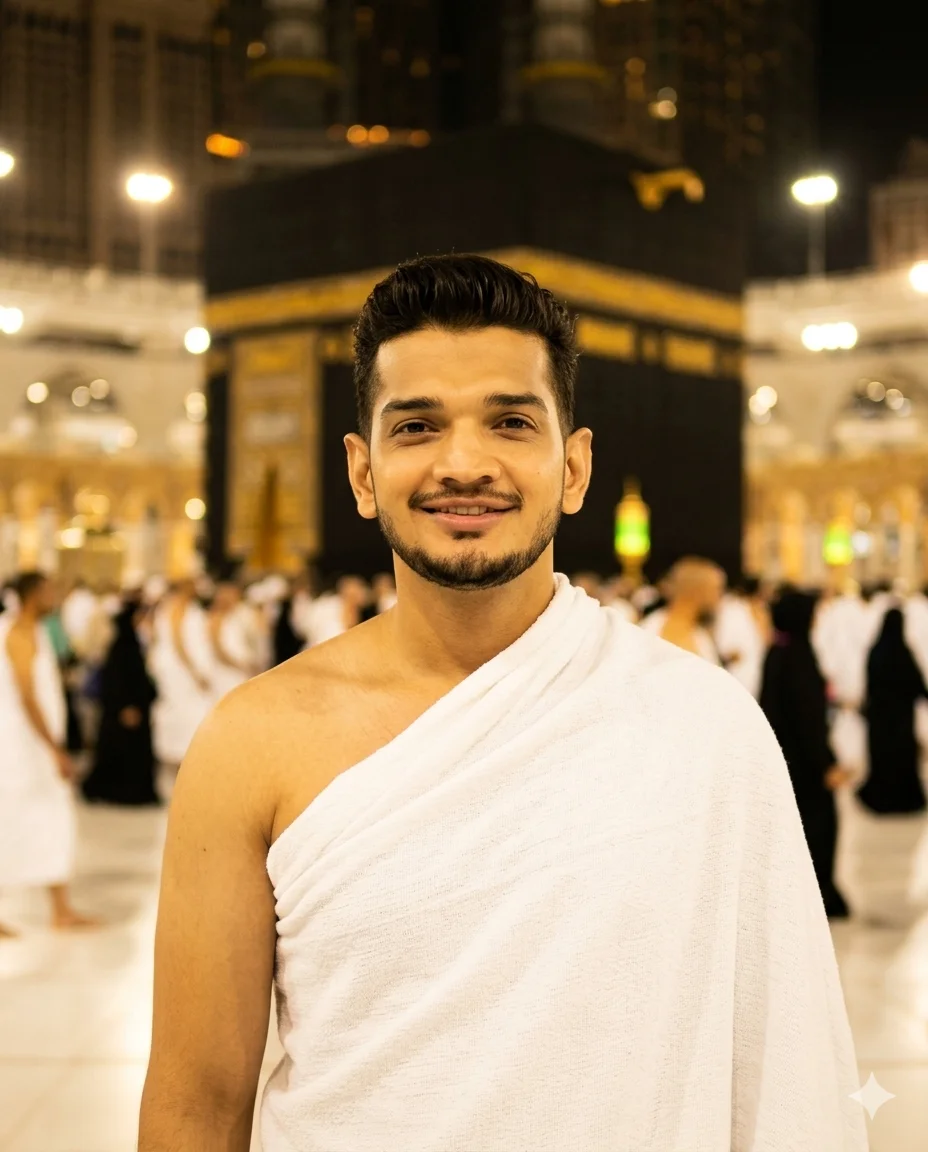
Natural nighttime photograph of this exact same person wearing authentic white Ihram, standing in the illuminated courtyard of Masjid al-Haram at night. He is looking directly into the camera with a happy natural smile. Warm golden mosque lights illuminating his face softly and evenly — face completely visible and sharp, no dark shadows. Right shoulder bare, Ihram upper sheet draped over left shoulder. White Ihram fabric picking up warm golden mosque light. Glowing Kaaba dramatically lit behind him. Pilgrims around him naturally blurred. Face sharp and well exposed.
50mm lens, available mosque lighting, real skin texture, 4:5 portrait.
Negative: no AI face, no beauty filter, no harsh flash, no dark face, no cinematic grade, no over-processed night look, no thobe.
Gemini AI Prompt
Golden in the Sunset
CRITICAL IDENTITY REQUIREMENT: Use the uploaded image as the ONLY and ABSOLUTE facial reference. Same nose, same eyes, same lips, same face structure, same skin tone, same beard/facial hair exactly as in reference. Do NOT beautify or alter the face. Reproduce this exact real human face.
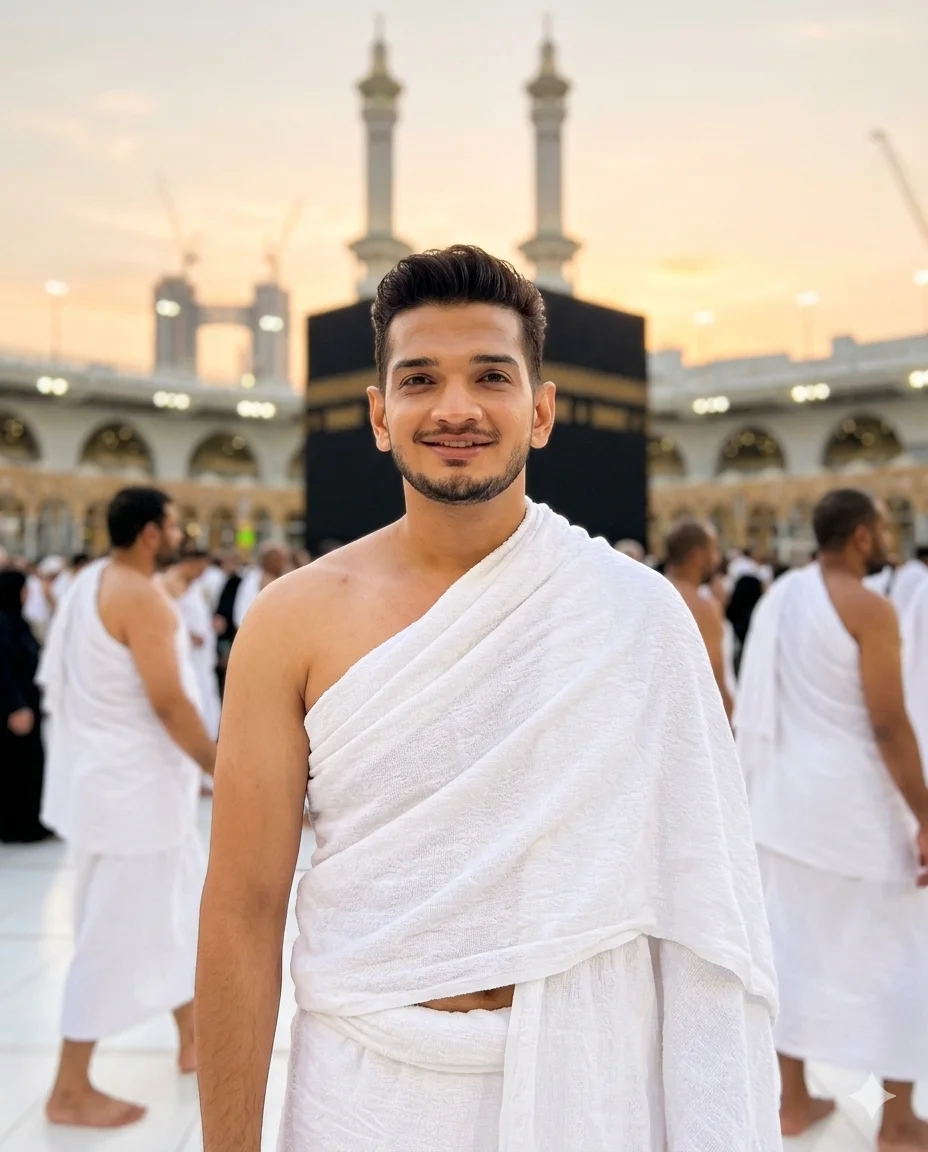
Natural sunset photograph of this exact same person wearing authentic white Ihram, standing in the open courtyard of Masjid al-Haram during golden hour. He is facing the camera with a warm natural smile. Soft orange and golden sunset light falling beautifully on his face and bare right shoulder — warm tones on white Ihram fabric. Kaaba visible in background with sunset sky behind. Face completely sharp and well lit — sunset light from front-side so face not in shadow. Pilgrims around him naturally blurred.
50mm lens, natural golden hour light, real skin texture, visible pores, 4:5 portrait.
Negative: no AI face, no beauty filter, no backlit silhouette, no dark face, no dramatic sunset filter, no cinematic grade, no HDR, no thobe.
Gemini AI Prompt
Adjusting His Ihram
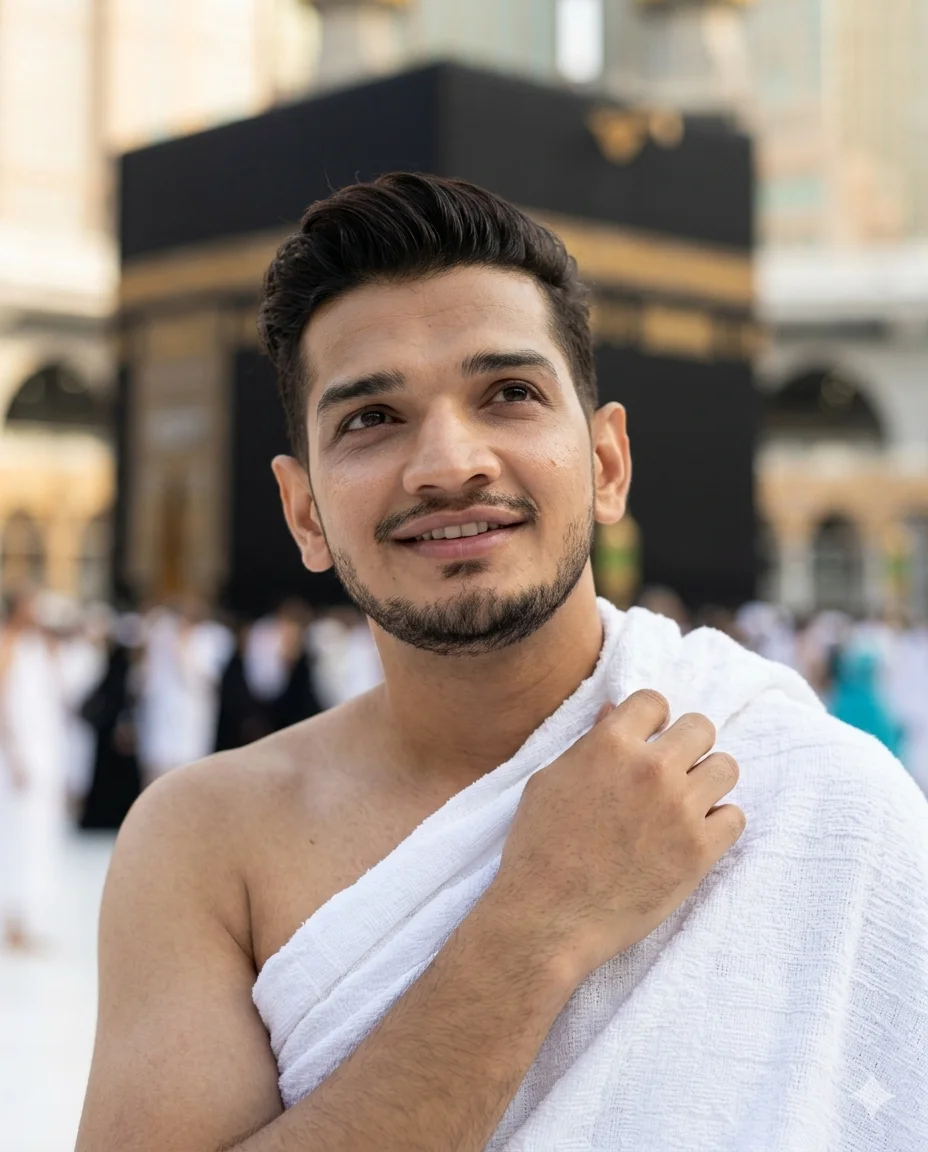
CRITICAL IDENTITY REQUIREMENT: Use the uploaded image as the ONLY and ABSOLUTE facial reference. Same nose, same eyes, same lips, same face structure, same skin tone, same beard/facial hair exactly as in reference. Do NOT beautify or alter the face. Reproduce this exact real human face.
Natural candid photograph of this exact same person wearing authentic white Ihram, standing in Masjid al-Haram courtyard. He has just looked up at the camera while naturally adjusting his upper Ihram sheet over his left shoulder with one hand — caught in a completely real candid moment, smiling naturally at the photographer. The gesture is natural, one hand reaching across to fix the Ihram draping on his shoulder. Expression warm and slightly laughing — like he was caught off guard mid-adjustment. Kaaba visible in background, softly blurred. Natural available lighting on face, completely sharp and clear.
50mm lens, natural light, real skin texture, 4:5 portrait.
Negative: no staged pose, no AI face, no beauty filter, no dramatic lighting, no shadow on face, no cinematic grade, no thobe.
Gemini AI Prompt
Turning Mid-Walk
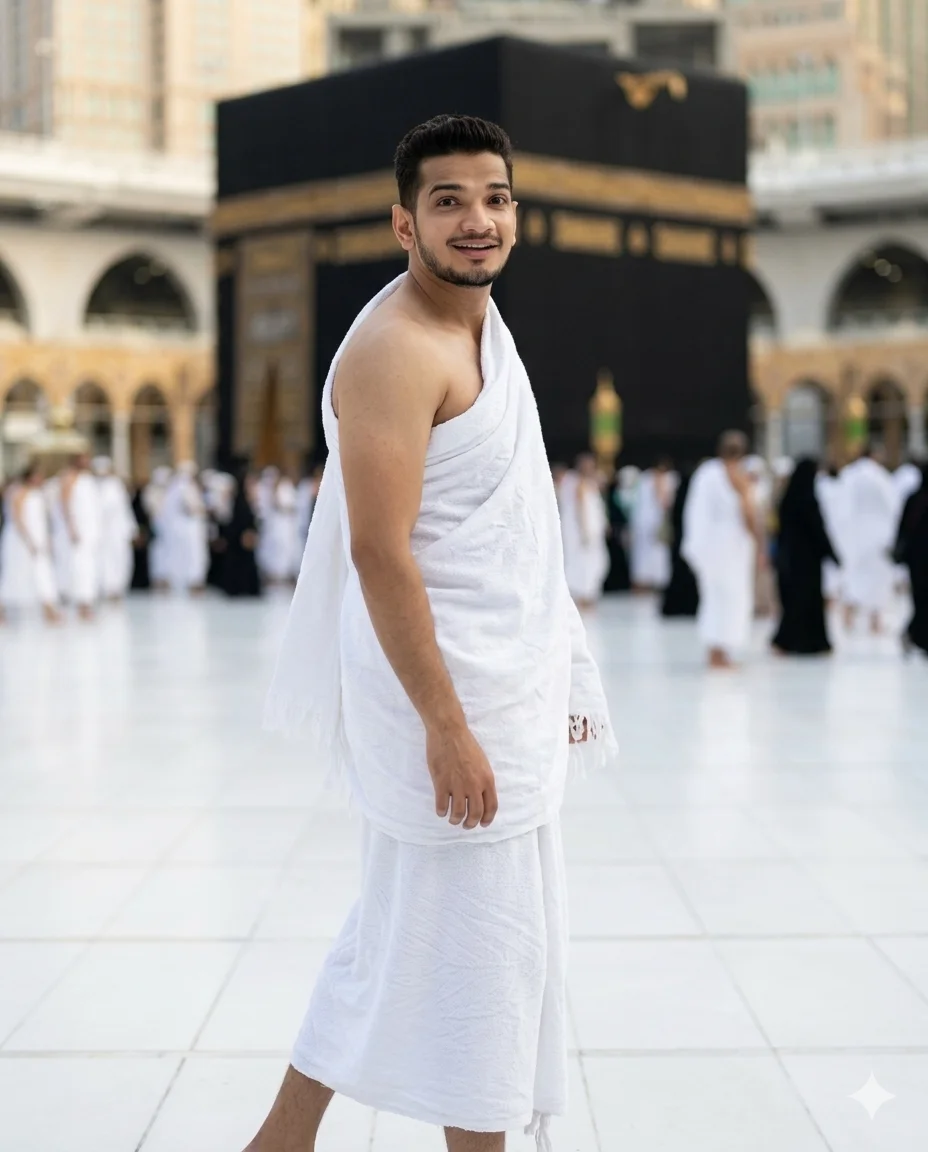
CRITICAL IDENTITY REQUIREMENT: Use the uploaded image as the ONLY and ABSOLUTE facial reference. Same nose, same eyes, same lips, same face structure, same skin tone, same beard/facial hair exactly as in reference. Do NOT beautify or alter the face. Reproduce this exact real human face.
Natural candid photograph of this exact same person wearing authentic white Ihram, captured in Masjid al-Haram courtyard. He was walking and the photographer called his name — he has turned around mid-walk, body slightly turned, and is now looking directly at the camera with a surprised natural smile. One foot slightly ahead from walking motion. Ihram fabric has natural movement from turning. Upper sheet still draped over left shoulder, right shoulder bare. Expression genuine and unguarded. Kaaba and Haram architecture in background, naturally blurred. Face completely sharp and clearly lit.
50mm lens, natural available light, real skin texture, 4:5 portrait.
Negative: no model turn, no dramatic pose, no AI face, no beauty filter, no cinematic grade, no shadow on face, no artificial Ihram movement, no thobe.
Gemini AI Prompt
Tasbih in Hand
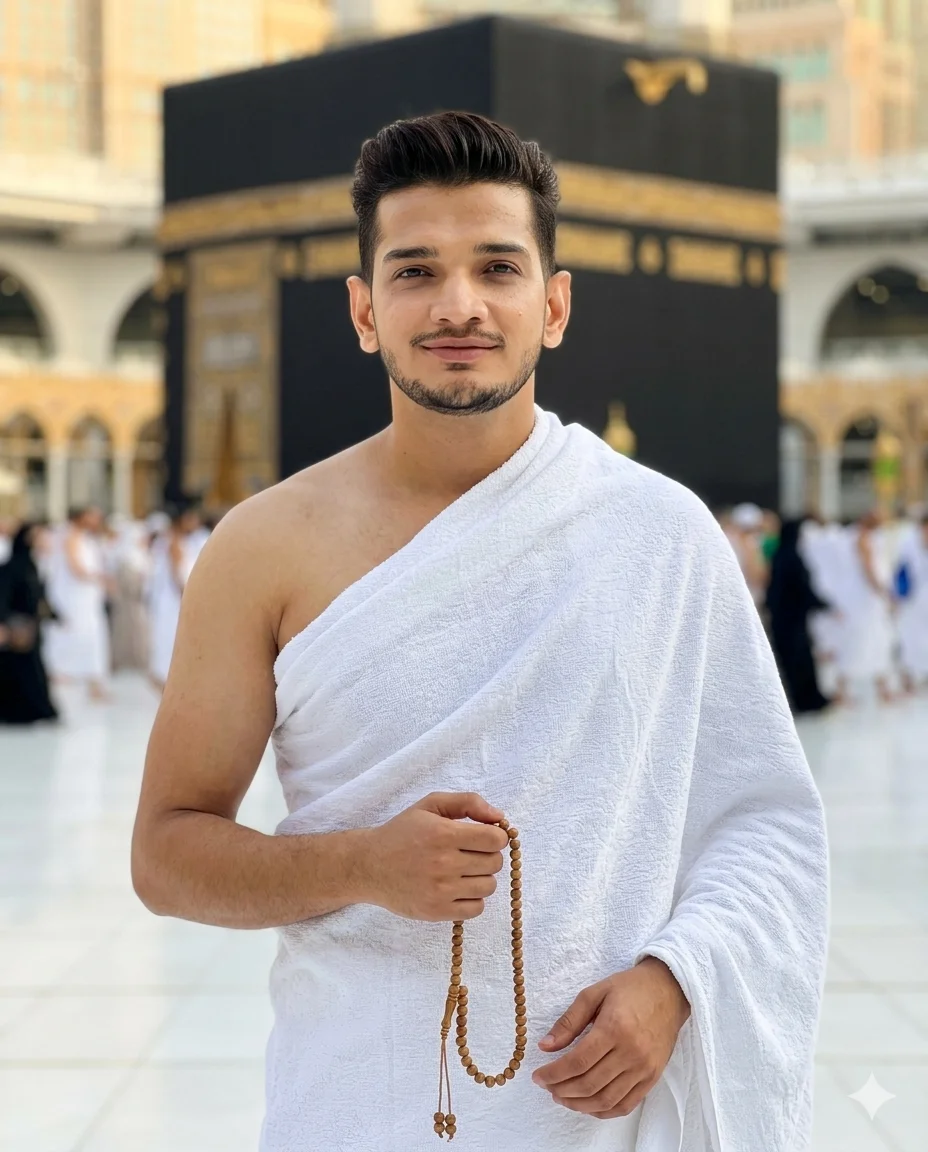
CRITICAL IDENTITY REQUIREMENT: Use the uploaded image as the ONLY and ABSOLUTE facial reference. Same nose, same eyes, same lips, same face structure, same skin tone, same beard/facial hair exactly as in reference. Do NOT beautify or alter the face. Reproduce this exact real human face.
Natural simple photograph of this exact same person wearing authentic white Ihram — lower sheet around waist, upper sheet over left shoulder, right shoulder bare — standing in the courtyard of Masjid al-Haram. He is holding a traditional wooden tasbih loosely in one hand, looking directly into the camera with a calm warm smile. Tasbih beads clearly visible in hand. Other hand relaxed at side. Posture completely natural and relaxed. Ihram fabric draping naturally with real terrycloth texture. Kaaba clearly visible behind him. Soft warm available lighting on face — face completely sharp and well lit.
50mm lens, natural light, real skin texture, visible pores, 4:5 portrait.
Negative: no AI face, no beauty filter, no dramatic lighting, no shadow on face, no cinematic grade, no fake tasbih, no stiff pose, no thobe, no stitched clothing.
How to use these Hajj prompts in Gemini
Getting started with Gemini is simpler than most people expect. Follow these steps and you will have your first result within a few minutes.
Open Gemini. Go to gemini.google.com and sign in with your Google account.
Start a new chat. Click the compose area to begin a fresh conversation.
Upload your photo. Click the image icon and upload a clear, recent photo of your face. Make sure your face is fully visible, well lit, and not obscured by sunglasses or a hat.
Copy the prompt. Choose any of the ten prompts below and copy the full text, starting from the CRITICAL IDENTITY REQUIREMENT line all the way to the last negative instruction.
Paste and submit. Paste the prompt into the chat alongside your uploaded photo and press Enter.
Review the result. Check that the face in the generated image matches your own. Ihram, background, and lighting should all match the prompt description.
Refine if needed. If Gemini changes your face or adds features you did not want, type a follow-up like: “Keep exactly the same face from my uploaded photo, do not change any facial features.”
If you want a prompt built around your own outfit color and pose preference, use our free Prompt Generator on this page.
Tips for best results
1. Upload the clearest photo you have. Use a photo taken in natural daylight where your face fills most of the frame. Avoid selfies with heavy filters, dark backgrounds, or heavy shadows on your face. The clearer and more natural the source photo, the more accurately Gemini will reproduce your real features.
2. Keep your face unobstructed in the reference photo. Do not upload a photo where your face is partially covered, turned to the side, or far from the camera. A straight-on, front-facing photo gives Gemini the best data to match your nose, eyes, lips, and skin tone accurately.
3. Follow up when the face changes. Gemini sometimes smooths or alters facial features by default. If this happens, do not start over. Simply reply in the same chat: “Use my uploaded photo as the strict facial reference. Do not slim or alter the face. Reproduce the exact face from my image.” This usually corrects the result in one or two tries.
Related prompts you might also like
If you enjoyed these prompts, here are some other styles you might love:
If you want to see how these same sacred Hajj moments look for girls, the Gemini AI Hajj prompts for girls pack covers ten beautifully written scenes with the same photorealism focus. For a more cinematic feel with dramatic portrait lighting at the Kaaba, check out the ChatGPT Hajj photo prompt guide, which shows how a different AI tool handles the same sacred setting. If you are looking for something festive beyond Hajj, the Gemini AI Eid ul Adha boy photo prompt pack gives you five cinematic portraits for Eid al-Adha alongside a sacrificial animal. And for something completely different in style, the Gemini girl photo prompt for royal saree scrapbook collage is a beautifully styled prompt pack worth exploring.
Frequently asked questions
How do I use a Gemini AI boys Hajj photo prompt to get a realistic result? Upload a clear, front-facing photo of your face in Gemini, then paste the full prompt text including the CRITICAL IDENTITY REQUIREMENT section. Submit both together in the same message. If the result does not look like you, follow up in the same chat asking Gemini to strictly use your uploaded photo as the only facial reference.
Why does Gemini keep changing my face when I use Hajj prompts? Gemini sometimes applies its own image enhancement by default, which can slim the face, smooth the skin, or change features slightly. This is why every prompt in this pack includes a detailed negative instruction section. If it still happens, type a follow-up reply: “Do not alter my face. Use the uploaded photo as the strict reference and reproduce it exactly.” Most users find this corrects the issue within one or two tries.
Which photo should I upload for the best Ihram portrait result? Use a recent photo taken in natural daylight where your face fills most of the frame, eyes are open, and nothing covers your face. Avoid group photos, photos with heavy Instagram filters, or photos where you are turned sideways. A simple selfie in good lighting taken outdoors works extremely well.
Can I change the Ihram color or add other details to these Umrah prompts? These prompts are written specifically for white Ihram because that is the required garment for Hajj and Umrah. However, you can add descriptive lines to personalize elements like the background location, time of day, or the expression you want. For a fully custom version built around your preferences, use the our Prompt Generator tool.
How can I share my Gemini Hajj portrait on Instagram? Once you are happy with the result, right-click or long-press the generated image in Gemini to save it to your device. You can then upload it directly to Instagram as a post or reel. A caption mentioning that it was created with AI and a Gemini prompt is a good idea so your followers know it is an AI-generated image rather than a real photograph.
Conclusion
You now have ten complete Gemini AI boys Hajj photo prompts covering every major moment of the pilgrimage, from the first view of the Kaaba to the quiet peace of Fajr in the courtyard. Each prompt is written to keep your real face intact, place you in an accurate Ihram, and produce an image that looks like it was taken by someone who was actually there. Try one today by uploading your photo to Gemini and pasting any prompt from this page. If you want something built specifically for your own preferences, the Gemini Prompt Generator is ready for you. And if you get a result you love, share it in the comments or tag us on Instagram. We would genuinely love to see it.