
Introduction
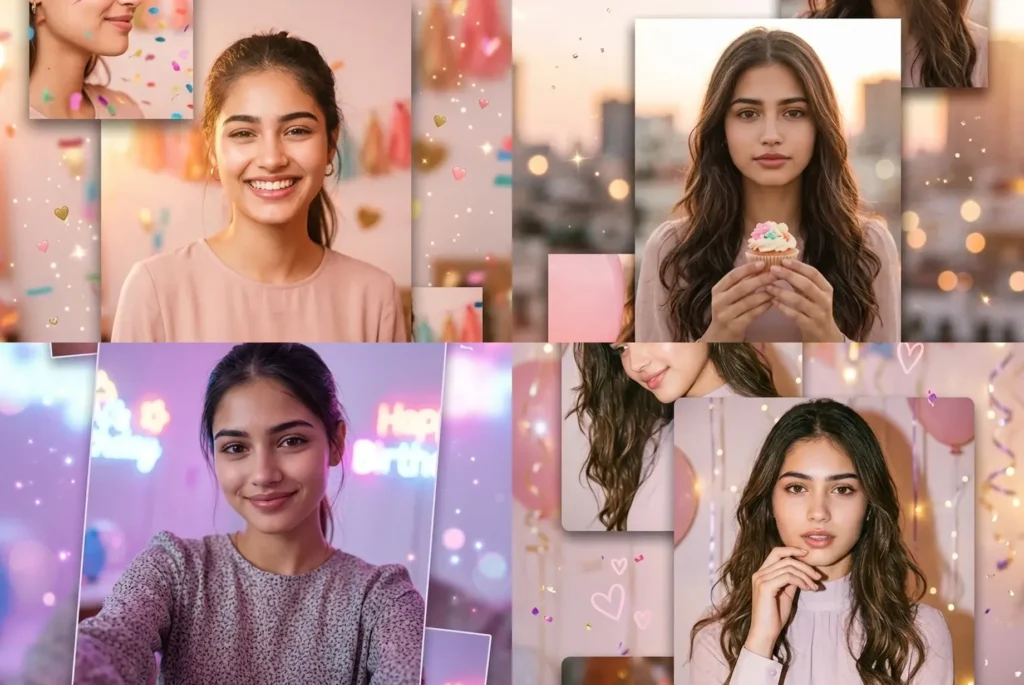
An AI birthday prompt for girl turns one simple selfie into a full multi-panel birthday collage, using Gemini to add warm lighting, soft color, and a layout that looks like it was made by a designer, not an app. If you have tried regular filters and they all look the same, this is the difference: these five prompts build 3 to 5 floating panels around your actual face, not just one edited photo. I tested each one in Gemini myself, and what stood out is how well they keep your real face while still making everything look glowing and cinematic. Every prompt also uses modest, fully covered outfits with high necklines, made for girls who want a festive birthday edit without anything revealing. Just pick a vibe (soft glow, neon night, or golden rooftop) upload your selfie, and paste the prompt straight into Gemini.
How to use these ai birthday prompts in Gemini
Here is exactly how to turn your selfie into a birthday collage using any of the five prompts below:
- Open gemini.google.com in your browser, or the Gemini app on your phone
- Start a new chat and tap the image upload icon next to the text box
- Upload a clear, front-facing selfie in good light. No heavy filters
- Copy the birthday prompt you want from this page
- Paste it into the same message as your photo and hit send
- If your face looks off, especially in the neon night or rooftop sunset prompts where the lighting is stronger, try a sharper photo with better front lighting and run it again
5 Ready-to-Use Gemini Birthday Prompts for Girls
Gemini AI birthday Collage Prompt for Girls Glow 3-frame Diagonal Layout
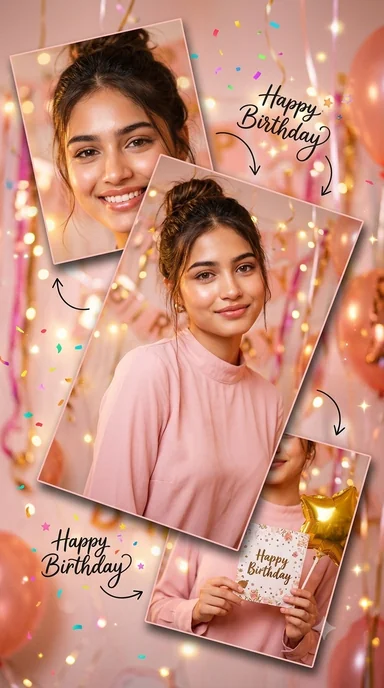
Girl Birthday Party 4-Panel Vertical Flow Collage Prompt
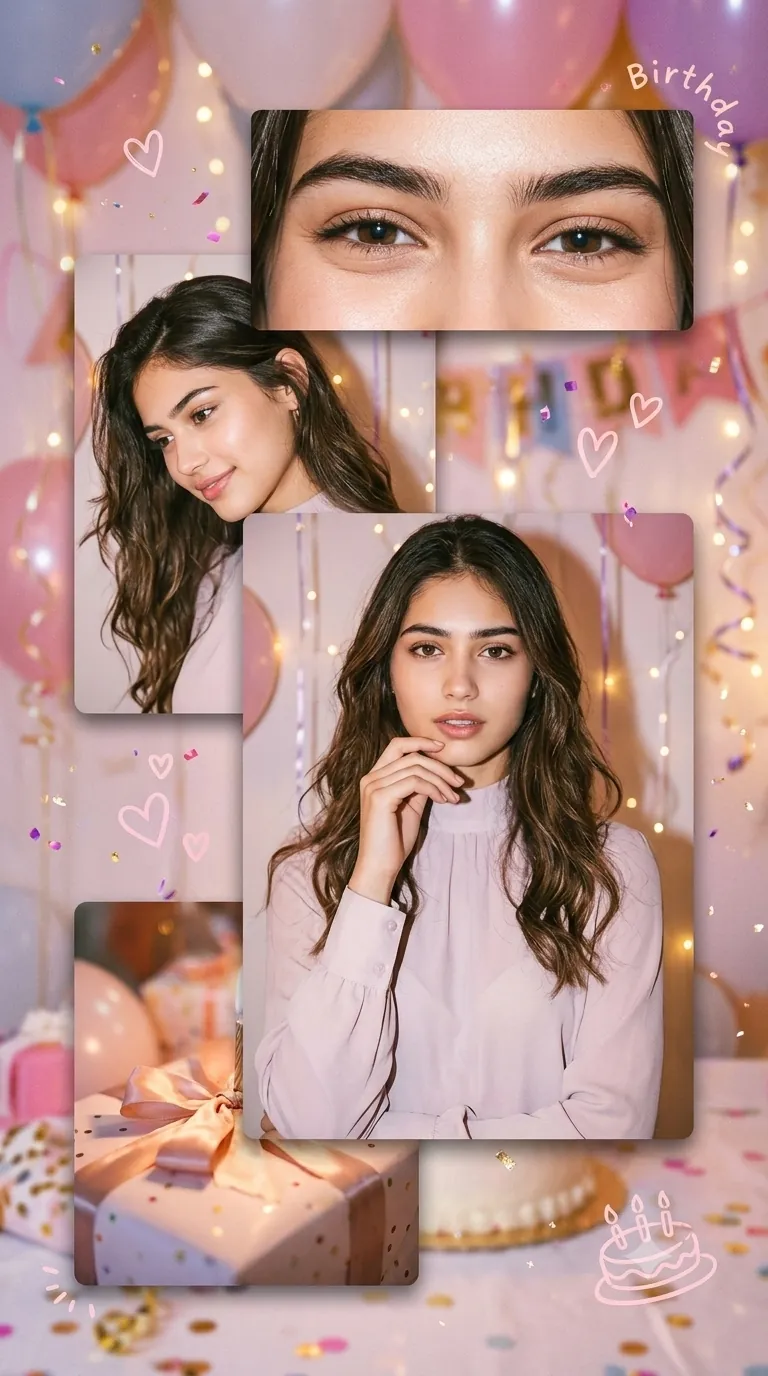
Birthday Prompt for Girl Neon Night 3-Panel Prompt
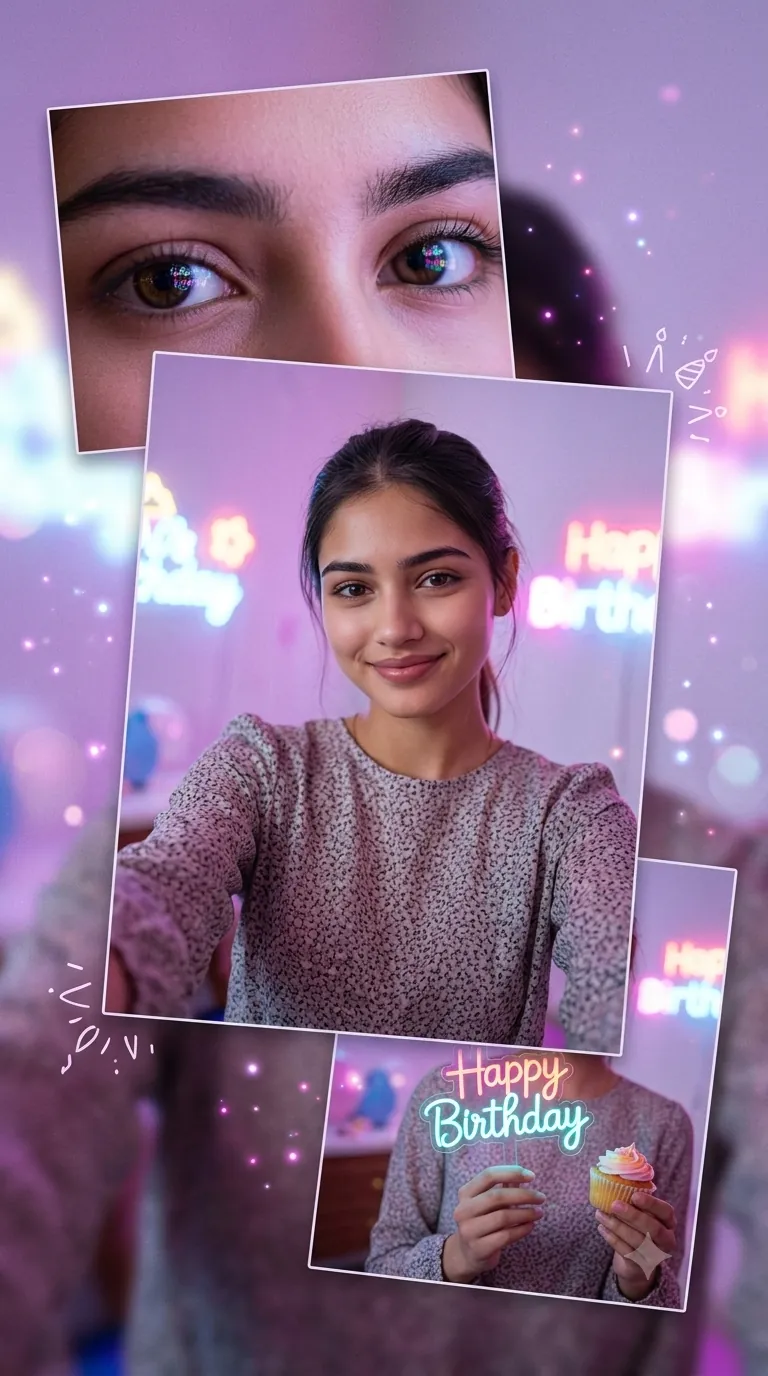
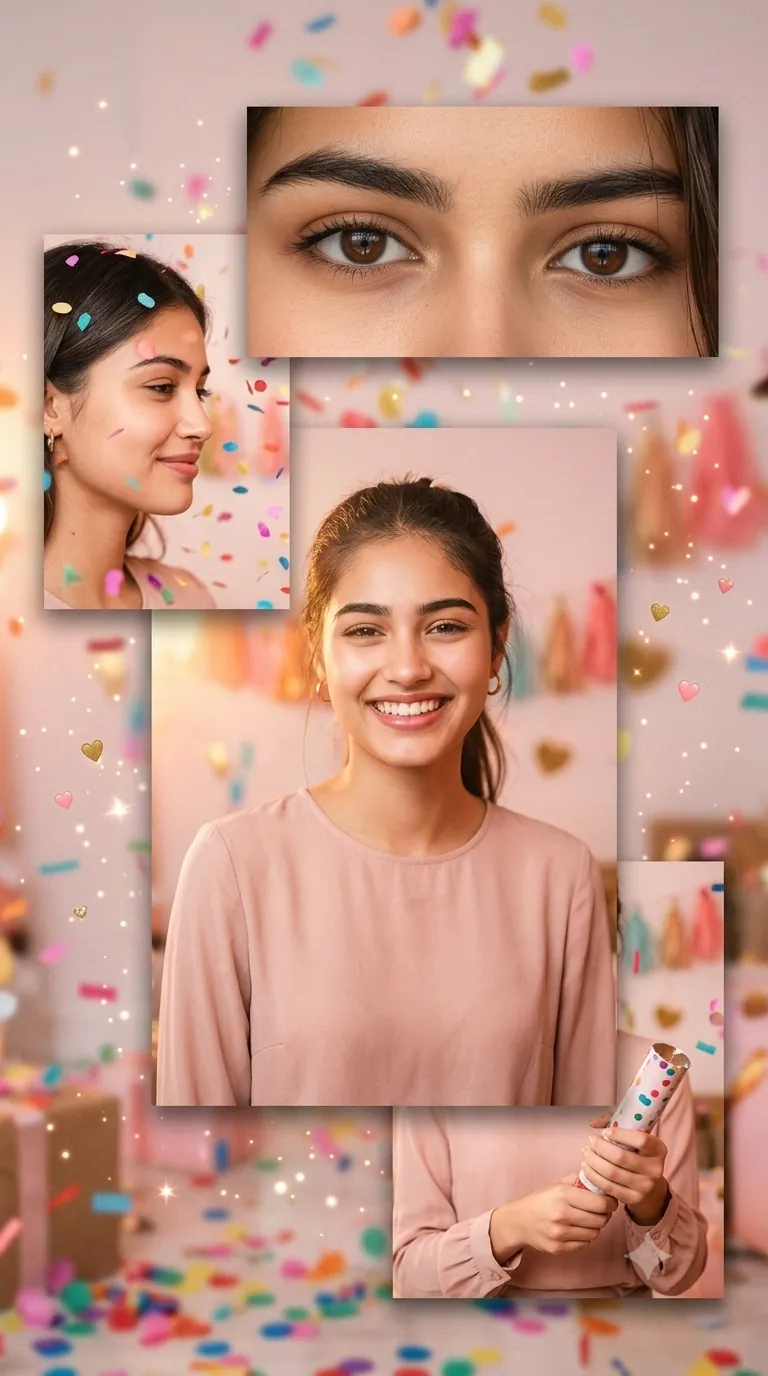
Birthday Confetti Selfie 4-Panel Prompt For Girls
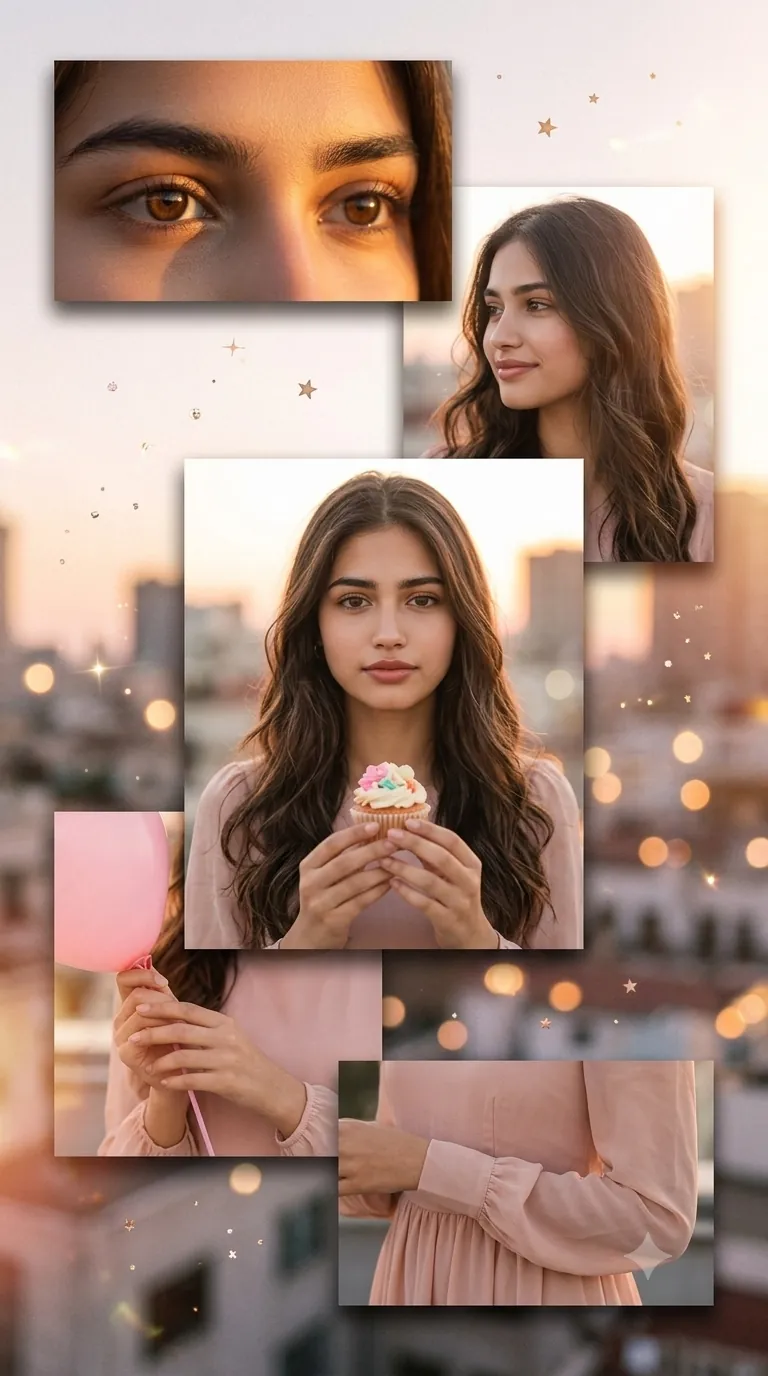
Birthday Prompt for Gemini Girl Rooftop Sunset Birthday 5-Panel
What makes these birthday prompts work so well
They are built around your actual face
Every prompt in this pack includes an instruction to use your “uploaded facial identity exactly.” That one line makes a massive difference. Generic birthday prompts often lose facial details because they prioritize the aesthetic over the person. These prompts keep you recognizable while still making the whole edit look cinematic.
The multi-panel layout tells a story
Instead of a single edited photo, each prompt creates a floating panel collage ranging from 3 to 5 panels. You get close-ups of your eyes, a mid-shot selfie, and a detail panel showing hands holding a birthday prop or outfit detail. Together they look like a birthday mood board from a lifestyle magazine, not a quick AI edit. This same multi-layered approach is what makes Gemini AI so powerful for portrait work, whether it is a birthday collage or something more formal like a professional photo prompt for your LinkedIn or resume.
Styling is intentional and modest
All five prompts include fully covered long-sleeve blouses, high necklines, and natural soft makeup. This was a deliberate choice because many South Asian girls want birthday edits that feel festive and beautiful without being revealing. The aesthetic is warm, glowing, and elegant rather than bold or over-edited.
Tips for getting the best results
The rooftop sunset and neon night prompts are the two most sensitive to your original selfie’s lighting. If your selfie was taken in dim or mixed light, Gemini has a harder time adding a clean golden or neon glow on top of it, so start with a bright, evenly lit photo for those two especially. For the confetti and gift prompts, keep your background simple. A cluttered background in your original selfie sometimes leaks into the panel colors instead of staying blurred behind you. I also noticed the “gentle, relaxed expression” line in the confetti prompt genuinely changes the result. It comes out calmer and more editorial than the prompts asking for a big smile.
Frequently asked questions
Q: Which of these birthday prompts should I pick if I don’t know where to start?
A: If you want something soft and romantic, go with the glow 3-frame or the 4-panel vertical flow collage, since both use warm pastel tones. If you want a bolder look for a night birthday, the neon night prompt is built for that instead. The rooftop sunset prompt is the most detailed one, so it works well if you want an outfit detail panel included.
Q: Why does the neon night prompt look different from the other birthday collages?
A: This prompt is built with a completely different color grade on purpose, using neon pink, purple, and soft blue instead of the warm gold and pink tones in the other four. It works best with a selfie that already has some evening or indoor lighting, since that gives Gemini a closer match to build the neon glow around.
Q: Can I use the same birthday prompt for a friend instead of myself?
A: Yes. Just upload your friend’s selfie instead of your own and paste the same prompt. Many people use these to create a surprise birthday edit as a gift, and the prompt works the same way no matter whose face is uploaded.
For a childhood themed birthday, these emotional childhood birthday photo prompts are very sweet. School birthdays? Try the school photo prompts.
Conclusion
That’s the full set. Five different birthday moods, from soft and glowing to bold neon to a golden sunset rooftop, all built from just one selfie. No need to overthink it. Just grab the prompt that matches how you want to feel on your birthday, upload your photo to Gemini, and watch it come together.
Once your birthday edit is done, you might also want a cleaner, more polished photo for LinkedIn or a resume. We have prompts for that too, same Gemini, totally different mood.
Save your favorite result, drop it in the comments, or tag us on Instagram. Always fun to see what everyone creates.