
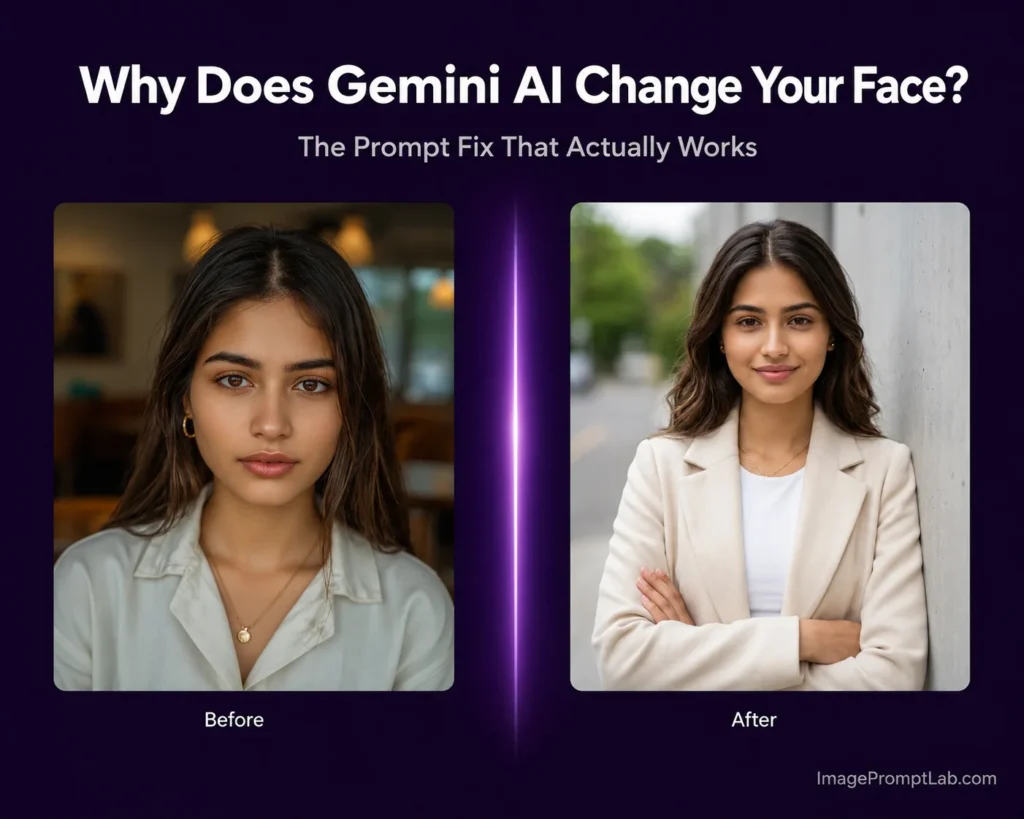
You open Gemini AI, upload a clear photo of yourself, write what feels like a solid AI photo prompt, hit generate, and the result comes back looking like someone you have never met.
Different jawline. Different eyes. Completely different person.
If you have been searching for Gemini image prompts that actually keep your face consistent, you are not alone. This is the single most common frustration people have right now with Gemini AI photo editing, and it shows up across Reddit threads, TikTok comment sections, and Google support forums every single day.
The good news is that this is fixable. Not perfectly, not every time, but significantly once you understand what is actually causing it.
This guide explains the real reason behind the face change problem and gives you a tested photo prompt formula that reduces it.
What Is Actually Happening When Gemini Changes Your Face
Most people assume they wrote a bad prompt. Some blame the tool. The actual answer is more structural than either of those.
Gemini is not a photo editor in the traditional sense. When you use it as an AI photo editor, it does not open your image, isolate your face like a Photoshop layer, and carefully edit only the background while leaving your features untouched. What it actually does is regenerate the entire image from scratch, every single time, using your reference photo as one signal among many.
Your uploaded photo, your Gemini prompt for image generation, the lighting you described, the background, the outfit, the mood, all of these compete for the model’s attention simultaneously. And when Gemini has to balance all of those creative instructions at once, your face is often what quietly drifts in the process.
Here is the technical reason. Gemini’s AI image generation runs on diffusion models, specifically Google DeepMind’s Imagen 3 architecture. These models work by starting from random noise and gradually shaping it into a final image, guided by everything in your prompt. Your face is not locked or protected during this process. It gets rebuilt from scratch on every generation. That is why the same reference photo can produce a noticeably different face depending on how the rest of the Gemini photo prompt is structured.
This is a fundamentally different approach from dedicated face-consistency tools that anchor your identity before generating anything else. Understanding this is the first step toward writing prompts that actually work.
The Situations Where Face Drift Happens Most
Not every Gemini AI photo prompt causes face change. Some situations are far riskier than others, and recognizing them helps you write smarter photo prompts for Gemini from the start.
Heavy style transformations cause the most drift.
When your photo editing prompt for Gemini asks for a new outfit, new lighting, a new background, and a cinematic mood all at once, the model has to reconstruct almost everything in the image. The more it rebuilds, the less it holds onto the original face. Stacking too many creative instructions in one Gemini photo editing prompt is one of the fastest ways to lose your face entirely.
Filtered or blurry reference photos make it significantly worse.
Gemini cannot preserve facial detail that was never there. If your reference photo has a beauty filter, heavy skin smoothing, or soft focus applied, the model has very little to anchor to. It fills in the gaps based on what it thinks looks realistic, which means a face that is close to yours but not quite you.
Writing “do not change my face” without describing your face does not work reliably.
This instruction tells Gemini what you want but gives the model nothing concrete to hold onto. It is like asking someone to draw your exact portrait from memory without ever seeing a photo of you. The intent is clear but the information is missing.
What Actually Helps: The Prompt Structure That Works
These are not clever tricks or magic phrases. These are structural changes to how you write your Gemini AI photo prompts, changes that give the model a stronger identity anchor before it starts generating.
Put the face instruction first, not last.
This is the most important fix and most people do it backwards. They describe the creative look first, the lighting, the cinematic background, the outfit, and then add “keep my face the same” at the end. Gemini processes your prompt sequentially and gives earlier instructions more weight. Your identity needs to come first.
Here is the difference in practice.
Weak photo prompt:
“Generate a cinematic portrait with dramatic lighting, a deep burgundy outfit, and a softly blurred background. Keep my face the same as the reference photo.”
Better Gemini photo prompt:
“Using the uploaded photo as the only face reference, preserve my exact facial structure, skin tone, jawline, eye shape, and expression. Do not alter or replace my face in any way. Now apply a cinematic portrait style with dramatic lighting, deep burgundy outfit, and a softly blurred background.”
The identity instruction leads. The creative instruction follows. This separation is intentional and it makes a real difference in output consistency.
Be specific about what must not change.
Generic phrases like “keep my face” give the model very little to work with as a constraint. Specific language gives it actual guardrails. Use phrases like these in your Gemini photo editing prompts:
- Preserve exact facial structure, same face shape, eye spacing, nose bridge, jawline
- Do not alter skin tone or complexion
- Keep hair color and texture identical to the reference photo
- Same natural expression as the uploaded image
- No face reshaping, no idealization, no beauty filter applied to face
The more precisely you describe what must stay the same, the less creative freedom Gemini has to reinterpret your face.
Close your prompt with realism constraints.
One reason AI photos look off, even when the face is reasonably preserved, is that Gemini tends to over-smooth skin, inflate features slightly, or add a digital glow that makes portraits look generated rather than photographed. Adding realism constraints at the end of your free AI image prompt actively pushes back against those tendencies.
End every portrait prompt with something like:
“Hyper-realistic output. Natural skin texture with visible pores. Realistic individual hair strands. No artificial skin smoothing. No beauty filter. No watermark.”
This alone can take a result from looking like an obvious AI image to something that reads as a real photograph.
Your Reference Photo Matters More Than Your Prompt
Before you write a single word of a Gemini AI photo prompt, the image you upload is already doing most of the heavy lifting. A weak reference photo will undermine even the most carefully written prompt for photo editing in Gemini.
Your reference photo should meet these conditions before you upload it:
Only one face should be visible in the frame. Group photos confuse the model about which identity to preserve.
The lighting on your face should be even enough that your eye shape, jawline, and hairline are all clearly readable. Strong shadows across the face hide the details Gemini needs.
No beauty filter, no heavy skin smoothing, no soft focus. These effects strip out the micro-detail that makes your face identifiably yours. Gemini cannot reconstruct texture that was never captured.
A close-up or three-quarter angle shot gives the model more facial information to work with than a full-body photo where your face occupies a small portion of the frame.
Front-facing or slightly angled toward camera produces more stable results than a profile or heavily turned shot.
A clean, unfiltered, well-lit close-up selfie is your most powerful tool for face consistency, more powerful than any specific phrase in your Gemini photo prompt.
The Complete Prompt Formula for Face Preservation
Here is the full structure used to test every face-preservation prompt on this site. Copy this framework and adapt the middle section to your style:
“Maintain the exact face, facial structure, skin tone, eye shape, jawline, and hair from the uploaded reference photo. Do not alter, replace, idealize, or reinterpret the face in any way. Use the uploaded photo as the only identity reference and treat face preservation as the top priority.
[Your style, outfit, lighting, and background description here.]
Hyper-realistic output. Natural skin texture. Realistic hair strands. No beauty filter. No face reshaping. No watermark. Photorealistic quality, shot on Canon EOS R5, 85mm f/1.4 lens, shallow depth of field.”
Identity block first. Creative direction in the middle. Realism constraints at the end. This order is deliberate and it matters.
When Face Consistency Is Genuinely Not Possible
Some creative styles push Gemini so far from photorealism that face consistency becomes unreliable regardless of how well the Gemini prompts for image generation are written. Heavy artistic transformations like full anime conversion, 3D figurine renders, and extreme oil painting styles require so much image reconstruction that your original face simply cannot survive the process intact.
For those styles, accept the result as an artistic interpretation rather than an identity-accurate portrait. The prompts on this site are designed and tested to work within the range where face accuracy is actually achievable. Where a style cannot deliver reliable consistency, that limitation is noted on the prompt page.
For professional use cases like LinkedIn headshots and corporate portraits, the prompts in our Professional Headshot Collection are specifically written and tested for maximum face accuracy. Start there before trying to build your own prompt from scratch.
Face Consistency Quick Checklist
Run through this before every generation:
Reference photo has one face, even lighting, no filter, and a close-up crop. Yes or no.
Identity instruction is at the very start of the prompt, before any style description. Yes or no.
Specific facial features are described, not just “keep my face.” Yes or no.
Realism constraints are added at the end of the prompt. Yes or no.
Only one or two elements are being changed in this generation. Yes or no.
Five out of five is ideal. Four out of five is workable. Below that, the face drift risk goes up significantly.
Try These Next
If you want tested Gemini photo prompts for specific styles without building everything from scratch, these pages are a good starting point:
- Portrait Prompts for Girls — face-consistent portrait styles tested on female reference subjects
- Portrait Prompts for Boys — cinematic and professional looks for male portraits
- Trending AI Photo Prompts — the styles getting shared most right now
If you want a custom Gemini AI photo prompt built around your specific photo and style preference, use the free Gemini AI Prompt Generator on this site. No sign-up required, no cost, and every output follows the same face-preservation structure described in this guide.
New to all this? The Gemini AI photo prompt beginner guide covers the basics first. For blurry photos, try the photo quality enhancer prompts, and for damaged photos, the photo restoration prompts.