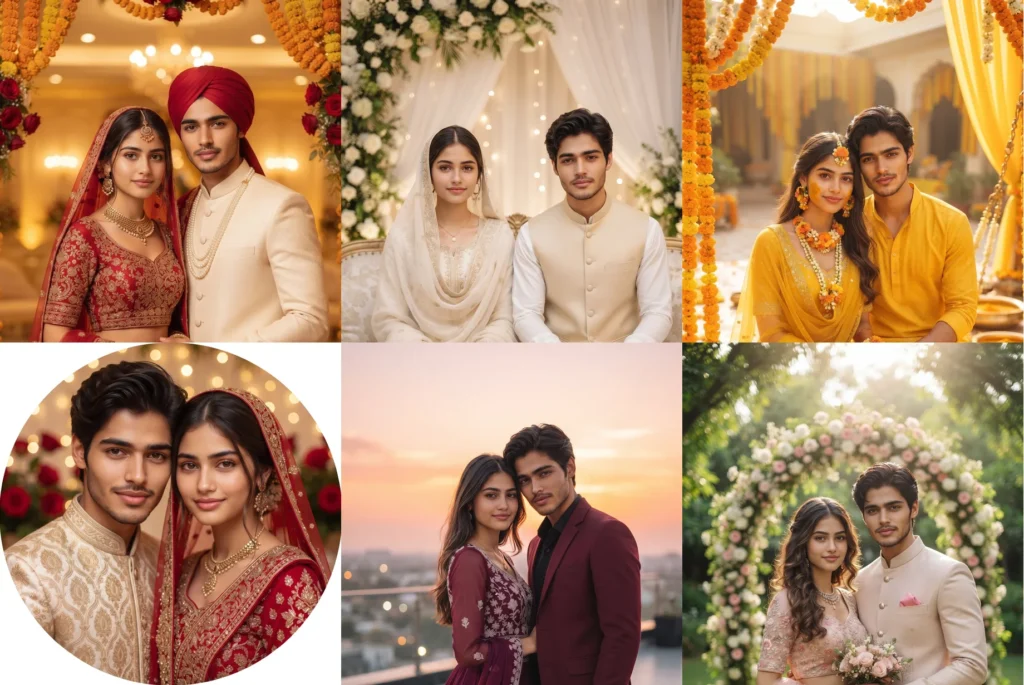
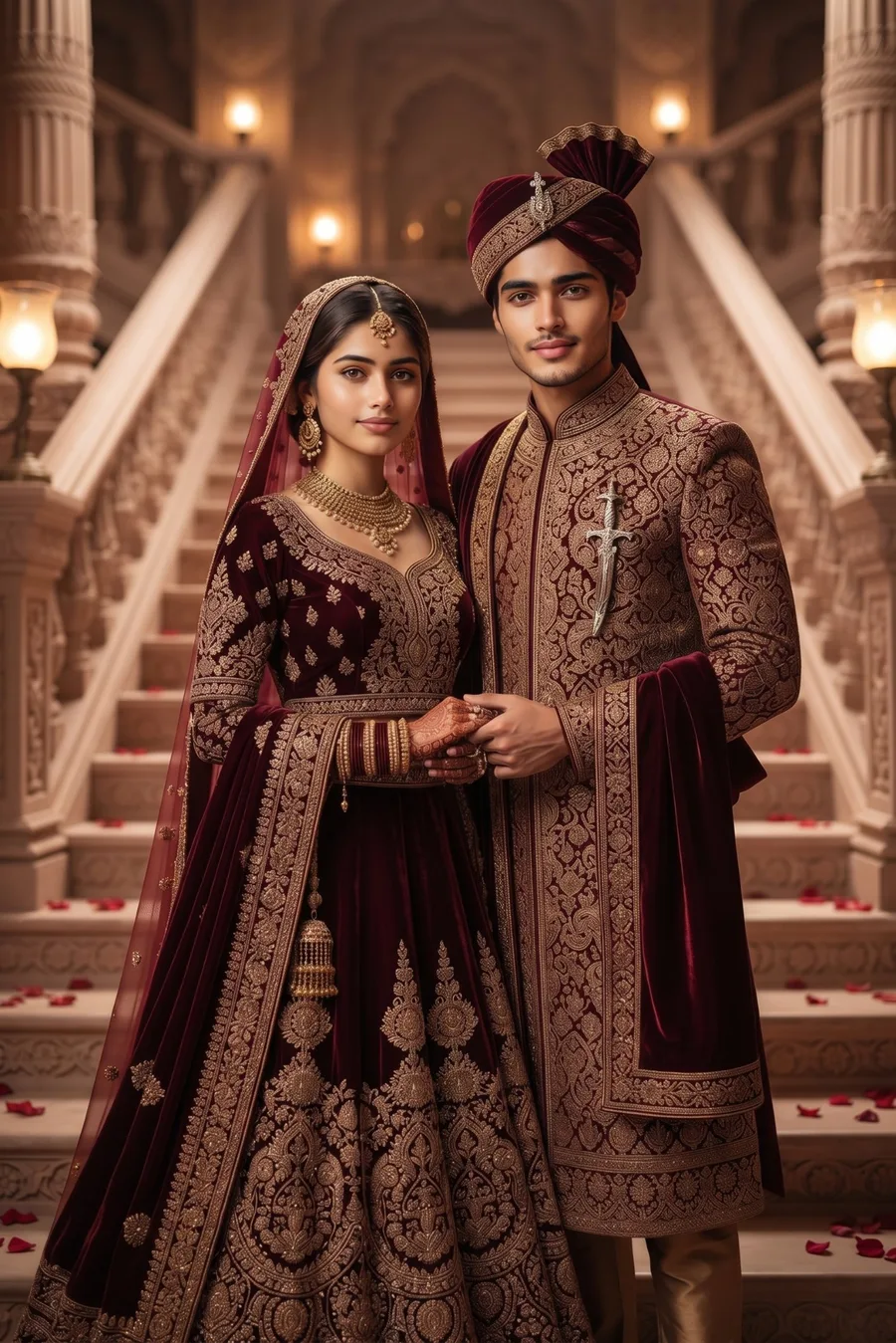
Your wedding day deserves photos that look like a full photoshoot, even if all you have is one simple couple photo. This wedding couple photo prompt collection turns that one photo into 12 complete wedding looks: bridal, Nikah, Walima, Haldi, Mehndi, royal palace, garden, reception and even a close DP portrait. Copy a prompt, paste it into Gemini or ChatGPT with your photo, and both faces stay exactly the same.
Every prompt below is tested and carries a strong face lock, so only the outfits, jewellery and background change. Your faces, skin tones and hairstyles stay 100% yours, with no photoshoot, no studio and no editing skill.
Wedding Couple Photo Prompts for the Big Day
Gemini AI Prompt
Classic Red Bridal Look
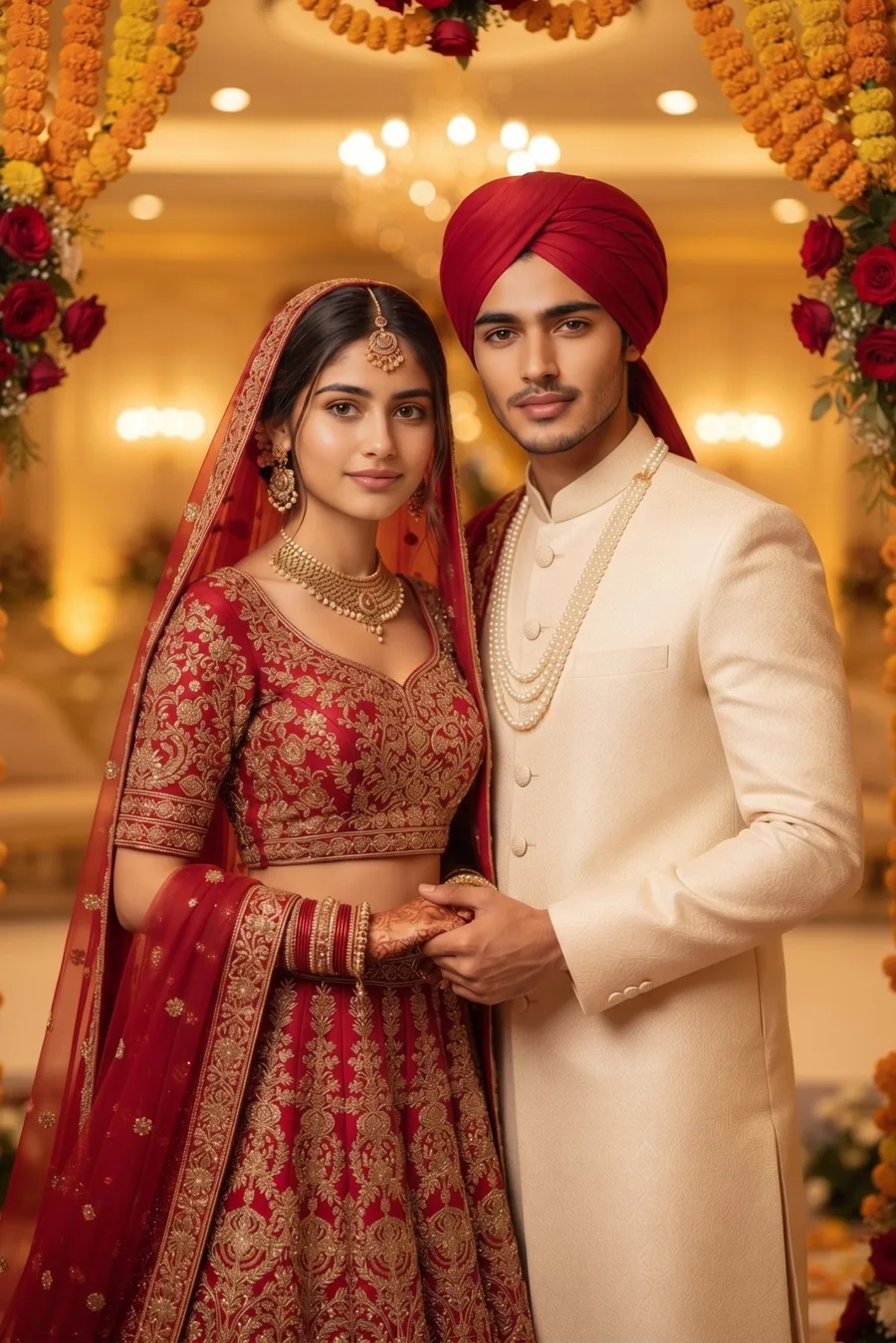
Transform our photo into a classic wedding portrait. FACE LOCK: keep both of our faces 100% identical to the uploaded photo. Same face, same face shape, same eyes, eyebrows, nose and lips, same skin tone and same hairstyle for both of us. Do not beautify, slim, reshape or replace either face, and do not change who we are. Only our outfits, jewellery and the background change. The bride wears a rich red bridal lehenga with gold embroidery, modest full coverage blouse, a matching dupatta draped gracefully, and traditional gold jewellery with a maang tikka. The groom wears a cream sherwani with a red turban and a pearl necklace. We stand close together holding hands, soft smiles, looking at the camera. Background: an elegant wedding hall with warm golden lights, marigold and red rose decorations, softly blurred. Only the two of us in the photo, no other people, no extra faces. No face change, no laughing, no cartoon look, sharp and clear like a real wedding photograph.
Gemini AI Prompt
Nikah Look
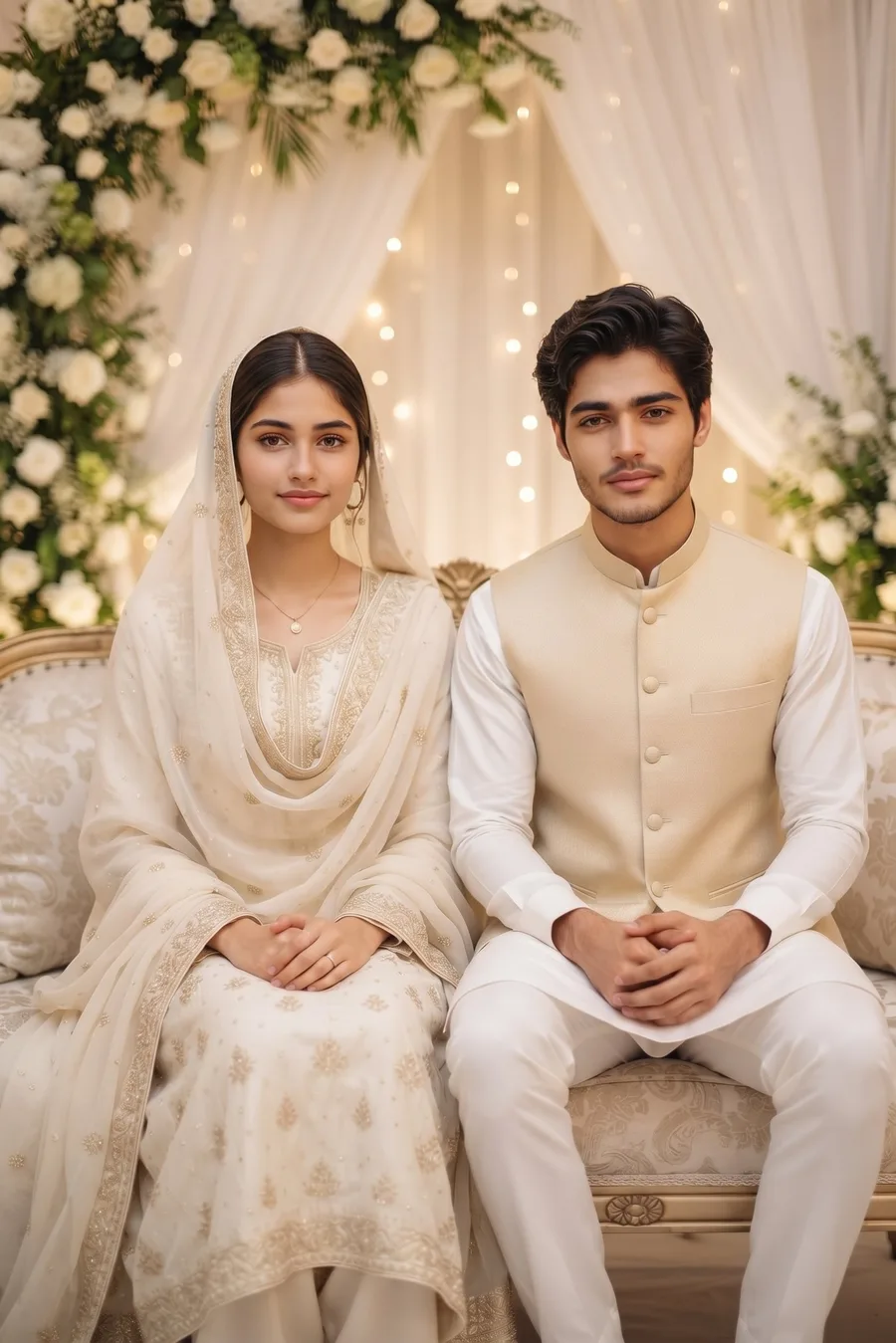
Transform our photo into a graceful Nikah wedding portrait. FACE LOCK: keep both of our faces 100% identical to the uploaded photo. Same face, same face shape, same eyes, eyebrows, nose and lips, same skin tone and same hairstyle for both of us. Do not beautify, slim, reshape or replace either face, and do not change who we are. Only our outfits, jewellery and the background change. The bride wears an ivory white bridal outfit with delicate gold embroidery, a modest full coverage design and a soft dupatta over her head, with simple elegant jewellery. The groom wears a white sherwani with a light gold waistcoat. We sit side by side on a decorated sofa, hands folded gently, soft smiles, looking at the camera. Background: a Nikah setup with white and green floral decorations, soft white drapes and warm fairy lights, softly blurred. Only the two of us in the photo, no other people, no extra faces. No face change, no laughing, no cartoon look, sharp and clear like a real wedding photograph.
Gemini AI Prompt
Walima Reception Look
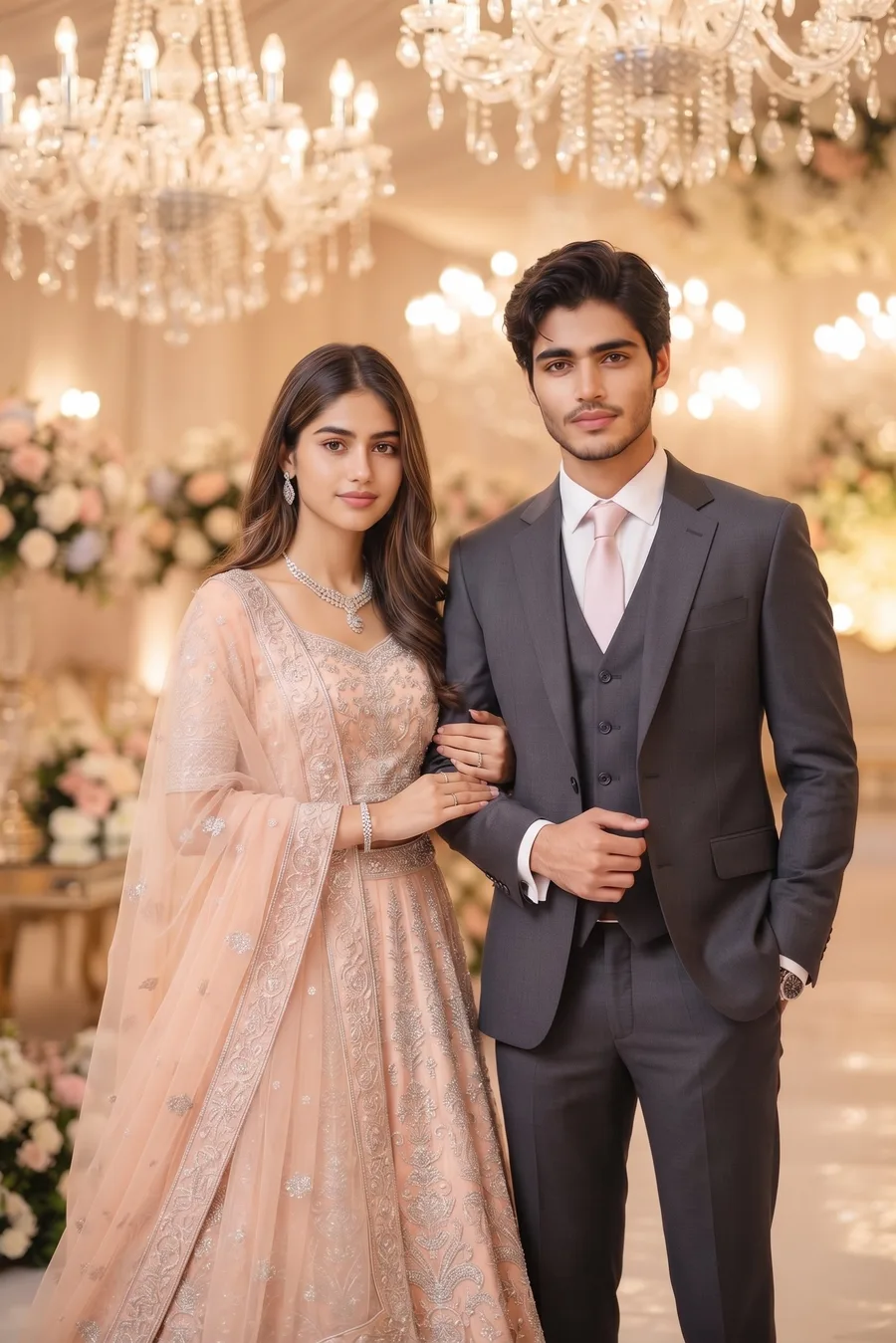
Transform our photo into an elegant Walima reception portrait. FACE LOCK: keep both of our faces 100% identical to the uploaded photo. Same face, same face shape, same eyes, eyebrows, nose and lips, same skin tone and same hairstyle for both of us. Do not beautify, slim, reshape or replace either face, and do not change who we are. Only our outfits, jewellery and the background change. The bride wears a pastel peach bridal gown style lehenga with silver embroidery, modest full coverage, with a sheer dupatta and diamond style jewellery. The groom wears a charcoal grey three piece suit with a white shirt and a pastel tie. We stand together arm in arm, soft smiles, looking at the camera. Background: a luxury reception hall with crystal chandeliers, pastel floral arrangements and soft golden light, softly blurred. Only the two of us in the photo, no other people, no extra faces. No face change, no laughing, no cartoon look, sharp and clear like a real wedding photograph.
Gemini AI Prompt
Haldi Ceremony Look
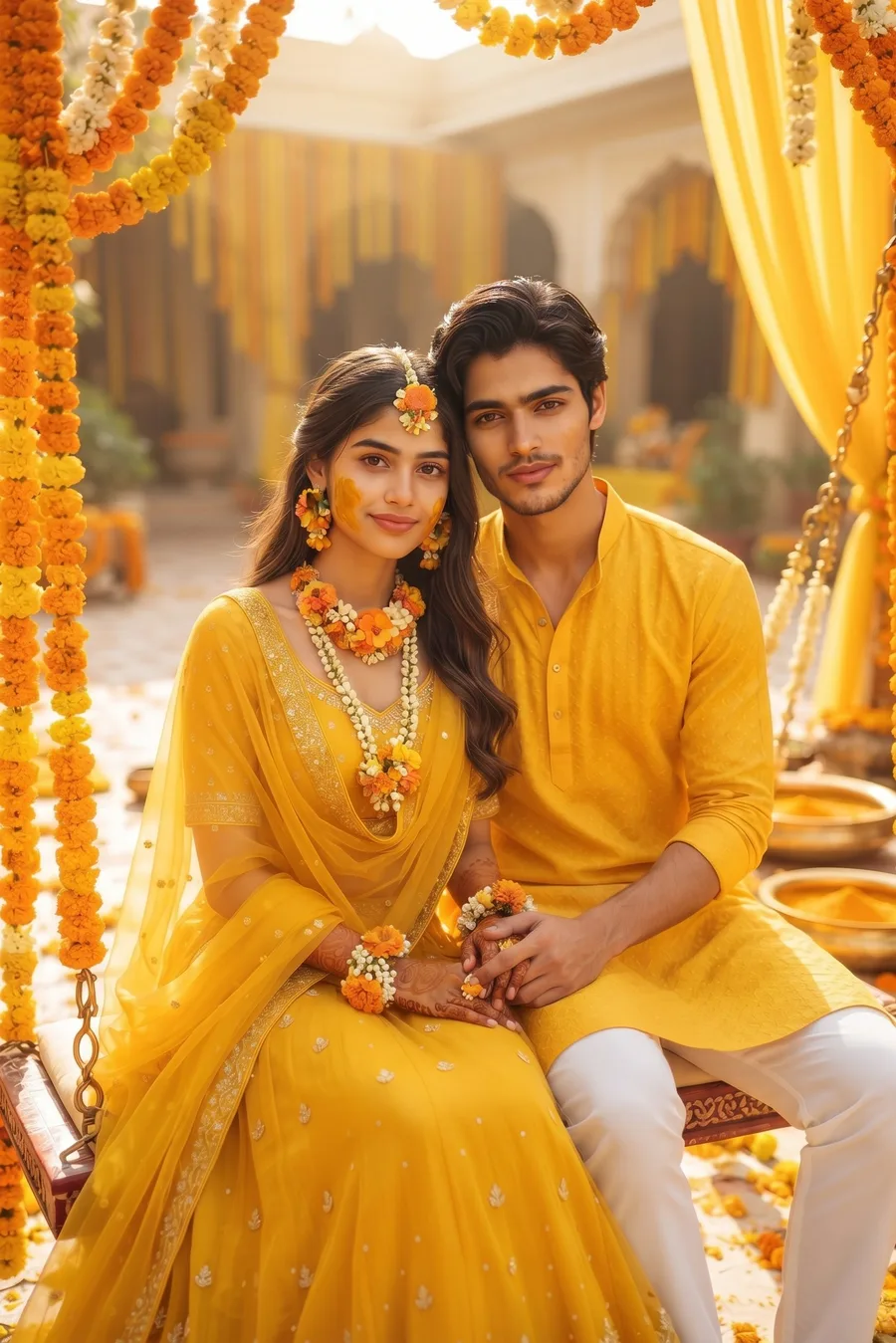
Transform our photo into a bright Haldi ceremony portrait. FACE LOCK: keep both of our faces 100% identical to the uploaded photo. Same face, same face shape, same eyes, eyebrows, nose and lips, same skin tone and same hairstyle for both of us. Do not beautify, slim, reshape or replace either face, and do not change who we are. Only our outfits, jewellery and the background change. The bride wears a yellow lehenga with a floral jewellery set made of marigold and white flowers, modest design, dupatta draped neatly, a little turmeric paste on her cheeks. The groom wears a yellow kurta with a white pajama. We sit close together on a decorated swing, soft smiles, looking at the camera. Background: a sunny courtyard decorated with marigold garlands, yellow drapes and brass bowls of turmeric, softly blurred. Only the two of us in the photo, no other people, no extra faces. No face change, no laughing, no cartoon look, sharp and clear like a real wedding photograph.
Gemini AI Prompt
Mehndi Look
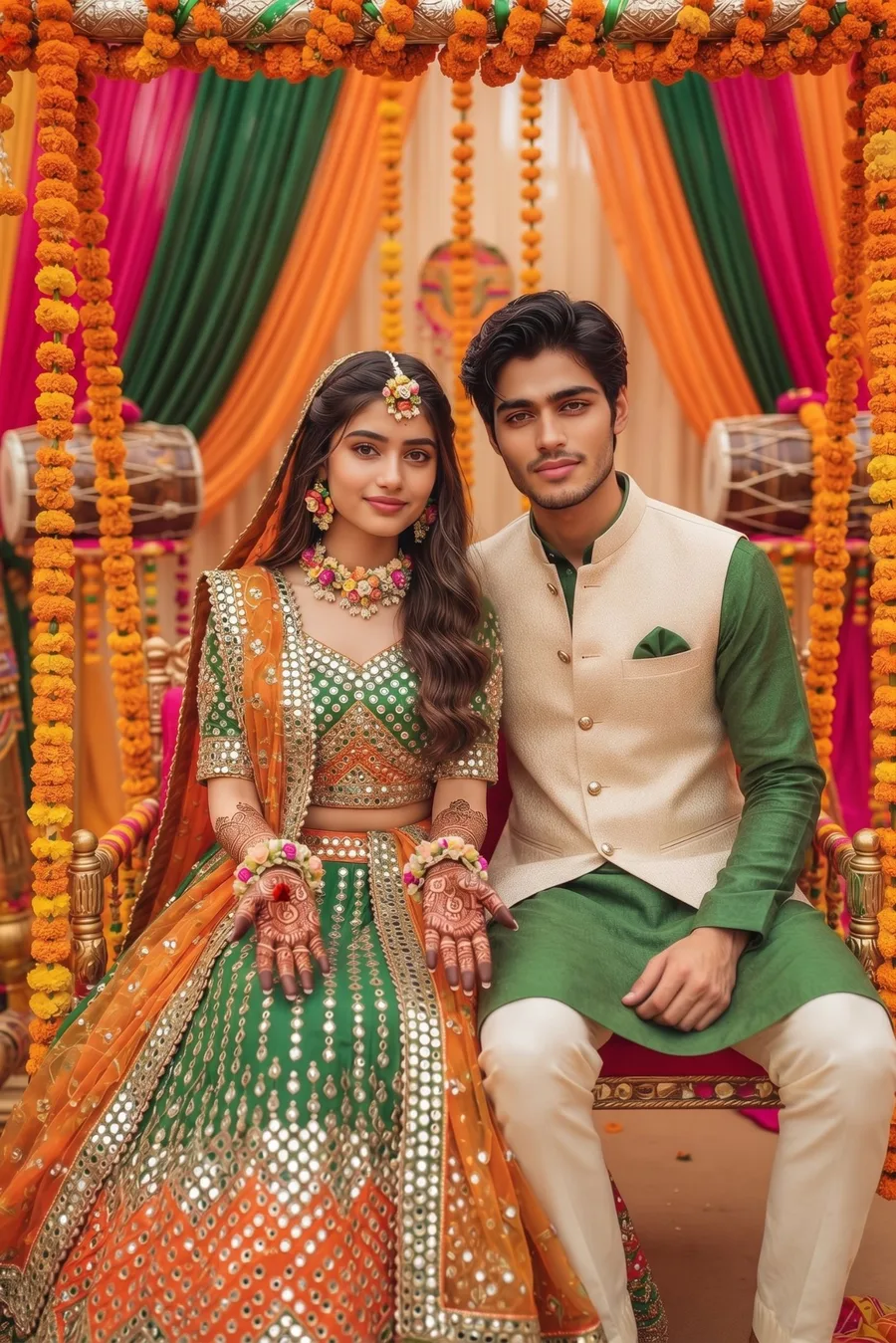
Transform our photo into a colourful Mehndi ceremony portrait. FACE LOCK: keep both of our faces 100% identical to the uploaded photo. Same face, same face shape, same eyes, eyebrows, nose and lips, same skin tone and same hairstyle for both of us. Do not beautify, slim, reshape or replace either face, and do not change who we are. Only our outfits, jewellery and the background change. The bride wears a green and orange lehenga with mirror work, modest full coverage, floral jewellery, and beautiful henna designs on her hands. The groom wears a green kurta with a cream Nehru jacket. We sit together on a decorated jhula swing, the bride showing her henna hands gently, soft smiles, looking at the camera. Background: a festive mehndi setup with colorful drapes, marigold strings and dholki drums placed as decoration, softly blurred. Only the two of us in the photo, no other people, no extra faces. No face change, no laughing, no cartoon look, sharp and clear like a real wedding photograph.
Gemini AI Prompt
Royal Palace Wedding
Transform our photo into a royal palace wedding portrait. FACE LOCK: keep both of our faces 100% identical to the uploaded photo. Same face, same face shape, same eyes, eyebrows, nose and lips, same skin tone and same hairstyle for both of us. Do not beautify, slim, reshape or replace either face, and do not change who we are. Only our outfits, jewellery and the background change. The bride wears a deep maroon velvet lehenga with heavy gold zardozi embroidery, modest full coverage, traditional gold jewellery and a dupatta over her head. The groom wears a maroon and gold sherwani with a matching turban and a sword style brooch. We stand together on palace steps like royalty, soft smiles, looking at the camera. Background: a grand palace staircase with carved pillars, warm lamps and red rose petals on the steps, softly blurred. Only the two of us in the photo, no other people, no extra faces. No face change, no laughing, no cartoon look, sharp and clear like a real wedding photograph.
More Wedding Looks to Try
Gemini AI Prompt
Garden Daylight Wedding
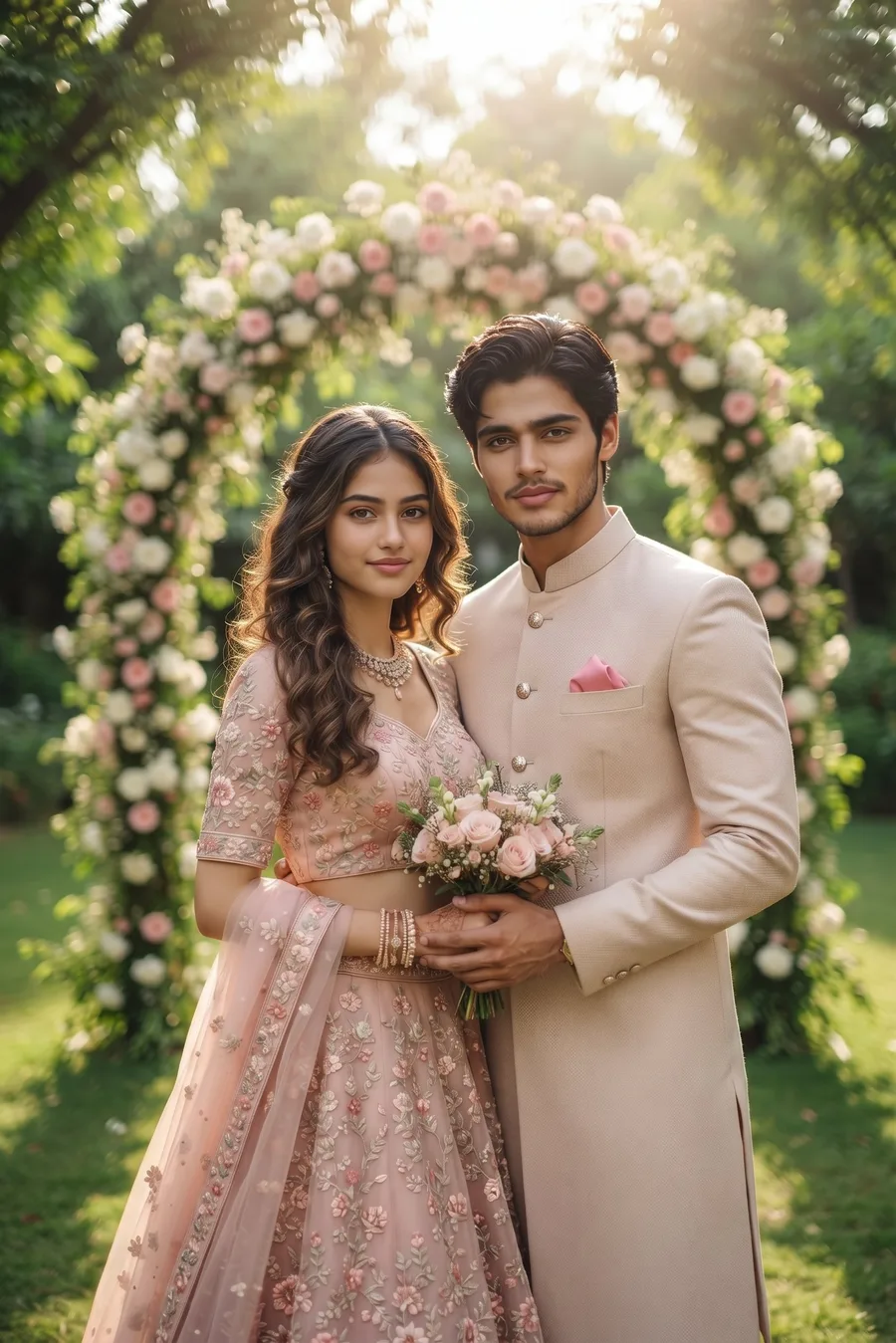
Transform our photo into a fresh garden wedding portrait. FACE LOCK: keep both of our faces 100% identical to the uploaded photo. Same face, same face shape, same eyes, eyebrows, nose and lips, same skin tone and same hairstyle for both of us. Do not beautify, slim, reshape or replace either face, and do not change who we are. Only our outfits, jewellery and the background change. The bride wears a blush pink lehenga with floral embroidery, modest design, light jewellery and loose soft curls. The groom wears a light beige sherwani with a pink pocket square. We stand under a floral arch holding a small bouquet together, soft smiles, looking at the camera. Background: a green garden with a white and pink floral arch, morning sunlight through trees, softly blurred. Only the two of us in the photo, no other people, no extra faces. No face change, no laughing, no cartoon look, sharp and clear like a real wedding photograph.
Gemini AI Prompt
Evening Reception Fairy Lights
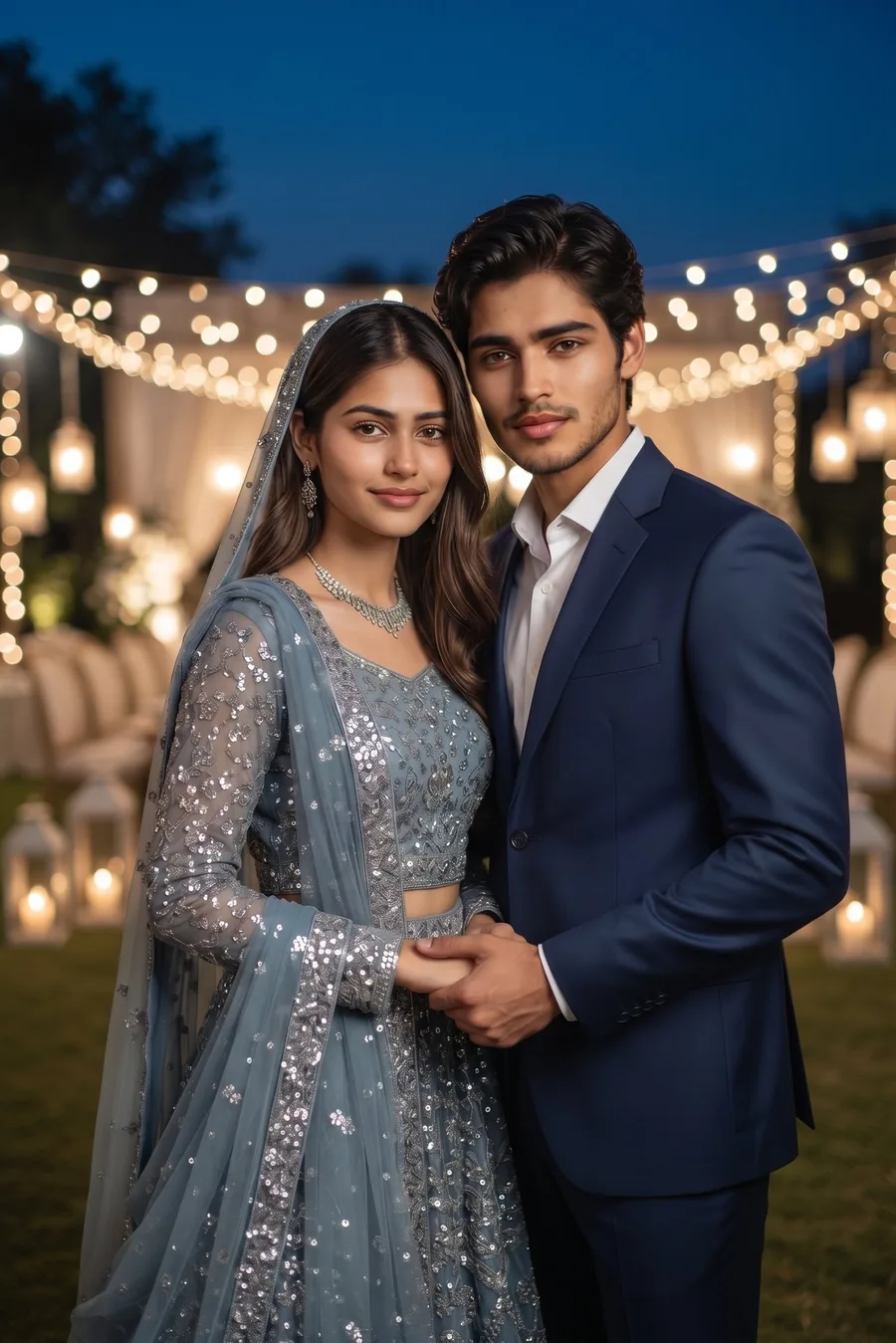
Transform our photo into a dreamy evening reception portrait. FACE LOCK: keep both of our faces 100% identical to the uploaded photo. Same face, same face shape, same eyes, eyebrows, nose and lips, same skin tone and same hairstyle for both of us. Do not beautify, slim, reshape or replace either face, and do not change who we are. Only our outfits, jewellery and the background change. The bride wears a dusty blue bridal outfit with silver sequin embroidery, modest full coverage, with a matching dupatta and silver jewellery. The groom wears a navy blue suit with a white shirt. We stand close together holding hands, soft smiles, looking at the camera. Background: an evening reception lawn covered in warm fairy light strings and soft glowing lamps, dark blue evening sky, softly blurred. Only the two of us in the photo, no other people, no extra faces. No face change, no laughing, no cartoon look, sharp and clear like a real wedding photograph.
Gemini AI Prompt
Traditional Mandap Look
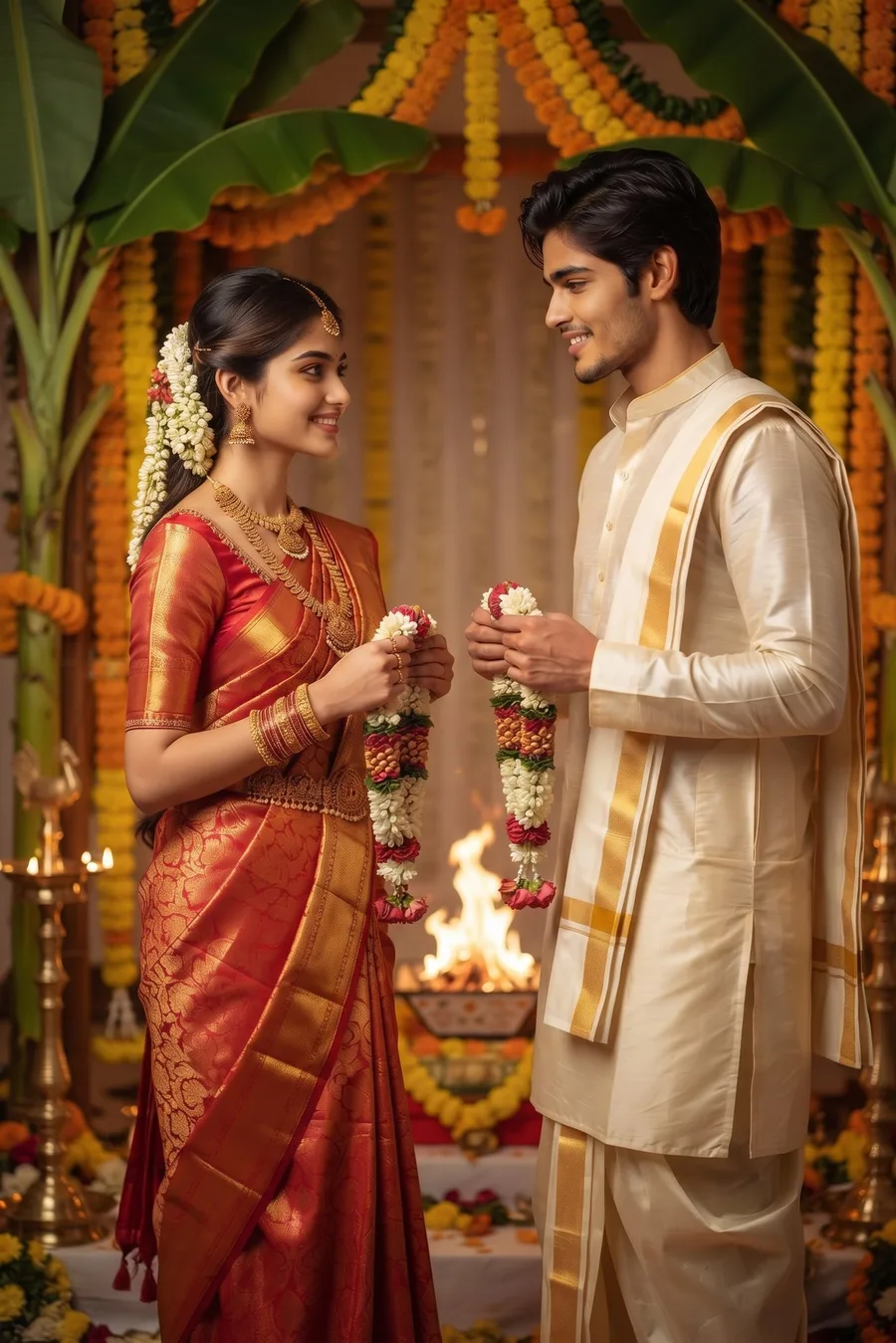
Transform our photo into a traditional wedding mandap portrait. FACE LOCK: keep both of our faces 100% identical to the uploaded photo. Same face, same face shape, same eyes, eyebrows, nose and lips, same skin tone and same hairstyle for both of us. Do not beautify, slim, reshape or replace either face, and do not change who we are. Only our outfits, jewellery and the background change. The bride wears a red and gold silk saree in bridal style with a modest blouse, gold temple jewellery and jasmine flowers in her hair, holding a small flower garland. The groom wears a cream silk kurta with a gold border dhoti style outfit and an angavastram over his shoulder, holding a matching garland. We stand facing each other slightly, about to exchange garlands, soft smiles. Background: a decorated mandap with banana stems, marigold garlands, brass lamps and a soft sacred fire glow in a decorated container, softly blurred. Only the two of us in the photo, no other people, no extra faces. No face change, no laughing, no cartoon look, sharp and clear like a real wedding photograph.
Gemini AI Prompt
White Wedding Look
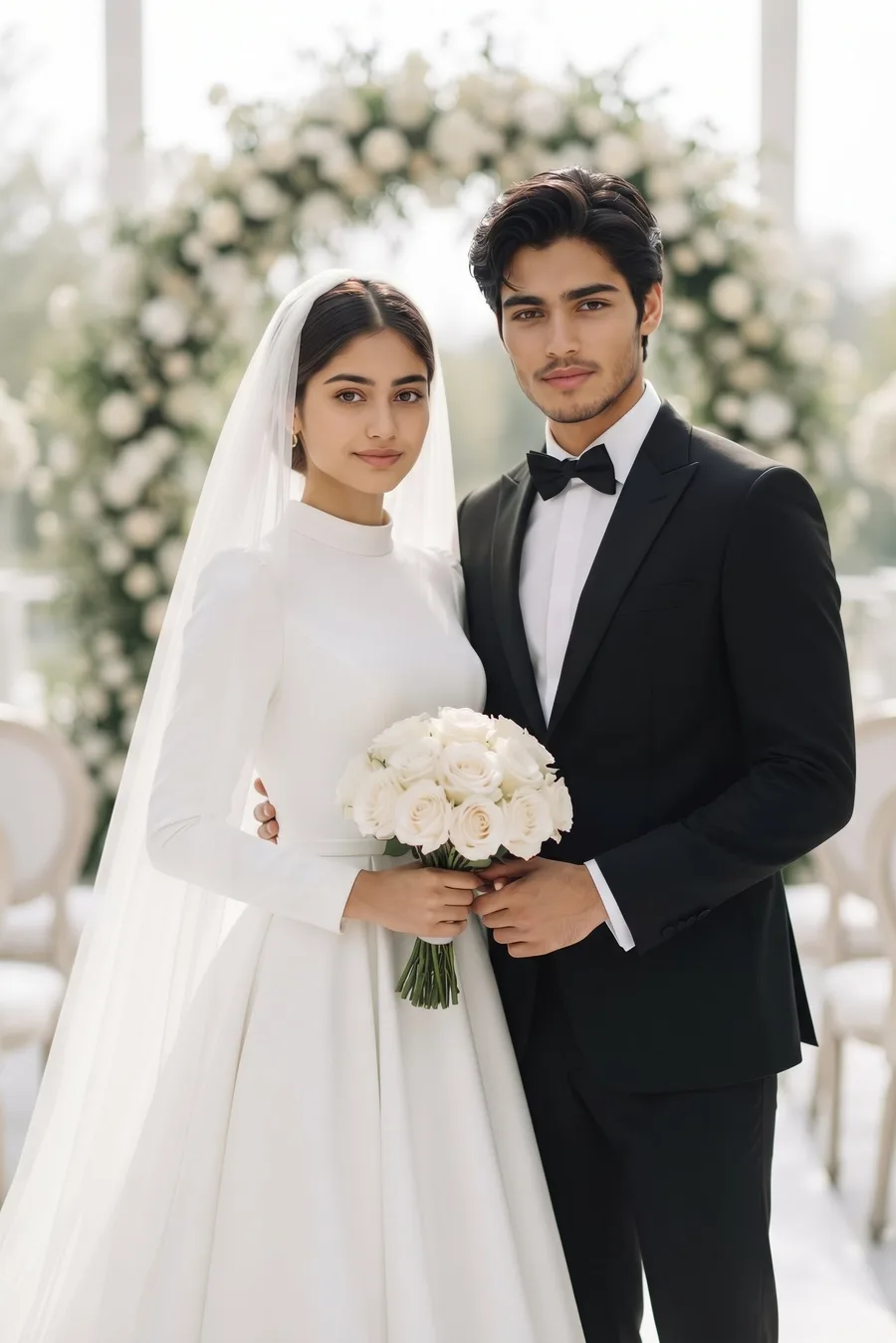
Transform our photo into a classic white wedding portrait. FACE LOCK: keep both of our faces 100% identical to the uploaded photo. Same face, same face shape, same eyes, eyebrows, nose and lips, same skin tone and same hairstyle for both of us. Do not beautify, slim, reshape or replace either face, and do not change who we are. Only our outfits, jewellery and the background change. The bride wears an elegant white wedding gown with a modest high neckline and full sleeves, a long soft veil, holding a bouquet of white roses. The groom wears a black tuxedo suit with a white shirt and a black bow tie. We stand together in front of a floral arch, holding hands, soft smiles, looking at the camera. Background: a bright wedding venue with white flowers, soft daylight and elegant white chairs as decoration, softly blurred. Only the two of us in the photo, no other people, no extra faces. No face change, no laughing, no cartoon look, sharp and clear like a real wedding photograph.
Gemini AI Prompt
Golden Hour Pre-Wedding Look
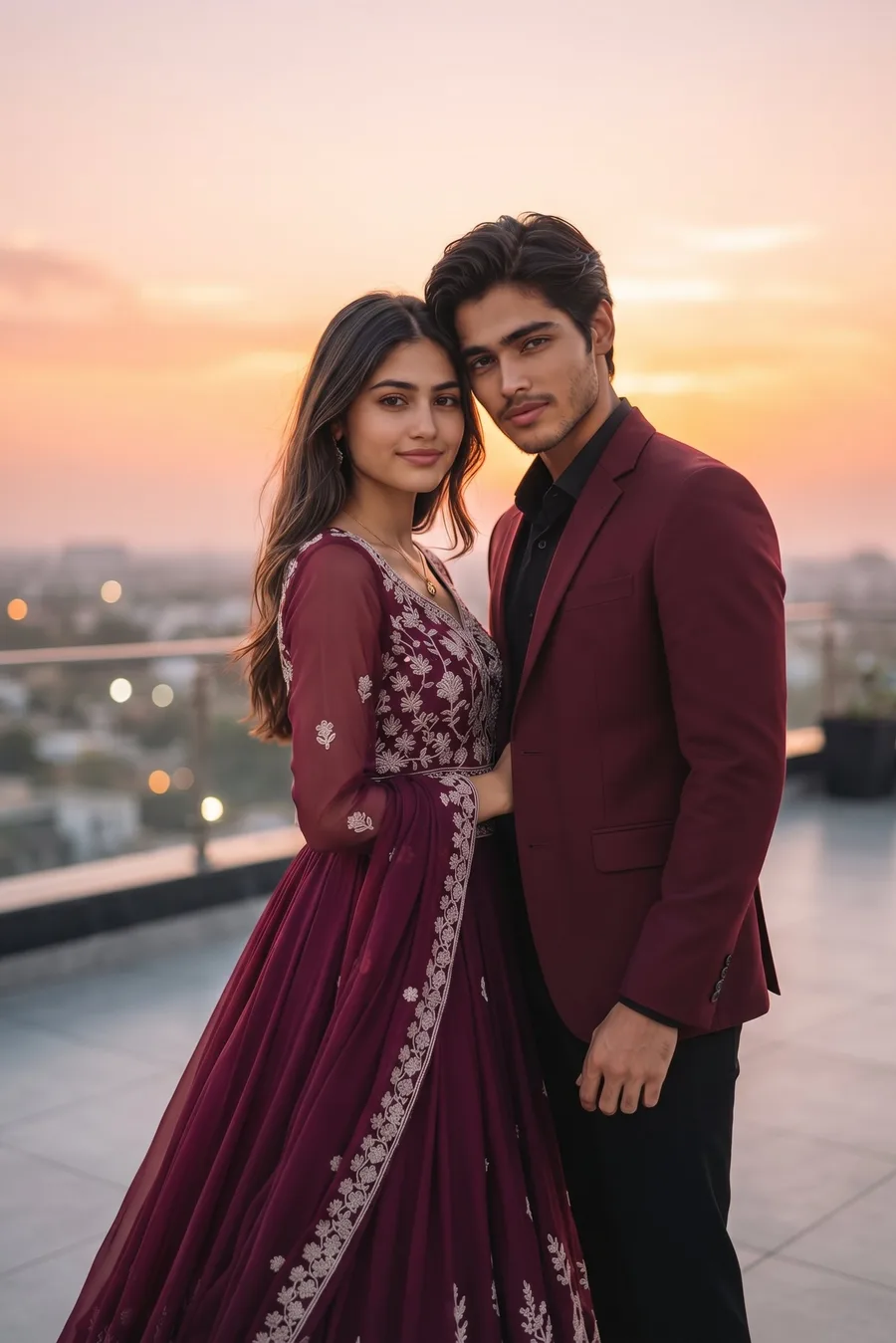
Transform our photo into a golden hour pre-wedding shoot portrait. FACE LOCK: keep both of our faces 100% identical to the uploaded photo. Same face, same face shape, same eyes, eyebrows, nose and lips, same skin tone and same hairstyle for both of us. Do not beautify, slim, reshape or replace either face, and do not change who we are. Only our outfits, jewellery and the background change. The bride wears a flowing wine coloured gown style lehenga with light embroidery, modest design, soft open hair. The groom wears a maroon blazer with a black shirt and trousers. We stand close on a terrace at sunset, foreheads gently touching, soft smiles, eyes toward the camera. Background: a rooftop terrace with a sunset sky in orange and pink, city lights starting to glow below, softly blurred. Only the two of us in the photo, no other people, no extra faces. No face change, no laughing, no cartoon look, sharp and clear like a real wedding photograph.
Gemini AI Prompt
Wedding Close Portrait for DP
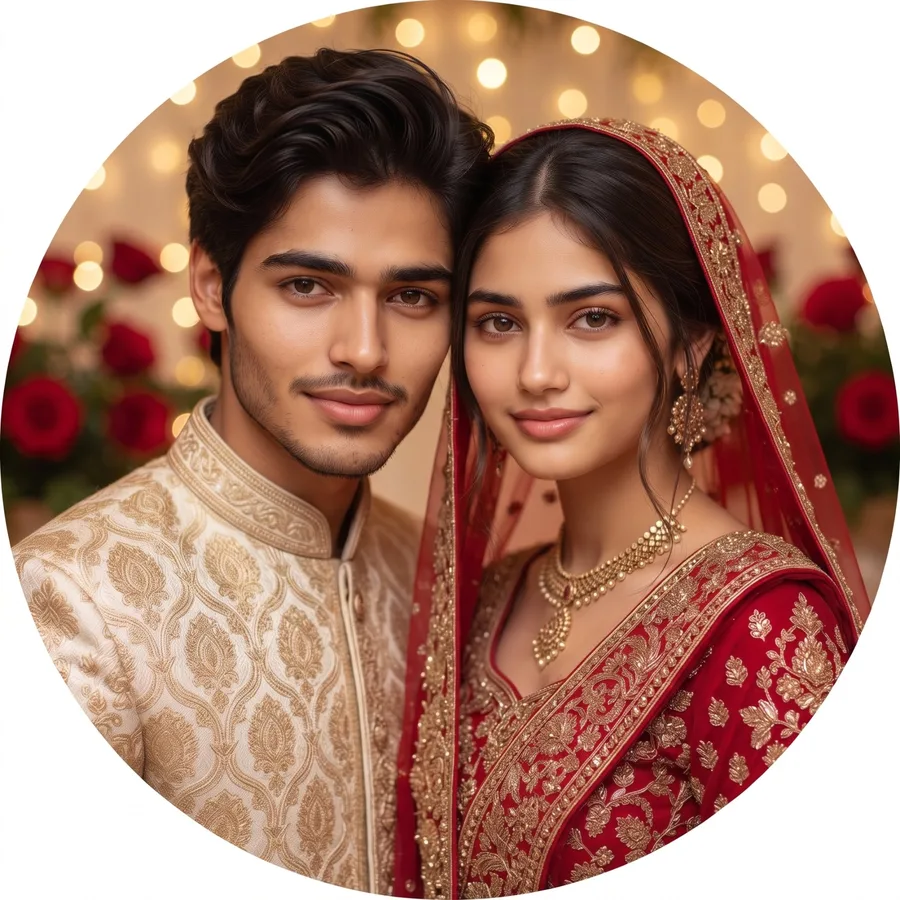
Transform our photo into a close wedding portrait perfect for a profile picture. FACE LOCK: keep both of our faces 100% identical to the uploaded photo. Same face, same face shape, same eyes, eyebrows, nose and lips, same skin tone and same hairstyle for both of us. Do not beautify, slim, reshape or replace either face, and do not change who we are. Only our outfits, jewellery and the background change. The bride wears a red bridal lehenga with gold embroidery, modest full coverage, gold jewellery and a dupatta over her head. The groom wears a cream and gold sherwani. Frame us from the chest up, faces close together in the center of the frame, safe for a round DP crop, soft smiles, looking at the camera. Background: soft golden wedding lights and blurred red roses. Only the two of us in the photo, no other people, no extra faces. No face change, no laughing, no cartoon look, sharp and clear like a real wedding photograph.
How to Use a Wedding Couple Photo Prompt
Pick a look above and tap its Copy Prompt button.
Open the Gemini app or the Gemini website and tap Create Image.
Upload a clear couple photo where both faces are big and front facing.
Paste the prompt with your photo, send, and download your wedding portrait.
Use a clear couple photo where both faces are large in the frame. Small or side faces are the main reason Gemini changes a face.
If a face shifts slightly in the first result, generate once more. The second result is usually exact, because the face lock line is already in every prompt.
One look per generation works best. Do not mix two looks in a single prompt.
Save the DP look (Prompt 12) for your WhatsApp and Instagram profile after the wedding.
FAQs
Will Gemini change our faces in a wedding photo?
Not with these prompts. Every prompt opens with a face lock that tells Gemini to keep both faces 100% identical and change only the outfits and background. If a face still shifts in any other edit, follow our Gemini face fix guide.
Which wedding couple prompt should I try first?
Start with the Classic Red Bridal look for the full wedding feel, the Nikah look for a soft graceful portrait, and the Golden Hour look if you want a pre-wedding shoot style photo for social media.
Can I use these prompts for engagement photos?
Yes. The Walima, Garden and Golden Hour looks work beautifully as engagement and save the date photos too. For everyday romantic photos, you will also love these romantic couple photo prompts and these floral couple photo prompts.
Do these wedding prompts work on a phone photo?
Yes, a normal phone photo is enough. Just make sure both faces are clear, well lit and not covered by hair, hands or sunglasses.
Conclusion
One couple photo is all you need for a full wedding album of looks. Pick your favourite prompt above, keep your faces exactly yours, and share the results everywhere. For more free copy paste prompts, keep exploring ImagePromptLab.
Newly married and your first Karwa Chauth is coming up? These Karwa Chauth couple looks were made for exactly that day.