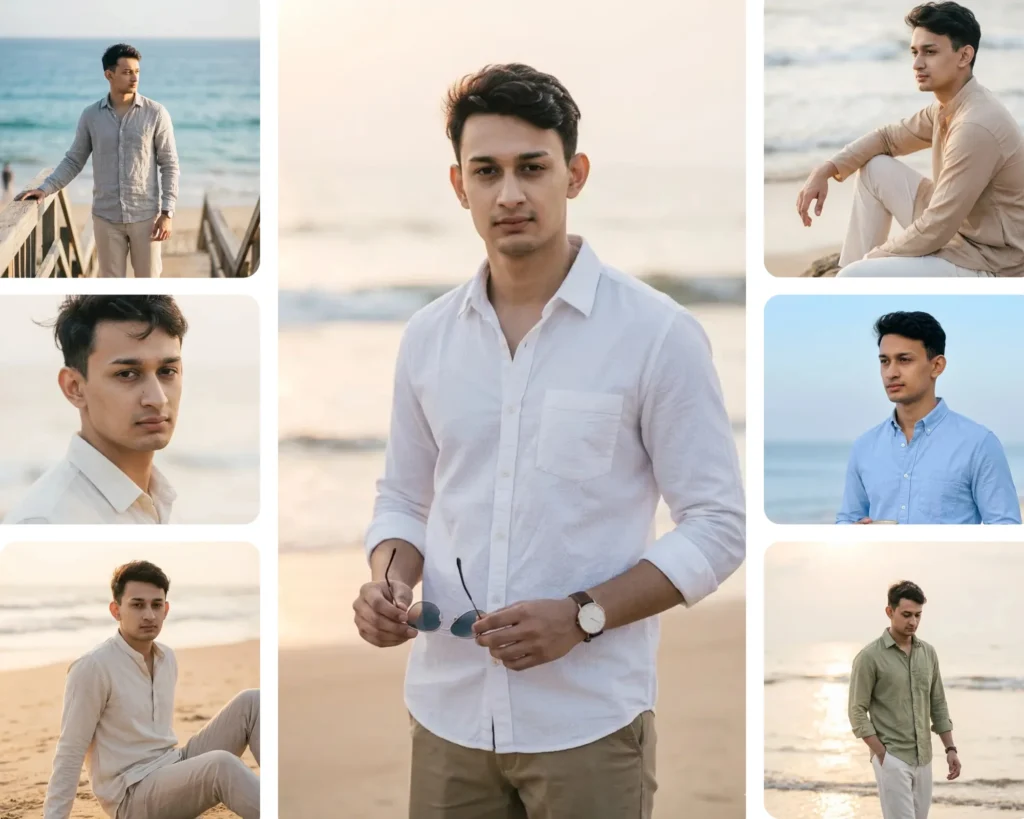
If you have been looking for the perfect way to turn a simple selfie into a cinematic beach portrait, these Gemini AI boys beach prompts are exactly what you need. No photographer, no travel, no expensive shoot. Just your photo, a prompt, and Gemini AI doing the heavy lifting. This prompt pack includes 10 carefully written beach photo styles, from golden hour walking shots to close-up wind portraits, all designed to look naturally human-taken and aesthetically clean. Whether you want a moody side profile by the ocean or a casual coffee-in-hand morning shot, there is a prompt here for you. These prompts work best for boys and young men looking to create lifestyle content, update their social media, or simply explore what AI-generated photography can look like.
Gemini AI Prompt
Walking Near Waves — Natural Back Pose
Use the uploaded portrait only as an identity reference. The final boy must look like the same real person.
Show the boy walking slowly near the shoreline, with his back mostly toward the camera and his face slightly turned to the side. The pose should feel candid, relaxed, and naturally clicked.
Dress him in a clean white linen shirt, full sleeves slightly rolled, paired with beige relaxed trousers and simple sandals or barefoot beach styling. Keep the look modern, stylish, modest, and Pinterest-inspired.
Use golden hour sunset light, soft waves, wet sand reflections, and a calm ocean background.
Camera angle: full-body eye-level back-side shot.
Camera: Sony A7IV, 50mm lens, natural depth of field, realistic colors, no over-editing.
Negative: no text, no watermark, no logo, no distorted face, no extra limbs, no artificial body shape, no outfit inconsistency.
Make the final image look naturally human-taken, candid, realistic, simple, softly aesthetic, and not overly edited or artificial. Preserve the same face identity exactly.
Gemini AI Prompt
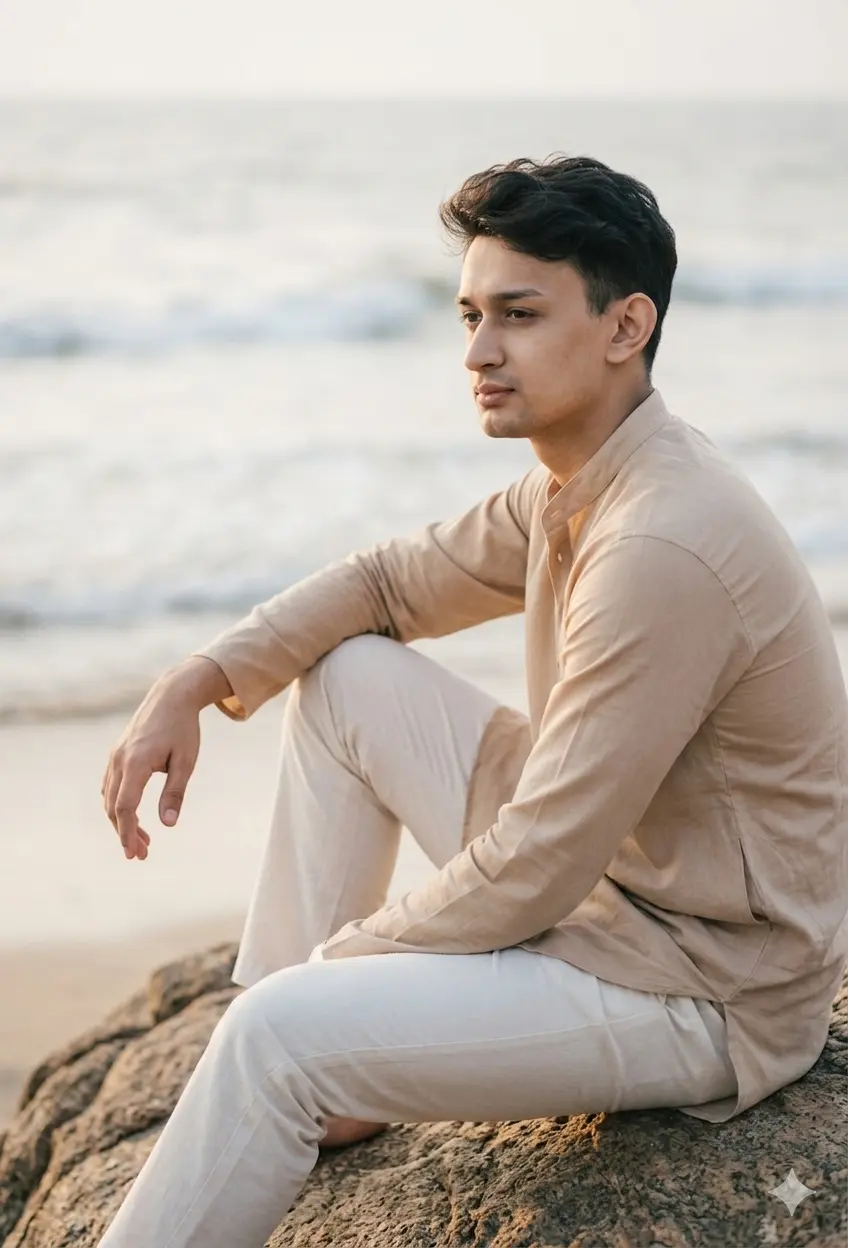
Sitting on Rock — Calm Masculine Beach Portrait
Transform the uploaded boy portrait into a natural beach lifestyle photo, preserving the exact facial identity, hairstyle, skin tone, expression, and realistic details.
Show the boy sitting naturally on a beach rock, one arm resting on his knee, looking toward the ocean with a calm thoughtful expression. The photo should feel like a real candid portrait.
Dress him in a soft beige kurta-style shirt with full sleeves and straight off-white trousers. Keep the styling clean, modern, minimal, and softly South Asian / Indian-inspired.
Use late afternoon soft light, gentle ocean blur, and natural shadows.
Camera angle: mid-distance side-front angle.
Camera: Canon EOS R6, 85mm lens, soft background blur, realistic skin texture.
Negative: no heavy editing, no dramatic pose, no fake muscles, no distorted face, no watermark.
Make the final image look naturally human-taken, candid, realistic, simple, softly aesthetic, and not overly edited or artificial. Preserve the same face identity exactly.
Gemini AI Prompt
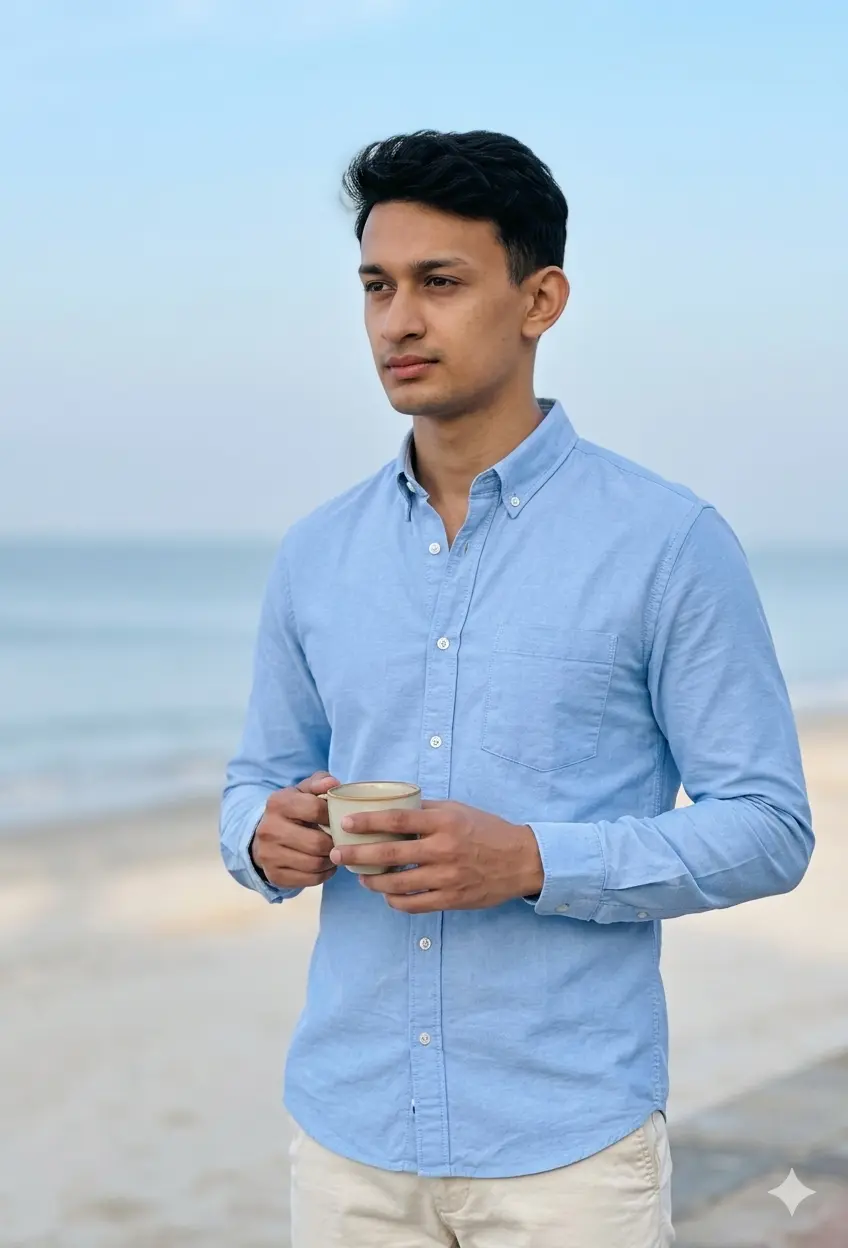
Coffee Cup Beach Morning — Simple Candid Shot
Transform the uploaded boy portrait into a simple natural beach morning portrait, preserving the exact face identity, hairstyle, skin tone, and natural expression.
Show the boy standing near the beach holding a coffee cup, looking slightly away from the camera. The moment should feel casual, peaceful, and human-taken.
Dress him in a light blue cotton shirt, full sleeves, paired with cream chinos and minimal styling. Keep the look clean, modern, Pinterest-style, and natural.
Use soft morning light, pale blue sky, calm sea, and light sand background.
Camera angle: waist-up eye-level portrait, slightly side-front.
Camera: iPhone 15 Pro portrait mode, realistic depth blur, natural colors.
Negative: no text, no logo, no artificial glow, no changed face, no extra fingers.
Make the final image look naturally human-taken, candid, realistic, simple, softly aesthetic, and not overly edited or artificial. Preserve the same face identity exactly.
Gemini AI Prompt
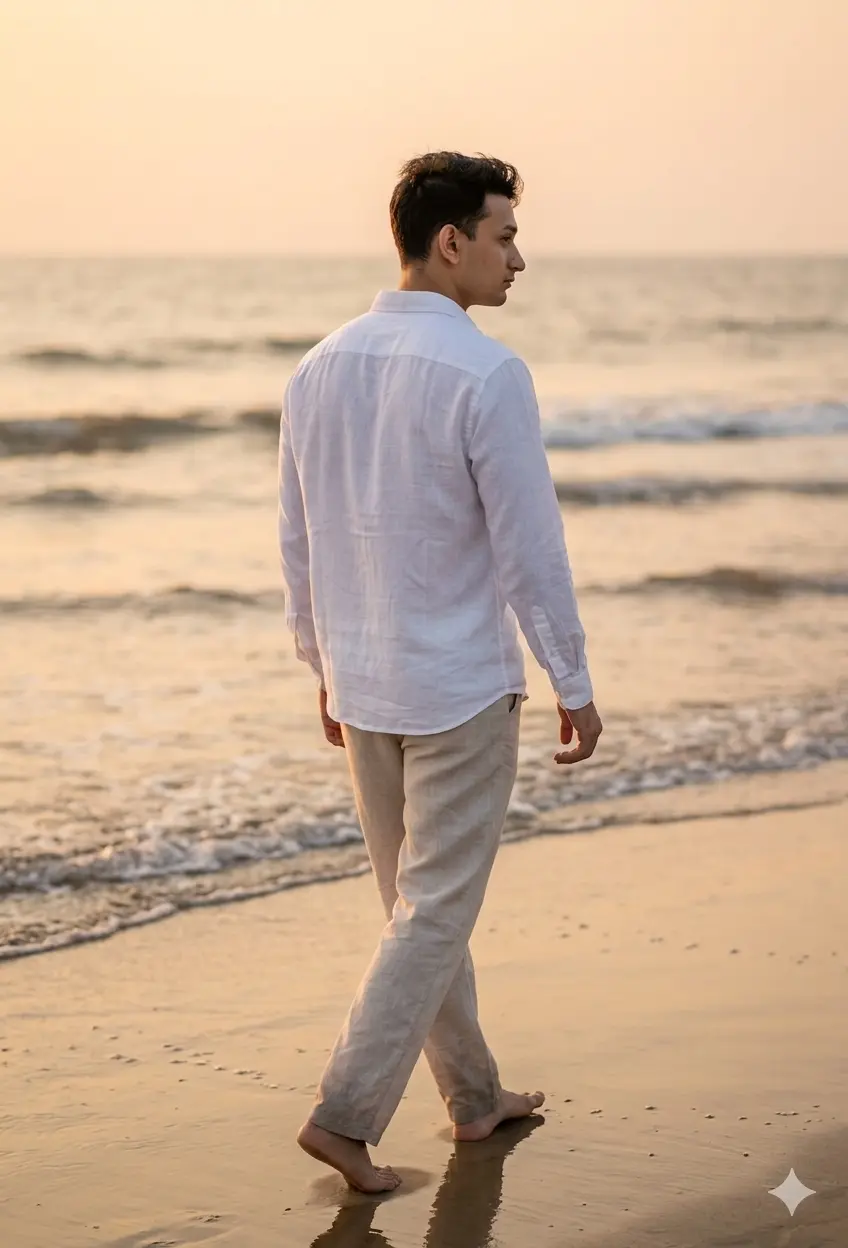
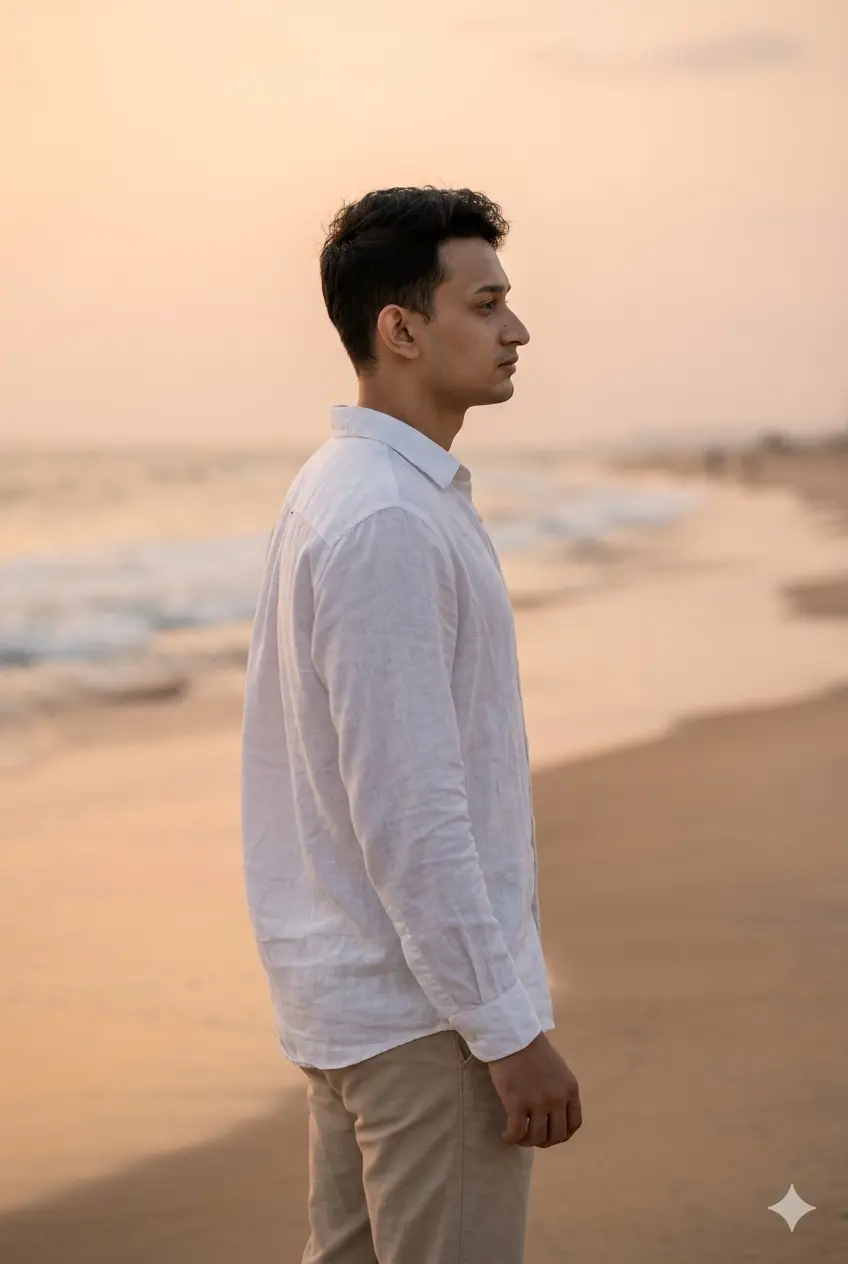
Peaceful Side Profile
Transform the uploaded boy portrait into a portrait-size beach side-profile photo, preserving the exact facial identity, skin tone, hairstyle, expression, and realistic human details.
Show the boy standing near the shoreline and looking at the ocean, not directly at the camera. Keep the pose calm, masculine, simple, and naturally captured.
Dress him in a white full-sleeve linen shirt with sand-colored trousers. The shirt can be slightly loose for a relaxed beach look. Keep styling minimal and classy.
Use soft evening light, warm sky tones, and a clean beach background.
Camera angle: side-profile mid to full-body shot.
Camera: Sony A7C, 85mm lens, sharp subject, softly blurred background.
Negative: no over-styled pose, no sunglasses covering identity, no text, no watermark, no face distortion.
Make the final image look naturally human-taken, candid, realistic, simple, softly aesthetic, and not overly edited or artificial. Preserve the same face identity exactly.
Gemini AI Prompt
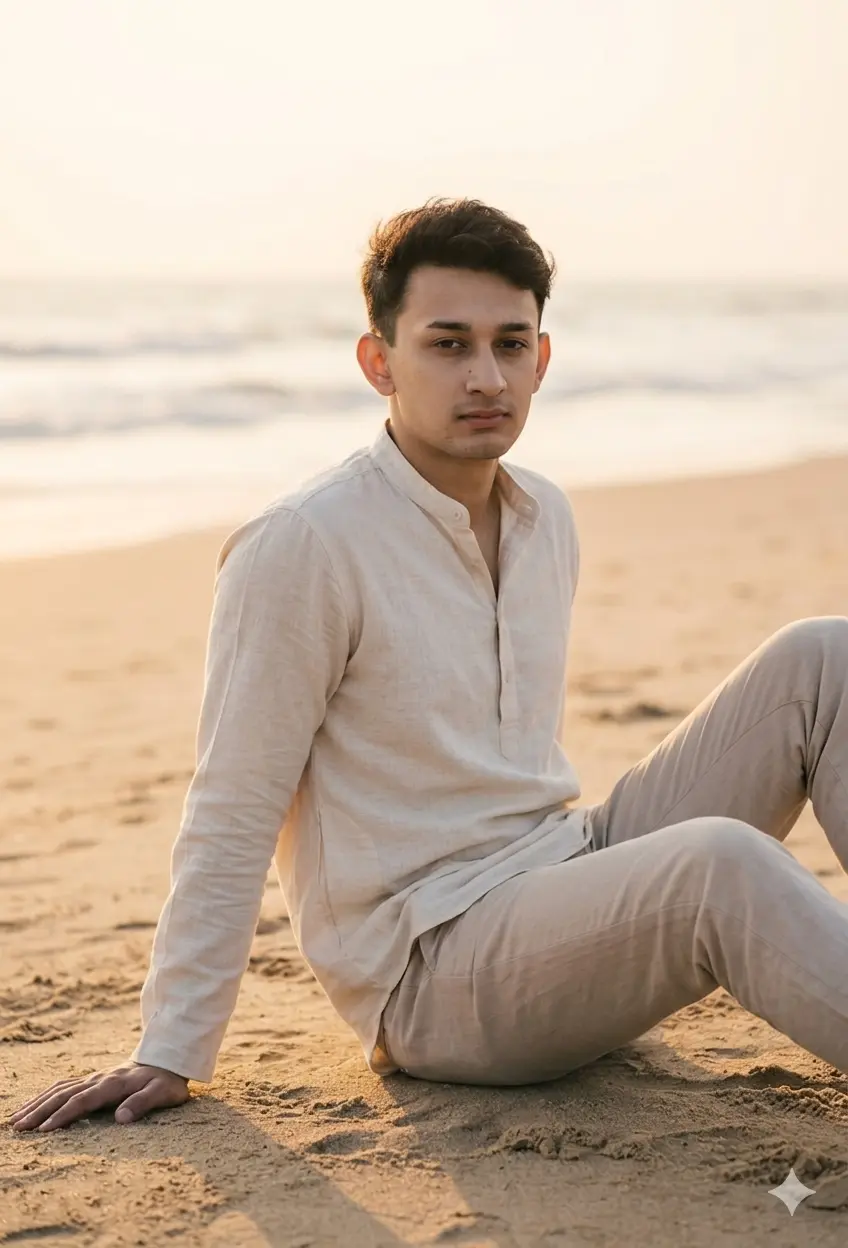
Sitting on Sand — Relaxed Human-Taken Portrait
Transform the uploaded boy portrait into a natural beach sitting portrait, preserving the exact identity, hairstyle, skin tone, and realistic facial details.
Show the boy sitting on the sand, knees slightly bent, one hand resting on the sand, looking relaxed and natural. The photo should feel like a real casual beach moment.
Dress him in a cream casual kurta shirt with full sleeves and light beige trousers. Keep the outfit simple, modest, modern, and softly ethnic.
Use warm sunset lighting, soft shadows, and blurred ocean in the background.
Camera angle: eye-level mid shot, natural framing.
Camera: Fujifilm X-T5, 56mm lens, natural colors, soft depth.
Negative: no fake pose, no heavy filter, no logo, no distorted anatomy.
Make the final image look naturally human-taken, candid, realistic, simple, softly aesthetic, and not overly edited or artificial. Preserve the same face identity exactly.
Gemini AI Prompt
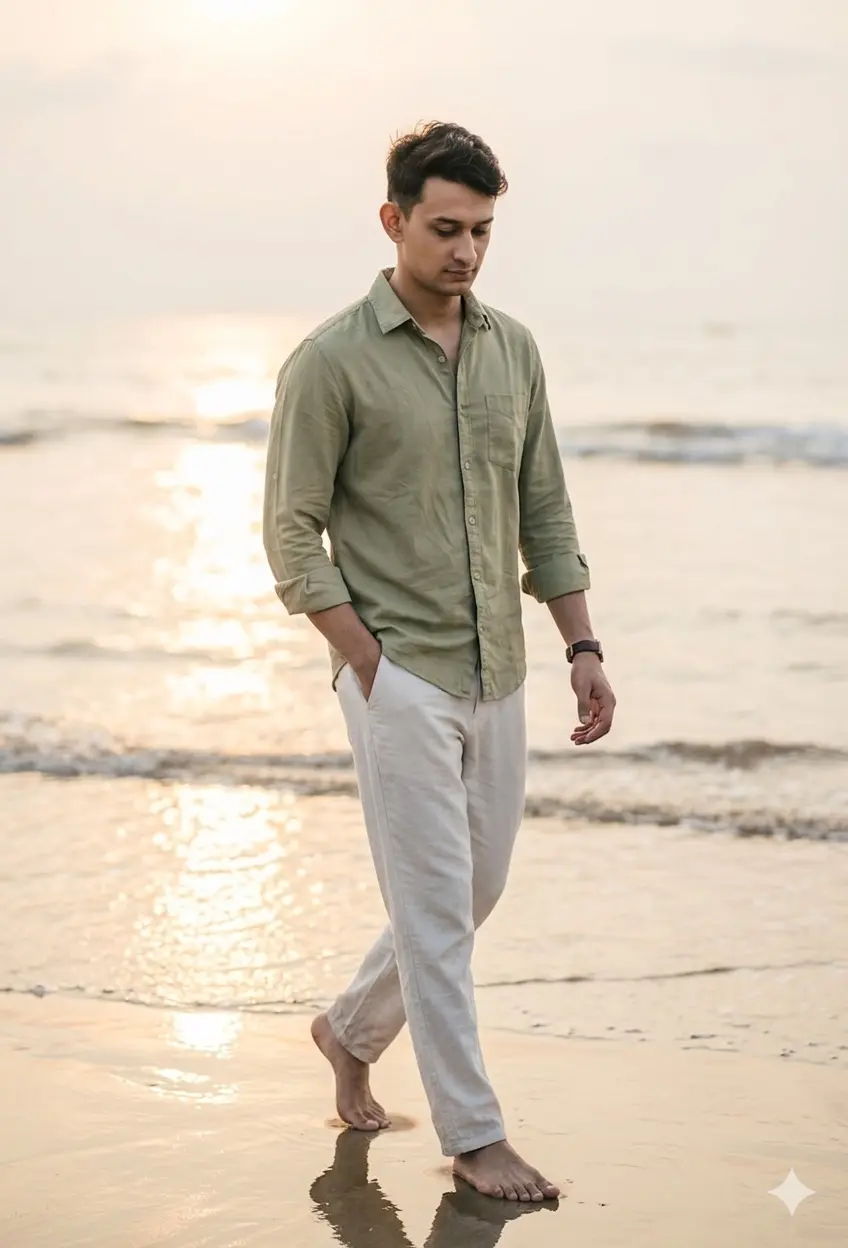
Walking Barefoot — Candid Beach Lifestyle
Transform the uploaded boy portrait into a natural full-body beach walking photo, preserving the exact face identity, hairstyle, skin tone, expression, and realistic human features.
Show the boy walking barefoot on wet sand, looking slightly down with a relaxed expression. One hand can be in pocket, the other relaxed by his side. The pose should feel candid and effortless.
Dress him in a light olive casual shirt, full sleeves rolled neatly, with off-white relaxed trousers. Keep styling modern, clean, simple, and Pinterest aesthetic.
Use golden hour sunlight reflecting on the water and sand.
Camera angle: full-body slight side-front angle.
Camera: Sony A7III, 50mm lens, realistic beach tones, soft background blur.
Negative: no text, no watermark, no unnatural face, no extra limbs, no over-edited body.
Make the final image look naturally human-taken, candid, realistic, simple, softly aesthetic, and not overly edited or artificial. Preserve the same face identity exactly.
Gemini AI Prompt
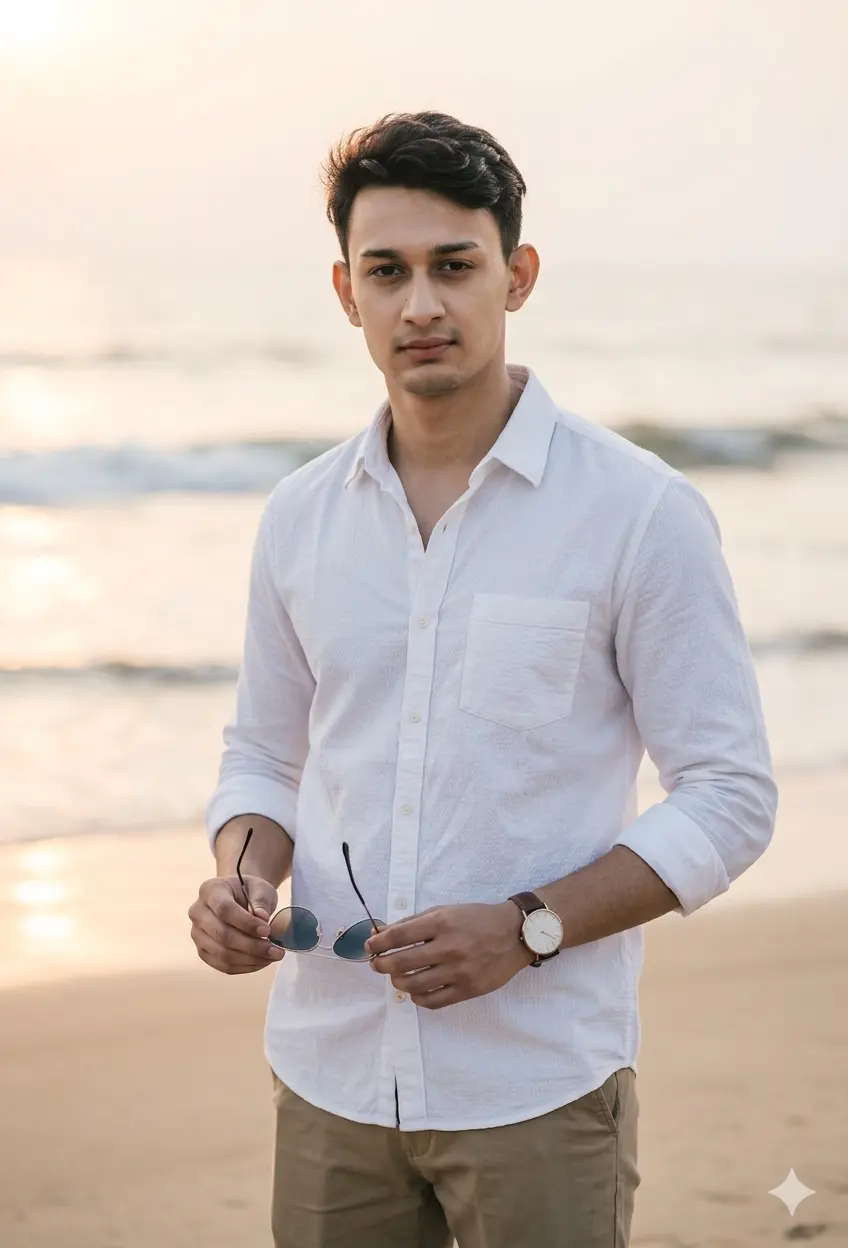
Holding Sunglasses — Modern Pinterest Look
Transform the uploaded boy portrait into a modern natural beach portrait, preserving the exact facial identity, hairstyle, skin tone, expression, and realistic features.
Show the boy holding sunglasses in one hand, standing near the beach with a relaxed posture. He should not wear sunglasses on his face, so identity remains clear. His expression should be calm and confident.
Dress him in a white textured cotton shirt, full sleeves, paired with khaki trousers. Keep the look simple, masculine, clean, and Pinterest-style.
Use soft sunset glow, warm highlights, and beach background with gentle blur.
Camera angle: knee-up eye-level portrait, slight front-side angle.
Camera: Sony A7IV, 85mm lens, crisp face, soft background.
Negative: no sunglasses covering eyes, no fake face, no watermark, no text, no over-glam look.
Make the final image look naturally human-taken, candid, realistic, simple, softly aesthetic, and not overly edited or artificial. Preserve the same face identity exactly.
Gemini AI Prompt
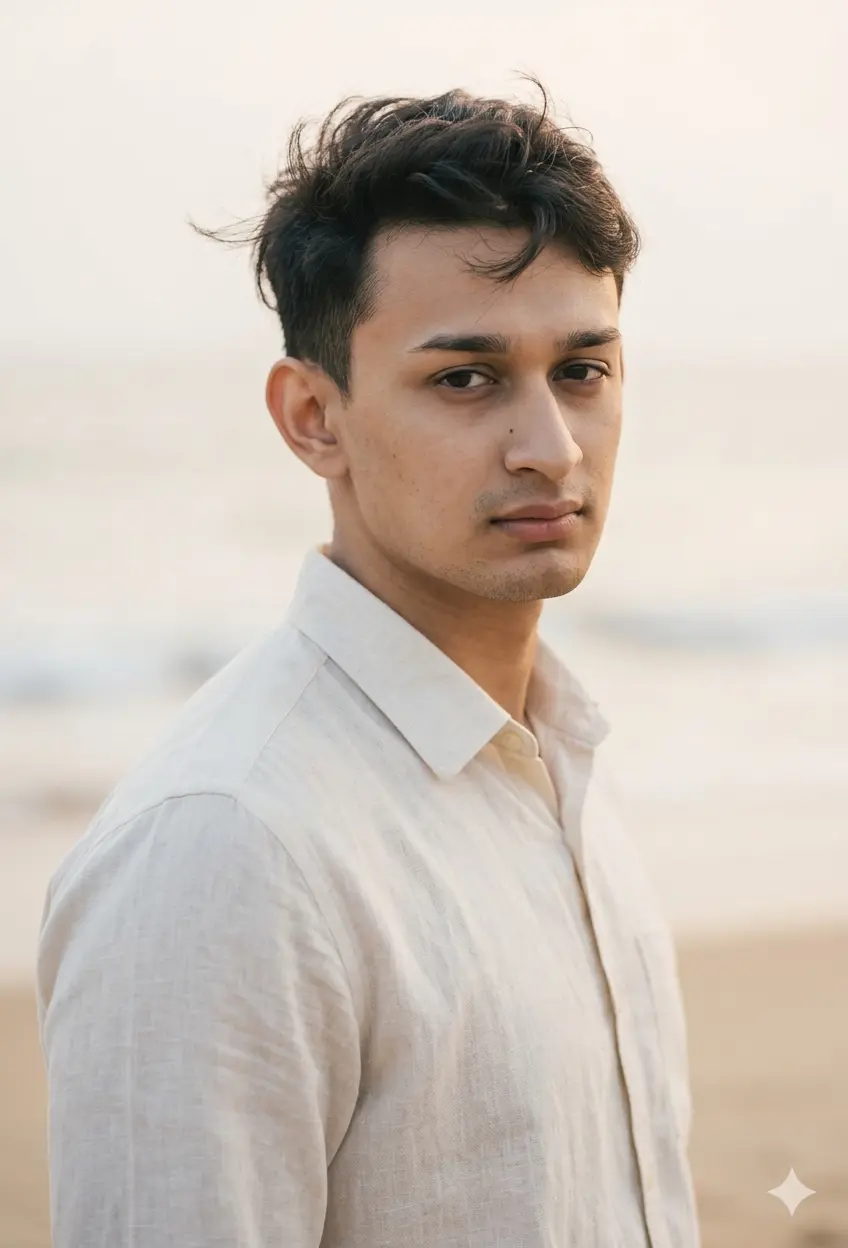
Close-Up Wind Portrait — Clean Masculine Look
Transform the uploaded boy portrait into a natural close-up beach portrait, preserving the exact facial identity, hairstyle, skin tone, expression, and realistic details.
Show the boy in a clean close-up portrait, facing slightly toward the camera, with a soft natural expression. Hair should move slightly in the beach breeze. Keep the background simple and blurred.
Dress him in a cream linen shirt with full sleeves and clean collar. Keep the look minimal, stylish, and natural.
Use soft diffused beach light, natural skin texture, and subtle warm tones.
Camera angle: close-up eye-level three-quarter angle.
Camera: Canon EOS R6, 85mm lens, sharp face details, soft bokeh background.
Negative: no over-smoothing, no face distortion, no logo, no text, no artificial glow.
Make the final image look naturally human-taken, candid, realistic, simple, softly aesthetic, and not overly edited or artificial. Preserve the same face identity exactly.
Gemini AI Prompt
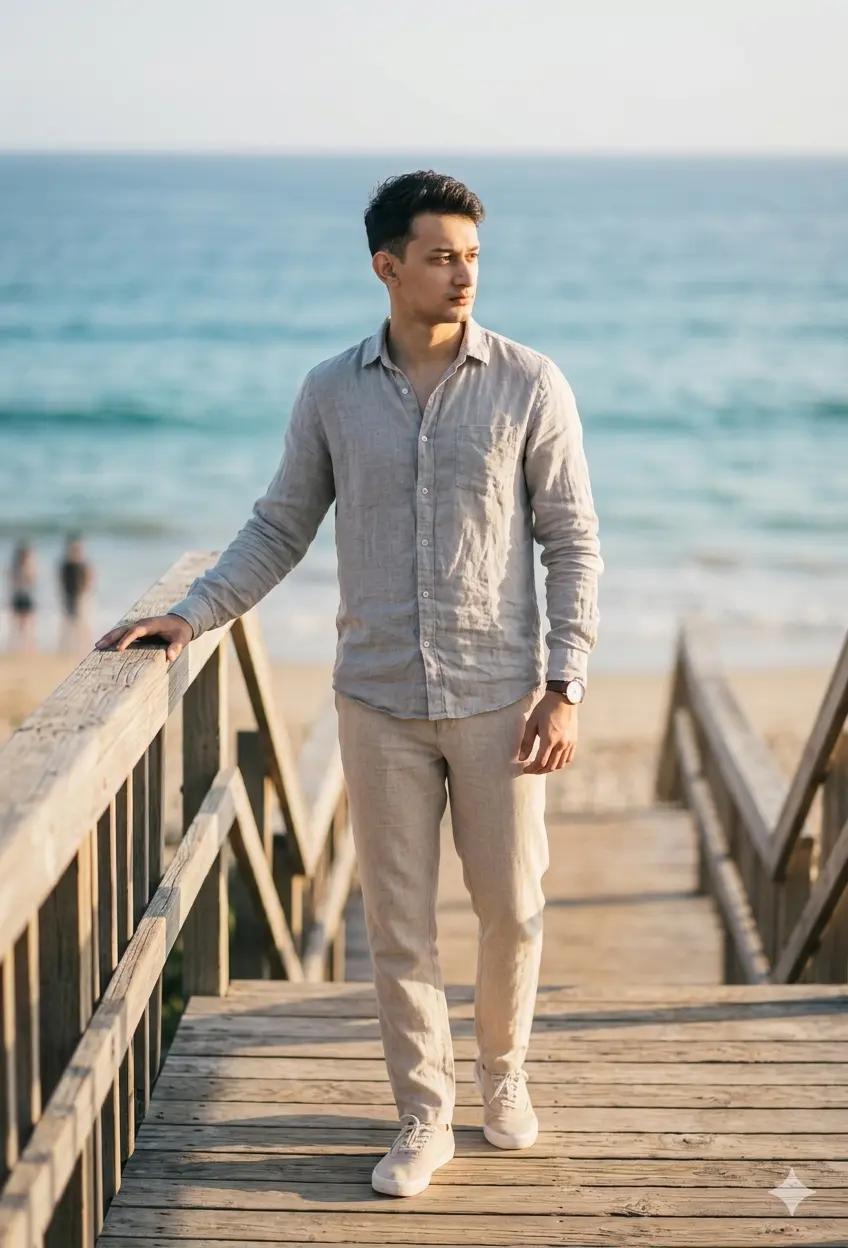
Wooden Deck Beach Shot — Clean Lifestyle Photo
Transform the uploaded boy portrait into a natural beach lifestyle portrait, preserving the exact facial identity, hairstyle, skin tone, and realistic details.
Show the boy standing on a wooden beach deck or stairs, one hand lightly touching the railing, looking toward the side. The pose should feel unforced and real.
Dress him in a soft grey linen shirt, full sleeves, paired with beige trousers and simple clean footwear. Keep the look modern, minimal, and classy.
Use late afternoon sunlight, soft shadows on the wooden deck, and ocean blur in the background.
Camera angle: full-body eye-level shot, slight side angle.
Camera: Canon EOS R5, 50mm lens, natural detail, soft depth.
Negative: no studio look, no over-sharpening, no logo, no distorted hands.
Make the final image look naturally human-taken, candid, realistic, simple, softly aesthetic, and not overly edited or artificial. Preserve the same face identity exactly.
Gemini AI Prompt
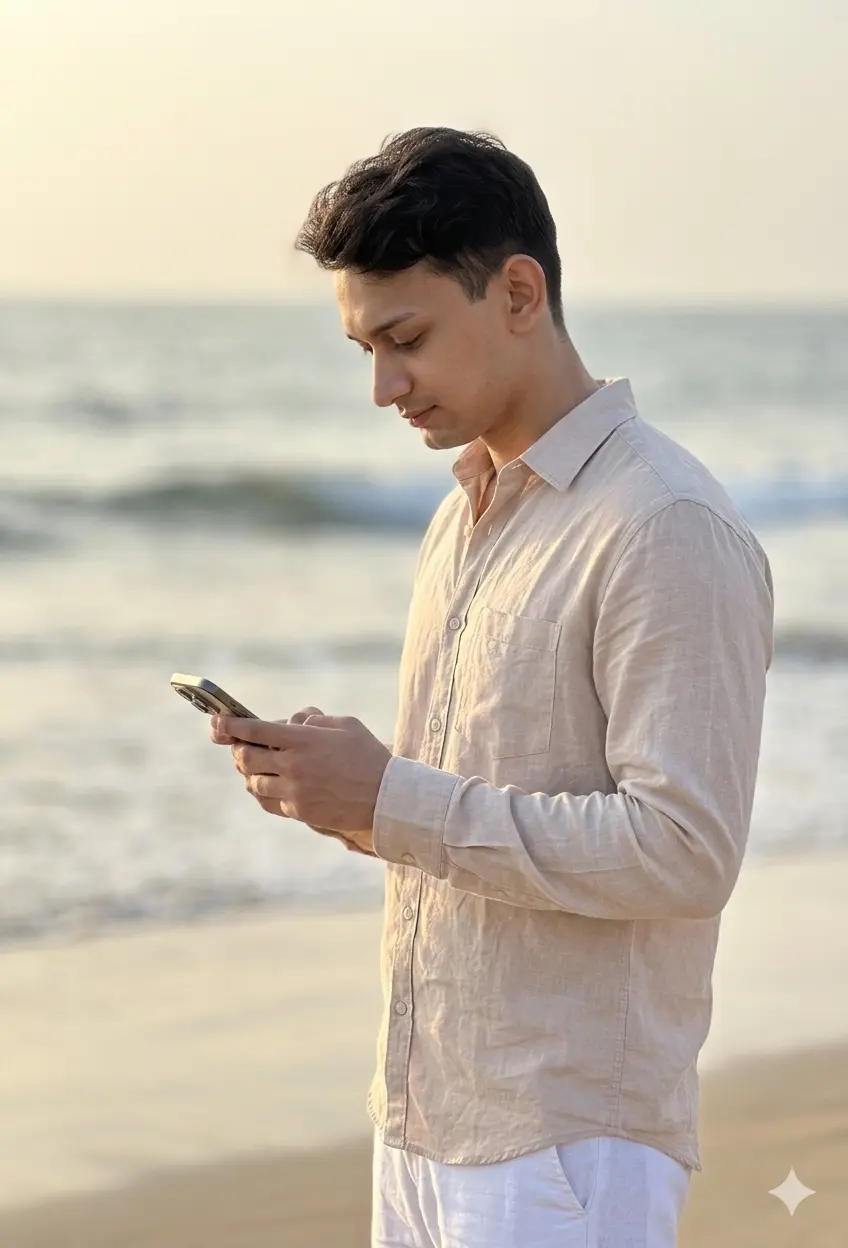
Phone Candid — Real In-Between Moment
Transform the uploaded boy portrait into a simple candid beach photo, preserving the exact identity, face shape, hairstyle, skin tone, and natural expression.
Show the boy standing near the beach and looking at his phone, as if someone captured a natural in-between moment. Keep the pose relaxed and realistic.
Dress him in a pastel beige shirt, full sleeves, with white trousers. Styling should be minimal, clean, modern, and natural.
Use soft evening light, realistic outdoor shadows, and ocean blur in the background.
Camera angle: mid-shot eye-level, slightly from the side.
Camera: iPhone 15 Pro portrait mode, natural colors, human-taken feel.
Negative: no fake phone screen text, no watermark, no face distortion, no extra fingers.
Make the final image look naturally human-taken, candid, realistic, simple, softly aesthetic, and not overly edited or artificial. Preserve the same face identity exactly.
How to use these prompts in Gemini
Using these prompts is simpler than it sounds. Follow these steps if you are trying Gemini AI for the first time:
Open Gemini. Go to gemini.google.com and sign in with your Google account.
Upload your photo. Click the image icon in the chat box and upload a clear, front-facing portrait of yourself. Use a photo where your face is fully visible, well-lit, and not blurry.
Copy the prompt. Pick the beach style you want from the list below, then copy the full prompt text exactly as written.
Paste and submit. Paste the prompt into the Gemini chat box alongside your uploaded image and hit enter.
Review the result. Check that your face, skin tone, and hairstyle match your original photo. If the output looks good, save it.
Refine if needed. If Gemini changes your face or skin tone, type a follow-up message like: “Please keep the face exactly as in the reference photo and regenerate.” You can also try re-uploading a higher resolution portrait.
If you want a prompt built around your own outfit color and pose preference, use our free Custom Prompt Generator on this page.
Tips for best results
Getting a great output from these boys beach prompts in Gemini takes a little care on your end too. Here are three tips that make a noticeable difference:
Upload a clear, close-up photo of your face. Avoid group photos, blurry shots, or images with heavy filters. A well-lit, front-facing portrait where your eyes, skin tone, and hair are clearly visible gives Gemini the best reference to work from. The cleaner the input, the more accurate the identity match will be.
Keep your face fully visible in the original photo. Do not upload a photo where you are wearing sunglasses, a cap covering your forehead, or a mask. Gemini needs enough facial data to preserve your identity throughout the transformation. If the result still looks off, try a different original photo with better lighting.
Customize the outfit color in the prompt if needed. Each prompt mentions a specific color like white, beige, or olive. If you want to match a different color preference, simply replace the outfit color in the prompt text before submitting. If Gemini keeps changing your face despite good input, add a follow-up message asking it to “regenerate while preserving the exact face from the reference image.”
Related prompts you might also like
If you enjoyed these prompts, here are some other styles you might love:
If you are interested in meaningful, faith-inspired portraits, the Gemini AI Boys Hajj Photo Prompt collection recreates sacred Hajj moments with the same level of realism and identity preservation.
For something more colorful and festive, the Floral 3 Frame Gemini AI Boys Prompt featuring bougainvillea, rose walls, and golden hour collages is a beautiful way to create eye-catching multi-frame content.
And if you love cinematic street photography vibes, the Cinematic 4 Panels Gemini Man Photo Prompt for street style edits is worth exploring for a bold, editorial look.
FAQ
Can I use these Gemini AI boys beach prompts with my own selfie? Yes, absolutely. These prompts are designed for exactly that. Upload a clear portrait photo to Gemini, paste the prompt, and the AI will transform your photo into the beach scene described. The prompt instructs Gemini to preserve your exact face identity, hairstyle, and skin tone throughout the edit.
Why does Gemini keep changing my face when I use beach prompts? This is a common issue and usually happens when the uploaded photo is low resolution, partially covered, or taken in poor lighting. Gemini needs a strong facial reference to stay accurate. Try uploading a close-up, well-lit portrait without glasses or hats. If the face still changes, send a follow-up message asking Gemini to regenerate while keeping the original face exactly as in the reference.
Which photo should I upload for the best boys beach prompt result? Use a solo portrait where your face is clear, front-facing, and well-lit. Natural light works best. Avoid photos with strong filters, heavy makeup, or large accessories covering the face. A simple, clean selfie or portrait shot tends to give the most accurate and realistic output.
How do I get the outfit color right in my beach prompt? Every prompt in this pack specifies a particular outfit. If you want a different color, just edit that part of the prompt before pasting it into Gemini. For example, replace “white linen shirt” with “light pink linen shirt” and Gemini will adjust accordingly. This makes it easy to match your own style preferences or a specific color palette.
Can I share the AI beach photo result on Instagram? Yes, you can. Once Gemini generates the photo, save it to your device and post it like any other image. Many creators add a small note in the caption mentioning it is AI-generated, which is a nice touch for transparency. These beach portrait styles are designed to look natural and aesthetic, so they fit well into lifestyle and travel feeds.
Conclusion
This pack of 10 Gemini AI boys beach prompts gives you everything you need to create stunning, realistic beach portraits from a single photo. From a peaceful side profile to a candid phone moment by the ocean, each prompt is written to preserve your identity and produce a naturally aesthetic result. The best part is that you do not need any design skills or a trip to the beach to make it happen.
Ready to try something more personalized? Use the Prompt Generator to build a prompt based on your own outfit color, pose, and style preference in seconds.
If your beach portrait turns out great, drop it in the comments below or tag us on Instagram. We would love to see what you create.