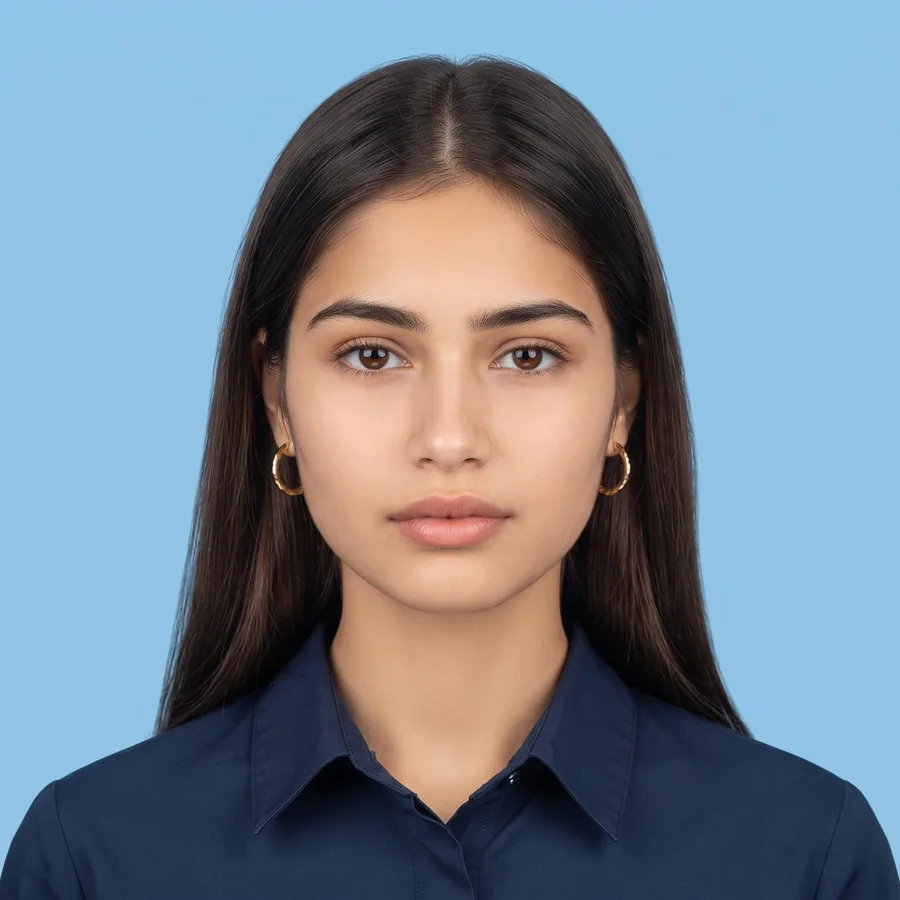
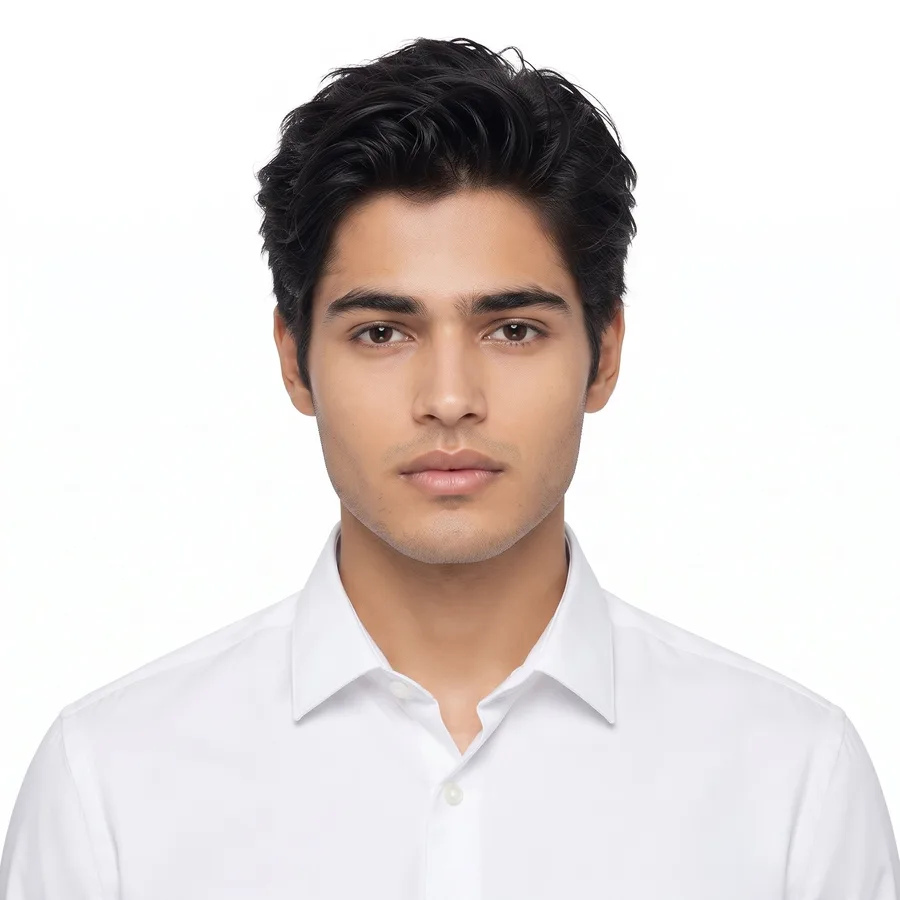
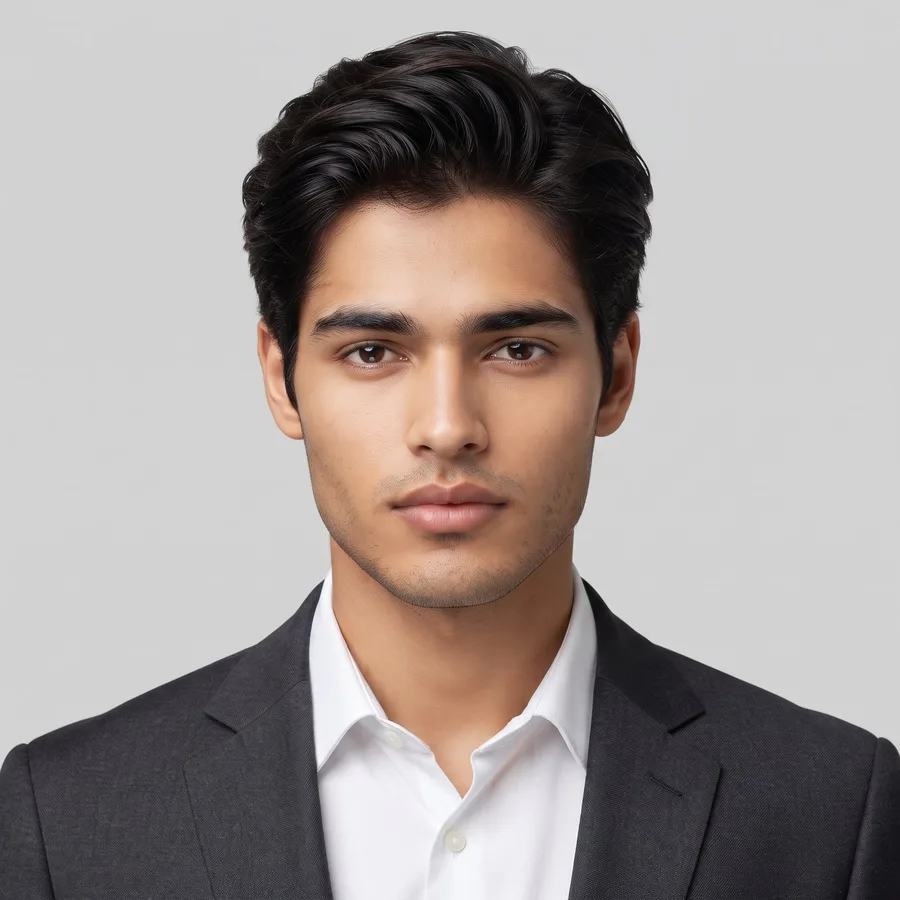
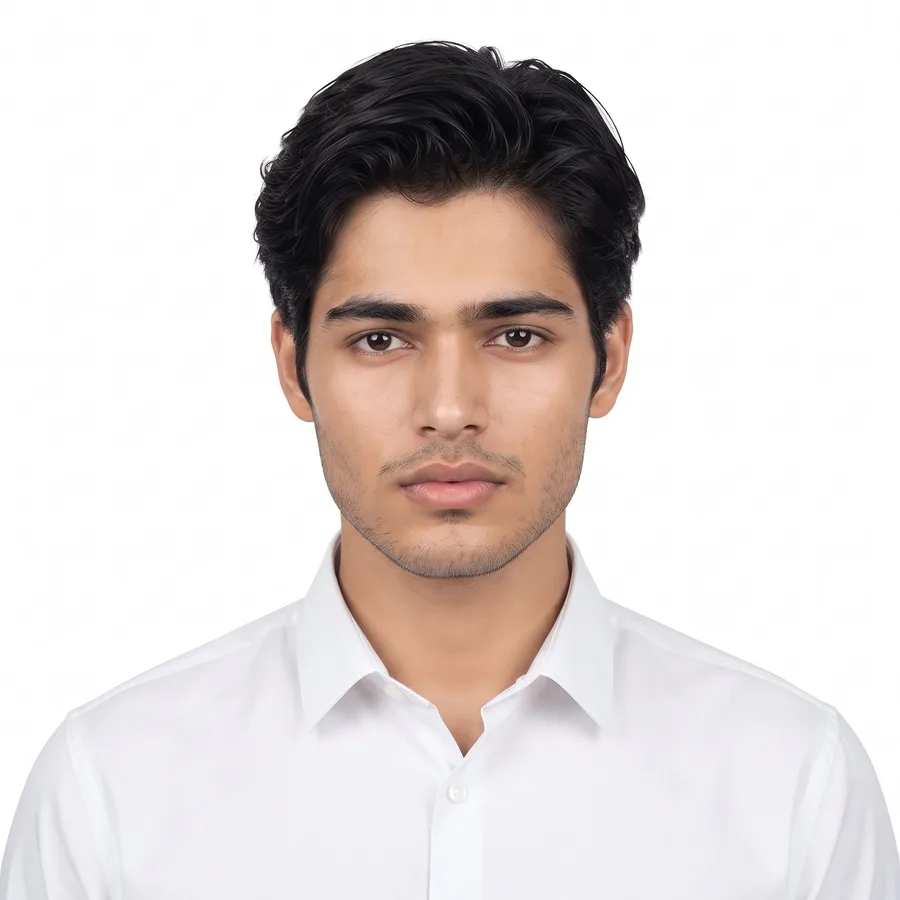
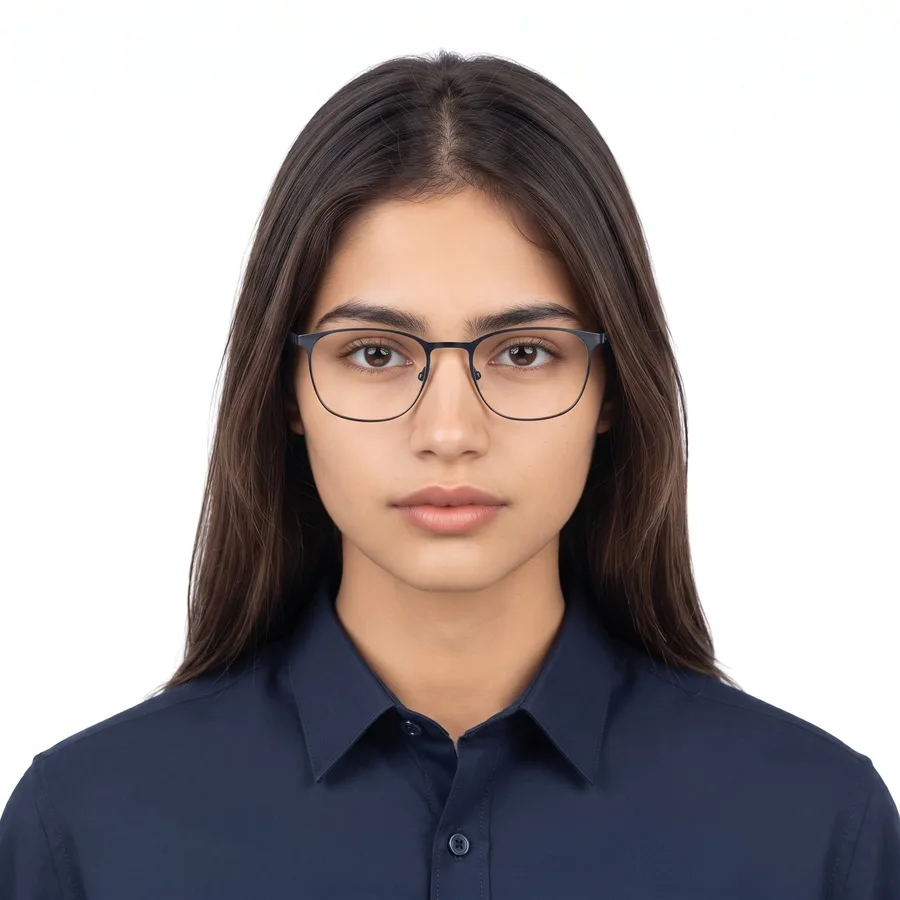
Need a passport size photo for a job form, an exam form or a visa file, but do not want to visit a studio? This passport photo prompt collection turns any clear selfie into a clean, studio style passport photo at home. Copy a prompt, paste it into Gemini or ChatGPT with your photo, and your ID photo is ready in seconds, with your face exactly the same.
Below are 12 tested passport photo prompts: white and blue background photos for women and men, a hijab friendly option, formal shirt and blazer looks, a print ready sheet of 8 copies, the 35x45mm visa size, a fix for dark photos, and a glasses friendly version. Every prompt keeps your face 100% the same.
Passport Photo Prompts for Women
Gemini AI Prompt
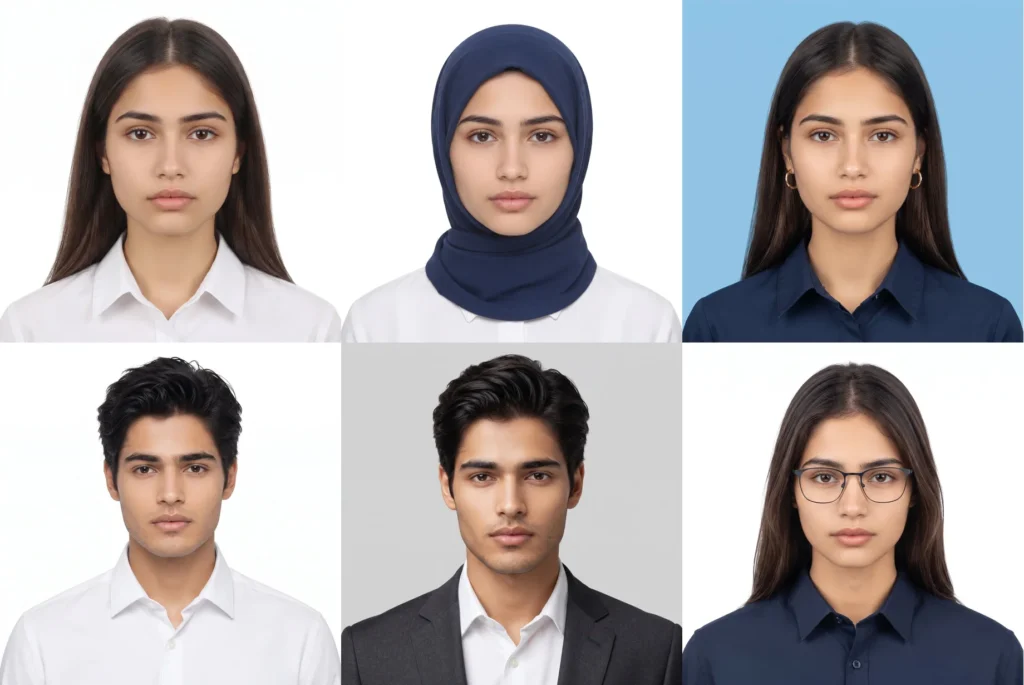
White Background Passport Photo
Turn my photo into a proper passport size photo in 1:1 aspect ratio (standard 2×2 inch passport size). Keep my face, facial features, skin tone and hairstyle exactly the same as the uploaded photo. Show me front-facing, head and shoulders only, face in the center taking most of the frame, looking straight at the camera with a neutral expression, mouth closed. Outfit: a neat formal shirt in a solid colour. Background: plain white, completely clean, no objects, no shadows. Even studio light on my face, no shadow on the face or the background, sharp and clear like a real studio passport photo. Only me in the photo. No face change, no smile, no beauty filter, no plastic skin, no jewellery covering the face, no cartoon look.
Gemini AI Prompt
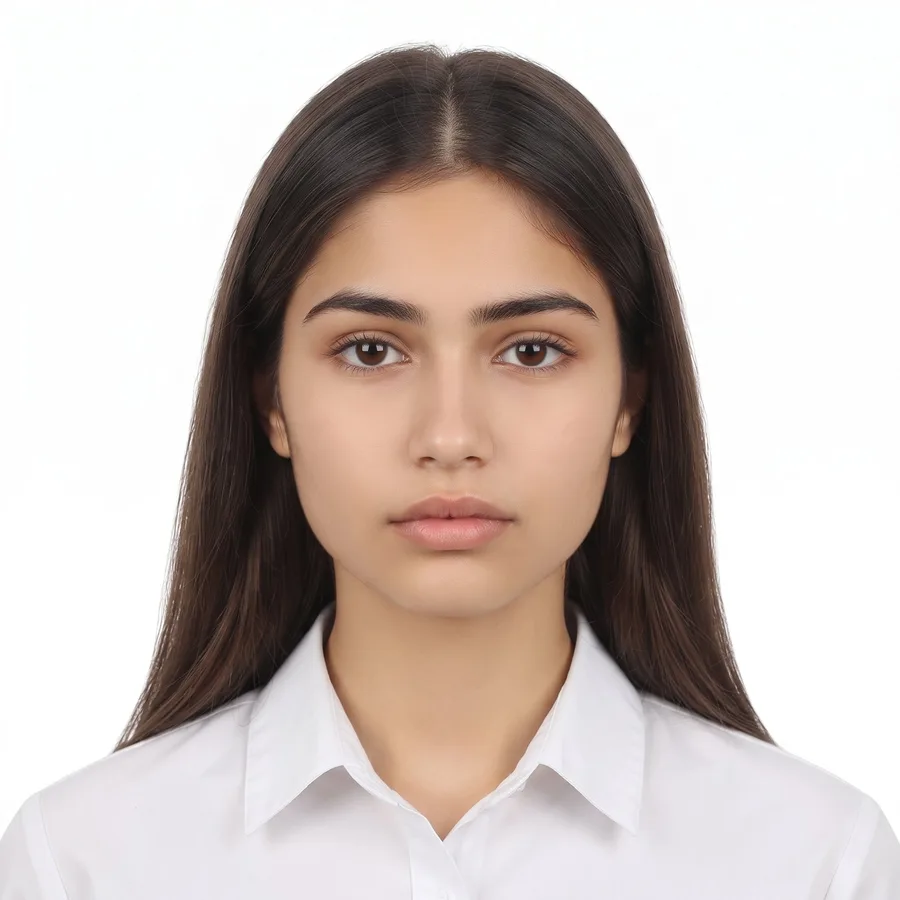
Hijab Friendly Passport Photo
Turn my photo into a proper passport size photo in 1:1 aspect ratio (standard 2×2 inch passport size). Keep my face, facial features and skin tone exactly the same as the uploaded photo, and keep my hijab on, in a plain solid colour, neatly wrapped so my full face is clearly visible from forehead to chin. Show me front-facing, head and shoulders only, face in the center, looking straight at the camera with a neutral expression, mouth closed. Background: plain white, completely clean, no shadows. Even studio light, sharp and clear like a real studio passport photo. Only me in the photo. No face change, no smile, no removing the hijab, no beauty filter, no plastic skin, no cartoon look.
Gemini AI Prompt
Home Selfie to Passport Photo
Convert my home selfie into a proper passport size photo in 1:1 aspect ratio (standard 2×2 inch passport size). Keep my face, facial features, skin tone and hairstyle exactly the same as the uploaded photo. Remove the home background completely and replace it with a plain white background. Fix the uneven home light into even studio light with no shadows on my face. Straighten my pose to front-facing, head and shoulders only, face in the center, neutral expression, mouth closed. Outfit: keep my clothes but make them look neat and formal, solid colour. Sharp and clear like a real studio passport photo. Only me in the photo, no other people from the original photo. No face change, no smile, no beauty filter, no plastic skin.
Gemini AI Prompt
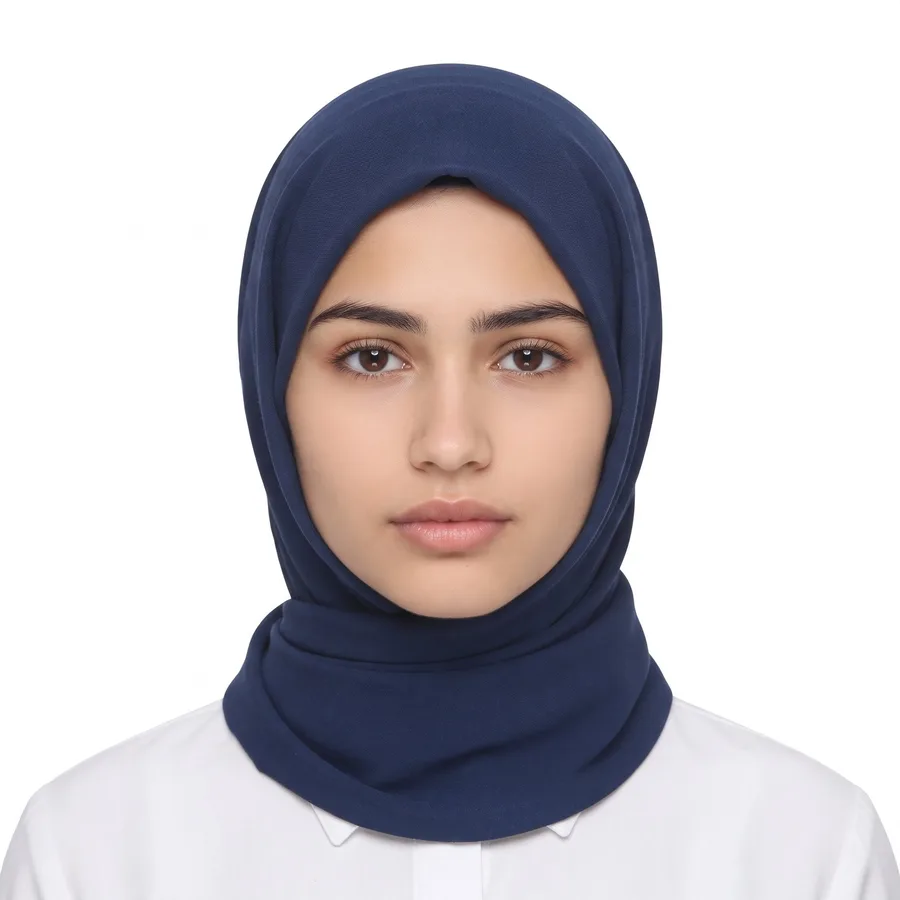
Blue Background Passport Photo
Turn my photo into a proper passport size photo with a blue background in 1:1 aspect ratio (standard 2×2 inch passport size). Keep my face, facial features, skin tone and hairstyle exactly the same as the uploaded photo. Show me front-facing, head and shoulders only, face in the center taking most of the frame, looking straight at the camera with a neutral expression, mouth closed. Outfit: a neat formal outfit in a solid colour that stands out clearly from the blue background. Background: plain solid light blue, completely clean, no objects, no shadows. Even studio light, sharp and clear like a real studio passport photo. Only me in the photo. No face change, no smile, no beauty filter, no plastic skin, no cartoon look.
Passport Photo Prompts for Men
Gemini AI Prompt
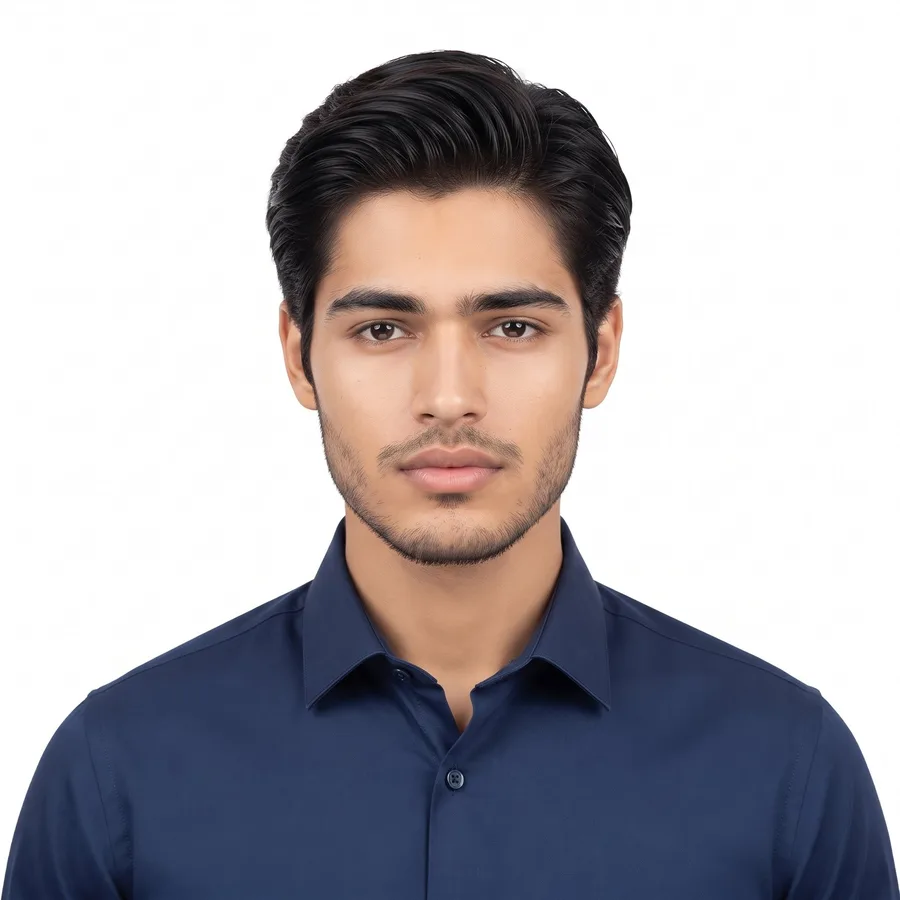
Formal Shirt Passport Photo
Turn my photo into a proper passport size photo in 1:1 aspect ratio (standard 2×2 inch passport size). Keep my face, facial features, skin tone and hairstyle exactly the same as the uploaded photo. Show me front-facing, head and shoulders only, face in the center taking most of the frame, looking straight at the camera with a neutral expression, mouth closed. Outfit: a neat formal shirt in a solid colour, collar tidy. Background: plain white, completely clean, no objects, no shadows. Even studio light on my face, no shadow anywhere, sharp and clear like a real studio passport photo. Only me in the photo. No face change, no smile, no beauty filter, no plastic skin, no cartoon look.
Gemini AI Prompt
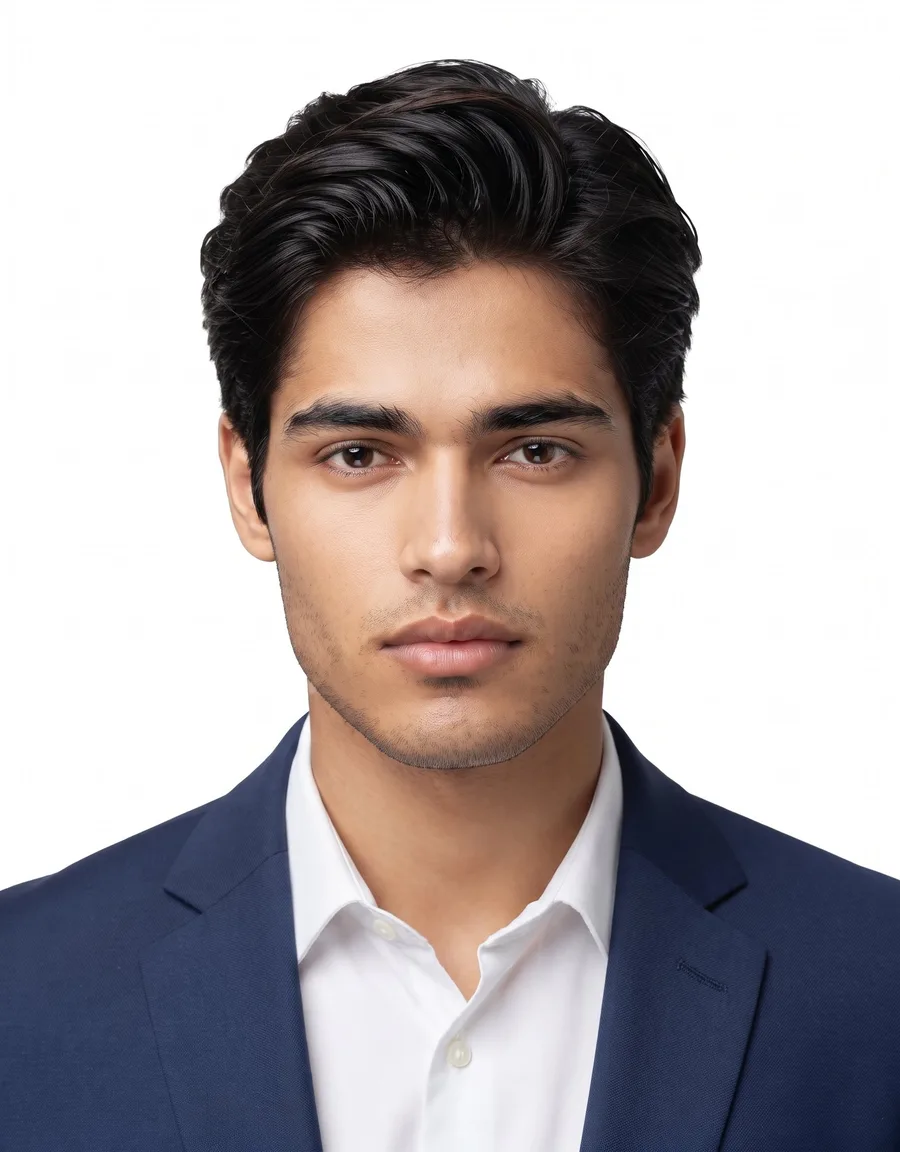
Blazer Passport Photo
Turn my photo into a proper passport size photo in a blazer in 1:1 aspect ratio (standard 2×2 inch passport size). Keep my face, facial features, skin tone and hairstyle exactly the same as the uploaded photo. Show me front-facing, head and shoulders only, face in the center, looking straight at the camera with a neutral expression, mouth closed. Outfit: a dark formal blazer over a light shirt, neat and professional, the kind of photo used for office IDs and company profiles. Background: plain light grey, completely clean, no shadows. Even studio light, sharp and clear like a real studio photo. Only me in the photo. No face change, no smile, no beauty filter, no plastic skin, no cartoon look.
Gemini AI Prompt
Casual Photo to Passport Photo
Convert my casual photo into a proper passport size photo in 1:1 aspect ratio (standard 2×2 inch passport size). Keep my face, facial features, skin tone and hairstyle exactly the same as the uploaded photo. Remove the outdoor background and every other person completely, and replace the background with plain white. Change my casual clothes into a neat formal shirt in a solid colour. Make it front-facing, head and shoulders only, face in the center, neutral expression, mouth closed, even studio light with no shadows. Sharp and clear like a real studio passport photo. Only me in the photo. No face change, no smile, no beauty filter, no plastic skin.
Gemini AI Prompt
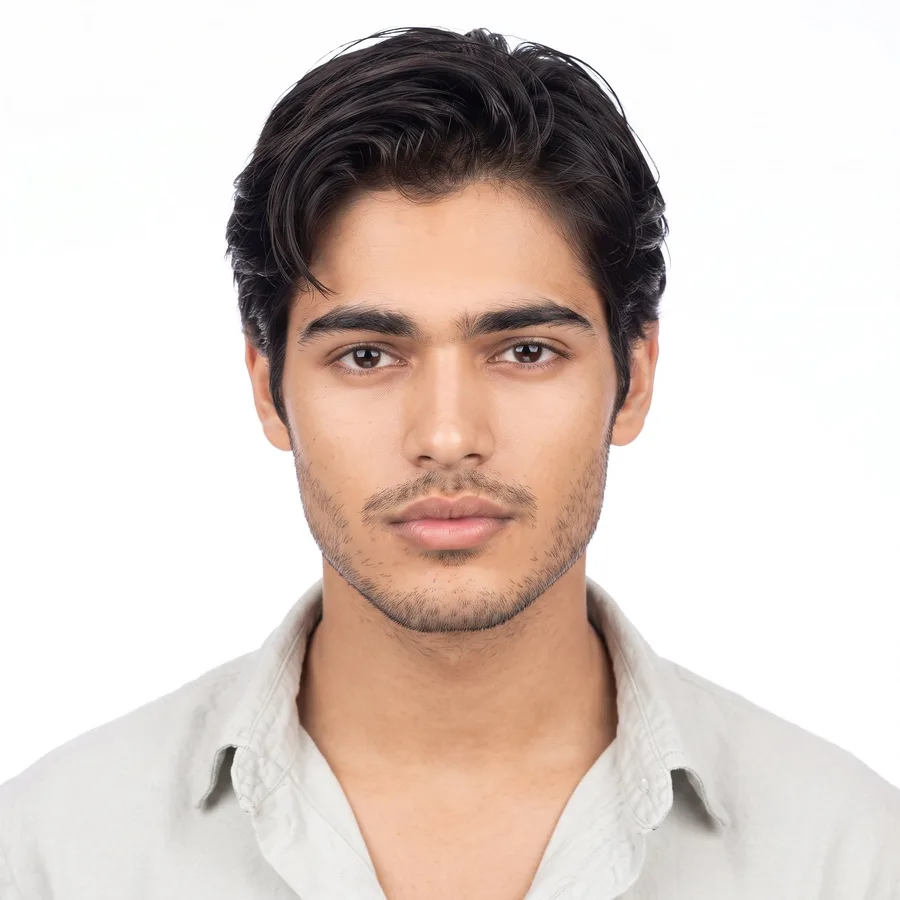
Neat Grooming Passport Photo
Turn my photo into a clean, neat passport size photo in 1:1 aspect ratio (standard 2×2 inch passport size). Keep my face, facial features and skin tone exactly the same as the uploaded photo. Keep my beard and hairstyle, just make them look neatly trimmed and tidy, like I am going to an office or an interview. Show me front-facing, head and shoulders only, face in the center, neutral expression, mouth closed. Outfit: a neat kurta or a formal shirt in a solid colour. Background: plain white, completely clean, no shadows. Even studio light, sharp and clear like a real studio passport photo. Only me in the photo. No face change, no new face, no smile, no beauty filter, no plastic skin, no cartoon look.
Fixes and Extra Passport Photo Prompts
Gemini AI Prompt
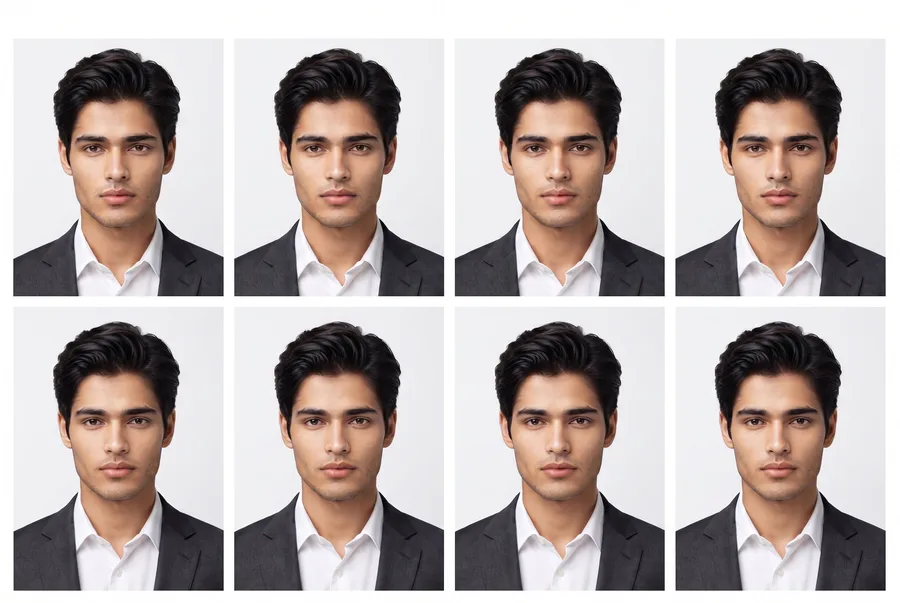
Passport Photo Print Sheet
Take my passport photo and make a print-ready sheet of 8 identical copies of the same photo, arranged in 2 rows of 4 on one 4×6 inch white sheet, each copy in 1:1 aspect ratio, each copy in standard passport size with thin cutting gaps between them. Keep my face, facial features, skin tone and hairstyle exactly the same in every copy. Every copy is front-facing, head and shoulders, neutral expression, mouth closed, plain white background, even studio light, sharp and clear. Do not change my face in any copy. No smile, no beauty filter, no plastic skin, no text, no watermark.
Gemini AI Prompt
35x45mm Size Passport Photo
Turn my photo into a passport size photo in 35x45mm size (7:9 aspect ratio), the size used for many visa and ID applications. Keep my face, facial features, skin tone and hairstyle exactly the same as the uploaded photo. My head should fill most of the frame, from the top of my head to my chin fully visible, front-facing, looking straight at the camera, neutral expression, mouth closed. Outfit: a neat formal outfit in a solid colour. Background: plain white or light blue, completely clean, no shadows. Even studio light, sharp and clear, ready to print. Only me in the photo. No face change, no smile, no beauty filter, no plastic skin.
Gemini AI Prompt
Fix Dark Passport Photo
Fix my dark passport photo and make it clean and usable. Keep it in 1:1 aspect ratio (standard 2×2 inch passport size). Keep my face, facial features, skin tone and hairstyle exactly the same, do not make a new face. Brighten the photo evenly so my face is clearly visible, remove the yellow or orange colour cast, remove shadows from my face and from the background, and make the background pure plain white. Keep it front-facing, head and shoulders, neutral expression, mouth closed, sharp and clear like a fresh studio passport photo. Only me in the photo. No face change, no smile, no beauty filter, no plastic skin, no cartoon look.
Gemini AI Prompt
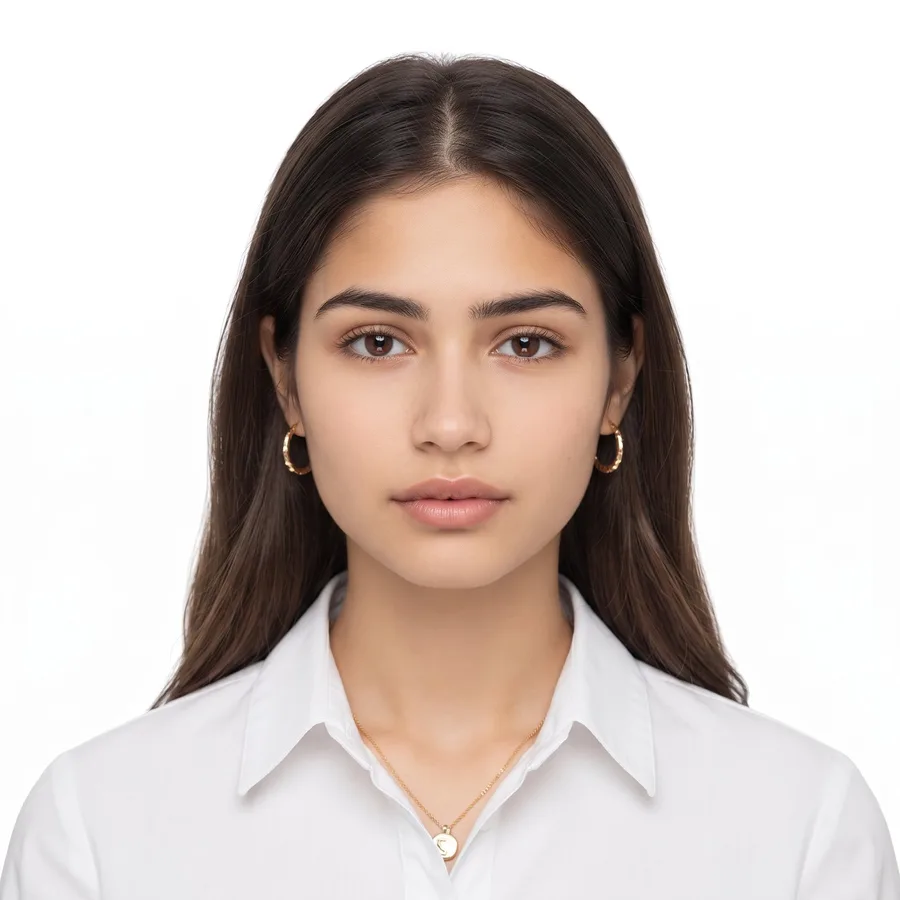
Passport Photo with Glasses
Turn my photo into a proper passport size photo with my glasses on in 1:1 aspect ratio (standard 2×2 inch passport size). Keep my face, facial features, skin tone, hairstyle and my glasses exactly the same as the uploaded photo, same frame, do not remove or change them. Make sure there is no light glare or reflection on the lenses and my eyes are fully visible and clear through the glasses. Show me front-facing, head and shoulders only, face in the center, neutral expression, mouth closed. Outfit: a neat formal outfit in a solid colour. Background: plain white, completely clean, no shadows. Even studio light, sharp and clear like a real studio passport photo. Only me in the photo. No face change, no removing glasses, no smile, no beauty filter, no plastic skin, no cartoon look.
How to Use a Passport Photo Prompt
Pick a prompt above and tap its Copy Prompt button.
Open the Gemini app or the Gemini website and tap Create Image.
Upload a clear photo with a front facing, well lit face.
Paste the prompt with your photo, send, and download your passport photo.
Want to change the background colour or the size? Build your own version with the free Gemini AI prompt generator.
Tips for Best Results
Start with a clear, front facing photo in good light. A blurry or side facing photo gives a weak result.
Keep a neutral expression with your mouth closed. That is the official passport photo rule in most countries, and these prompts follow it.
Check your size before you print: 2×2 inch is used for US and Indian passport photos, while 35x45mm is used for many visa and ID forms.
Ask the print shop to print at the exact passport size without stretching the photo.
One honest note: an AI passport photo is perfect for online forms, job applications, exam forms and digital uploads. Some offices, including NADRA and passport offices, take their own studio photo for the final ID, so check your office rule before a final submission.
FAQs
What is the best passport photo prompt?
The white background prompt is the best all round choice, because most forms and IDs ask for a plain white background. If your form asks for blue, use the blue background prompt instead. Both keep your face exactly the same as your photo.
What size should a passport photo be?
It depends on the country and the form. US and Indian passport photos are 2×2 inches. Many visa and ID applications use 35x45mm. This post has prompts for both sizes, so check your form first and pick the matching prompt.
Will an AI passport photo be accepted by NADRA or the passport office?
For online forms, job applications, exam forms and digital uploads, these photos work well. For a final ID card or passport, many offices take their own photo at the office, so treat these prompts as the fast option for forms and uploads. If you also want a polished photo for work, try these professional photo prompts.
Will Gemini keep my face the same?
Yes. Every prompt in this post starts with a face lock instruction, so Gemini keeps your facial features, face shape and skin tone exactly the same. If your face still changes in any edit, follow the steps in our Gemini face fix guide.
Can I make a passport photo from a home selfie?
Yes, that is exactly what the Home Selfie prompt and the Casual Photo prompt do. They remove the home or outdoor background, fix the light, and turn your normal photo into a clean passport size photo.
Conclusion
A studio visit is no longer needed for a clean ID photo. Pick the passport prompt that matches your form, keep your size right, and your photo is ready in seconds. For more free copy paste prompts for every look, keep exploring ImagePromptLab.