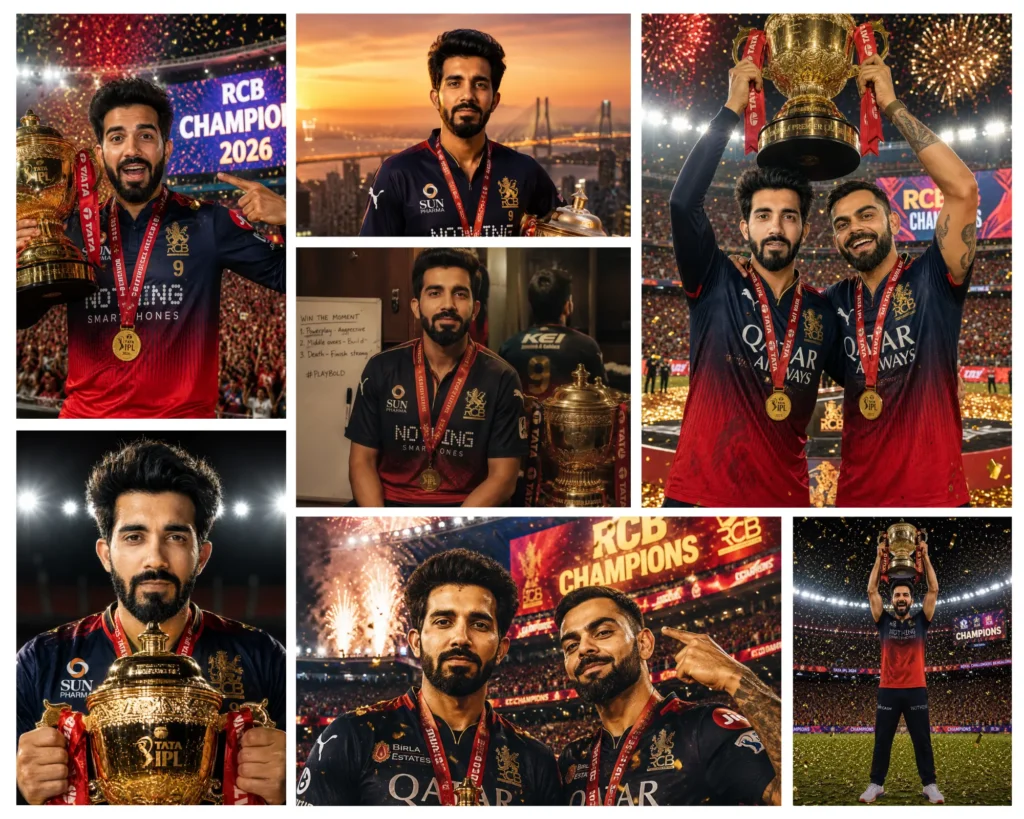
RCB finally did it, and now you can be part of that historic moment. These ChatGPT prompts with RCB IPL Trophy let you place yourself right in the middle of the celebration: hoisting the golden cup at Narendra Modi Stadium, standing shoulder-to-shoulder with Virat Kohli, or holding the trophy under a Milky Way sky at midnight. Whether you want a dramatic stadium photo, a quiet dressing room moment, or a golden hour rooftop shot with the Mumbai skyline behind you, this collection has ten fully written, ready-to-paste prompts that turn one uploaded selfie into a professional-grade memory. No photographer needed, no editing skills required. Just your photo and ChatGPT.
Gemini AI Prompt
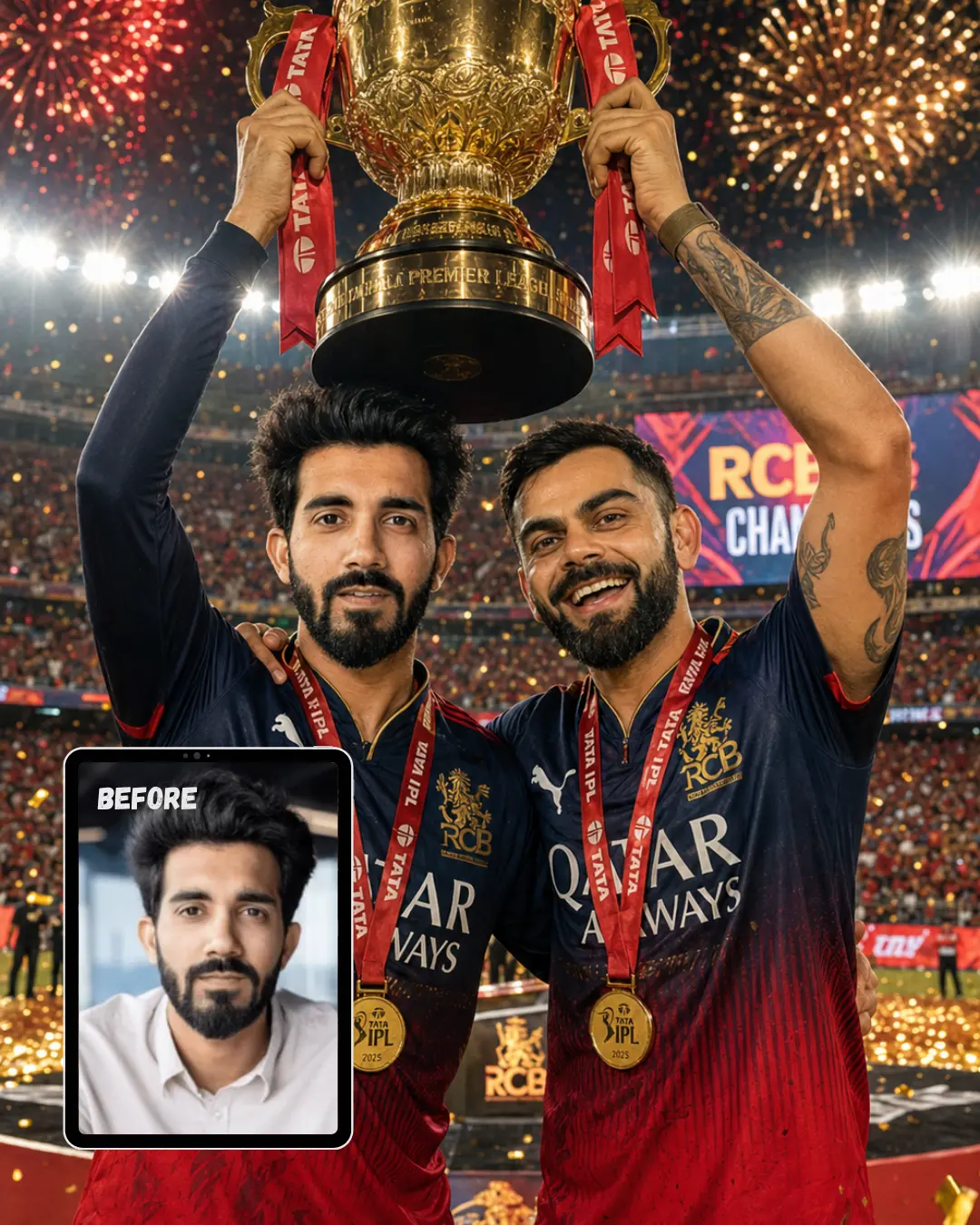
Trophy Lift with Virat Kohli
Use my uploaded photo as reference. Preserve exact face, skin tone, and features. Transform me into an IPL championship-winning player standing beside Virat Kohli at the center of a packed cricket stadium during the trophy presentation ceremony. Virat Kohli stands on my right with his arm around my shoulder while both of us raise the massive golden IPL trophy overhead together. Outfit: official RCB championship jersey with navy blue upper chest fading into deep red lower half, gold RCB lion crest, sponsor logos, championship medal around neck, realistic sweat marks and match-worn texture. Virat Kohli wears the matching RCB jersey and medal. Location: Narendra Modi Stadium completely packed with 90,000 fans, giant LED screens displaying “RCB CHAMPIONS”, fireworks exploding above the stadium roof, red and gold confetti filling the air. Lighting: powerful white stadium floodlights from above, golden reflections from the trophy illuminating our faces, dramatic rim lighting around shoulders and hair. Camera: Canon EOS R5, 85mm f/1.4 lens, shallow depth of field. Mood: historic victory, brotherhood, pure championship glory, genuine celebration after a lifetime achievement. 8K ultra realistic, professional photography quality, human-taken feel, sharp focus, masterpiece.
Gemini AI Prompt
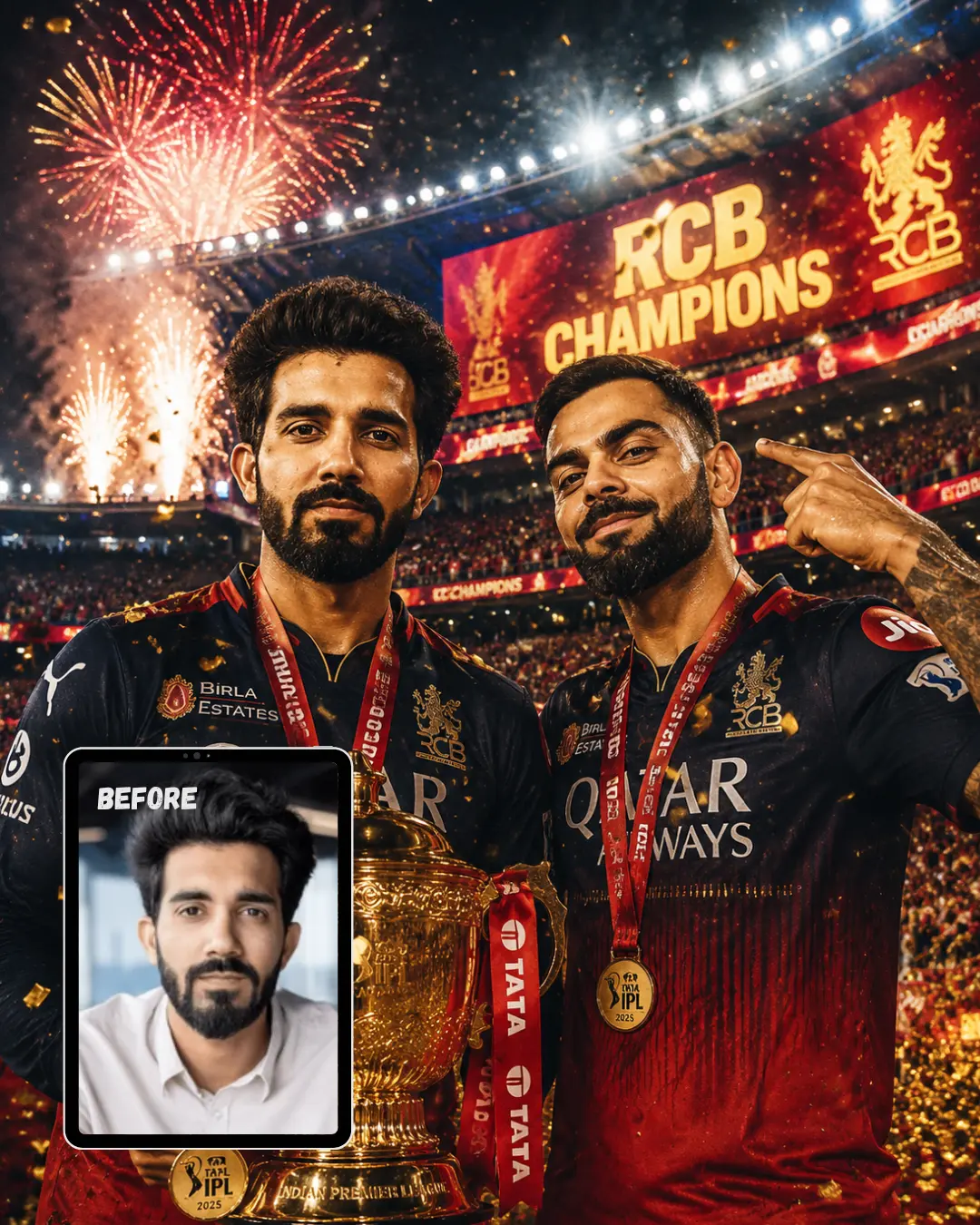
Championship Poster with Virat Kohli
Use my uploaded photo as reference. Preserve exact face, skin tone, and features. Create an epic championship poster-style image featuring me and Virat Kohli standing side-by-side in the middle of a roaring stadium. I am holding the golden IPL trophy at chest level while Virat Kohli points toward the giant scoreboard showing “RCB CHAMPIONS”. Both of us are looking directly into the camera with confident champion expressions. Outfit: official RCB championship jerseys with sponsor logos, gold winner medals, realistic fabric texture, sweat-drenched match-worn appearance. Location: massive night stadium filled with fans, red and gold confetti cannons firing, fireworks above, LED screens glowing around the arena. Lighting: dramatic split lighting with cool white stadium floodlights on one side and warm golden reflections from the trophy on the other, creating a premium sports magazine cover look. Camera: Canon EOS R5, 85mm f/1.4 lens, shallow depth of field. Mood: legendary, iconic, victorious, unforgettable championship moment. 8K ultra realistic, professional photography quality, human-taken feel, sharp focus, masterpiece.
Gemini AI Prompt
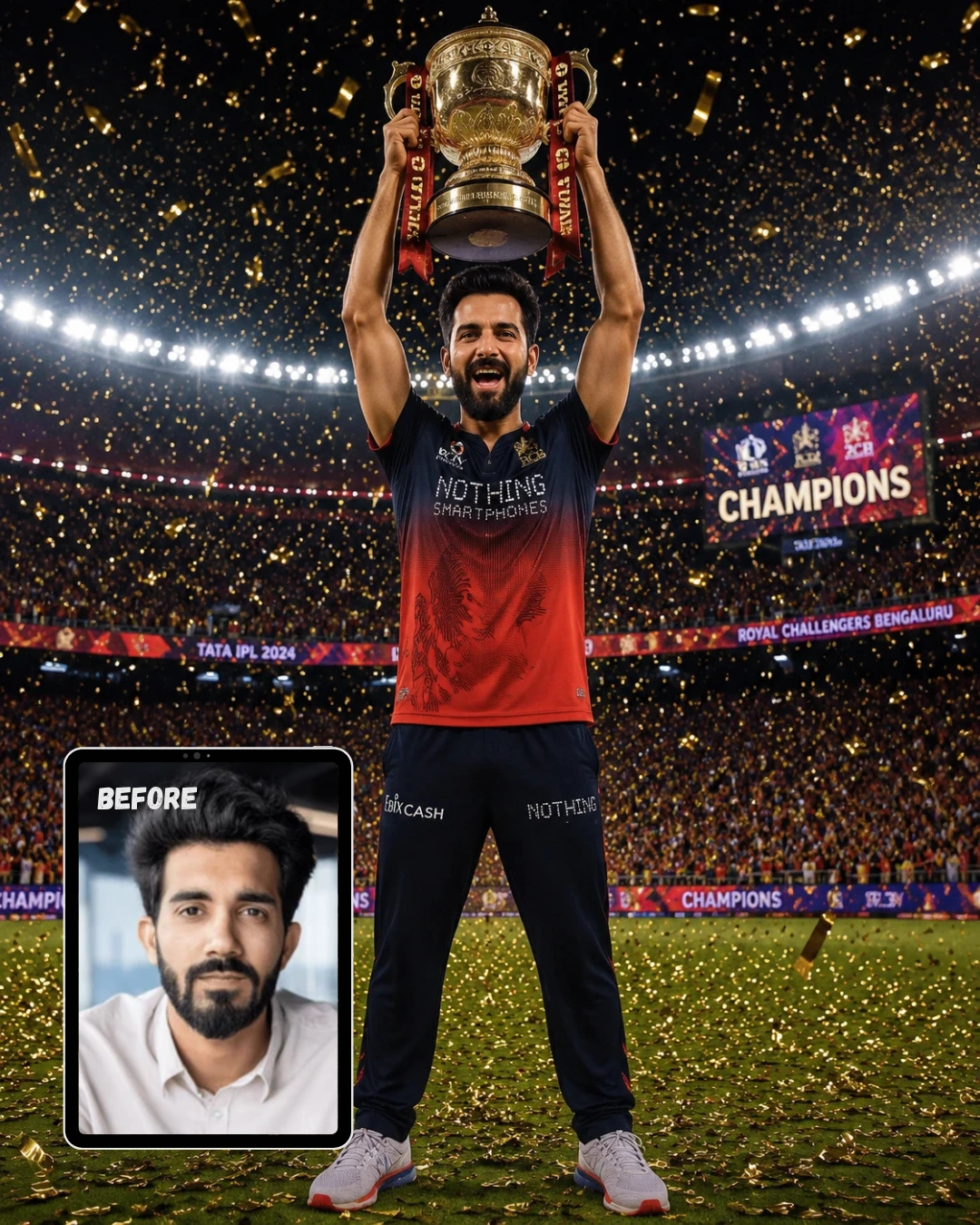
Photo with RCB IPL Trophy at Night Cricket Stadium Crowd
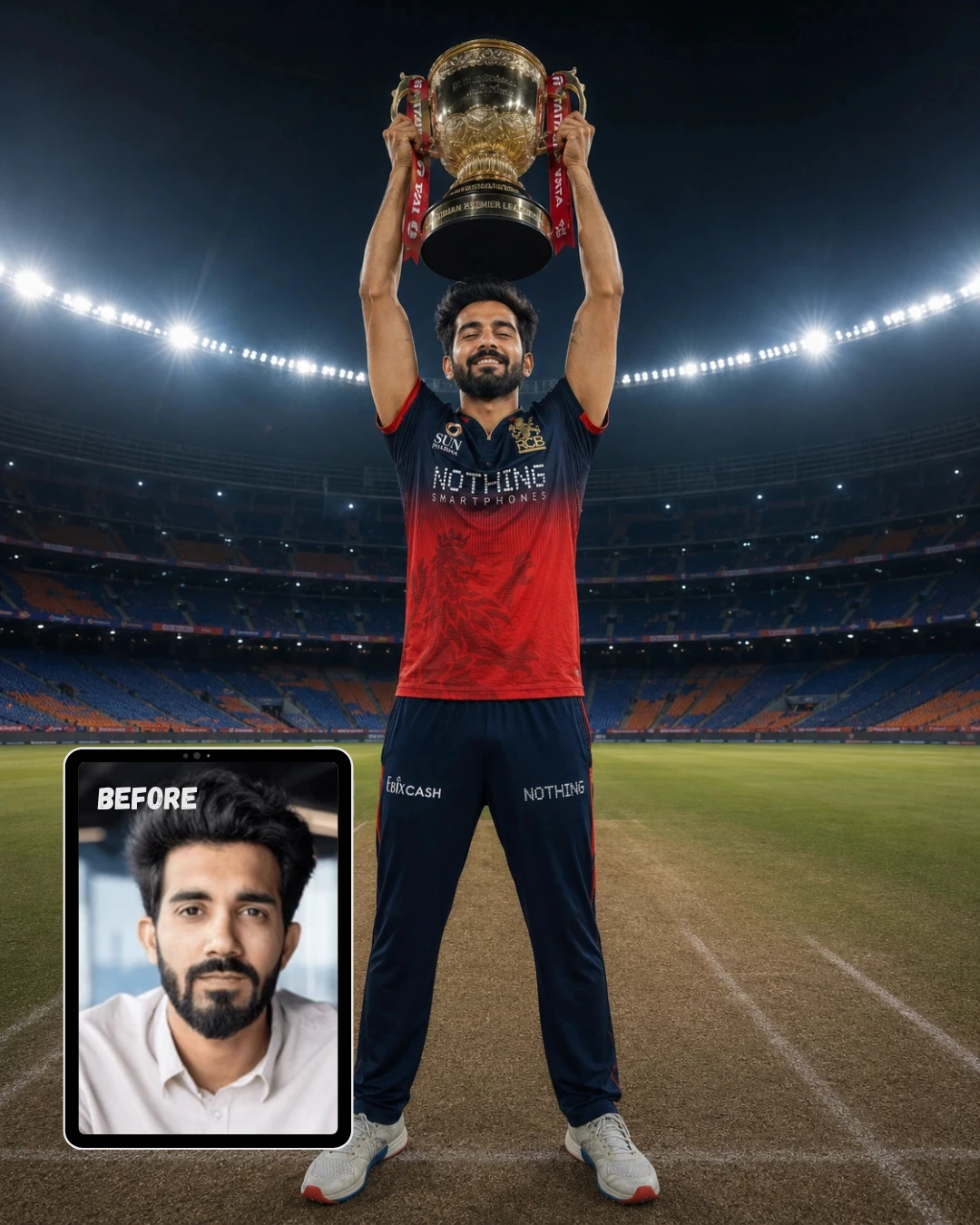
Use my uploaded photo as reference. Preserve the exact face, skin tone, facial features, and identity — no alterations. Generate this image in 4:5 aspect ratio, portrait orientation. Transform the subject into an IPL championship celebration moment, standing on the pitch at night holding a massive golden IPL trophy overhead with both hands, full body visible from feet to trophy within portrait frame. Outfit: exact RCB Puma jersey — navy blue upper chest fading into deep red lower half, “SUN PHARMA” on left chest, “NOTHING SMARTPHONES” across mid-chest, gold RCB lion crest, white zip collar, number 9 on back, sweat visible on fabric giving match-worn texture. Background: packed 90,000-seat cricket stadium, crowd blurred with bokeh filling sides of portrait frame, giant floodlights creating sharp god-rays cutting through night sky at top of frame, scoreboard showing “CHAMPIONS” in bright LED visible in background. Confetti and gold ticker tape suspended mid-air filling entire portrait frame around subject. Lighting: dramatic upward fill light from trophy’s gold reflection hitting face from below, harsh stadium floodlights from above creating strong shadows under cheekbones. Camera: Sony A1, 35mm lens, f/1.8 aperture, shallow depth of field. Mood: raw euphoric triumph — mouth open mid-shout, eyes wide with disbelief and joy, veins visible on forearms from gripping trophy. Ultra realistic, 8K resolution, professional photography, sharp focus, masterpiece quality, human-taken feel — not AI generated.
Gemini AI Prompt
Photo Celebrating RCB IPL Win Alone in Empty Stadium at Midnight
Use my uploaded photo as reference. Preserve the exact face, skin tone, facial features, and identity — no alterations. Generate this image in 4:5 aspect ratio, portrait orientation. Transform the subject into a solitary IPL champion standing alone at the center of a massive cricket pitch at night, holding the oversized golden IPL trophy with both hands raised directly overhead, arms fully extended upward, full body visible from feet to raised trophy within frame. Outfit: exact RCB Puma jersey — navy blue upper chest and shoulders fading into deep red lower half, white zip collar with red trim, “SUN PHARMA” logo on left chest, “NOTHING SMARTPHONES” text printed across mid-chest, gold RCB lion crest on right chest, subtle lion watermark pattern on red lower half, bold number 9 on back, Puma logo on right shoulder. Background: completely empty 90,000-seat Narendra Modi Stadium, all floodlights blazing creating cathedral of white light, pitch markings sharp beneath feet, stands fading into dark bokeh above. Lighting: eight stadium floodlights from all angles, trophy throwing golden reflections across chest sponsor logos, god-rays cutting through night sky above. Camera: Sony A1, 24mm wide-angle lens, f/2.0 aperture, low angle shooting upward making subject monumental. Mood: silent overwhelming triumph — eyes closed, head tilted back, single tear track on cheek. Ultra realistic, 8K resolution, professional photography, sharp focus, masterpiece quality, human-taken feel — not AI generated.
Gemini AI Prompt
Photo with RCB IPL Trophy in Cricket Dressing Room After Winning
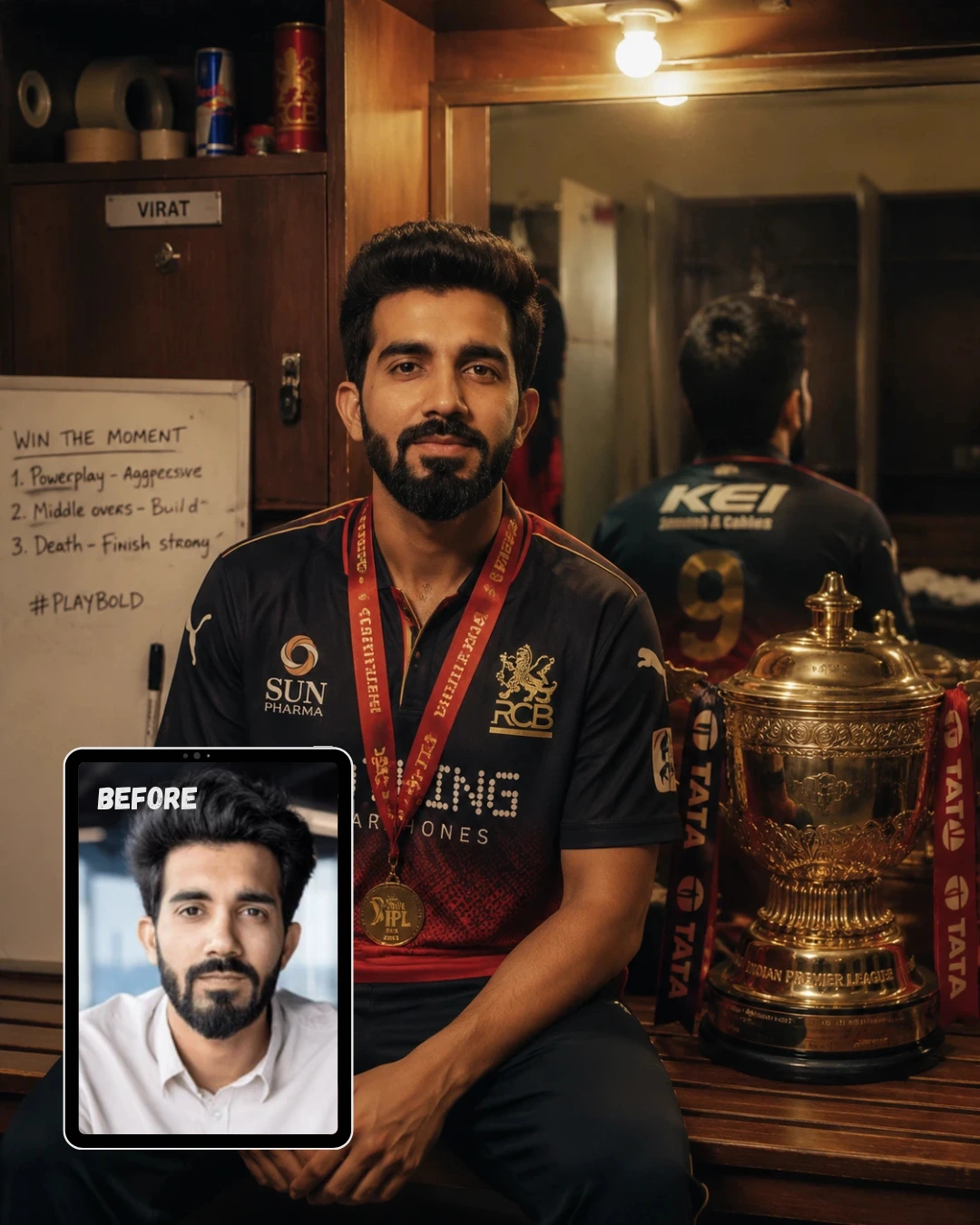
Use my uploaded photo as reference. Preserve the exact face, skin tone, facial features, and identity — no alterations. Generate this image in 4:5 aspect ratio, portrait orientation. Place the subject alone in a cricket dressing room sitting on wooden bench facing a large mirror, IPL trophy placed beside them on bench, upper body and trophy fully visible within portrait frame. Outfit: exact RCB Puma jersey — navy blue shoulders fading to red lower half, white zip collar partially unzipped revealing white undershirt, “SUN PHARMA” on left chest, “NOTHING SMARTPHONES” across mid-chest, gold RCB lion crest on right chest, Puma branding on sleeve, number 9 visible on back in mirror reflection, gold winners medal hanging over the jersey. Background: cluttered authentic dressing room — locker with name tag behind, tape rolls and energy drinks on shelf, whiteboard with match notes still visible, warm amber tones filling frame vertically. Lighting: single warm tungsten bulb above casting tight amber pool, deep shadows on sides of frame, mirror clearly showing number 9 on jersey back. Camera: Leica M11, 50mm lens, f/1.4 aperture, mirror reflection softly blurred. Mood: quiet exhausted joy — slight smile, soft distant eyes, weight of achievement settling in. Ultra realistic, 8K resolution, professional photography, sharp focus, masterpiece quality, human-taken feel — not AI generated.
Gemini AI Prompt
Photo with RCB IPL Trophy on Mumbai Rooftop at Golden Hour Sunset
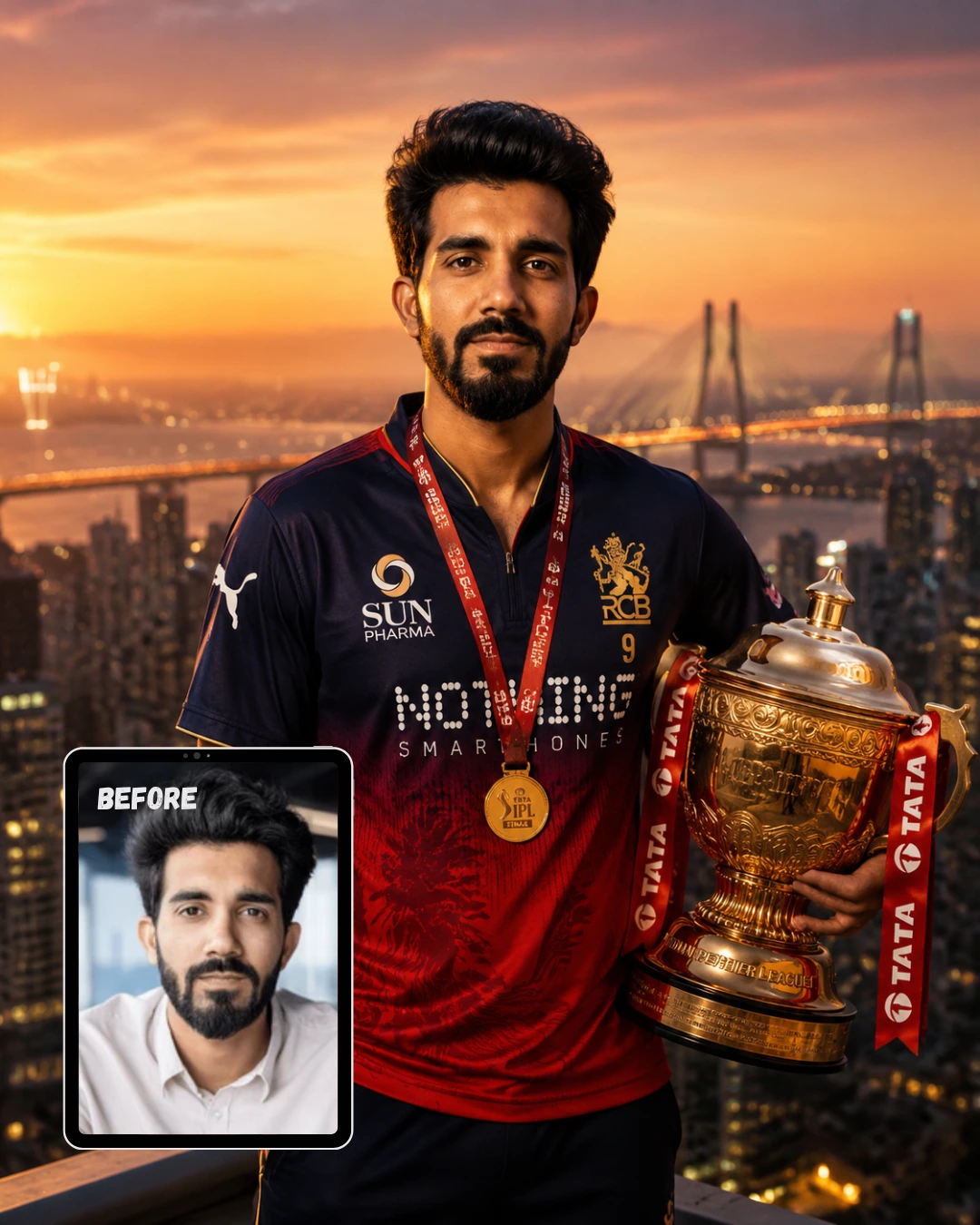
Use my uploaded photo as reference. Preserve the exact face, skin tone, facial features, and identity — no alterations. Generate this image in 4:5 aspect ratio, portrait orientation. Place the subject on a high-rise rooftop at golden hour, holding IPL trophy at hip height with one hand, other hand relaxed at side, three-quarter body shot filling portrait frame, looking directly into camera. Outfit: exact RCB Puma jersey — navy blue upper half with Puma logo on shoulder, gradient fade to deep red lower half, “SUN PHARMA” on left chest, LED dot-style “NOTHING SMARTPHONES” text across chest, gold RCB lion crest catching sunset light, white zip collar open, number 9 on chest, gold IPL winners medal around neck over jersey. Background: Mumbai skyline filling vertical frame at sunset — Sea Link bridge in mid-distance, ocean glimmering orange below, warm lights flickering in buildings, sky gradient from deep orange at horizon to purple-blue above filling top of 4:5 frame. Lighting: golden hour sun from camera-left painting navy-to-red jersey in amber and copper, rim light on right edge separating subject from skyline. Camera: Canon EOS R5, 85mm lens, f/1.6 aperture, background in soft painterly bokeh. Mood: calm grounded confidence — direct eye contact, slight knowing smile. Ultra realistic, 8K resolution, professional photography, sharp focus, masterpiece quality, human-taken feel — not AI generated.
Gemini AI Prompt
Photo Lifting RCB IPL Trophy Under Desert Night Sky with Milky Way
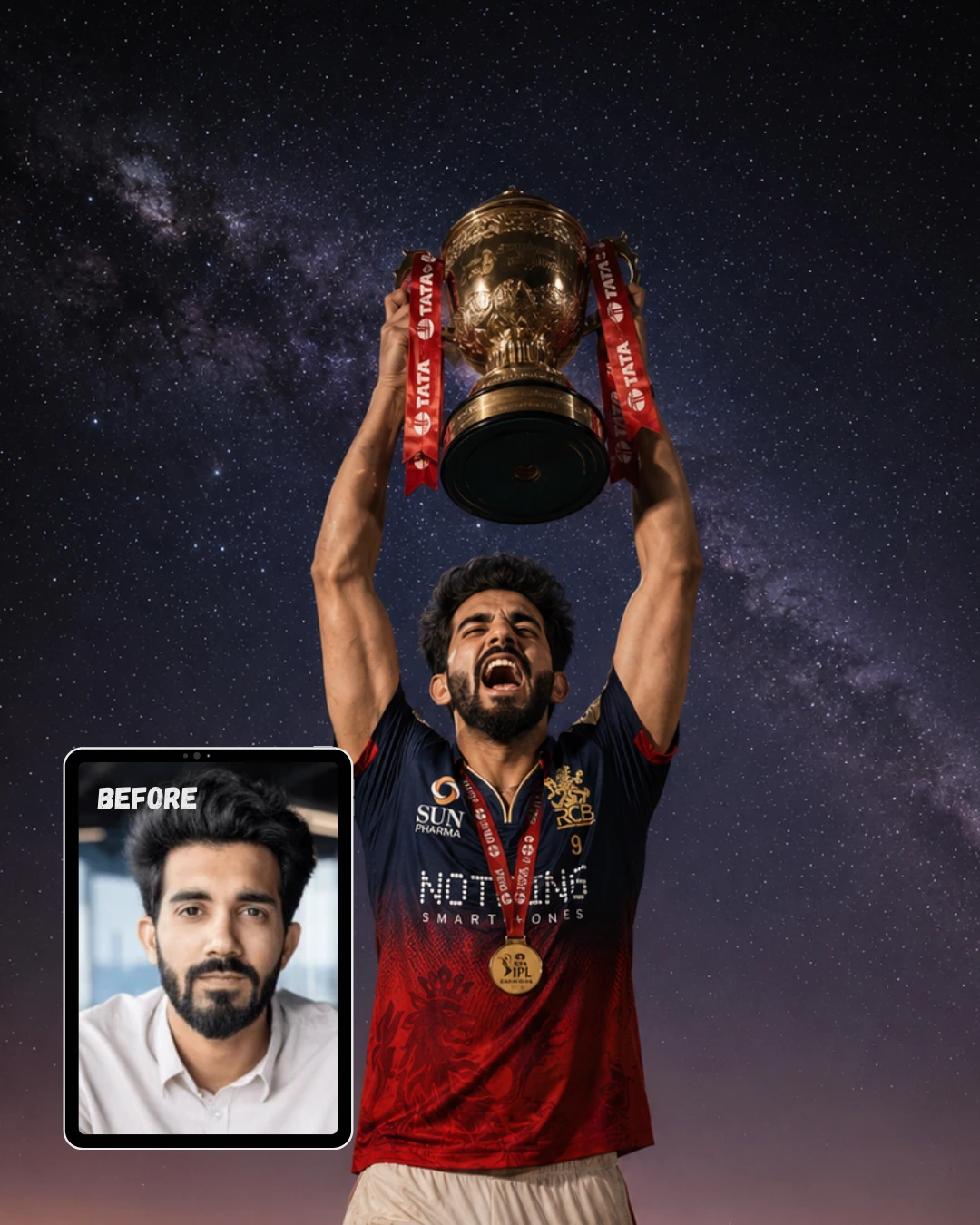
Use my uploaded photo as reference. Preserve the exact face, skin tone, facial features, and identity — no alterations. Generate this image in 4:5 aspect ratio, portrait orientation. Subject standing alone in open desert at midnight, full body visible in portrait frame, holding IPL trophy above head with both hands, trophy at very top of frame, screaming in raw celebration toward the sky. Outfit: exact RCB Puma jersey — navy blue shoulders and chest with “SUN PHARMA” and “NOTHING SMARTPHONES” logos, deep red lower half with subtle lion watermark, gold RCB lion crest on right chest, white zip collar torn open, number 9 on back, jersey slightly torn at shoulder from celebrations, gold winners medal swinging from neck catching moonlight, forearms tensed gripping trophy at top of portrait frame. Background: flat desert filling lower half of portrait frame, enormous Milky Way filling upper half — galaxy arm as pale band across sky, horizon glowing faint purple, stars densely packed in vertical sky above subject. Lighting: cold blue moonlight from above creating silver highlights on navy shoulders and raised trophy, single warm torch from ground level hitting face dramatically from below, “NOTHING SMARTPHONES” LED-style text catching moonlight. Camera: Sony A7R V, 20mm ultra-wide, f/1.8 aperture, star detail sharp without trail blur. Mood: primal explosion of joy — head thrown back, mouth wide open, eyes shut, every muscle engaged. Ultra realistic, 8K resolution, professional photography, sharp focus, masterpiece quality, human-taken feel — not AI generated.
Gemini AI Prompt
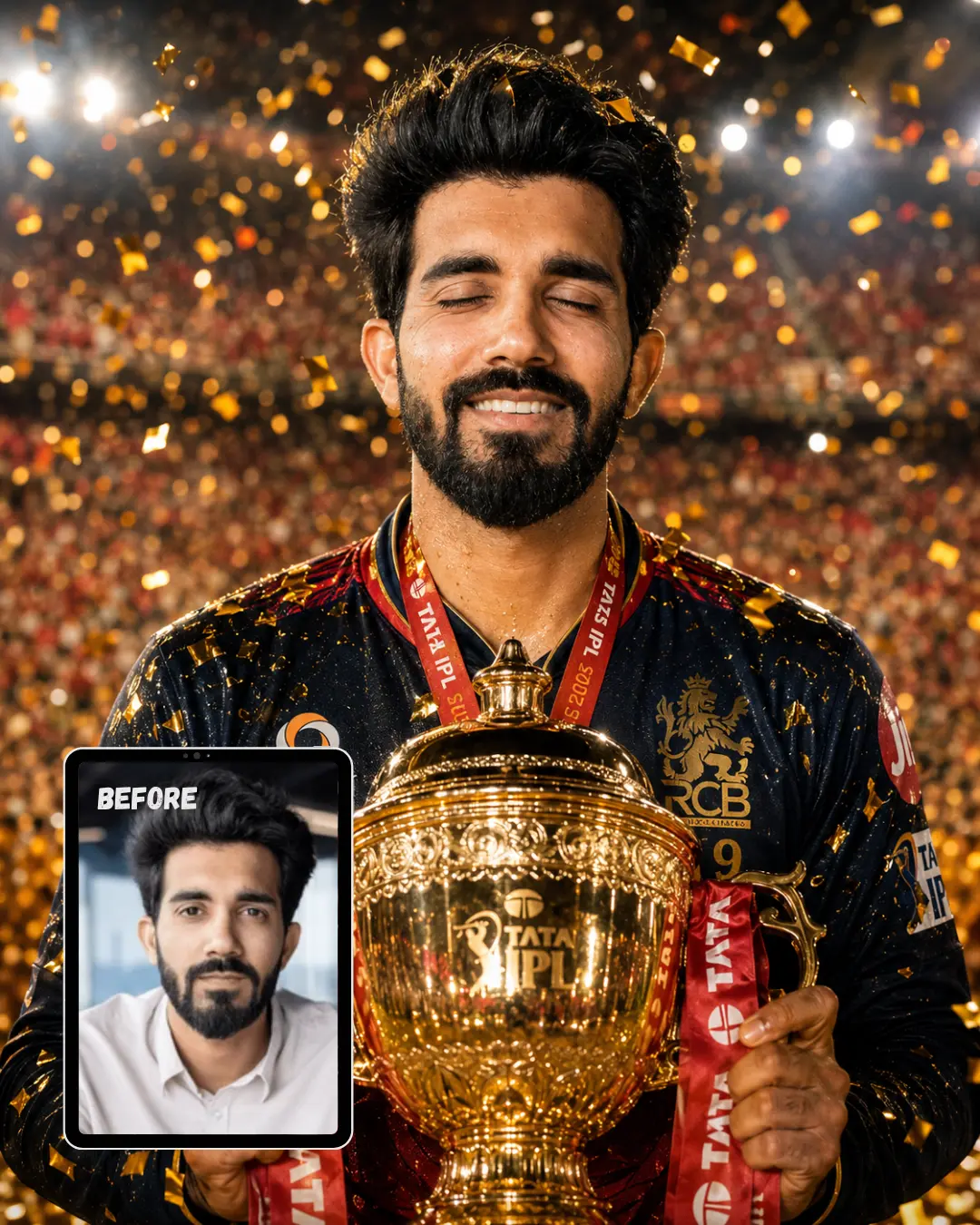
Closeup Photo with RCB IPL Trophy in Stadium Confetti Rain
Use my uploaded photo as reference. Preserve the exact face, skin tone, facial features, and identity — no alterations. Generate this image in 4:5 aspect ratio, portrait orientation. Close-up portrait shot from chest upward, subject holding golden IPL trophy tightly with both hands at chest level, face filling upper half of frame, stadium environment visible behind. Outfit: exact RCB Puma jersey — navy blue upper chest fading into deep red lower half, “SUN PHARMA” on left chest, “NOTHING SMARTPHONES” across mid-chest, gold RCB lion crest, white zip collar, number 9 on chest, jersey soaked with sweat giving raw match-worn texture, gold winners medal hanging around neck. Background: packed 90,000-seat stadium completely out of focus in warm bokeh — floodlights visible as soft glowing orbs, thousands of blurred fans in red, golden confetti and ticker tape densely filling entire frame around subject mid-fall. Lighting: upward golden fill light bouncing off trophy surface illuminating face dramatically from below, harsh white stadium floodlights creating sharp rim light on shoulders and hair from above. Camera: Sony A1, 85mm portrait lens, f/1.4 aperture, extremely shallow depth of field keeping only face and trophy razor sharp. Mood: pure unfiltered joy — eyes squeezed shut, enormous genuine smile, confetti stuck in hair and on jersey shoulders. Ultra realistic, 8K resolution, professional photography, sharp focus, masterpiece quality, human-taken feel — not AI generated.
Gemini AI Prompt
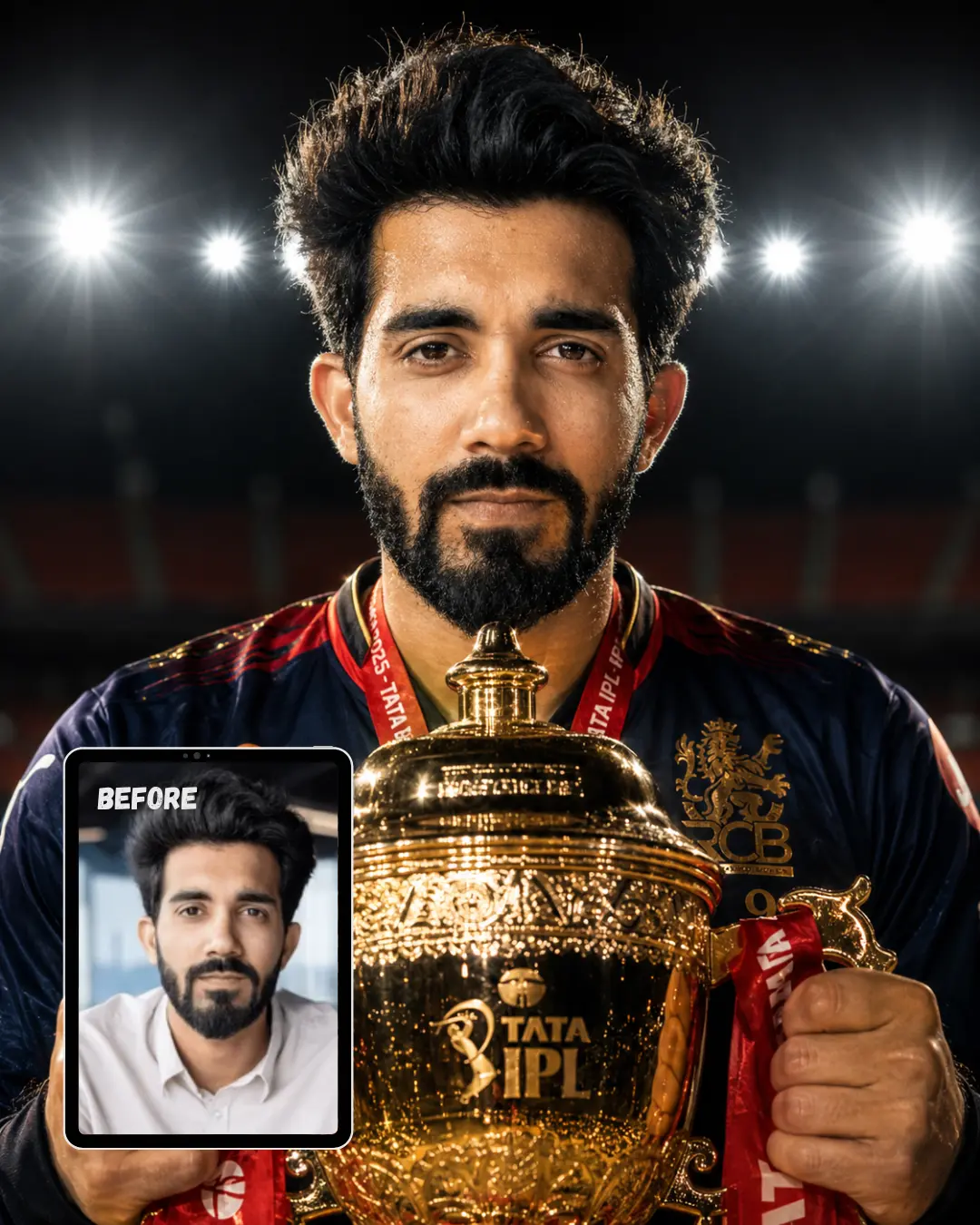
Closeup Photo Holding RCB IPL Trophy Under Stadium Floodlights at Night
Use my uploaded photo as reference. Preserve the exact face, skin tone, facial features, and identity — no alterations. Generate this image in 4:5 aspect ratio, portrait orientation. Tight close-up portrait from shoulders upward, subject gripping golden IPL trophy with both hands raised to chin level, looking directly into camera with intense expression, trophy filling lower portion of frame. Outfit: exact RCB Puma jersey — navy blue upper chest fading into deep red lower half, “SUN PHARMA” on left chest, gold RCB lion crest, white zip collar open at top, number 9 on chest, match-worn fabric with visible sweat, gold winners medal resting on chest over jersey. Background: completely blurred stadium at night — eight stadium floodlights visible as dramatic starburst light sources cutting through dark sky, faint outline of empty stands visible in deep bokeh. Lighting: eight stadium floodlights from directly above creating powerful hard shadows under cheekbones, nose and chin, single warm upward fill from trophy gold reflection softening face from below, strong white rim light separating hair and shoulders from dark background. Camera: Canon EOS R5, 135mm lens, f/1.8 aperture, background compressed into dark bokeh with light starbursts. Mood: fierce determined pride — jaw set tight, eyes locked directly into lens, slight flare of nostrils, the face of a champion who knew they would win. Ultra realistic, 8K resolution, professional photography, sharp focus, masterpiece quality, human-taken feel — not AI generated.
Gemini AI Prompt
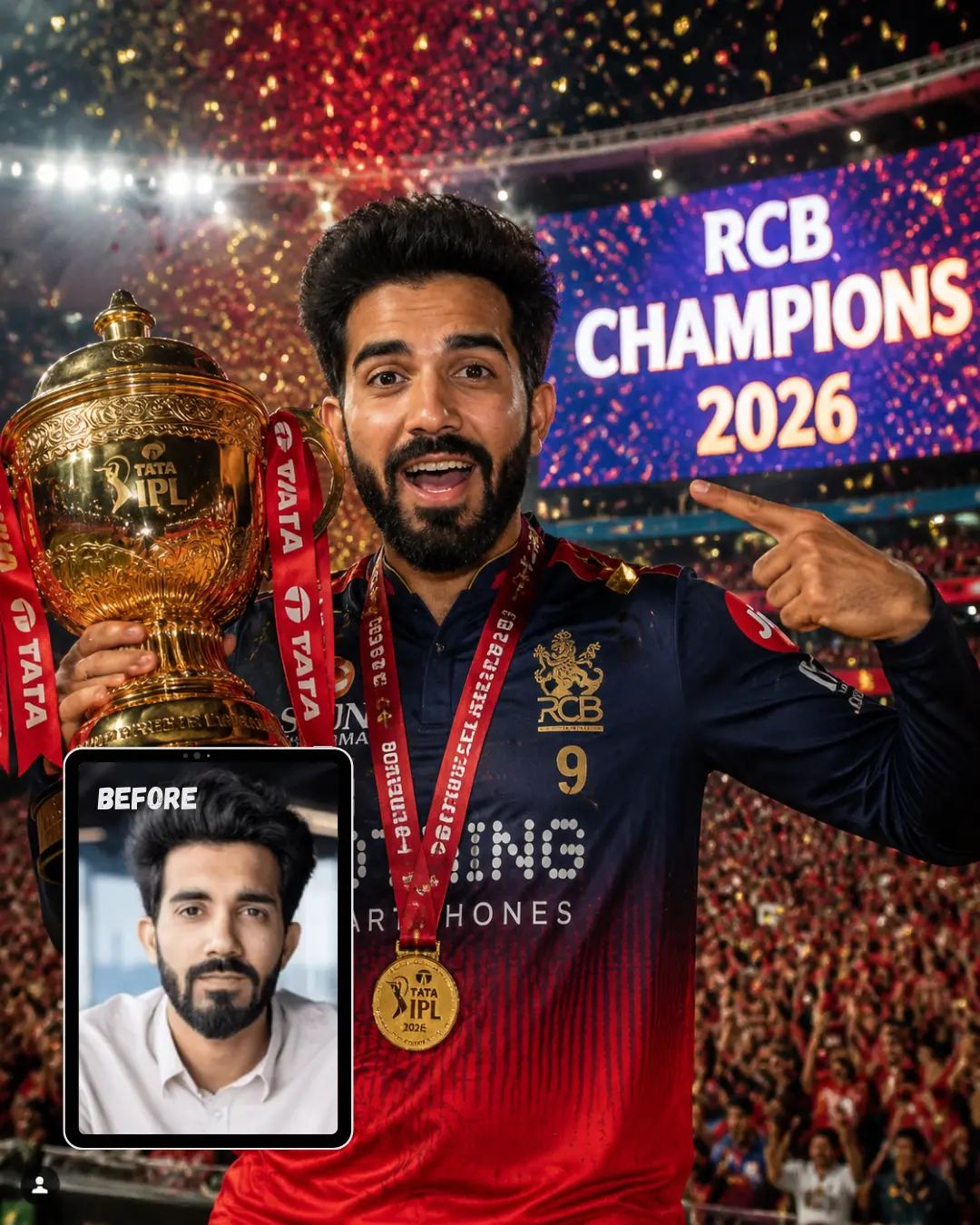
Closeup Photo Celebrating RCB IPL Win with Scoreboard Showing Champions
Use my uploaded photo as reference. Preserve the exact face, skin tone, facial features, and identity — no alterations. Generate this image in 4:5 aspect ratio, portrait orientation. Medium close-up portrait from waist upward, subject holding golden IPL trophy with one arm raised beside face, other hand pointing toward the stadium scoreboard behind, face turned slightly toward camera with wide open expression. Outfit: exact RCB Puma jersey — navy blue upper chest fading into deep red lower half, “NOTHING SMARTPHONES” across mid-chest, gold RCB lion crest, white zip collar, number 9 on chest, confetti pieces visibly stuck on jersey shoulders and chest, gold winners medal swinging from neck mid-motion. Background: massive stadium LED scoreboard clearly showing “RCB CHAMPIONS 2026” in giant bright letters visible over subject’s shoulder, packed crowd of 90,000 fans blurred in warm red bokeh, gold and red confetti cannons firing mid-frame filling background with color. Lighting: bright LED scoreboard casting cool blue-white light on one side of face, warm stadium floodlight hitting other side creating dramatic split lighting, confetti catching both light sources and glittering mid-air. Camera: Nikon Z9, 70mm lens, f/2.0 aperture, scoreboard text sharp enough to read, crowd in soft bokeh. Mood: disbelief turning into explosion of happiness — eyes wide, mouth open mid-laugh, eyebrows raised high, a face that cannot believe this moment is real. Ultra realistic, 8K resolution, professional photography, sharp focus, masterpiece quality, human-taken feel — not AI generated.
How to use these RCB IPL prompts in ChatGPT
Follow these steps and you will have your first result in under two minutes.
Open ChatGPT on your phone or browser and start a new chat. Make sure you are using a version that supports image generation (GPT-4o works well for this).
Upload a clear photo of yourself. Use a front-facing portrait with good lighting and no sunglasses. The clearer your face is in the original photo, the better ChatGPT can preserve your features.
Copy the full prompt text from any card on this page. Do not shorten it or remove any details. Every line is there for a reason.
Paste the prompt into the chat and hit send.
Wait for the image to generate. It usually takes 20 to 40 seconds.
Check the result. If your face looks different or the jersey colors shifted, type: “Regenerate using the same uploaded photo. Keep my original face and skin tone exactly the same.”
Save the image directly from ChatGPT and share it anywhere you like.
If you want a prompt built around your own outfit color and pose preference, use our Gemini Prompt Generator on this page.
Tips for getting the best results
Upload the clearest photo you have. A well-lit, front-facing selfie with your full face visible works far better than a group photo or a picture taken in low light. The more detail ChatGPT can see in your original photo, the more accurately it will match your skin tone, facial structure, and features in the final result.
Keep the prompt exactly as written. These prompts have been tested and refined. Every detail about the jersey, lighting setup, camera settings, and mood is there because it helps the AI produce a consistent, realistic output. Removing lines or shortening the prompt will usually result in a generic image that looks less like you.
If your face changes, regenerate immediately. It is completely normal for the first attempt to alter your features slightly. Simply type “Regenerate this image using my uploaded photo. Preserve my exact face, skin tone, and facial features without any changes” and submit again. Most of the time the second or third attempt will be much closer.
Related prompts you might also like
If you enjoyed these prompts, here are some other styles you might love:
And if you want to turn heads on social media, the Met Gala Gemini AI prompts for men 2026 will dress you up in a red carpet-worthy outfit that looks completely believable.
Frequently asked questions
How do I use a ChatGPT prompt with RCB IPL Trophy to get a photo with Virat Kohli?
Open ChatGPT, upload a clear selfie, and paste the “Trophy Lift with Virat Kohli” prompt from this page exactly as written. ChatGPT will use your uploaded photo as the base reference and generate a realistic image of you standing with Virat Kohli during the IPL trophy presentation. Make sure you are using GPT-4o or a version that supports image uploads and generation.
Why does my face look different in the generated image?
This is one of the most common issues people face with AI photo editing. ChatGPT sometimes blends or softens facial features during the generation process, especially if the prompt is very detailed. The fix is simple. Type a follow-up message asking it to regenerate while specifically preserving your original face and skin tone. Using a high-quality, well-lit selfie as your upload also makes a big difference in how accurately your features are preserved.
Which photo should I upload to get the best result with these RCB IPL prompts?
Use a recent, front-facing portrait with soft, even lighting and no filters applied. Avoid sunglasses, caps, or anything covering your face. A simple photo taken near a window in natural daylight usually gives the cleanest result. The AI needs to see your face clearly in order to replicate it accurately inside the stadium scene.
How can I change the jersey number or outfit details to match my own preference?
The prompts are written for the official RCB jersey with number 9, but you can swap any detail before pasting. Change “number 9” to your preferred number, or adjust sponsor logos and collar style. For more control, use the free Custom Prompt Generator on this page to build a prompt that fits your exact outfit idea without writing anything from scratch.
How do I share my ChatGPT RCB IPL photo on Instagram in the best format?
Once your image is generated, save it directly from ChatGPT by long-pressing on mobile or right-clicking on desktop. The portrait prompts in this collection are all designed at 4:5 ratio, which is the ideal format for Instagram feed posts. Upload it directly to your feed, add a caption, and tag your cricket friends. The image quality from ChatGPT is typically high enough to look sharp on any screen.
Conclusion
You now have ten complete, ready-to-paste ChatGPT prompts with RCB IPL Trophy moments: from lifting the cup beside Virat Kohli at Narendra Modi Stadium to a quiet dressing room photo and a cinematic rooftop shot over the Mumbai skyline. Every prompt is written to preserve your face, match the real RCB jersey details, and produce an image that looks like it was taken by a professional photographer on match night. Paste one into ChatGPT right now and see the result for yourself. If you want something more personal, the free Prompt Generator lets you build your own version in seconds. Drop your final image in the comments or tag us on Instagram. We would love to see your champion moment.