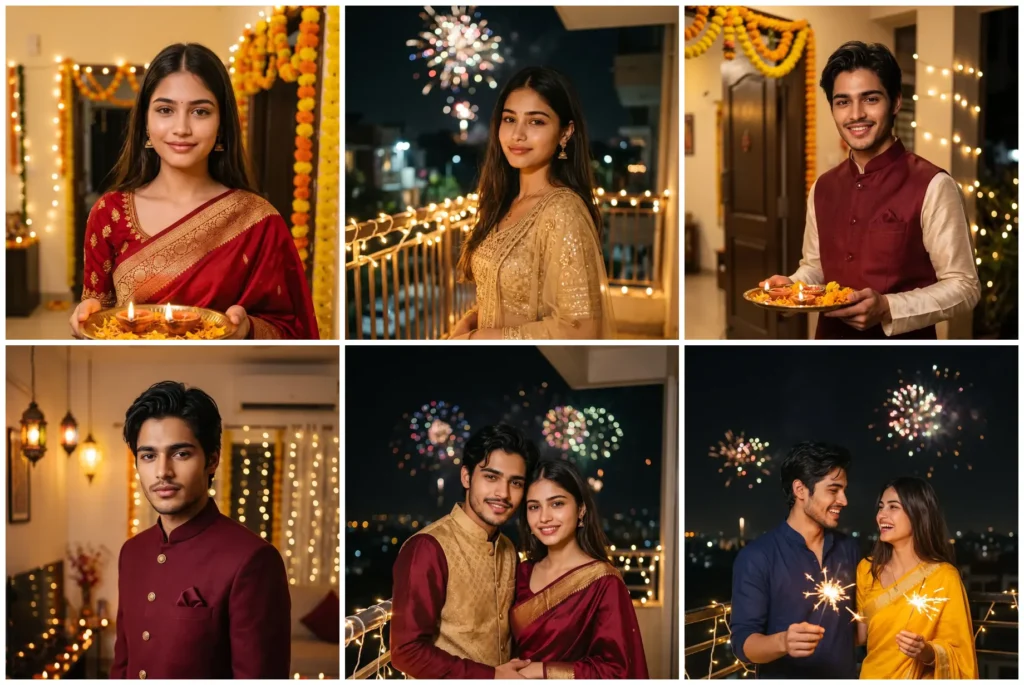
Diwali is on Sunday, 8 November 2026, and your best festive photo does not need a photoshoot. This page has 10 ready Diwali photo prompts for Gemini: copy one, upload your photo, paste it and generate.
There are saree and lehenga looks for girls, kurta and sherwani looks for boys,
and sweet couple portraits. Every prompt is written to keep your face exactly yours.
Halloween comes first this season. Try our Halloween photo prompts for candid party, street and couple costume photos before the Diwali celebrations begin.
Gemini AI Prompt
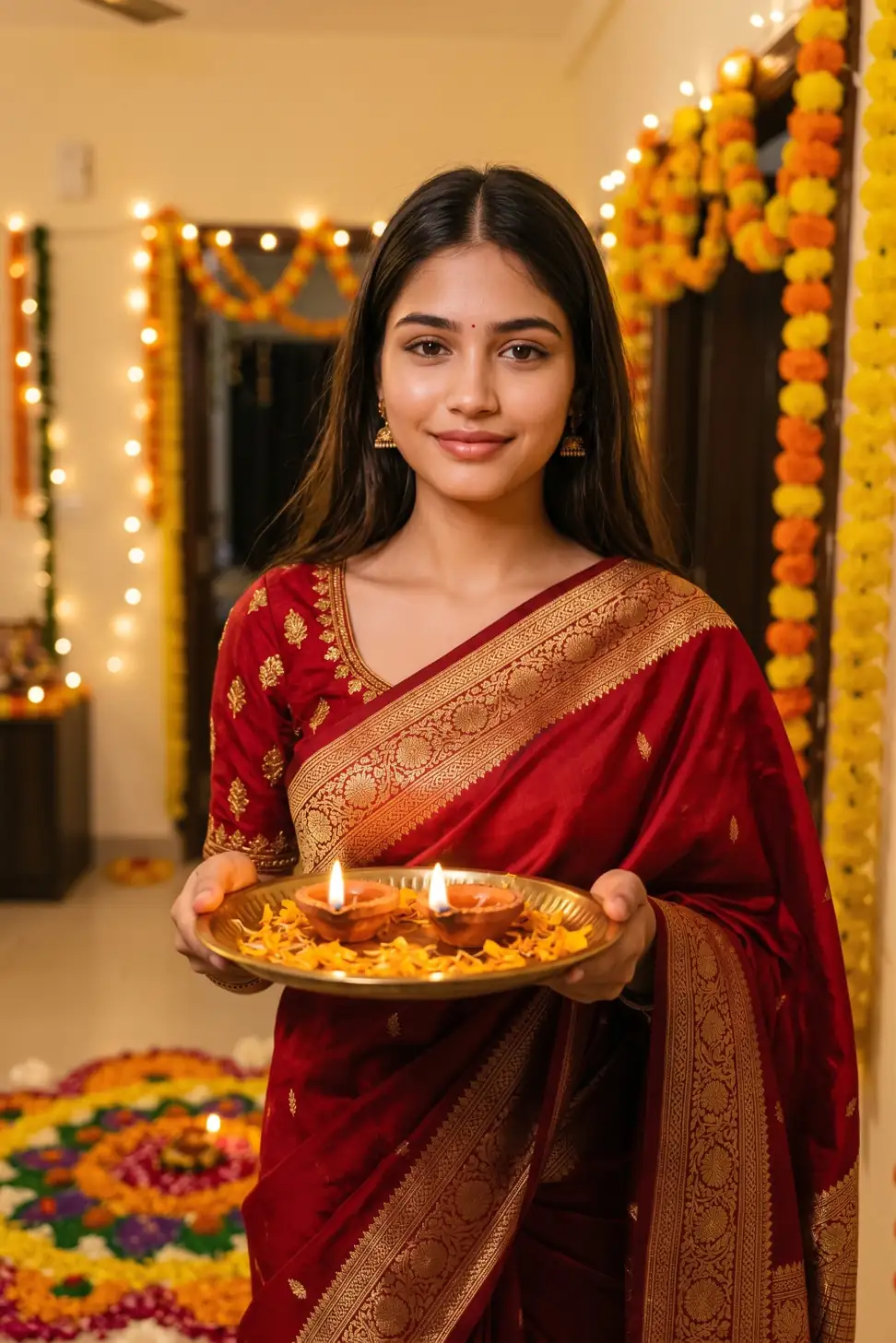
Red Banarasi Saree Diwali Girl Photo Prompt
Transform my photo into a festive Diwali portrait. Keep my face, facial features, skin tone and hairstyle exactly the same as the uploaded photo. Dress me in a deep red Banarasi silk saree with a golden zari border and a matching blouse, with small gold jhumka earrings. Show me holding a brass plate with two lit clay diyas, standing in a home decorated with marigold garlands, fairy lights and a colourful rangoli at my feet. Warm golden evening light with a soft glow on my face, natural skin texture, photorealistic. No face change, no plastic skin, no cartoon look, no extra fingers.
Gemini AI Prompt
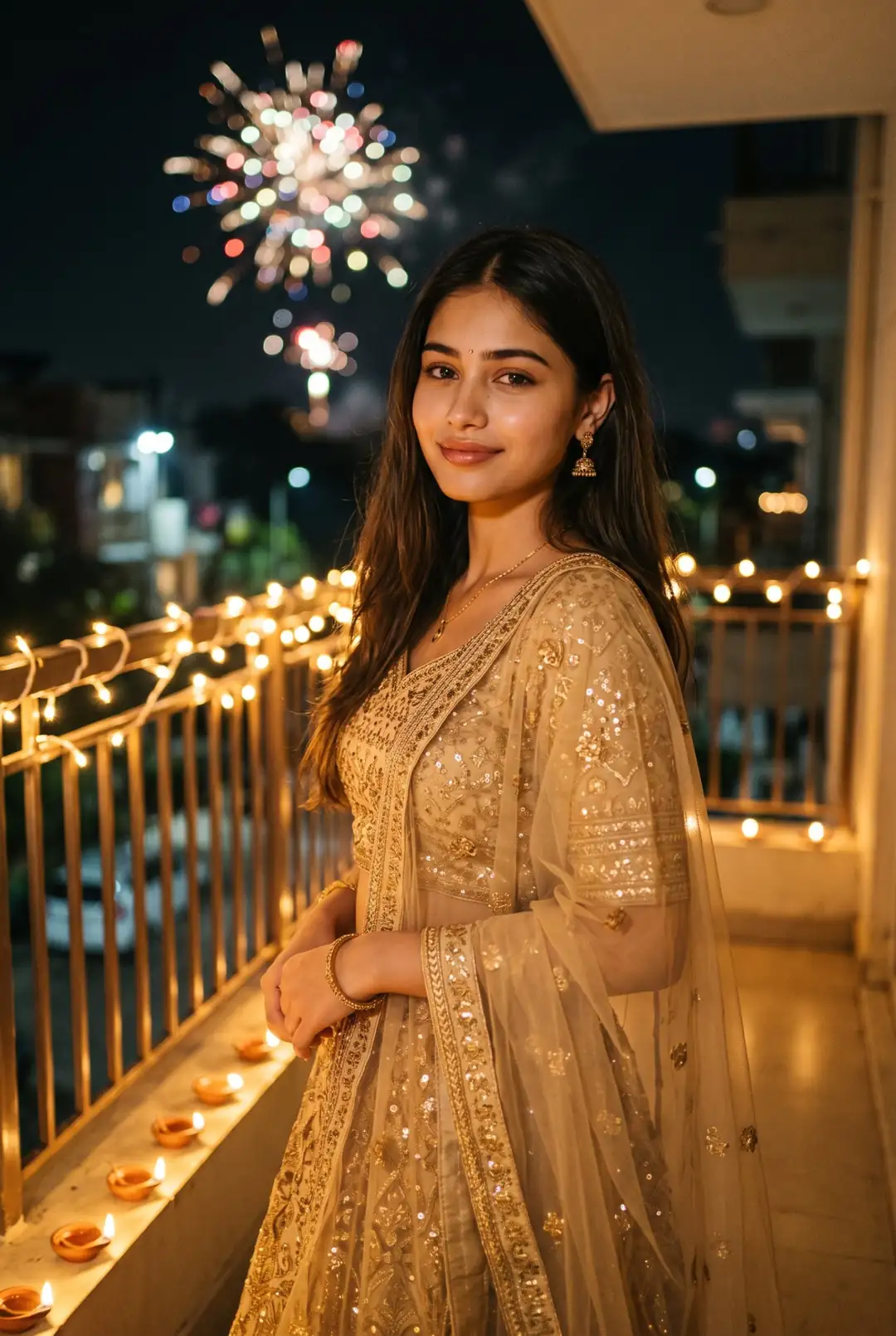
Golden Lehenga Diwali Girl Photo Prompt
Edit my photo into a sparkling Diwali evening portrait. Keep my face, skin tone and hairstyle exactly the same as the uploaded photo, do not change my facial features. Dress me in a golden embroidered lehenga with a soft net dupatta and small gold jewellery. Place me on a balcony at night, the railing wrapped in warm fairy lights, clay diyas lined along the floor and soft fireworks bokeh in the dark sky behind me. Three-quarter pose, gentle smile, warm light on my face, natural skin texture, photorealistic festive photo. No face change, no blurry skin, no cartoon look.
Gemini AI Prompt
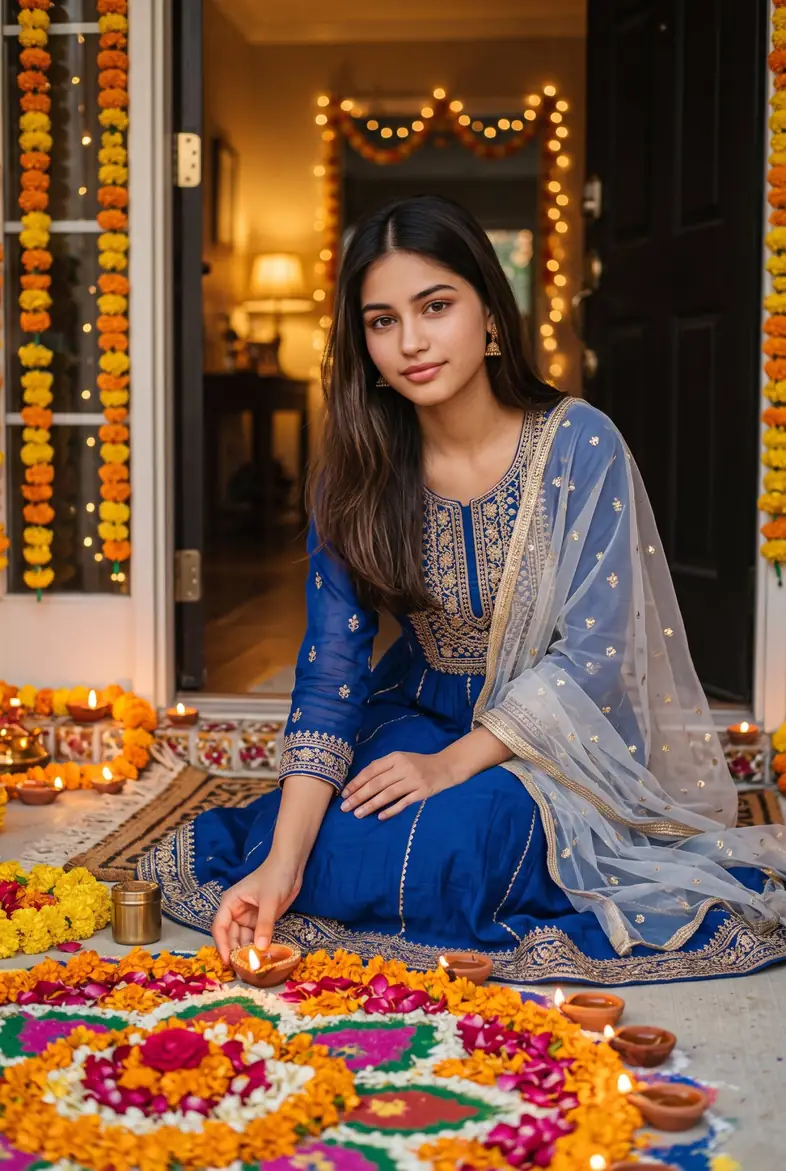
Blue Anarkali Rangoli Diwali Girl Photo Prompt
Convert my photo into a traditional Diwali portrait. Keep my face, facial features, skin tone and hairstyle exactly the same as the uploaded photo. Dress me in a royal blue anarkali suit with gold embroidery and a light dupatta. Show me sitting gracefully beside a large colourful rangoli at the home entrance, placing one lit diya on its edge, more diyas and marigold flowers around me. Warm golden evening light, calm happy expression, detailed fabric, natural skin texture, photorealistic. No face change, no plastic skin, no extra fingers, no cartoon look.
Gemini AI Prompt
Diya Close-Up Diwali DP Girl Photo Prompt
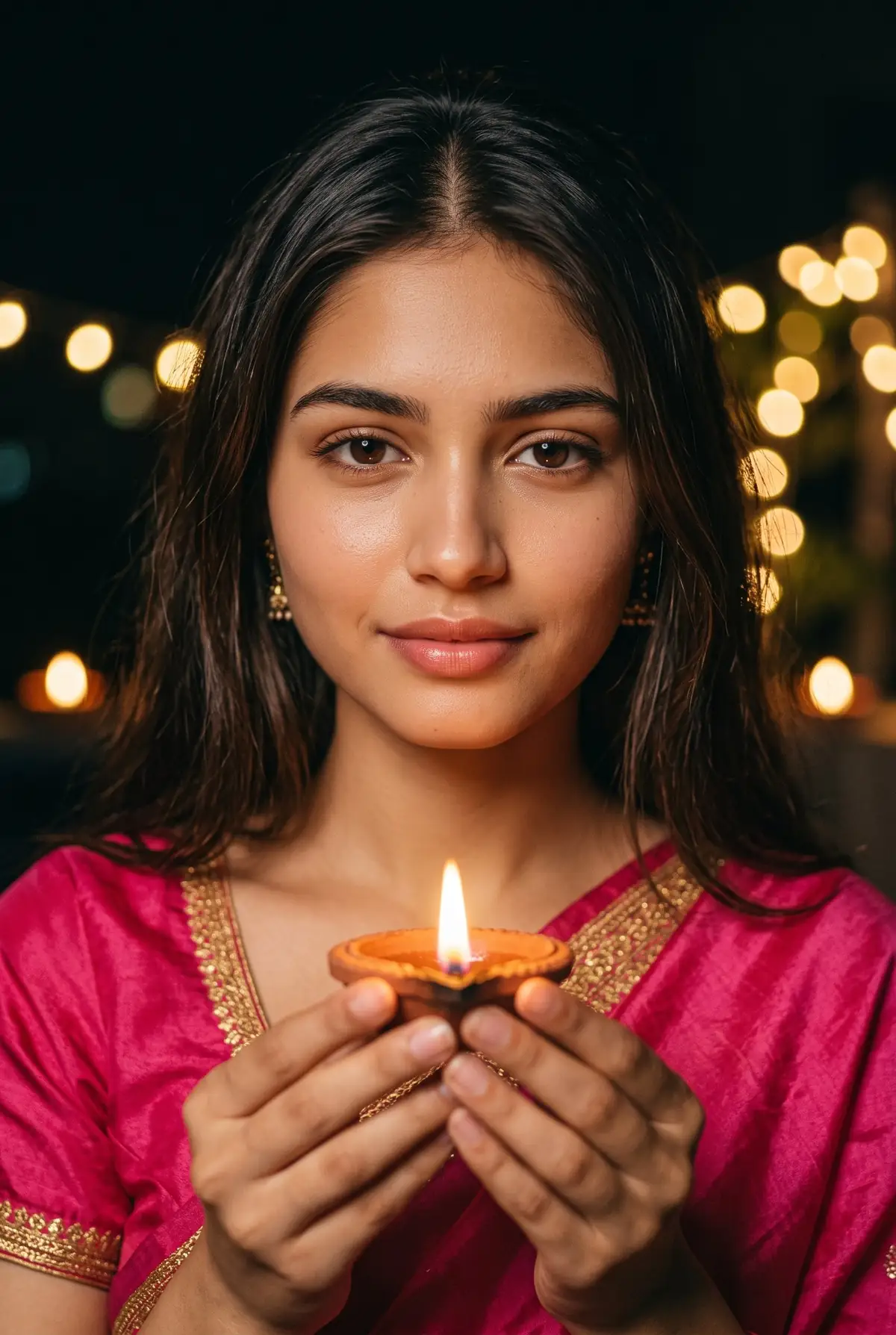
Make a close-up Diwali DP from my photo, in a vertical portrait frame. Keep my face, eyes, nose, skin tone and hairstyle exactly the same as the uploaded photo. Dress me in a pink silk traditional outfit with a gold border visible at the shoulder. Show me holding one lit clay diya with both hands near my face, the warm flame glow lighting my face softly from below. The background stays dark with blurred fairy lights and diya bokeh. Natural skin with real texture, sharp eyes, photorealistic close-up. No face change, no beautified plastic skin, no cartoon look.
Gemini AI Prompt
Cream Kurta Diya Thali Diwali Boy Photo Prompt
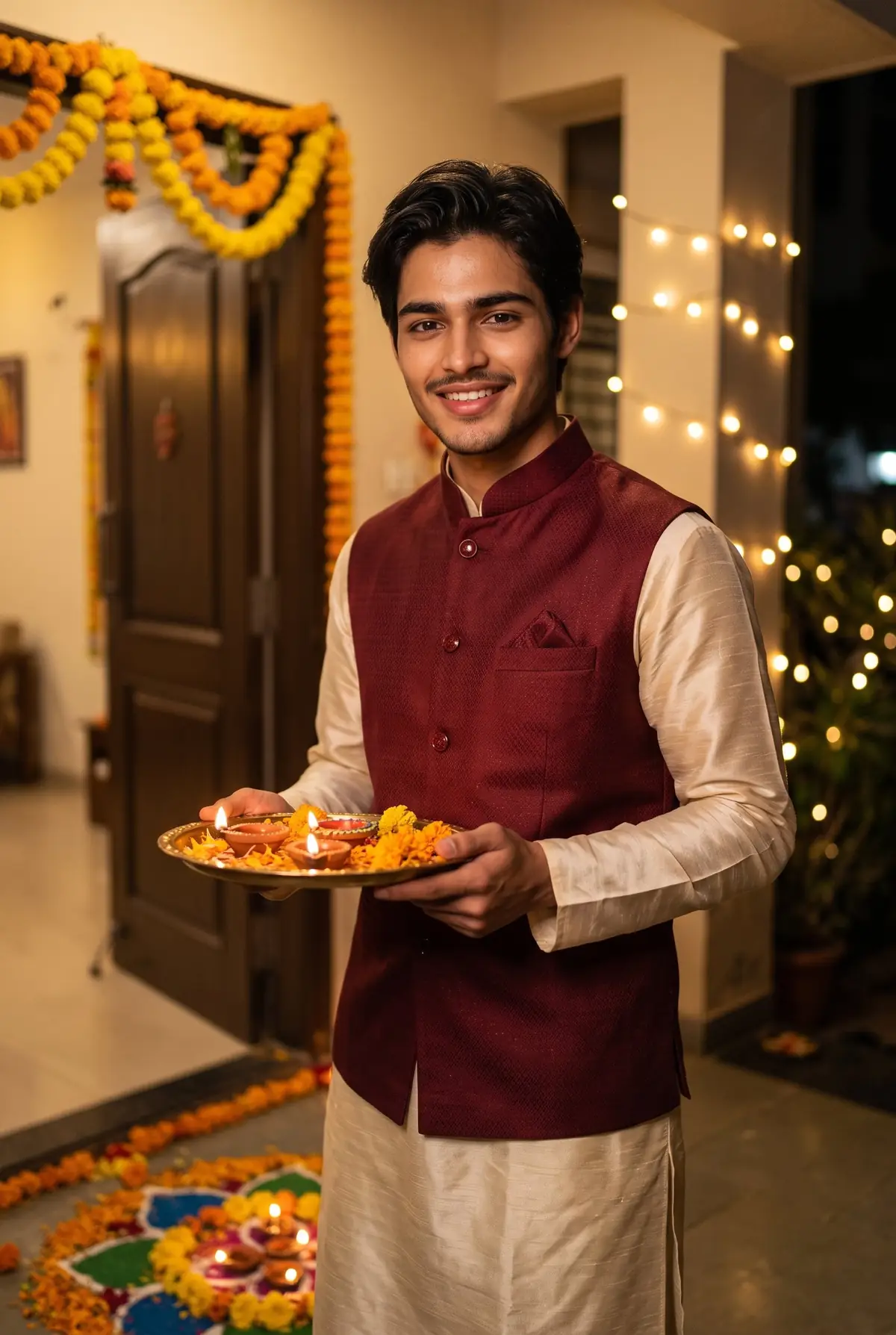
Transform my photo into a classic Diwali portrait. Keep my face, facial features, skin tone and hairstyle exactly the same as the uploaded photo. Dress me in a cream silk kurta pajama with a maroon Nehru jacket. Show me holding a decorated thali with lit diyas and flowers, standing at a home entrance with a marigold toran above the door and a rangoli at my feet, fairy lights behind me. Warm golden evening light, confident natural smile, detailed fabric, photorealistic. No face change, no plastic skin, no cartoon look, no extra fingers.
Gemini AI Prompt
Maroon Sherwani Diwali Boy Photo Prompt
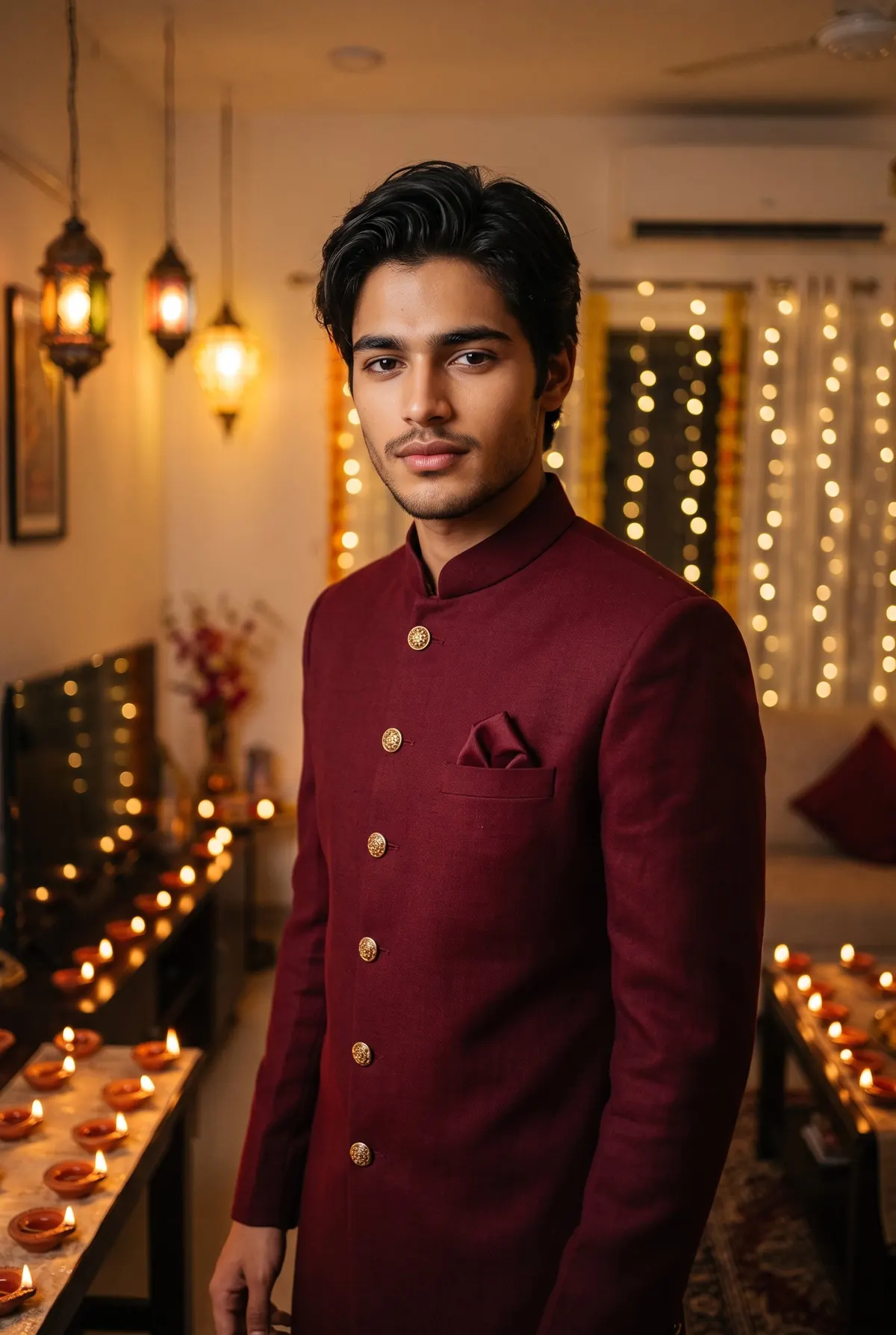
Edit my photo into a royal Diwali portrait. Keep my face, skin tone and hairstyle exactly the same as the uploaded photo, do not alter my facial features. Dress me in a deep maroon sherwani with gold buttons and a matching pocket square. Place me in a decorated living room with rows of lit diyas, hanging lanterns and warm fairy lights behind me, soft cinematic lighting on my face. Standing pose, calm confident look, rich fabric detail, natural skin texture, photorealistic. No face change, no blurry skin, no cartoon look.
Gemini AI Prompt
Rooftop Fireworks Diwali Boy Photo Prompt
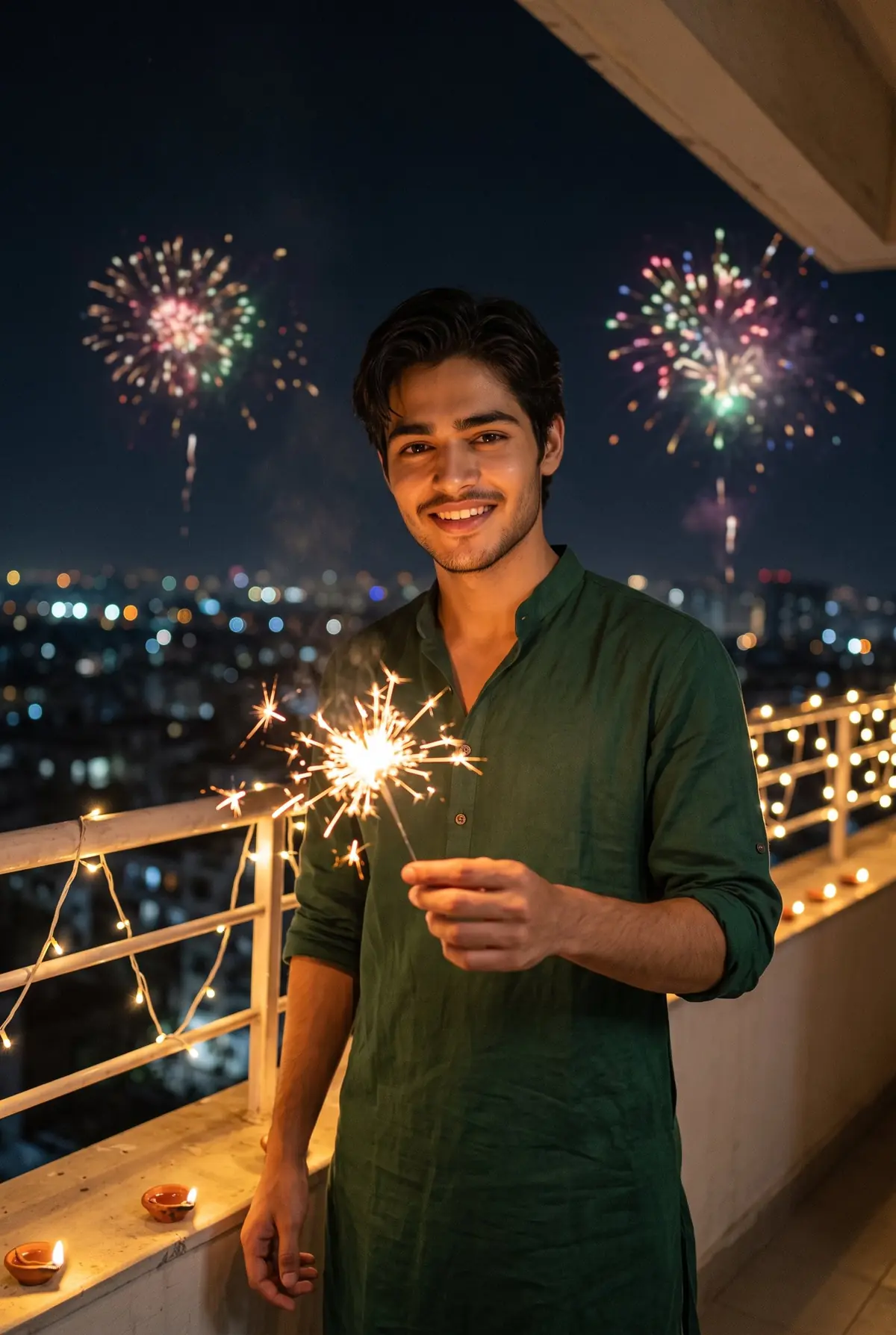
Convert my photo into a Diwali night photo on a rooftop. Keep my face, facial features, skin tone and hairstyle exactly the same as the uploaded photo. Dress me in a dark green kurta with the sleeves folded to the elbows. Show me holding a lit sparkler in one hand, with the city lights below and colourful fireworks in the night sky behind me, fairy lights along the rooftop railing. Joyful natural smile, real night-photo light on my face, photorealistic. No face change, no plastic skin, no extra fingers, no cartoon look.
For couple prompts, upload one clear photo of you both together. That gives the most natural result.
Gemini AI Prompt
Couple Holding Diya Diwali Photo Prompt
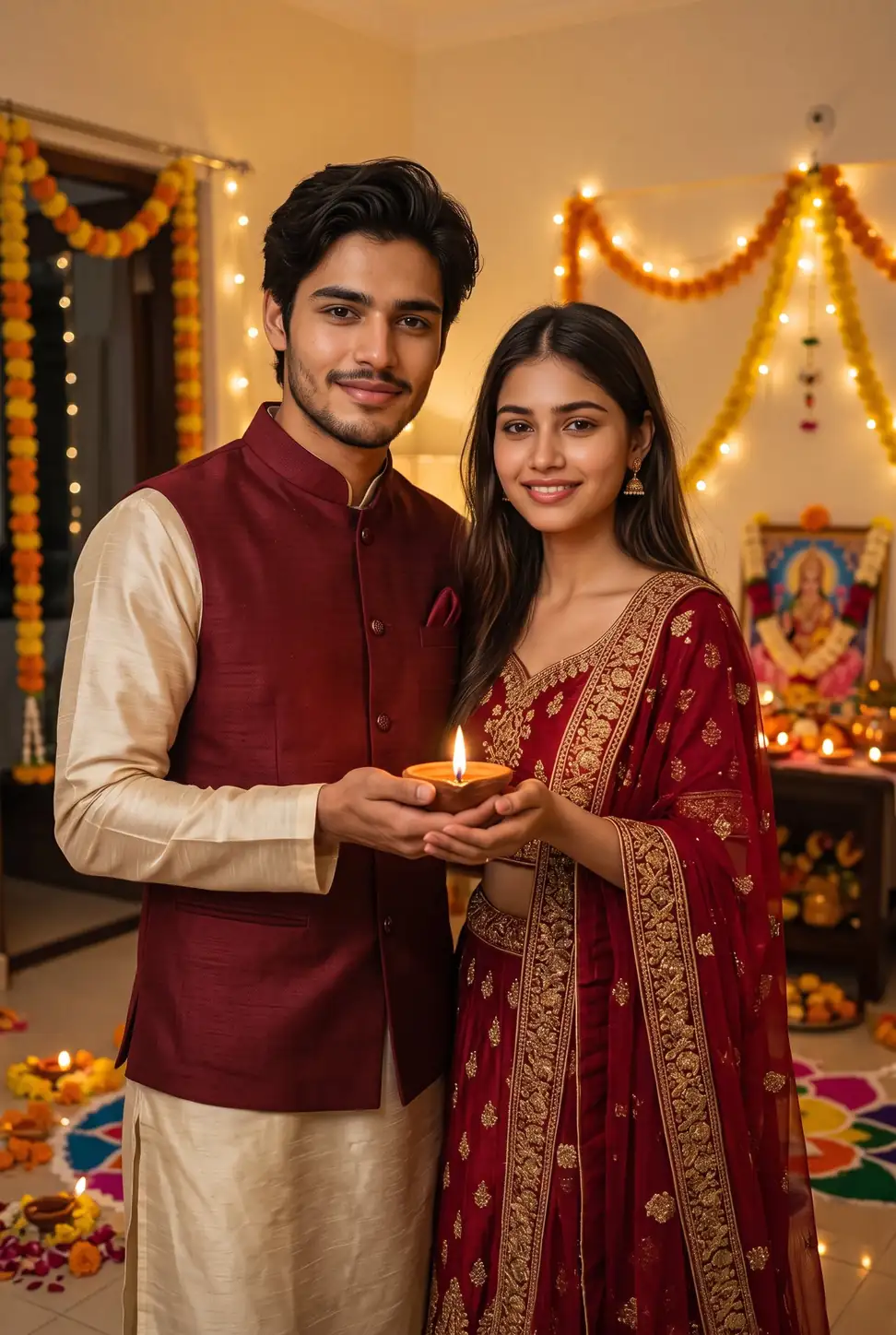
Edit our photo into a warm Diwali couple portrait. Keep both faces, facial features, skin tones and hairstyles exactly the same as the uploaded photo. Dress the girl in a red lehenga with gold embroidery and the boy in a cream kurta with a maroon Nehru jacket. Show us standing close, holding one lit clay diya together with both hands, in front of a home decorated with marigold garlands, fairy lights and a small Lakshmi puja corner behind us. Warm golden light, soft smiles, natural skin texture, photorealistic. No face change for either person, no plastic skin, no cartoon look.
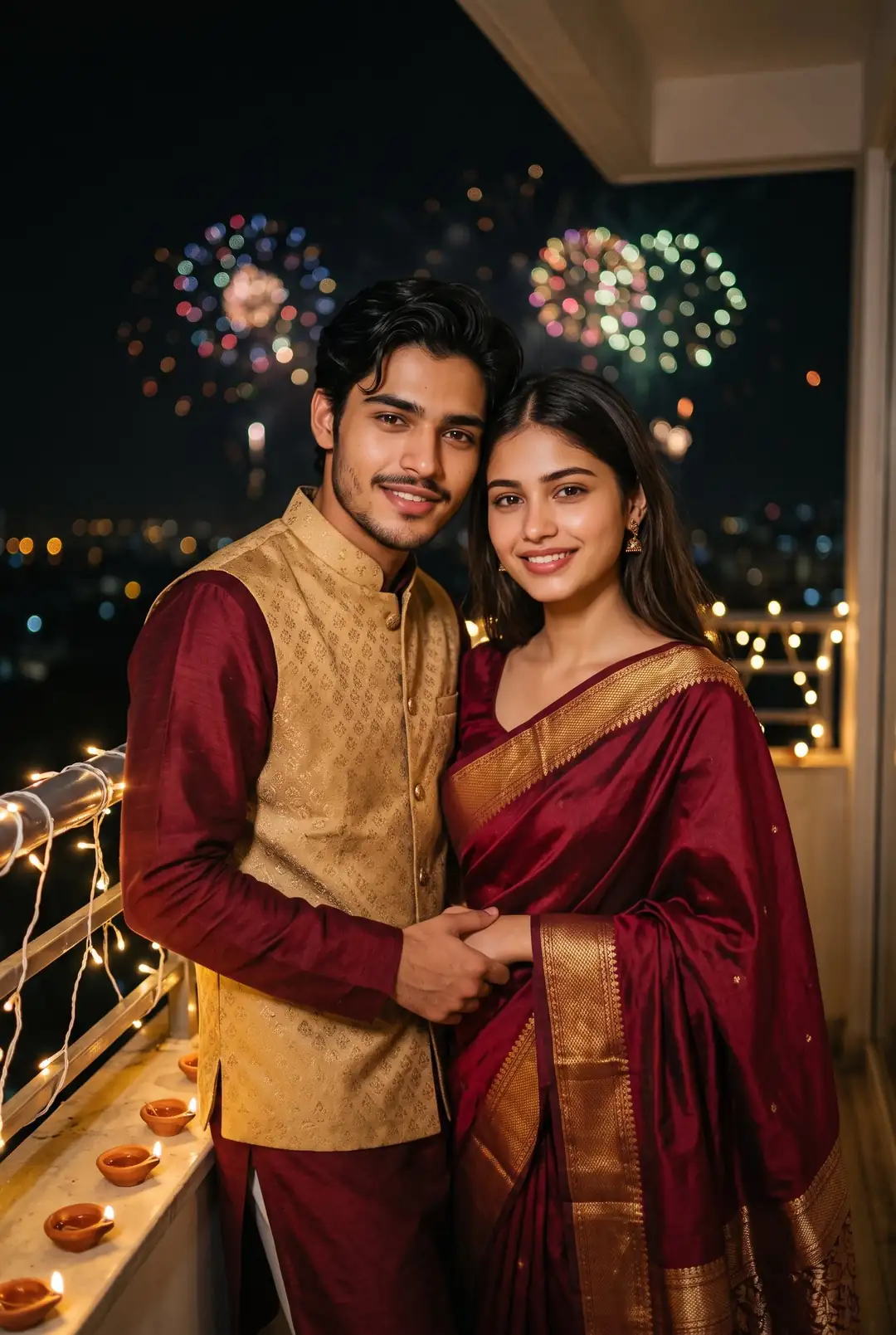
Transform our photo into a Diwali balcony portrait. Keep both faces, skin tones and hairstyles exactly the same as the uploaded photo, do not change any facial feature. Dress us in matching maroon and gold ethnic outfits: a maroon saree with a gold border for the girl and a maroon kurta with a gold Nehru jacket for the boy. Place us on a balcony wrapped in fairy lights, diyas along the railing and soft fireworks bokeh in the night sky, standing close with a natural, relaxed pose. Warm festive light, photorealistic. No face change, no blurry faces, no cartoon look.
Gemini AI Prompt
Couple Sparkler Diwali Photo Prompt
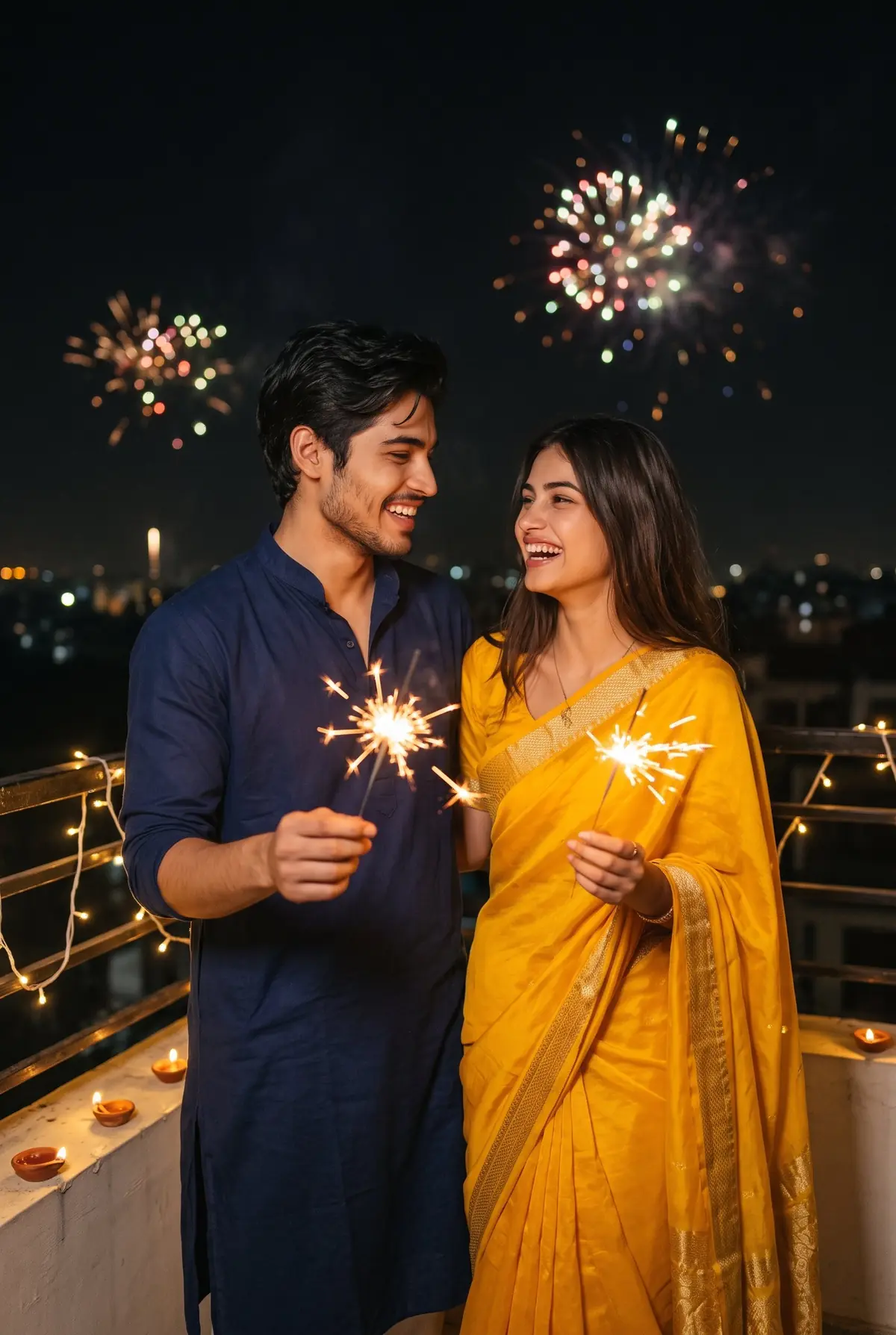
Convert our photo into a joyful Diwali night photo. Keep both faces, facial features, skin tones and hairstyles exactly the same as the uploaded photo. Dress the girl in a yellow saree with a gold border and the boy in a navy blue kurta. Show us on a rooftop at night, each holding a lit sparkler, laughing naturally at each other, with warm light trails from the sparklers, fairy lights and distant fireworks behind us. Real night photography feel, natural skin texture, photorealistic. No face change for either person, no extra fingers, no cartoon look.
How to Use These Diwali Photo Prompts in Gemini or ChatGPT
Copy any prompt above.
Open the Gemini app and upload a clear photo of your face (for couple prompts, upload one clear photo of you both).
Paste the prompt under the photo, exactly as copied.
Tap Generate. Your Diwali photo is ready in a few seconds.
Want a look that is not here? Build your own with our free Gemini AI prompt generator: pick the outfit, place and light, and it writes the prompt for you.
Tips for Best Results
Upload a clear photo taken in good light, even for a night look. Gemini adds the diya light itself, and a sharp photo keeps your face accurate.
Name the full outfit in the prompt: fabric, colour and border. “Red Banarasi saree with gold zari border” works. A plain “traditional dress” gives random results.
Make the DP version first, then the full photo. The close-up diya prompt (number 4) is made for DPs, the others for posts.
FAQs
What is the best Diwali AI photo prompt for Gemini?
The saree with diyas prompt (number 1) is the most loved, because it has all four things a good Diwali prompt needs: your face locked, a named outfit, a real place and warm diya light. Boys get the same result from the kurta thali prompt (number 5). Pick by your outfit, not by length: a clear short prompt beats a long confusing one.
How do I keep my face the same in a Diwali photo?
Every prompt on this page already has the face line inside it: keep my face, features, skin tone and hairstyle exactly the same. Upload a clear, front facing photo with no sunglasses or heavy filter, and do not describe a new hairstyle or face anywhere else in the prompt. If the face still shifts, run the same prompt once more.
Can I make a Diwali DP with these prompts?
Yes. Prompt number 4 is made only for DPs: a close-up with one diya and a vertical frame that fits WhatsApp and Instagram. The other prompts make full photos for posts and status. You can also crop any full result into a DP later, but the close-up prompt gives the cleanest face and glow from the start.
Which photo should I upload for a Diwali edit?
Use a recent, sharp photo in plain daylight, with your full face visible and nothing covering it. For couple prompts, use a photo where both faces are lit and looking at the camera. Avoid screenshots, blurry photos and heavy beauty filters: Gemini copies what it sees, so a weak photo gives a weak Diwali edit.
Why does my Diwali photo look fake or too dark?
It usually happens when the prompt asks for night and diyas but the light on the face is not described. These prompts fix that with one line: warm golden light with a soft glow on the face. If yours still looks dark, add “bright warm light on my face, natural skin texture” and generate again. Fake looking skin means the prompt needs “natural skin texture” too.
Pick one prompt, upload your photo, and your Diwali post is ready in seconds, with your face fully yours. For more festive looks and fresh prompts every week, follow @image_promptlab.
And if Karwa Chauth comes first in your festival calendar, our Karwa Chauth photo prompts have saree, sieve-and-moon and couple looks ready for that day too.