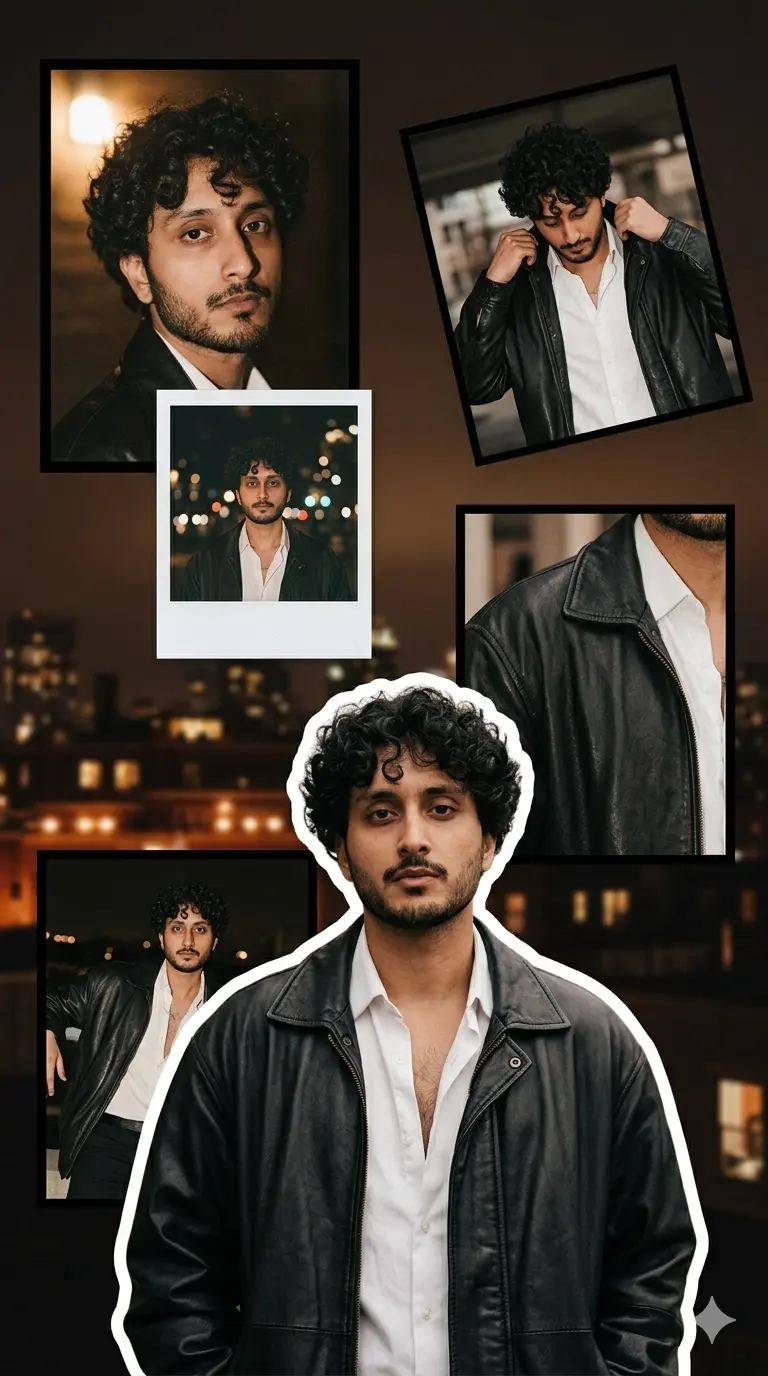
Transform the uploaded portrait into a 100vh vertical Instagram-story style aesthetic scrapbook collage, preserving the exact facial identity, hairstyle, skin tone, facial features, body proportions, and realistic skin texture.
Use the uploaded image only as identity reference. Preserve the same person accurately in every panel.
Main Front Subject:
Create one large cut-out portrait of the subject in the lower center foreground. The front subject must be the main focus of the design, larger than all background frames, sharply detailed, and slightly overlapping the frames behind. Add a clean white sticker-style outline around the full body and a soft realistic shadow behind it for depth.
Dressing / Outfit Styling:
Dress the subject in a black oversized leather jacket with realistic leather texture, soft natural folds, and slight glossy highlights. Under the jacket, add a clean white button-down shirt, slightly open at the collar with the top 1–2 buttons open for a casual fashion model look. If lower body is visible, use slim black jeans or dark straight-fit trousers. Keep the styling modern, moody, masculine, Pinterest-inspired, and premium. No hoodie, no sports jersey, no formal suit, no neon colors, no oversized logos.
Background Collage Layout:
Create 5 floating frames behind the main subject in a stylish scrapbook layout.
Frame 1 — Top Left:
A close-up portrait crop of the subject looking slightly away, moody expression, cinematic shadows, warm flash photography, white rectangular border.
Frame 2 — Top Right:
A tilted candid frame showing the subject adjusting jacket collar or touching hair naturally, side angle, soft blur background, white border.
Frame 3 — Center Left:
A small polaroid-style frame showing the subject from chest-up with blurred city lights or night bokeh in the background. Add a white border and a blank caption area at the bottom, but no readable text.
Frame 4 — Right Middle:
A cropped fashion detail shot showing jacket texture, shirt collar, hand pose, or shoulder angle. Keep it partially behind the main subject.
Frame 5 — Bottom Left:
A wider portrait frame showing the subject in a relaxed fashion pose, partly hidden behind the main cutout to create depth.
Background:
Do not use the uploaded image as the background. Use the uploaded image only for facial identity reference and to create the subject inside the collage frames. Create a new original aesthetic background from scratch, such as a blurred dark city night scene, warm rooftop lights, a soft studio wall, cinematic bokeh, or a moody brown-black gradient background. The background should be fully different from the input photo, softly blurred, dreamy, clean, and premium.
Color Grading:
Dark brown, black, cream white, muted beige, warm flash highlights, deep soft shadows, and slight vintage contrast.
Texture & Effects:
Add subtle film grain, paper collage texture, realistic frame shadows, slight glow on highlights, soft vignette, and clean depth layering.
Composition Rules:
Vertical 9:16 layout. One large main front cutout. All other frames must stay behind. Frames should be clearly separated and slightly tilted like a scrapbook collage. Keep the outfit consistent across all panels, but show it from different angles and crops in each frame.
Strict Background Control:
Do not place the original uploaded image directly in the background. Do not stretch, zoom, blur, or duplicate the input photo as the full background. The uploaded photo must only be used to preserve the face, identity, hairstyle, and pose inspiration. The final background must be newly generated, different, aesthetic, cinematic, and softly blurred.
Negative Controls:
No random text, no watermark, no logo, no app icons, no distorted face, no extra hands, no broken fingers, no duplicate unnatural body parts. Keep the final image realistic, aesthetic, premium, and viral Instagram-story style.